Best Landing Pages Software 2025: Unbounce vs Leadpages vs InstapageUpdated: October 04, 2026
# Introduction to Landing Page Software In the fast-paced world of digital marketing, landing pages serve as the critical entry points for capturing leads, driving conversions, and turning casual visitors into loyal customers. Landing page software empowers marketers, small business owners, and...
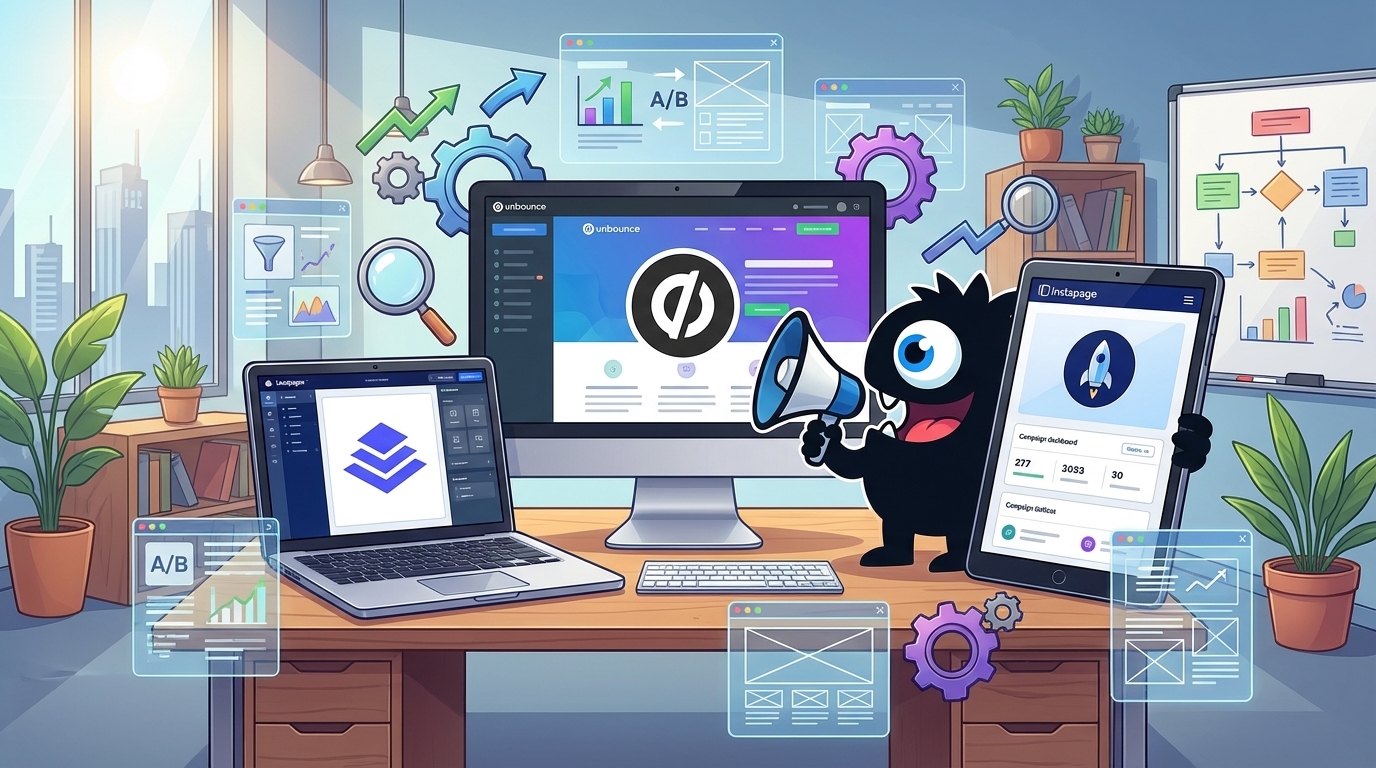
Best Landing Pages Software 2025: Unbounce vs Leadpages vs Instapage
Introduction
Introduction to Landing Page Software
In the fast-paced world of digital marketing, landing pages serve as critical entry points for capturing leads, driving conversions, and turning casual visitors into loyal customers. Landing page software empowers marketers, small business owners, and agencies to create high-performing, customized pages without advanced coding skills. These tools streamline the design process, integrate with email platforms and analytics, and often include A/B testing features to optimize results. The right software can significantly boost your campaign's ROI by making it easier to experiment, personalize experiences, and scale efforts efficiently.
Choosing the ideal landing page builder goes beyond aesthetics—it's about aligning with your workflow, budget, and goals. A mismatched tool can lead to frustrating limitations, steep learning curves, or missed opportunities for growth. That's why we've selected three standout options: Unbounce, Leadpages, and Instapage.
These platforms have earned their reputations through robust features, proven track records, and dedicated user communities. Unbounce excels in advanced customization and enterprise-level integrations, making it a favorite for data-driven teams. Leadpages shines with its simplicity and affordability, ideal for solopreneurs and small businesses looking to launch quickly. Instapage, meanwhile, stands out for its focus on conversion optimization and collaborative tools, appealing to agencies and larger organizations. In this buyer's guide, we'll dive deeper into their strengths, pricing, and unique offerings to help you decide which one fits your needs.
Quick Comparison Table
| Feature | Unbounce | Leadpages | Instapage |
|---|---|---|---|
| Best For | Marketers needing advanced A/B testing and dynamic text replacement for high-conversion campaigns | Small businesses and solopreneurs seeking simple, drag-and-drop page creation | Enterprise teams focused on post-click optimization and collaborative workflows |
| Starting Price | $99/month (Build plan, billed annually) | $49/month (Standard plan, billed annually) | $199/month (Business plan, billed annually) |
| Free Trial | 14 days, no credit card required | 14 days, no credit card required | 14 days, no credit card required |
| Key Strength | Robust A/B and multivariate testing with AI-powered optimization tools | User-friendly interface with 200+ mobile-responsive templates for quick launches | Advanced personalization features like dynamic content blocks and team collaboration dashboards |
| Key Weakness | Steeper learning curve for beginners due to advanced features | Limited customization options beyond templates, lacking deep analytics | High cost and complexity may overwhelm small teams or solo users |
This quick comparison highlights the core differences to help you choose based on your scale, budget, and technical needs. Unbounce excels in experimentation, Leadpages in simplicity, and Instapage in scalability for larger operations. For deeper dives, explore each tool's full feature set.
Unbounce
Overview
Unbounce is a powerful landing page builder designed specifically for marketers and businesses aiming to boost conversions without needing deep technical skills. Founded in 2009, it stands out in the crowded landing page market by focusing on conversion rate optimization (CRO) from the ground up.
What makes Unbounce unique is its emphasis on data-driven tools like built-in A/B testing and AI-powered features that help users create pages that not only look great but also perform better at driving leads and sales. Unlike general-purpose website builders, Unbounce is tailored for high-impact, single-purpose pages—think pop-ups, thank-you pages, and full landing pages—that integrate seamlessly with marketing stacks like Google Ads, HubSpot, and email platforms. It's ideal for e-commerce, agencies, and growth-focused teams who want quick wins in paid traffic campaigns.
Key Features
Unbounce packs a robust set of tools into an intuitive platform, making it a go-to for creating and optimizing landing pages. Here's a breakdown of its main features and capabilities:
-
Drag-and-Drop Builder: A visual editor lets you build pages from scratch or customize over 100 professional templates. It supports responsive design for mobile, desktop, and tablet, with real-time previews to ensure everything looks sharp across devices.
-
A/B and Multivariate Testing: Built-in testing tools allow you to experiment with variations of headlines, images, CTAs, and layouts. Smart Traffic, an AI feature, automatically directs visitors to the best-performing version, helping optimize conversions without manual guesswork.
-
Dynamic Text Replacement (DTR): This personalization tool swaps page elements based on visitor data, like keywords from PPC ads or geolocation. It's a game-changer for relevance, potentially lifting conversions by making pages feel custom-tailored.
-
Integrations and Automation: Connects effortlessly with over 50 tools, including CRMs (e.g., Salesforce, Marketo), analytics (Google Analytics), and ad platforms (Facebook, Google). Pop-ups and sticky bars add lead-capture options, while webhooks enable custom automations.
-
AI-Powered Assistance: Features like AI Copywriter generate persuasive text, and Conversion Intelligence offers insights on page performance. Plus, AMP support ensures fast-loading pages for mobile traffic.
-
Reporting and Analytics: Detailed dashboards track metrics like bounce rates, conversions, and revenue per visitor, with exportable data for deeper analysis.
These features make Unbounce versatile for solo marketers to enterprise teams, emphasizing speed and results over endless customization.
What Users Love About Unbounce
Drawing from user reviews on sites like G2, Capterra, and recent X (formerly Twitter) feedback, Unbounce consistently earns high marks for its user-friendly design and tangible ROI. With an average rating around 4.5/5 across platforms, users rave about how it simplifies complex marketing tasks. Here are some standout aspects that users genuinely appreciate, backed by specific sentiments:
-
Intuitive Interface and Ease of Use: Users frequently praise the drag-and-drop builder for slashing build times. As one marketer tweeted, "Unbounce's editor is a lifesaver—no coding needed, and pages go live in hours. Finally, non-devs like me can create pro-level landing pages!" They love it because it democratizes design, letting beginners produce polished results quickly without frustrating trial-and-error.
-
Powerful A/B Testing and CRO Tools: A common highlight is the built-in testing suite, which users say delivers real conversion lifts. A G2 reviewer noted, "Smart Traffic alone boosted our leads by 30%—it's like having an AI marketer on your team." The appeal lies in its automation; users appreciate not having to be stats experts to run experiments that inform smarter ad spends.
-
Excellent Customer Support: Responsive help is a big win, with live chat, dedicated reps for higher plans, and a vast knowledge base. On X, a user shared, "Unbounce support fixed my integration issue in under 10 minutes—way better than competitors' ticket systems." This reliability shines for time-strapped teams, providing peace of mind during campaigns.
-
High-Quality Templates and Personalization: The library of conversion-optimized templates gets love for being industry-specific (e.g., SaaS, e-commerce). A Capterra user said, "DTR makes pages feel bespoke without extra work—our click-through rates jumped 25%." Users value how these tools enhance relevance, turning generic pages into high-engagement assets.
-
Seamless Integrations: Marketers appreciate the plug-and-play connections that streamline workflows. As one agency owner posted on X, "Linking Unbounce to HubSpot was effortless; no more data silos eating my time." This efficiency is key for scaling operations without tech headaches.
Overall, users feel Unbounce empowers them to focus on strategy over setup, often citing it as a "conversion machine" that pays for itself through better campaign performance.
What Users Dislike About Unbounce
While Unbounce has a loyal following, it's not without flaws, as evidenced by reviews on TrustRadius, G2, and X discussions. Common gripes center on cost and flexibility, with an undercurrent of frustration for advanced users. Ratings dip when scalability or customization hits limits, so here's an honest look at 3-5 key pain points:
-
High Pricing for Smaller Teams: A frequent complaint is the steep entry cost, especially for solopreneurs or startups. As one X user vented, "Unbounce is amazing but $99/month for basics? Feels overkill when I just need a few pages." Users dislike how it locks essential features behind pricier tiers, making it less accessible for low-volume users who still face full subscription fees.
-
Limited Customization Depth: While the builder is intuitive, power users often hit walls with advanced styling or code tweaks. A G2 review stated, "Great for standard pages, but custom CSS is clunky and restricted—ended up exporting to code for real tweaks." This frustrates designers who need pixel-perfect control, as it forces workarounds or third-party tools.
-
Learning Curve for Advanced Features: Newbies love the basics, but mastering AI tools or complex tests can be tricky. On X, a marketer complained, "Smart Traffic setup took days to figure out—docs are okay, but not intuitive for non-experts." Users point out that while it's marketed as easy, deeper functionalities require time investment, slowing initial adoption.
-
Export and Migration Limitations: Exporting pages to other platforms isn't straightforward, locking users in. A Capterra user noted, "Tried switching builders—Unbounce's export is messy, lost formatting on import elsewhere." This vendor lock-in irks those testing waters or scaling to custom sites, as it complicates long-term flexibility.
-
Occasional Performance Glitches: Some report slow load times during peak edits or integration hiccups. As one review put it, "Pages load fine for visitors, but the editor lags on big projects—frustrating mid-campaign." While not widespread, these technical niggles disrupt workflows for deadline-driven teams.
These criticisms highlight that Unbounce shines for mid-sized operations but may overwhelm budgets or needs for very small or highly custom setups. Potential buyers should weigh if the premium features justify the trade-offs.
Pricing
Unbounce operates on a subscription model with tiered plans billed monthly or annually (annual saves about 15-20%). All plans include a 14-day free trial with full access, no credit card required. Pricing starts at the individual level but scales for teams and enterprises—note that costs rise with page views and add-ons like extra domains. Here's the current breakdown (as of late 2023; check the site for updates):
-
Build Plan: $99/month (or $74/month annually). Unlimited pages, basic builder, 500 conversions/month, and core integrations. Best for solo users or small campaigns testing the waters.
-
Launch Plan: $145/month (or $108/month annually). Everything in Build, plus A/B testing, pop-ups, dynamic text replacement, and 1,000 conversions/month. Ideal for growing teams running paid ads.
-
Optimize Plan: $249/month (or $186/month annually). Adds AI tools like Smart Traffic, advanced reporting, and 2,500 conversions/month, with priority support. Suited for agencies or high-traffic sites focused on CRO.
-
Accelerate Plan (Enterprise): Custom pricing starting around $399/month, tailored for large teams with unlimited conversions, dedicated account managers, SSO, and custom integrations. Overage fees apply for exceeding limits (e.g., $0.02 per extra conversion).
Additional costs: Custom domains ($10/month), extra users ($25/month each), and SMS features ($0.01/message). No free tier post-trial, but the structure rewards scaling users. For budget-conscious buyers, the trial is a low-risk way to evaluate value against alternatives like Leadpages or Instapage.
Leadpages
Overview
Leadpages is a popular landing page builder designed specifically for marketers and small business owners looking to generate leads and boost conversions without needing coding skills. Launched in 2012, it stands out in the crowded landing page market by focusing on simplicity and conversion optimization right out of the box. What makes it unique is its emphasis on "conversion-focused" templates and tools that are pre-built with best practices in mind, like mobile responsiveness and A/B testing. This allows users to create high-performing pages quickly. It's particularly appealing for solopreneurs and digital agencies who want professional results without the steep learning curve of more complex platforms like WordPress or Unbounce.
Key Features
Leadpages packs a robust set of tools tailored for lead generation and sales funnels. Here's a breakdown of its main capabilities:
-
Drag-and-Drop Editor: An intuitive visual builder lets you customize pages with elements like text, images, buttons, and forms. No design experience required—changes update in real-time.
-
Pre-Built Templates: Over 200 responsive templates optimized for various industries, including webinars, product launches, and email opt-ins. They're mobile-friendly and designed to maximize conversions.
-
A/B Testing and Analytics: Built-in split testing to compare page variations, plus integration with Google Analytics for tracking visitor behavior, conversion rates, and ROI.
-
Integrations: Seamless connections with over 100 tools, such as email providers (Mailchimp, ActiveCampaign), CRMs (Salesforce, HubSpot), payment gateways (Stripe, PayPal), and Zapier for custom workflows.
-
Lead Notification and Pop-Ups: Real-time alerts for new leads, plus exit-intent pop-ups, countdown timers, and alert bars to capture attention and reduce bounce rates.
-
Website and Funnel Builder: Beyond single pages, you can create full multi-step funnels, thank-you pages, and even simple websites, all hosted on Leadpages' fast servers.
-
Additional Tools: Features like dynamic text replacement for personalized content, unlimited traffic handling, and SSL security come standard, making it a one-stop shop for online marketing.
These features make Leadpages versatile for everything from simple squeeze pages to complex sales funnels, with a strong emphasis on speed and ease.
What Users Love About Leadpages
Drawing from user reviews on sites like G2, Capterra, and recent feedback on X (formerly Twitter), Leadpages earns high marks for its user-friendly approach and tangible results in lead generation. Many users, especially non-technical marketers, rave about how it democratizes professional page building. For instance, one X user shared, "Leadpages turned my side hustle into a full-time gig—those templates are gold for quick launches without hiring a dev."
Here are 3-5 specific aspects users frequently highlight, along with why they appreciate them:
-
Intuitive Drag-and-Drop Interface: Users frequently praise the editor's simplicity, noting it saves hours compared to coding from scratch. A G2 reviewer said, "As a busy entrepreneur, I love how I can build a high-converting page in under 30 minutes—no tech headaches." This ease empowers beginners to focus on strategy rather than design tweaks.
-
Conversion-Optimized Templates: The library's focus on proven designs is a standout. Twitter feedback often mentions, "Switched to Leadpages and saw my opt-in rates jump 40% overnight." Users love them because they're not just pretty—they're engineered with psychological triggers like social proof and urgency, leading to real business growth.
-
Reliable Integrations and Automation: Seamless syncing with tools like email lists is a big win. One Capterra user enthused, "Connecting to ActiveCampaign was effortless, and now leads flow straight into my CRM." This is cherished for streamlining workflows, reducing manual data entry, and scaling operations without IT support.
-
Responsive Customer Support: Many appreciate the responsive help team via chat and resources like tutorials. A common sentiment on X is, "Their support fixed my integration issue in minutes—way better than DIY forums." It's valued for minimizing downtime and building confidence in the platform.
-
Fast Page Load Times: With hosted pages, users report snappy performance that boosts SEO and user experience. Reviews highlight this as key for mobile traffic, with one noting, "No more slow loads killing conversions—Leadpages delivers speed that competitors can't match."
Overall, these elements make users feel like they're getting an unfair advantage in lead capture, often leading to glowing recommendations for small teams.
What Users Dislike About Leadpages
While Leadpages has a loyal following, it's not without flaws, as evidenced by mixed reviews on Trustpilot, G2, and X discussions. Common threads point to areas where it falls short for advanced users or those on tight budgets. A frequent X complaint echoes, "Great for basics, but don't expect pixel-perfect customization without workarounds."
Here are 3-5 specific pain points, explained honestly:
-
Limited Advanced Customization: The drag-and-drop editor is beginner-friendly but restrictive for pros wanting deep tweaks. A G2 user griped, "A common complaint is the lack of custom CSS without upgrading—feels locked in for complex designs." This frustrates designers who need more flexibility, often pushing them toward developer hires or alternatives like ClickFunnels.
-
Pricing and Value for Scale: At higher tiers, costs add up quickly for features like unlimited visitors. Reviews on Capterra note, "Billing annually saves money, but monthly plans sting for testing phases." Users dislike how it can feel overpriced for solo users or those not fully utilizing integrations, especially compared to free builders like Carrd.
-
Occasional Integration Glitches: While most connect smoothly, some report sync issues with niche tools. One Twitter user vented, "Zapier works, but native CRM links sometimes lag—lost a few leads to delays." This is a pain for automation-heavy workflows, requiring troubleshooting that eats into productivity.
-
Template Variety Gaps: Though plentiful, the library skews toward marketing funnels over e-commerce or creative sites. A Trustpilot review stated, "Love the opt-in pages, but e-comm templates feel generic and outdated." Users in non-lead-gen niches find it limiting, leading to extra time sourcing or modifying assets.
-
Customer Support Wait Times During Peaks: Response is generally quick, but high-volume periods can mean delays. Feedback like "Chat support is solid, but email tickets take days" highlights frustration for urgent fixes, particularly for international users dealing with time zones.
These criticisms underscore that Leadpages shines for straightforward lead gen but may require supplements for sophisticated or budget-conscious setups.
Pricing
Leadpages offers a 14-day free trial with no credit card required, giving you full access to test features. After that, plans are billed monthly or annually (with discounts for annual commitments). As of the latest updates, the tiers are:
-
Standard Plan: $49 per month (or $37/month billed annually). Includes unlimited pages and traffic, 3 sub-accounts, basic integrations, A/B testing, and lead notifications. Ideal for individuals or small teams starting out.
-
Pro Plan: $99 per month (or $79/month annually). Builds on Standard with unlimited sub-accounts, advanced integrations (like priority Zapier), dynamic text replacement, and checkout pages. Suited for growing businesses needing more automation.
-
Advanced Plan: $299 per month (or $239/month annually). Adds white-label options, API access, one-click child themes, and priority support. Geared toward agencies or enterprises handling high-volume clients.
Add-ons like Launch Cloud hosting or extra templates are available but not required. No free plan exists post-trial, and all tiers include SSL, mobile optimization, and unlimited leads. Pricing is straightforward but can escalate for teams—always check the official site for promotions or changes, as they occasionally run discounts for new users. For most buyers, the Standard plan strikes a good balance of features and cost, but evaluate based on your scale to avoid overpaying.
Instapage
Overview
Instapage is a powerful landing page builder designed specifically for marketers and businesses focused on driving conversions through post-click experiences. Launched in 2012, it stands out in the crowded landing page market by emphasizing advanced personalization and optimization tools that go beyond basic templates. What makes Instapage unique is its "Post-Click Optimization" philosophy, which treats the landing page as a standalone conversion machine rather than just an extension of your website. This approach includes features like dynamic text replacement and A/B testing at scale. These tools help users create hyper-targeted pages that adapt to visitor data in real-time. It's particularly popular among enterprise teams and agencies handling high-volume campaigns. The platform offers a balance of ease-of-use and sophisticated analytics without requiring coding expertise.
Key Features
Instapage packs a robust set of tools tailored for creating, optimizing, and scaling landing pages. Here's a breakdown of its main capabilities:
-
Drag-and-Drop Builder: An intuitive visual editor with hundreds of pre-built templates, allowing users to customize layouts, add forms, videos, and interactive elements without touching code. It supports responsive design for seamless mobile experiences.
-
A/B Testing and Optimization: Built-in multivariate testing tools let you experiment with variations of headlines, images, and CTAs. The platform's Heatmaps and Analytics suite provides insights into user behavior, bounce rates, and conversion paths.
-
Personalization Engine: One of its standout features, this includes dynamic content swapping based on visitor attributes like location, referral source, or ad keywords. For example, you can automatically tailor messaging for PPC traffic versus organic search.
-
Collaboration and Workflow Tools: Team-friendly features like real-time editing, approval workflows, and client feedback portals make it ideal for agencies. It also integrates with over 20 marketing platforms, including Google Analytics, HubSpot, Marketo, and Salesforce.
-
Publishing and Hosting Options: Pages can be published via custom domains, SSL certificates, or direct integrations with ad platforms like Google Ads and Facebook. Additional perks include unlimited pages on higher plans and API access for custom integrations.
-
Analytics and Reporting: Comprehensive dashboards track ROI, form submissions, and traffic sources, with exportable reports for deeper analysis.
These features make Instapage a go-to for conversion-focused campaigns. It shines brightest for users who leverage its advanced personalization rather than simple one-off pages.
What Users Love About Instapage
Drawing from user reviews on sites like G2, Capterra, and recent feedback on X (formerly Twitter), Instapage earns high marks for its conversion-driven design and reliability. With an average rating of 4.5/5 across platforms, users often highlight how it streamlines complex marketing workflows. Here are some key aspects that stand out:
-
Intuitive Drag-and-Drop Interface: Users frequently praise the builder's ease of use, noting how it speeds up page creation without a steep learning curve. As one marketer tweeted, "Switched to Instapage and cut my landing page build time in half—drag-and-drop is a game-changer for non-designers like me." This empowers solo operators and small teams to produce professional results quickly, reducing reliance on developers.
-
Powerful Personalization Tools: The dynamic content features are a hit for boosting conversions, with users reporting 20-30% lifts in some cases. A G2 reviewer shared, "The ability to personalize based on ad traffic has transformed our PPC ROI—it's like having a smart assistant tweaking pages on the fly." This provides a direct impact on targeted campaigns, offering a competitive edge over generic builders.
-
Seamless Team Collaboration: Agencies rave about the shared workspaces and feedback tools, which keep projects organized. On X, a user posted, "Instapage's collaboration mode saved our agency from email chaos—real-time edits and approvals are flawless." This fosters efficiency in multi-person environments, preventing version control headaches.
-
Robust Analytics and A/B Testing: The integrated insights help users iterate effectively, with many citing the Heatmaps as a revelation for understanding visitor drop-offs. A Capterra feedback noted, "Finally, analytics that tie directly to conversions, not just vanity metrics." This delivers actionable data that justifies marketing spend.
-
Reliable Uptime and Mobile Optimization: Consistent performance and automatic mobile responsiveness get nods for hassle-free publishing. Tweets often mention, "Pages load lightning-fast on mobile, which is crucial for our lead gen," highlighting why it's trusted for high-stakes traffic.
Overall, these elements make Instapage feel like a premium tool that delivers measurable results, especially for growth-oriented marketers.
What Users Dislike About Instapage
While Instapage has a loyal following, it's not without flaws, as evidenced by mixed reviews on TrustRadius, G2, and X discussions. Common gripes center on cost and complexity for beginners, with some users feeling it's overkill for simple needs. An average of 4.2/5 reflects these tensions—strong on features but not always user-friendly for all. Here are the main pain points:
-
High Pricing: A frequent complaint is the steep entry cost, which feels prohibitive for startups or low-volume users. As one X user vented, "Instapage is amazing but $199/month? That's a non-starter for bootstrapped teams." This limits accessibility, pushing budget-conscious buyers toward cheaper alternatives like Unbounce.
-
Learning Curve for Advanced Features: While the basics are straightforward, personalization and A/B tools can overwhelm novices. A G2 review stated, "Great for pros, but the dynamic blocks took me weeks to master—poor onboarding docs." This leads to underutilization, especially without dedicated training time.
-
Limited Template Variety: Some find the template library underwhelming compared to competitors, often requiring heavy customization. On Capterra, a user complained, "Templates are solid but dated; I end up rebuilding from scratch too often." This frustrates designers who want more out-of-the-box options to save time.
-
Integration Glitches: Occasional sync issues with third-party tools like Zapier or email platforms draw criticism. A TrustRadius post noted, "HubSpot integration broke mid-campaign—lost a day's data." This disrupts workflows in fast-paced marketing environments.
-
Customer Support Delays: Higher-tier users get priority, but free trial or lower-plan folks report slow responses. Tweets like "Support ticket open for 48 hours—frustrating for a premium product" underscore why this erodes trust during urgent fixes.
These limitations make Instapage less ideal for casual users. However, dedicated teams often find the pros outweigh the cons once onboarded.
Pricing
Instapage offers a 14-day free trial with no credit card required, giving you full access to test features. Paid plans are billed annually (with a 10-20% discount) or monthly, starting after the trial. There are no forever-free tiers, emphasizing its enterprise focus. Current pricing as of 2023 includes:
-
Business Plan: $199 per user per month (billed annually) or $249 monthly. Includes unlimited pages, basic personalization, A/B testing for up to 10 visitors/month, 20+ integrations, and standard support. Ideal for small teams or agencies starting out.
-
Professional Plan: $349 per user per month (annually) or $399 monthly. Builds on Business with advanced personalization (unlimited visitors), collaboration tools for up to 10 users, custom SSL, and priority support. Suited for mid-sized businesses scaling campaigns.
-
Enterprise Plan: Custom pricing, starting around $500+ per month, tailored for large organizations. Features unlimited everything, including API access, dedicated account managers, white-label options, and advanced security like SOC 2 compliance. Quotes are provided after a demo.
Add-ons like extra traffic for A/B tests or premium templates can increase costs. Overall, while not the cheapest, the pricing aligns with its pro-level capabilities, making it a worthwhile investment for conversion-heavy users. For the latest details, check Instapage's site, as plans can evolve.
Pricing Comparison
| Product | Free Tier | Starter Plan | Professional Plan | Enterprise Plan |
|---|---|---|---|---|
| Unbounce | 14-day trial (no free tier) | Build: $99/mo (billed annually) | Launch: $145/mo (billed annually) | Custom pricing (contact sales) |
| Leadpages | 14-day trial (no free tier) | Standard: $49/mo (billed annually) | Pro: $79/mo (billed annually) | N/A (custom add-ons available) |
| Instapage | 14-day trial (no free tier) | Builder: $199/mo (billed annually) | Collaborate: $349/mo (billed annually) | Custom pricing (contact sales) |
Pricing for these landing page builders varies by billing cycle (monthly vs. annual) and may include add-ons like A/B testing, integrations, or team seats. Each offers a 14-day free trial to test features without commitment. Prices are subject to change, so visit the official websites for the latest details and promotions. Unbounce and Instapage suit enterprise needs with custom options, while Leadpages provides affordable entry points for small businesses.
Feature Comparison
| Feature | Unbounce | Leadpages | Instapage |
|---|---|---|---|
| Core Features | Drag-and-drop builder, A/B testing, dynamic text replacement, popups, sticky bars, AI-powered Smart Traffic optimization | Drag-and-drop builder, A/B testing, lead capture forms, popups, countdown timers, unlimited pages on all plans | Drag-and-drop builder, advanced A/B testing, personalization (dynamic content), heatmaps, post-click automation, collaboration tools |
| Integrations | 100+ native integrations (e.g., HubSpot, Google Analytics, Mailchimp, Zapier, Salesforce) | 90+ integrations (e.g., ActiveCampaign, ConvertKit, Google Analytics, Stripe, Zapier) | 200+ integrations (e.g., Marketo, Pardot, Google Tag Manager, Unbounce alternatives via Zapier, Salesforce) |
| Security | SSL encryption, GDPR/CCPA compliance, SOC 2 Type II certified, two-factor authentication | SSL encryption, GDPR compliance, PCI DSS for payments, site monitoring | SSL encryption, GDPR/CCPA compliance, SOC 2 Type II, enterprise-grade access controls, audit logs |
| Support | 24/7 live chat and email; phone support for higher plans; extensive knowledge base and community forums | Email and live chat (business hours); priority support on Pro plans; help center with tutorials | 24/7 live chat and email; dedicated account manager for Enterprise; comprehensive academy and webinars |
| Mobile App | No native mobile app; fully mobile-responsive builder and previews | Yes, iOS and Android apps for on-the-go publishing and analytics | No native mobile app; mobile-optimized editor with real-time previews |
| API Access | Full RESTful API for custom integrations, lead data export, and automation | Limited API access (primarily for lead notifications and basic data pulls on higher plans) | Comprehensive API for page management, A/B variants, and lead routing; webhooks supported |
| Customization | High: Custom HTML/CSS/JS, custom domains, AMP support, unlimited custom scripts | Medium: Custom CSS/JS injection, template modifications, but limited to pre-built elements | Advanced: Custom CSS/JS/HTML blocks, white-label options, full code export, pixel-perfect design control |
This comparison highlights the strengths of each platform. Unbounce excels in AI-driven optimization and robust API capabilities for tech-savvy users. Leadpages offers simplicity with mobile accessibility for solopreneurs. Instapage stands out for enterprise-level personalization and extensive integrations, making it ideal for scaling teams. Your choice depends on workflow needs, such as mobile editing or advanced security for compliance-heavy industries.
Conclusion
When choosing a landing page builder, the best option depends on your specific needs, from ease of use and pricing to advanced customization and scalability. Unbounce stands out for its robust A/B testing and dynamic text replacement, making it ideal for data-driven campaigns. Leadpages excels in simplicity and affordability, perfect for quick setups without a steep learning curve. Instapage shines with its post-click personalization and enterprise-grade collaboration tools, though it comes at a premium.
Here are tailored recommendations based on common use cases:
-
Small Businesses: Go with Leadpages. Its drag-and-drop interface and pre-built templates let you launch high-converting pages fast, without needing design expertise. At a lower entry price, it's a low-risk way to start generating leads.
-
Enterprises: Unbounce is the top pick. Its advanced analytics, integrations with CRM systems like Salesforce, and scalability make it ideal for large-scale marketing teams handling complex funnels and high traffic volumes.
-
Budget-Conscious Users: Leadpages again takes the lead. With plans starting under $50/month and no hidden fees for basic features, it delivers solid performance without breaking the bank—ideal if you're testing the waters or operating on a tight budget.
-
Feature-Rich Needs: Instapage is unmatched here. If you require sophisticated personalization, heatmaps, and team workflows for optimizing every visitor interaction, its depth justifies the investment for serious marketers aiming to maximize ROI.
Ultimately, all three tools can drive results, but aligning your choice with your goals will ensure the smoothest path to success. Test a free trial of your top contender to see it in action.
References (1 sources)
- Generated with xAI Grok Analysis - AdTools.org
Related Guides

The Best AI Model Tools in 2026: What Polymarket's $2.4M Bet Reveals About Where AI Is Headed
21 min read
What Is Beehiiv? A Complete Guide for 2026
15 min read
The Best AI Coding Bets in 2026: What Polymarket's Coding Arena Odds Reveal
15 min read
The Best Open-Source AI Models in 2026: An Expert Comparison
22 min read