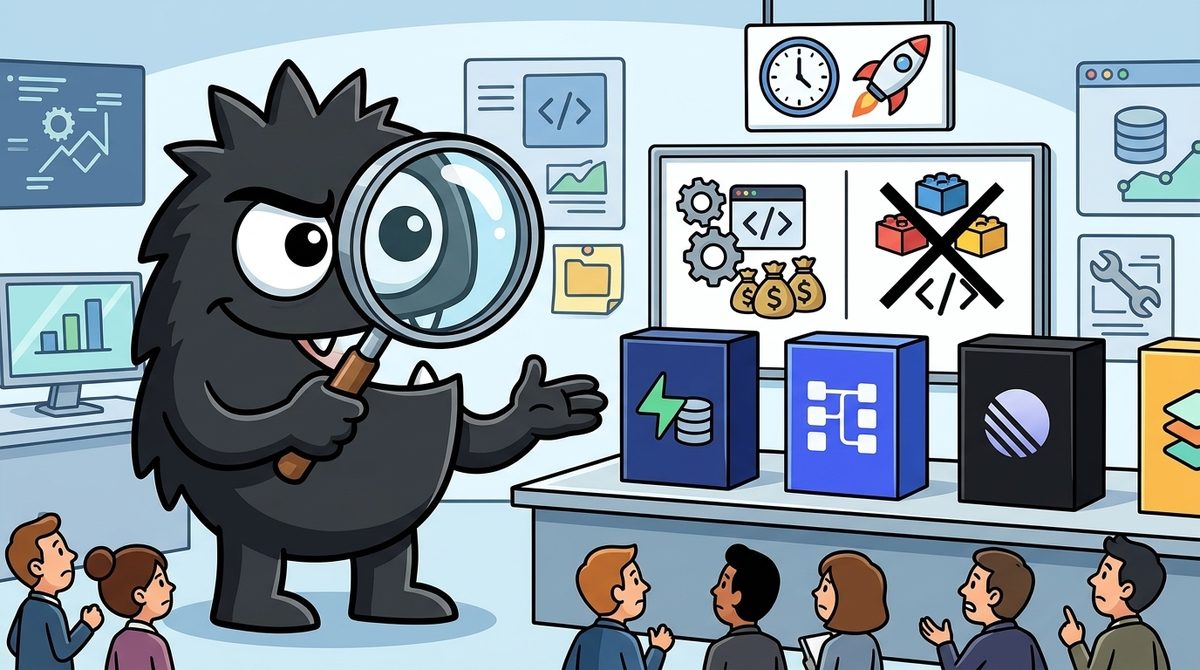
Continue.dev vs Kiro: Which AI Pair Programming Assistant Is Better for Developers?Updated: September 13, 2026
An in-depth look at Continue.dev vs Kiro: which is better for AI pair programming?
Introduction
The real question in Continue.dev vs Kiro is not “which one has AI?” Both do. It’s what kind of AI pair programming experience you want, and what tradeoffs you’re willing to accept to get it.
For some developers, AI pair programming means a fast autocomplete/chat loop embedded in the editor they already love. For others, it means something more structured: turning product intent into specs, tasks, tests, and documentation before code sprawls out of control. That difference is where Continue and Kiro diverge.
This also explains why the X conversation around these tools feels split. One camp values openness, model choice, local inference, and low-friction integration. Another is increasingly skeptical of “just chat harder” workflows and wants more planning, better test generation, and a path from prototype to production. Those are not cosmetic preferences. They shape how teams ship software, control costs, and maintain quality over time.
If your goal is maximum flexibility and control inside your current IDE, Continue is a serious contender. If your goal is a more opinionated, spec-first AI development workflow, Kiro is trying to solve a different class of problem.
So which is better for AI pair programming? In practice:
- Continue is better for developers who want a customizable AI layer over their existing workflow
- Kiro is better for developers who want the workflow itself to become more agentic and structured
That sounds neat, but it hides important details. Let’s unpack them.
Overview
At a high level, Continue and Kiro are built around two different beliefs about how developers should collaborate with AI.
Continue’s pitch is explicit: it combines open-source IDE extensions with a hub of models, prompts, rules, docs, and reusable building blocks so developers can assemble their own assistant stack.[3][7] That framing matters. Continue is less “here is the one correct AI coding experience” and more “here is a framework for shaping your own.”
Continue 1.0 is here! Combining our open-source IDE extensions with a new hub makes it frictionless to use custom AI code assistants. Discover the models, rules, prompts, docs, and other building blocks you need to become an amplified developer ✨
View on XKiro, by contrast, is not just offering another chat pane. Its core pitch is spec-driven development: start with intent, generate a clear technical specification, derive tasks from that spec, then write and validate code against it.[4][12] AWS has positioned Kiro as an “agentic IDE” designed to move teams from prototype to production with more structure, including hooks for testing and documentation.[4][13]
That difference maps directly to how many developers are now talking about AI pair programming. Hiten Shah put the distinction well: good AI work is not one prompt, one answer; it is an iterative loop with constraints, reactions, and judgment. That’s the standard both tools should be judged against.
A lot of people use AI like Google. One question, one answer, move on. That's the shallow end. Pair prompting is different. You treat AI like a partner. Loops, context and your reactions to what it gives you. You tighten the constraints and keep going until it is actually good. It is pair programming for everything, except one side has perfect recall and infinite stamina, and the other side has judgment and taste.
View on XContinue: better when you want the assistant to fit your workflow
Continue’s strongest argument is that it respects developer choice. Its docs and product materials emphasize support for multiple models, custom prompts, rules, and context sources, plus operation inside IDEs developers already use.[3][7][11] If you live in VS Code or JetBrains and don’t want to migrate your habits into a new opinionated environment, that matters.
That openness is not just philosophical. It has concrete outcomes:
- Model flexibility: You can switch providers, including local and hosted models, based on task, cost, latency, or privacy needs.[3][7]
- Context control: You can shape what the model sees through docs, rules, and repo context rather than relying on opaque defaults.[3][7]
- Workflow continuity: You keep your editor, extensions, shortcuts, and team habits instead of retraining around a new IDE.
For developers who care about offline or privacy-sensitive workflows, Continue has another practical edge: it is commonly used with local models. That is still niche, but it matters in real scenarios like travel, air-gapped environments, or cost-sensitive experimentation.
coding with local models is actually a great experience. when online i'll still use claude but i'm prepping for a flight tomorrow with no internet and i'm finding that qwen 2.5 coder 32b and 3b-base with https://www.continue.dev/ is remarkably good
View on XThat’s also why Continue gets praise from developers who are tired of locked-down AI tools. Even outside formal benchmarks, the sentiment is clear: some practitioners prefer a tool that behaves more like infrastructure than a product funnel.
Cursor AI started in 2017.
It has around 30000 users.
Still it is very popular among developers.
Do you also think that the Cursor has paid to influencers?
I personally like the Continue Dev plugin more than Cursor and GitHub.
How is your experience.
Continue has also expanded beyond the IDE with a CLI positioned as an async coding agent that can stream responses, run parallel background tasks, and assist with commits and code analysis.[3][7] This is important because pair programming increasingly happens across surfaces: IDE, terminal, CI, docs, and code review. Continue seems to understand that “assistant” shouldn’t be trapped in a single panel.
🚀 Continue CLI is here! The async coding agent that actually understands your codebase. Making AI continuous in your dev workflow. - Stream AI responses in real-time - Run parallel background tasks - Smart commit messages, code analysis & more
View on XThe catch: flexibility creates setup burden. Continue can be excellent, but it often expects the developer or team to decide:
- which models to use
- how to route tasks
- what rules and prompts should govern behavior
- how much autonomy the assistant should have
- how to manage quality control
That is empowering for expert users. It is also work.
And there’s another tradeoff practitioners keep surfacing: speed vs reliability. Some users report that Continue feels fast, but tool use can be inconsistent depending on the model and setup. That’s not a Continue-only issue — tool calling remains brittle across the ecosystem — but it matters if your notion of pair programming includes agentic execution rather than just code suggestions.
1. I tried in different environments: Claude Code, Cline, Copilot, and Continue. Fastest work in Continue. In other environments, it provides better results but is significantly slower.
2. Tool call is very bad, a lot of mistakes. Model try to use one tool, fail, then next, etc
Kiro: better when you want the workflow to become more disciplined
Kiro’s value proposition is more opinionated, and frankly more ambitious. Instead of saying “bring your own workflow,” Kiro says: a lot of software quality problems begin before coding starts, so the IDE should enforce more structure upfront.[4][12][13]
That is why its central differentiator is spec-driven development. According to Kiro’s documentation, you can turn natural language prompts into feature specs and task plans, then use those artifacts to guide implementation.[12] Kiro also emphasizes agent hooks for background tasks like tests and docs, and recently highlighted property-based tests to verify whether code actually matches the spec.[4]
Kiro is generally available 👻 Specs made ‘planning first’ the default for AI assisted dev. Now Kiro IDE adds property based tests to check if your code actually matches your Spec. Real signals, not vibes. Plus a new Kiro CLI and full team support through AWS IAM Identity Center. Get started today 👉
View on XThis is not a small feature distinction. It reflects a strong point of view: the hardest part of software development is often not writing the next function, but aligning requirements, architecture, implementation, testing, and documentation. AWS’s messaging around Kiro repeatedly hits that theme.[4][13]
The much-awaited expansion of Kiro is here. Kiro is our agentic coding IDE. While Kiro enables vibe coding, what’s unique about Kiro is how it brings clarity through spec-driven development—turning natural language descriptions and diagrams into clear technical specs and tasks before any code is written (and continues to update this spec as you continue generating code). It includes intelligent agent hooks that automatically handle testing and documentation, and takes prototypes all the way to production through a mature, structured process. More than 100K developers jumped into Kiro in just the first few days of preview, and that number has more than doubled since. We've received great feedback from the community that’s helped us refine the product further and we’re now able to open it up for all of our developers on the waiting list and for everybody else. We’ve just added Claude Sonnet 4.5 support, and launched our new agent Auto (our new agent that automatically picks the right combination of AI models for each task, delivering better results while keeping costs down). Looking forward to seeing what folks create with Kiro. Giddy up!
View on XFor teams that struggle with vague tickets, half-written docs, or AI-generated code that drifts from product intent, Kiro’s structured flow can be genuinely useful. It attempts to formalize the “pair prompting” loop into artifacts a team can inspect and share. That can reduce rework, especially on larger features where ambiguity compounds quickly.
Where Kiro looks stronger
Kiro tends to look better than Continue in four scenarios:
- Greenfield feature development
- You have a rough requirement and want help turning it into a technical plan, tasks, and implementation steps.[4][12]
- Teams that need process, not just acceleration
- If your bottleneck is not code generation but consistency around tests, docs, and planning, Kiro is targeting that pain directly.[4][13]
- Developers who want opinionated defaults
- Some users don’t want to configure routing, prompts, and context assembly. They want a system that chooses sensible defaults and keeps moving.
- Organizations already in AWS-heavy environments
- Kiro’s ecosystem alignment, including IAM Identity Center support and AWS-adjacent workflows, may simplify team adoption in those contexts.[4][13]
There is also a cost-efficiency narrative around Kiro’s model routing. In practitioner anecdotes, Kiro’s smart router is often cited as a reason it can deliver comparable results with lower token usage on some tasks.
I'm in the process of teaching my kids how to type without looking at the keyboard and figured I'd vibe-code a game that I used to play as a kid called "falling letters". Me and my dad used to compete in that game all the time and still have fond memories of it. What I decided to do is give @claudeai Code CLI and @kirodotdev Kiro CLI the same prompt: "create the falling letters game...etc". I wanted to see how many tokens will be utilized by each and how long each one is going to take. My assumption was that Claude was going to take slightly longer but is going to use twice as much tokens as Kiro (from a vast experience of using Claude & Kiro for a while now). I was surprised when the results came out... Not only was Claude slower while producing almost an identical result as Kiro, but it was more than 5 times as expensive (token-wise). Check out the screenshots. Kiro has a smart router that picks and choose which model to use in which scenario while Claude is less flexible and more token-hungry. That's why I use both tools to complement/supplement/enhance each other.
View on XThat doesn’t automatically make Kiro cheaper in every workflow, but it points to something important: Kiro is trying to optimize the whole orchestration problem, not just the user interface.
The AWS and MCP angle matters too. Kiro CLI and related setups are already being used in more operational scenarios, including infrastructure and Kubernetes debugging workflows mediated through MCP servers and custom agents. That suggests Kiro is not merely a coding assistant; it is aiming to be an environment for orchestrated agent work across tools and systems.
This is the architecture behind my AI-powered EKS debugging setup. 1⃣You You send a prompt like: Find unhealthy Kubernetes resources in my cluster and explain why 2⃣Kiro CLI Kiro is the AI client. It does not talk to the cluster directly. It uses: - your custom agent: eks-agent - built-in tools - MCP tools from eks-mcp 3⃣Agent config Your agent decides which tools are usable. This is what allowed Kiro to finally expose: - list_k8s_resources - read_k8s_resource 4⃣MCP config This is the MCP server registration: It points Kiro to: - EKS MCP endpoint - AWS profile - region 5⃣mcp-proxy-for-aws This is the local bridge. Its job: - run locally on your machine - authenticate with your AWS credentials - sign requests with SigV4 - forward them to the AWS-hosted EKS MCP server 6⃣Amazon EKS MCP Server This is the tool server. It exposes Kubernetes/EKS-aware tools such as: - read cluster resources - inspect deployments 7⃣AWS + Kubernetes backends The MCP server reaches: - EKS control plane information - Kubernetes API state - CloudWatch logs and metrics
View on XWhere Kiro is weaker
The biggest issue with Kiro is the same thing that makes it compelling: it is more opinionated.
That means:
- If you just want a lightweight assistant in your existing editor, Kiro can feel heavy.
- If your workflow is already disciplined, Kiro’s structure may feel duplicative.
- If you prefer to control model/provider choices explicitly, Kiro gives you less of the “assemble your own stack” freedom that defines Continue.[3][4]
And there is a deeper concern that no amount of branding can solve: specs do not eliminate hallucinations, bugs, or poor judgment. They help, but they do not replace human review. Practitioners are already saying exactly that.
即便是Kiro编写,经过GPT、Gemini和Claude多次交叉review,最后GPT拍板OK的代码(CICD代码),在进入我最后的肉眼review时都能一眼看出残留的几个问题,真的是不可靠啊,让AI干脏臭累的活,最终还是需要人类兜底的。
View on XThat post captures the most important reality check in this whole market. The more polished these tools get, the easier it is to confuse process with correctness. Kiro’s tests, hooks, and specs are meaningful improvements over raw vibe coding, but they do not remove the need for an engineer to inspect edge cases, architecture choices, or deployment risk.
So which feels more like “AI pair programming”?
This depends on how you define pairing.
If you think of pair programming as constant, conversational collaboration inside the tools you already use, Continue often feels closer to the classic pair model. It sits beside you, adapts to your stack, and lets you shape the interaction style. For individual developers, especially experienced ones, that can feel more natural.
If you think of pair programming as a disciplined collaborator that helps externalize intent, track decisions, and maintain quality across the lifecycle, Kiro has the stronger story. It is trying to be less like “chat with a model” and more like “work with an engineering process engine.”
For beginners, that distinction can be simplified like this:
- Continue helps you code faster in the environment you already know.
- Kiro helps you plan and implement features with more built-in structure.
For experts, the sharper version is:
- Continue is a composable AI coding substrate
- Kiro is an opinionated agentic development environment
The practical decision framework
If you are choosing today, don’t pick based on hype. Pick based on your failure mode.
Choose Continue if your main problems are:
- wanting freedom to choose models and providers[3][7]
- needing local model support or offline-friendly workflows[3][7]
- preferring VS Code/JetBrains integration over a new IDE[7]
- optimizing for speed, flexibility, and control
- building a custom internal AI workflow for your team
Choose Kiro if your main problems are:
- vague requirements turning into messy implementation[4][12]
- too much time lost after code generation on tests/docs/rework[4][13]
- needing a more structured path from prompt to production[4]
- wanting built-in planning artifacts and more opinionated defaults
- operating in an AWS-centered organization where Kiro’s integrations are a natural fit[4][13]
And if you’re a founder or engineering leader, here’s the blunt version: Continue is usually the better tool for developer autonomy; Kiro is usually the better tool for engineering governance.
That won’t be universally true, but it is a useful default.
Conclusion
For pure AI pair programming, my verdict is this:
- Continue.dev is better for most experienced developers
- Kiro is better for teams that want AI to enforce a more structured engineering process
Continue wins on openness, model choice, IDE continuity, and adaptability. It feels more like a capable, customizable coding companion. Kiro wins when the problem is bigger than code generation — when your team needs specs, tasks, tests, and documentation to be first-class outputs rather than afterthoughts.
If you are an individual developer who already has strong engineering habits, Continue is likely the better fit. If you are trying to reduce ambiguity and impose more rigor across a team, Kiro may deliver more value.
The key is not to confuse either with autopilot. The best AI pair programming still works exactly the way practitioners on X describe it: iterative, constrained, and human-led. The AI can bring recall, speed, and stamina. You still bring taste, context, and accountability.
Sources
[1] Continue vs. Kiro Comparison — https://sourceforge.net/software/compare/Continue-vs-Kiro
[2] Continue.dev vs Kiro — https://vibecoding.app/compare/continue-dev-vs-kiro
[3] Continue.dev — https://www.continue.dev/
[4] Kiro: Agentic AI development from prototype to production — https://kiro.dev/
[5] Forked Again: AWS's Kiro Is Latest AI Assistant Based on VS Code -- Visual Studio Magazine — https://visualstudiomagazine.com/articles/2025/07/21/forked-again-awss-kiro-latest-ai-assistant-based-on-vs-code.aspx
[6] Which Code Assistant Actually Helps Developers Grow? - DEV Community — https://dev.to/bekahhw/which-code-assistant-actually-helps-developers-grow-1ki8
[7] Continue Docs: What is Continue? — https://docs.continue.dev/
[8] Quick Start Tutorial — https://docs.continue.dev/ide-extensions/quick-start
[9] Continue.dev: The AI Coding Assistant That Actually Respects Your Choices — https://medium.com/@info.booststash/continue-dev-the-ai-coding-assistant-that-actually-respects-your-choices-1960b08e296a
[10] [Article] A Manifesto for the Next Generation of AI Coding Assistants — https://github.com/continuedev/continue/discussions/7019
[11] Continue - open-source AI code agent — https://marketplace.visualstudio.com/items?itemName=Continue.continue
[12] Feature Specs - IDE - Docs — https://kiro.dev/docs/specs/feature-specs
[13] AWS Kiro: 5 Key Features To Amazon's New AI Coding Tool — https://www.crn.com/news/cloud/2025/aws-kiro-5-key-features-to-amazon-s-new-ai-coding-tool
[14] How I Built My First App with Kiro — https://dev.to/aws/how-i-built-my-first-app-with-kiro-1569
[15] GitHub - kirodotdev/Kiro — https://github.com/kirodotdev/Kiro
References (15 sources)
- Continue vs. Kiro Comparison - sourceforge.net
- Continue.dev vs Kiro - vibecoding.app
- Continue.dev - continue.dev
- Kiro: Agentic AI development from prototype to production - kiro.dev
- Forked Again: AWS's Kiro Is Latest AI Assistant Based on VS Code -- Visual Studio Magazine - visualstudiomagazine.com
- Which Code Assistant Actually Helps Developers Grow? - DEV Community - dev.to
- Continue Docs: What is Continue? - docs.continue.dev
- Quick Start Tutorial - docs.continue.dev
- Continue.dev: The AI Coding Assistant That Actually Respects Your Choices - medium.com
- [Article] A Manifesto for the Next Generation of AI Coding Assistants - github.com
- Continue - open-source AI code agent - marketplace.visualstudio.com
- Feature Specs - IDE - Docs - kiro.dev
- AWS Kiro: 5 Key Features To Amazon's New AI Coding Tool - crn.com
- How I Built My First App with Kiro - dev.to
- GitHub - kirodotdev/Kiro - github.com
Related Guides
The Best AI Model Strategy in 2026: Open vs Closed, An Expert Comparison
25 min read
The Best Signal on the AI Bubble in 2026: What Prediction Markets Reveal for Founders and SaaS Buyers
26 min read
Adobe Express vs ConvertKit: Which Is Best for Customer Support Automation in 2026?
14 min read
Traders Are Betting 96% on Anthropic: What Polymarket's $3.2M AI Model Market Signals for 2026
20 min read