The Best AI Coding Tools in 2026: Is Vibe Coding Really Replacing Software Engineering?Updated: October 11, 2026
Vibe coding tools like Claude Code, Cursor, and GitHub Copilot promise to replace traditional development. See which claims hold up and what practitioners really say.
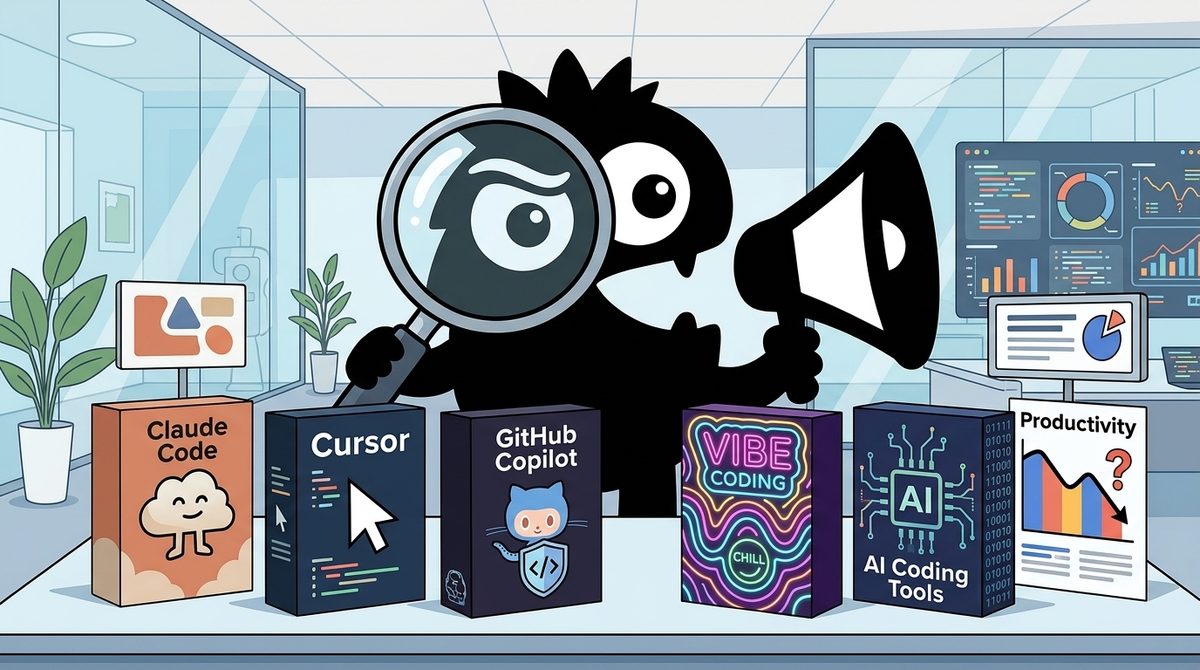
The real question behind “Is vibe coding replacing traditional software development?” is not whether AI can produce working code. In 2026, it plainly can. The question is whether generating code also replaces requirements discovery, architecture, testing, security review, deployment, and long-term maintenance.
The short answer: no. Vibe coding is replacing parts of implementation—especially boilerplate, scaffolding, syntax lookup, and first drafts—but not software engineering itself. The best results come from combining agentic tools such as Claude Code with interactive assistants such as Cursor or GitHub Copilot, then applying human judgment and conventional controls.
Bottom line for 2026
>
- Choose Claude Code or another coding agent when you want a tool to inspect a repository and execute a substantial task.
- Choose Cursor or GitHub Copilot when a developer wants continuous, interactive help while remaining close to the code.
- Use vibe coding without deep review only for low-risk prototypes and disposable experiments.
- For production software, Git, tests, architecture, observability, security checks, and accountable human review remain mandatory.
What Does “Vibe Coding” Actually Mean in 2026?
Andrej Karpathy introduced the phrase in February 2025 to describe a specific style of programming: giving instructions to an AI, accepting its output, and focusing on whether the result works rather than inspecting every line. MIT Technology Review’s early explanation similarly distinguished vibe coding from merely using AI assistance.[2] Merriam-Webster’s definition preserves the central idea of using natural-language prompts to generate code.[1]
Academic work has since framed the practice more precisely as validating generated software primarily through observed outcomes rather than traditional code inspection.[4] In simple terms, the developer says what should happen, runs what the model produces, and reacts to the result.
That is narrower than the way “vibe coding” is now used online. The label increasingly covers everything from accepting a one-line autocomplete suggestion to asking an autonomous agent to build an entire application. That drift hides major differences in control, risk, and required skill.
the amount of distance coding with AI has traversed in the last 1.5 years is bonkers
1.5 years ago i was using chatgpt to copy paste back in forth into VSCode
then i used github copilot for a few months and it was magical not having to go back and forth, but it still took like an hour to make meaningful progress
then i got cursor and that got cut to 30 minutes to solve my real problems and bugs
then cursor came out with agent mode and that 5x'ed my 5x in productivity (minutes/hours spent to problems solved ratio)
then cursor + claude 3.5 really sealed the deal. suddenly i could index my entire codebase index and get accurate results on where files were and how they worked with others.
now we are pushing past this already insane progress with google's gemini modal
So yeah maybe we dont have AGI but hot damn have we came so far in so little time and its all very exciting
who knows where we will be 1 year from now or 2, but im gunna be having fun along the way.
thanks real coders and vibe coders, keep going <3
This progression—from copying ChatGPT output into VS Code, to repository-aware editors, to agents that plan and modify projects—explains the confusion. All of these workflows involve AI, but only some involve “surrendering to the vibe.”
A useful 2026 taxonomy is:
- AI-assisted coding: A person writes and understands the code while AI suggests pieces.
- Agentic coding: A person delegates a defined task, and the agent reads files, runs tools, edits code, and reports back.
- Vibe coding: A person judges primarily by behavior and output, with limited inspection of the implementation.
The categories can overlap. The important variable is not which brand appears on screen; it is how much understanding and control the human retains.
Are Coding Agents Replacing Cursor and Copilot—or Solving a Different Problem?
The hype often presents every AI coding product as a substitute for every other one. That is a tooling mistake.
Claude Code and Codex do not replace Copilot and Cursor.
I've already heard multiple people make this argument, and I think it comes from the vibe-coding community because of the way they use these tools.
First, Claude Code and Codex are agentic coding tools. They are good at following instructions and generating a ton of code at once.
Second, you have Copilot, Cursor Tab, and similar AI assistants. They help with interactive development, where a human writes the code, and the tool autocompletes and suggests what to type next.
A way to think about this:
• Mode 1: AI writes the code, and the human copilots.
• Mode 2: The human writes the code, and AI copilots.
These two are very different. One doesn't replace the other.
Professional developers use both.
The IDE is still king.
Santiago’s distinction is the most useful way to evaluate the market: either the AI writes while the human supervises, or the human writes while AI assists. Professional workflows move between both modes.
Agentic tools delegate complete tasks
Claude Code and Codex belong primarily to the agentic category. Given a goal, they can inspect a repository, propose a plan, change multiple files, run commands, and iterate on errors. The unit of interaction is usually a task—“add authentication,” “migrate this API,” or “find and repair the failing tests”—rather than the next line of code.
These tools fit experienced developers who can specify constraints and review a broad diff. They are particularly useful for:
- Repository exploration and routine refactoring
- Scaffolding features across several files
- Test generation and failure investigation
- Migrations and repetitive maintenance
- Well-defined tickets with observable acceptance criteria
Interactive assistants keep the human in the loop
Cursor Tab, Copilot, and comparable editor features operate closer to the act of programming. They complete expressions, functions, tests, and small edits while the developer navigates the project and decides what happens next.
That workflow suits unfamiliar domains, sensitive code, and tasks where design is emerging during implementation. It also preserves a tighter connection between the engineer’s mental model and the repository.
Marc Köhlbrugge’s account captures both the strength and discomfort of agentic execution:
Been playing around with Claude Code a bit more.
What's crazy is that there's no code editor. You CANNOT see your files or edit them.
You can only "vibe-code".
My first thought was this would be horrible. I want to see my code! But Claude Code's system prompt and tool calling seems really well implemented.
With the same model (sonnet 4), I'm getting better "one-shot" results from Claude Code than I get from Cursor.
When you ask it to do something, it will automatically make a plan, review your existing code, and then incrementally work towards your goal. You just occasionally have to approve a (potentially dangerous) tool call. But other than that it goes all the way from prompt to finished result by itself.
Whereas Cursor's agent mode sometimes seems a bit aimless, making changes you didn't ask for. Or asking for more input DURING the implementation, rather than front loading it all (e.g. like ChatGPT Deep Research does). I think because it lacks this planning step.
The difference could potentially be explained by Cursor being more token-constrained (because they have to pay Claude whereas Claude doesn't need to pay itself). Or it could simply be that Cursor's agent is more optimized for the workflow where the programmer is more actively involved. And it's true that for me Cursor works best when I ask it to work in incremental steps where I review in between. (This is one of the reason I haven't used the new Background Agents that much yet)
Having said all that, I do WANT to see my code. So I still much prefer Cursor's UX. Even when I use Claude Code, I find myself opening Cursor to review the code changes.
I hope (and expect) that Cursor takes some inspiration and uses more of this "planning" approach in its agent. It seems to work really well.
For now I'll keep using both. Fun to see the different approaches.
The conclusion is not that one category wins. Use agents when delegation is efficient; use interactive assistance when precision and comprehension matter more. Conflating them leads teams to buy an agent when they need better autocomplete—or to expect an assistant to autonomously deliver an entire feature.
If AI Generates the Code, Why Does Serious Software Still Take Months?
Code generation is close to being commoditized. Building dependable software is not.
I built my last project entirely with Claude Code. I didn’t write a single line of code by hand.
It still took me nearly 3 months.
Why so long and not a day or week? Because building serious software has never been just about typing code.
Early on, there are tons of unknowns. As you build, test, and get feedback, you discover problems and requirements you couldn’t have anticipated.
I spent a lot of time reviewing Claude’s work, not line by line, but at a higher level: the approach, architecture, and design decisions. I constantly challenged it, debated its choices, and pushed for simpler, more robust solutions.
That’s software engineering.
AI helped me bring my vision to life without spending countless hours typing code, wrestling with syntax, searching through documentation, and figuring out the mechanics of how to implement things. Without AI, building this app would have taken me 5-6 months if not longer.
As I’ve said over and over, software engineering is not going away but AI is changing _how_ we build software. The tools are changing and the engineer’s role is evolving.
And this is why knowing how to build good software still matters.
You may not need to remember every API or piece of syntax anymore, but you still need to understand things like separation of concerns, coupling and cohesion, abstractions, data modeling, API design, error handling, security, performance, and testing.
When AI proposes an architecture, creates an abstraction, adds another layer, or introduces a dependency, you need enough engineering knowledge to ask: Is this actually necessary? Is there a simpler way? Will this scale? Is this secure? Will this become a maintenance nightmare six months from now?
AI can write the code. You still need to know what good code and good software look like.
Mosh Hamedani’s three-month project is the clearest rebuttal to claims that an application can go from prompt to production in an afternoon. AI removed much of the mechanical implementation work and may have cut the total schedule substantially. It did not eliminate changing requirements, feedback, architectural choices, or review.
Those activities are not overhead around software engineering. They are software engineering.
A model can quickly implement the wrong abstraction, faithfully encode an incomplete requirement, or spread a weak data model across dozens of files. Its speed then compounds the cost of the original mistake.
This is the reality check the vibe coding hype needs. AI is a hyper-fast typist, but a terrifyingly bad software architect. If you do not have strict structural guardrails holding the data model together, that instant prototype turns into a multiple month cleanup job.
View on XThe “hyper-fast typist, bad architect” description is intentionally sharp, but it identifies a structural risk. AI improves the rate at which a decision becomes code. It does not guarantee that the decision is correct.
This is why instant prototypes so often create misleading expectations. A demo can tolerate:
- Hard-coded assumptions
- Weak authorization
- Missing failure handling
- Inconsistent data models
- No migration strategy
- Shallow tests
- Dependencies chosen without maintenance review
A production system cannot. Sources aimed at both developers and IT leaders consistently distinguish rapid prototyping from the governance needed for operational software.[7][11]
Productivity evidence also resists a simple “AI always makes developers faster” narrative. A 2025 METR study found that experienced open-source developers working on familiar repositories took longer with the tested early-2025 AI tools, despite expecting a speedup.[15] Reporting on that result emphasized that benefits vary by developer, task, codebase, and tool generation.[14] More recent research on AI coding productivity likewise distinguishes writing code from actually shipping it.[13]
The practical lesson is not that AI is ineffective. It is that generated volume is a poor proxy for delivered value.
What Happens When Developers No Longer Know Where Their Code Lives?
The most serious vibe-coding risk is not ugly syntax. It is the erosion of the developer’s mental model: what components exist, how data moves, where state is stored, and which change can break which behavior.
Last year, when I used Cursor and Windsurf to build my first app, I was always asking how different files were connected and clicking back and forth between them. I wanted to understand how the app actually worked. It felt good—like I was actually learning how to code.
But vibe coding has changed a lot since then. Now, when I use Claude Code, Codex, or the new version of Cursor, I don't even know where the code is anymore. I feel dumb just sitting there, waiting for an answer to show up in the window.
That sense of disconnection matters because debugging depends on causal reasoning. When a production request fails, someone must trace it across interfaces, services, queues, databases, and deployment configuration. If the team has only verified the happy-path output, it may have no reliable map of the system underneath.
Large AI-generated diffs intensify the problem. Reviewing 150 related lines is not equivalent to watching those lines emerge through a series of understood design decisions. Humans tend to skim coherent-looking output, especially when it compiles and tests pass.
Steal this idea.
A Claude Code wrapper that goes line-by-line and module-by-module to explain the code and reasons behind it, plus also allowing you to intervene / comment at any level.
Issue with vibe-coding is loss of control, which is inevitable when 100+ lines of code are thrown at you in one go.
Coding something well is having a model of the problem in your head, so AI-assisted coding should help you with that.
Paras Chopra’s wrapper proposal points toward a better interface: agents should not merely disclose what they changed after the fact. They should help users maintain a model of the system through plans, module-level explanations, decision checkpoints, and targeted intervention.
Teams do not necessarily need a special wrapper to adopt the principle. They can require an agent to:
- Explain the relevant architecture before editing.
- State assumptions and unresolved questions.
- propose a file-by-file plan.
- Work in small, reviewable commits.
- Explain why each dependency or abstraction is necessary.
- Identify security, data-loss, and rollback risks.
- Generate tests tied to explicit acceptance criteria.
That workflow is slower than accepting a 500-line one-shot patch. It is much faster than discovering months later that nobody understands the system.
Claude Code vs. Cursor vs. GitHub Copilot: Which Trade-Off Matters Most?
There is no single “best AI coding tool” in 2026 because the products optimize different interaction models. The decisive factors are task size, editor preference, review ability, security constraints, and desired level of autonomy.
Ran Cursor, Copilot, and Claude Code side by side this week. Nobody tells you the real trade-off:
Cursor = fastest, but you're stuck in their editor
Copilot = works everywhere, but kinda slow on the hard stuff
Claude Code = smartest, but you're living in the terminal
Speed vs flexibility vs brains. Pick your poison.
What's your combo?
Choose Cursor when speed and an integrated editor matter
Cursor combines repository context, inline completion, chat, and agent capabilities in an editor-centric experience. It fits individual developers and product teams that want to move quickly without separating AI interaction from code navigation.
Its principal trade-off is workflow commitment: the editor is part of the product decision. That can matter in organizations standardized on another IDE or operating under tightly managed development environments.
Cursor is a strong fit for:
- Engineers who want both autocomplete and agent features
- Startups iterating rapidly inside one primary editor
- Developers who want to inspect edits as they work
- Mixed workflows that alternate between manual and delegated coding
Choose GitHub Copilot when compatibility and gradual adoption matter
Copilot is the conservative choice for teams that prioritize existing IDE habits and broad organizational rollout. It is suited to developers who want suggestions embedded in their current workflow rather than a terminal-first autonomous agent.
Its value is less about maximum autonomy and more about low-friction assistance. That makes it appropriate for larger teams introducing AI incrementally, particularly where changing editors would create adoption or support costs.
Choose Claude Code when task-level intelligence matters most
Claude Code is optimized around repository-level, terminal-driven execution. The conversation on X repeatedly credits its planning, tool use, and ability to finish broader tasks with less intervention.
The gaps between Claude Code over Cursor Agents over Github Copilot for basic scripting, while using the same underlying model, is bonkers.
Copilot barely works. Cursor is okay but frustrating (and slower). Claude Code usually just works fast.
These reports also reveal why model-name comparisons are inadequate. Two products can expose the same underlying model and produce dramatically different outcomes because the harness differs: system instructions, context selection, planning stages, available tools, retry logic, token budgets, and permission design all shape performance.[10]
Claude Code fits:
- Terminal-comfortable professional engineers
- Complex, bounded tasks spanning many files
- Teams with strong diff review and automated tests
- Users willing to monitor tool calls, cost, and permissions
The safest conclusion is to evaluate the whole product, not just the model advertised inside it. Test each tool on representative internal tasks, measure accepted changes rather than generated lines, and include review and rework time in the result.
Which Software Engineering Skills Still Matter When AI Writes the Code?
The skills shifting in value are mechanical recall and routine implementation. The skills gaining value are system design, verification, recovery, and judgment.
HARVARD JUST RELEASED A FREE 65-MINUTE MASTERCLASS ON GIT AND GITHUB.
And the timing could not be more perfect.
Because AI can now write your code.
But AI cannot save you when you break the production branch trying to merge it.
Here is the uncomfortable truth about vibe coding in 2026.
The code generation problem is solved.
Claude Code writes production-ready code in minutes.
Cursor autocompletes entire functions before you finish typing.
Copilot ships features while you review the output.
The bottleneck is no longer writing the code.
It is managing it.
And most vibe coders cannot manage a merge conflict without breaking something.
Every tier-1 tech company is filtering for this right now.
Not because they want developers who write code by hand.
Because they need developers who understand version control well enough to manage what the AI produces.
Git is not a nice-to-know anymore.
It is the compliance layer between your AI-generated code and your production environment.
Calling Git a “compliance layer” is useful because version control establishes provenance and reversibility. AI-generated changes still need branches, understandable commits, reviews, automated checks, controlled merges, and rollback procedures. When production breaks, knowing how to isolate and reverse a change matters more than knowing who—or what—typed it.
The same applies to:
- Architecture: defining boundaries, ownership, data flow, and failure behavior
- Testing: deciding what must be true, not merely generating test syntax
- Security: identifying trust boundaries, permissions, secrets, and abuse cases
- Operations: deployment, observability, incident response, and recovery
- Product judgment: resolving ambiguity and choosing which behavior users need
- Code review: detecting unnecessary complexity and plausible-looking mistakes
LLMs can assist with all of these. They do not assume accountability for them.
Well I actually have a software engineering degree & can confirm vibe coding is overhyped. There’s tons of things these LLMs are useless at & they broke my code a lot of times. Place I worked at even forced us to use Claude Code & it was an active hindrance at times
View on XThis account is an important counterweight to universal productivity claims. Mandatory adoption can become an active hindrance when the tool repeatedly breaks code, interrupts a skilled workflow, or encourages excessive review burden. Research and practitioner guidance both suggest that experience level, task familiarity, and verification practices affect whether AI assistance helps.[6][15]
The counterpoint is equally real:
I think it’s still wild how much cognitive load AI tools take off coding once you learn how to prompt them properly.
Had to build a messy Python reporting pipeline today. Instead of spending five hours fighting syntax, edge cases and conditional logic, I just fed the exact requirements to an Claude.
It spat out modular code with better error handling than I usually bother writing when rushing.
I’m still having to review, test and debug it as it’s rarely 100% one shotted but we’re getting there.
Are you using AI to scaffold your tickets yet, or still writing all your starter code from scratch?
For a developer who can express exact requirements and assess the output, AI can remove substantial cognitive load. The contradiction disappears once the task is divided correctly: let the model handle syntax and scaffolding; keep human attention on requirements, boundaries, and verification.
Why Haven’t Most Enterprise Developers Adopted Vibe Coding Yet?
The online conversation can make autonomous coding look universal. Enterprise reality is considerably slower.
I know this might be hard to believe, but most developers out there have never used AI before.
There are companies (many) that are paying a ton of money for somebody to come and help them train their development teams.
They have never used GitHub Copilot.
They have never heard of Cursor.
Something like Claude Code is not even in their radar.
And these are multi-billion dollar companies.
Many, many of them.
Large organizations face constraints that tool demos rarely show: source-code policies, data residency, model access, procurement, identity management, audit requirements, intellectual-property concerns, legacy repositories, and uneven developer training. Even when a tool is approved, teams need conventions for when agents may run commands, access secrets, install dependencies, or modify infrastructure.
That context matters when evaluating claims that ten engineers can do the work of 100, a claim reported during the early 2025 wave of vibe-coding enthusiasm.[9] Such ratios are not a planning baseline for every company. They may describe greenfield development under favorable conditions, not regulated maintenance work across old systems.
The adoption gap creates two simultaneous realities in 2026:
- AI-native startups are experimenting with agent-heavy workflows and very small teams.
- Many established companies are still teaching developers how to use basic coding assistance safely.
For technical leaders, the immediate opportunity is therefore not “replace the engineering department.” It is to identify bounded, measurable workflows where AI reduces cycle time without weakening review.
Who Should Use Claude Code, Cursor, or Copilot in 2026?
The right choice depends less on hype than on who is operating the tool and what happens if it is wrong.
Beginners and non-technical builders
Use plain-English planning tools and agentic builders for prototypes, internal utilities, and experiments where failure has limited consequences.
the simplest vibe coding setup for people with zero experience:
Claude Code + Antigravity by Google (bookmark this btw)
Antigravity lets you talk to AI in plain english and execute code directly. it’s Cursor but beginner friendly from day one.
Claude Code is the engine. it reads your files, sets up databases, connects APIs, builds servers. not a chatbot. an engineer working for tokens.
here’s the workflow:
1) use Gemini (free, built into Antigravity) to plan. describe the app in detail. have it create an implementation plan, not code.
2) point Claude Code at the plan. “read this folder, understand it, execute it.”
3) watch it build.
the move is to use Gemini for planning and small changes.
only call Claude for complex stuff. Claude Code burns credits fast.
you’ll see errors constantly. normal. the LLMs will fix most of them without you doing anything.
best case you build something making money. worst case you learn a skill becoming mandatory.
This planning-first workflow is more sensible than beginning with a vague “build my app” prompt. But beginners should not assume that an agent fixing visible errors has addressed security, privacy, authorization, backup, or maintainability. Consumer guidance on vibe coding similarly emphasizes its accessibility while distinguishing app creation from professional software delivery.[3]
Best fit: learning projects, mock-ups, personal automation, and demand validation.
Avoid unsupervised use for: payments, sensitive personal data, medical or legal workflows, public infrastructure, and business-critical databases.
Professional individual developers
Use Cursor or Copilot for continuous assistance and Claude Code for bounded delegation. Keep changes small enough to review, require tests, and use branches or worktrees so agent output stays isolated.
Best fit: scaffolding tickets, generating tests, repository exploration, repetitive migrations, documentation, and well-specified refactors.
The ideal workflow is not permanent autonomy. It is switching deliberately between agent mode and assistant mode according to risk.
Engineering teams and enterprises
Start with approved use cases, repository protections, evaluation criteria, and auditability. Measure:
- Lead time to an accepted change
- Review and correction time
- Defect and rollback rates
- Security findings
- Developer comprehension
- Total model and tooling cost
Do not measure success by prompts sent or lines generated. Establish rules for secrets, dependencies, licenses, production access, and human sign-off. Research has also raised concerns about how AI-generated development may affect open-source attribution and sustainability, reinforcing the need for provenance controls.[12]
The final verdict
Vibe coding is becoming a genuine new tier in the software stack, and AI fluency is becoming a valuable professional capability.[8] But it is not replacing traditional software development wholesale.
It is replacing some typing, some searching, some boilerplate, and some first-pass implementation. It is also moving the bottleneck upward—from writing code to specifying systems, reviewing decisions, and managing risk.
The best AI coding tool in 2026 is therefore not the one that produces the most code. It is the one that matches the operator’s skill, preserves enough understanding for the system’s risk level, and fits inside an engineering process capable of catching what the model gets wrong.
Sources
[1] VIBE CODING Definition & Meaning — Merriam-Webster
[2] What is vibe coding, exactly? — MIT Technology Review
[3] What Is Vibe Coding? Everything to Know About AI That Builds Apps for You — CNET
[4] A Survey of Vibe Coding with Large Language Models
[6] What Is Vibe Coding? A 2026 Guide for Developers — Scrimba
[7] Vibe Coding Is Reshaping Software Development: Here's What To Know — Forbes
[8] Vibe Coding Is Becoming a Real Job and a Way to Boost Your Career — Business Insider
[9] Silicon Valley CEO says “vibe coding” lets 10 engineers do the work of 100 — Fortune
[10] Vibe coding and the future of software development — InfoWorld
[11] Vibe coding: What IT leaders need to know — TechTarget
[12] Vibe Coding Kills Open Source
[13] Writing Code vs. Shipping Code: Productivity Effects Across Generations of AI Coding Tools — NBER
[14] AI coding tools may not speed up every developer, study shows — TechCrunch
[15] Measuring the Impact of Early-2025 AI on Experienced Open-Source Developer Productivity — METR
References (15 sources)
- VIBE CODING Definition & Meaning - Merriam-Webster - merriam-webster.com
- What is vibe coding, exactly? | MIT Technology Review - technologyreview.com
- What Is Vibe Coding? Everything to Know About AI That Builds Apps for You - cnet.com
- A Survey of Vibe Coding with Large Language Models - arxiv.org
- What Is Vibe Coding? - builtin.com
- What Is Vibe Coding? A 2026 Guide for Developers - scrimba.com
- Vibe Coding Is Reshaping Software Development: Here's What To Know - forbes.com
- Vibe Coding Is Becoming a Real Job and a Way to Boost Your Career - businessinsider.com
- Silicon Valley CEO says 'vibe coding' lets 10 engineers do the work of 100—here's how to use it - fortune.com
- Vibe coding and the future of software development - infoworld.com
- Vibe coding: What IT leaders need to know - techtarget.com
- Vibe Coding Kills Open Source - arxiv.org
- Writing Code vs. Shipping Code: Productivity Effects Across Generations of AI Coding Tools | NBER - nber.org
- AI coding tools may not speed up every developer, study shows | TechCrunch - techcrunch.com
- Measuring the Impact of Early-2025 AI on Experienced Open-Source Developer Productivity - METR - metr.org
Related Guides
AI Safety and Alignment: A Complete Guide for Builders in 2026
19 min read
The Best AI Model Tools in 2026: What Polymarket's $2.6M Bet Reveals About Google, Anthropic, and OpenAI
21 min read
The Reality of Microsoft Copilot's Enterprise Adoption in 2026: An Expert Analysis
24 min readThe Best AI Model of 2026: What Polymarket's $2.5M Market Reveals for Developers
20 min read