Make vs Vertex AI Agents vs OpenAI Assistants API: Which Is Best for Code Review and Debugging in 2026?
Make vs Vertex AI Agents vs OpenAI Assistants API compared for code review and debugging: architecture, observability, pricing, and fit. Find out which wins.
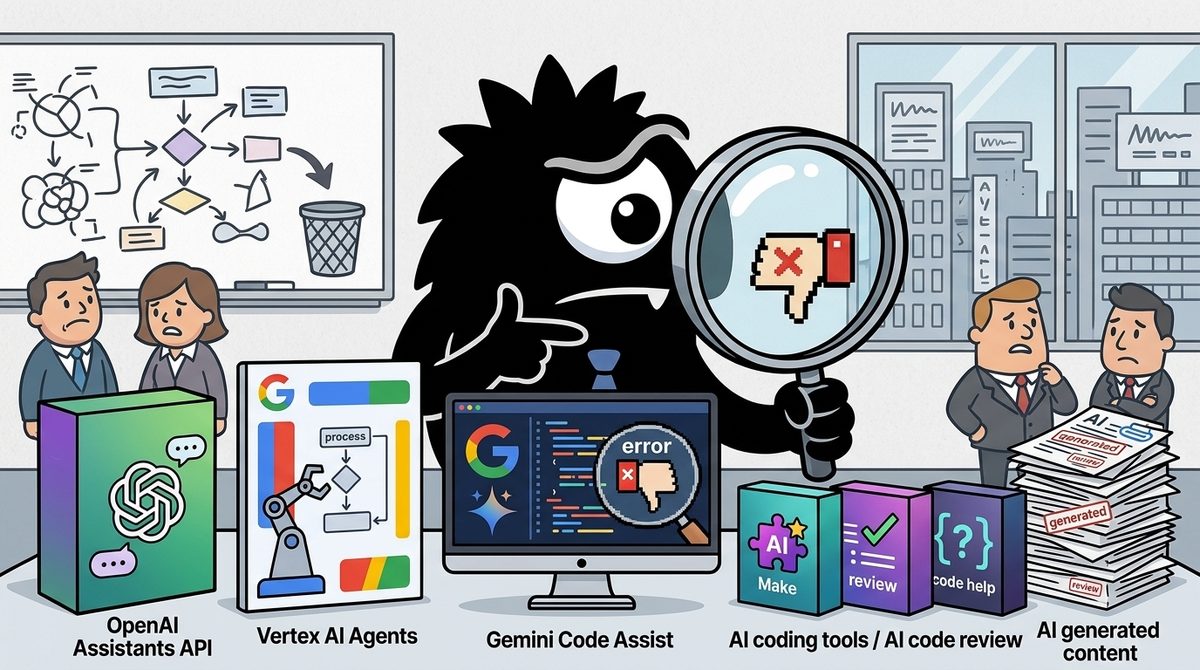
Your real question is not which platform can call an LLM. All three can participate in an automated review workflow. The decision is which one can safely discover a problem, inspect code, test a proposed change, preserve evidence, request approval, and integrate with the systems your team already operates.
Bottom line for 2026:
- Choose Make for fast, low-code orchestration around pull requests, tickets, notifications, and human approval—especially when the agent should recommend rather than autonomously edit code.
- Choose Vertex AI Agents for Google Cloud environments that need managed execution, production observability, evaluation, and GitHub-oriented code review.
- Choose OpenAI’s Assistants/Agents stack when you want maximum control over durable sessions, disposable sandboxes, custom tools, and verification loops—and can afford to engineer the surrounding control plane.
- Do not let any of them become the final authority for destructive operations. Keep merges, rollbacks, deployments, permissions, and secrets behind deterministic policy checks.
One terminology warning matters: the Assistants API documented around threads, runs, messages, and tools is not identical to the newer Agents API architecture discussed by practitioners on X. The latter introduces a stronger session-and-sandbox model. Teams evaluating OpenAI in 2026 should confirm which API and runtime features they are actually adopting rather than treating “Assistants” and “Agents” as interchangeable.[13]
Start With the Goal: What Does Automated Code Review and Debugging Actually Require?
A useful code-review agent is a distributed workflow, not a sophisticated autocomplete box. It needs at least five capabilities:
- Ingestion: Read pull requests, commits, issue reports, CI failures, logs, and deployment metadata.
- Isolated execution: Check out code and run commands without contaminating another task or production.
- Verification: Test the proposed diagnosis or patch independently.
- Approval: Pause before merging, deploying, rolling back, or changing external state.
- Persistence: Preserve decisions, artifacts, test results, approvals, and schedules outside the model’s context window.
The most useful blueprint in the current practitioner conversation is Discover → Hand off → Verify → Persist → Schedule:
This 12-page PDF saved me weeks of trial and error when building AI agents. Here is the exact 5-step blueprint:
Discover -> Hand off -> Verify -> Persist -> Schedule
Discover: Automated scanning of CI logs, commits, and issues. The system finds exactly what needs to be fixed on its own.
Hand off: Every agent gets an isolated git worktree. Parallel workflows run seamlessly without ever colliding.
Verify: A second agent enters the loop. Its sole purpose is to assume the first agent's code is broken and find the flaws.
Persist: All results land directly on the disk, rather than getting lost or forgotten in a temporary context window.
Schedule: The entire process is put on a timer, turning it into a true, 24/7 autonomous loop.
The Golden Rule: An AI agent should never grade its own work. Left to itself, it will always praise its own output. To build a resilient system, you need a second, independent agent designed to say "no."
Deep dive into the architecture and the link to the original PDF below.
That blueprint is more discriminating than a feature checklist.
- Make is strongest at Discover, Persist, and Schedule. Its scenarios can move signals among SaaS applications, trigger reviews, store results, and notify people.
- Vertex AI Agents covers the entire loop most cohesively when the surrounding environment is Google Cloud, particularly when paired with Agent Development Kit patterns and Gemini Code Assist.
- OpenAI gives engineers flexible primitives for Hand off and custom tool-driven investigation, but the team remains responsible for much of the durable business state, security policy, Git integration, and verification architecture.
Google’s production code-review codelab demonstrates why the verification stage deserves its own subsystem: a reviewer must gather context, analyze changes and produce structured findings rather than merely ask a model whether code “looks good.”[9]
Define success before choosing a platform. At minimum, measure:
- Defects found without excessive false positives
- Percentage of findings backed by reproducible evidence
- Test pass rate for generated patches
- Time from failed build to useful diagnosis
- Unauthorized or unreviewed mutations—ideally zero
- Completeness of the audit trail
These criteria prevent an impressive demo from being mistaken for a dependable engineering system.
How Do the Platforms Handle Durable State and Disposable Sandboxes?
The most consequential architectural distinction is between a logical session and an execution environment.
A logical session records what the task is, who initiated it, what the agent decided, which policy applies, and which actions were approved. A sandbox is a temporary place to clone a repository, read files, run tests, or create a patch. The session should survive; the sandbox should be replaceable.
Understand OpenAI's Agents API in 5 minutes:
Let's say we're building an incident agent and tell it: “Checkout 5xx jumped after the last deploy. Find the cause, prepare a fix, but don't rollback anything without approval.”
• We start by creating a Session with the model, instructions, tools, MCP servers and optionally a sandbox. The important bit is that the Session is the durable work state, while the sandbox is only the environment where it can run commands, read files or change code.
• From there OpenAI runs the Codex harness around the model, so instead of us manually wiring model -> tool -> result -> model on every step, the harness keeps that loop going, manages the session, handles retries/recovery and compacts context when the run gets long.
• Now the agent starts investigating, if our observability MCP exposes 80 tools, it doesn't need all 80 schemas sitting in context. Tool search can pull in only the tools it needs, maybe logs, error rates and deploy history.
• If it needs several calls, Programmatic Tool Calling lets it write a small JS routine to fetch them in parallel, filter the noisy output and return only the useful evidence to the model, instead of burning another model turn between every API call.
• Where the tool runs still matters. Shell commands run in the sandbox, while MCP calls go to the MCP server. Something like rollback_deploy() stays in our backend. If the model asks for that, the Session pauses with requires_action. Our server checks it, asks for approval if needed, runs it, then sends the result back.
• If the work can be split, the root agent can spin up subagents with separate contexts. One can inspect the deploy diff. Another can read the logs. This helps when the tasks are independent. But right now those subagents still cannot call your application function tools.
• While all of this is happening, the session emits events, so your app can stream progress, show tool calls or even steer an active turn. If the run becomes long, OpenAI compacts older context instead of endlessly replaying the entire history.
• The same Session can be continued later, so tomorrow you can ask, “did the fix actually reduce the error rate?” without starting the whole investigation from scratch.
• One of the DevDay additions is computer use, which gives the agent an OpenAI-hosted browser for UI work, while your app still controls the important boundaries around website access and sign-in.
-----
I still wouldn't let that runtime become my business state machine though. Agents are getting much better at figuring out what to do next, but long-horizon research still shows how easily one wrong state can survive for several steps and contaminate everything after it.
So I'd let the agent own the investigation, but keep money movement, permissions and destructive state changes behind deterministic code and explicit validation.
This distinction is explicit in the current discussion of OpenAI’s Agents API. It is less explicit in the older Assistants API model, where threads preserve messages and runs execute work against that thread.[13] If you are building on OpenAI, treat the durable OpenAI object as agent context, not as your system of record. Store approvals, artifact hashes, commit SHAs, policy versions, and deployment outcomes in your own database.
OpenAI: flexible session architecture, but you own the control plane
OpenAI fits teams that want to build a custom incident investigator or coding agent. The agent can select tools, inspect a repository, use external services and continue a long-running investigation. GitHub access can also be exposed through a defined action layer rather than unrestricted shell credentials.[14]
Its flexibility creates obligations. A fresh sandbox should be reconstructed from a known image and commit. It should not be “resumed” merely because an old container identifier still exists.
Field notes on OpenAI Agents API (public beta): treat a long-running agent as four planes.
1. Logical session — durable: task id, principal, policy version, decisions, artifact hashes, approvals, idempotency keys.
2. Sandbox — disposable: recreate from current image/manifest; do not resume by trusting an old container id.
3. Tools / egress — policy boundary: allowlist hosts, separate reads from mutations, journal receipts.
4. Credential vault — broker, not env dump: placeholder + proxy for approved hosts; keep app keys outside agent code.
Resume rule: load authenticated checkpoint → fresh sandbox → current tools/creds → re-authorize side effects before they run again. Compaction keeps the model coherent; it does not replace the business event log.
That four-plane model—session, sandbox, tools and egress, credential vault—is the clearest production design for an OpenAI-based code agent.
Vertex AI: managed execution aligned with Google Cloud state
Vertex AI Agent Engine provides managed agent deployment and supports code execution in secure sandbox environments.[7] Agent Engine also supplies managed runtime capabilities for deployed agents, reducing the amount of infrastructure a team must assemble itself.[12]
This is attractive when repository analysis must interact with Cloud Logging, IAM-controlled services, deployment data, or other GCP resources. The tradeoff is platform commitment: the architecture is easiest to govern when the rest of the workload already follows Google Cloud conventions.
Make: durable workflow state, not a developer sandbox
Make models work as a scenario: modules pass data through a visual graph, with execution history and connected services carrying workflow state. Its AI Agents API can manage agents and related configuration, but Make should primarily be viewed as an orchestration layer rather than an isolated coding runtime.[4]
That makes it suitable for “when CI fails, collect the logs, ask for a diagnosis, create an issue, and request review.” It is less suitable as the environment that repeatedly checks out branches, compiles large repositories, runs test suites, and manages parallel worktrees. For that, Make should invoke an external CI runner or sandbox service.
Which Platform Makes Non-Deterministic Agents Easiest to Debug?
Traditional debugging assumes that the same inputs produce the same output. Agent debugging cannot rely on that assumption. A run can vary because of model sampling, changing tool results, reordered calls, context compaction, rate limits, unavailable APIs, or a different interpretation of the same evidence.
Agents are particularly hard-to-debug software.
For one, and by design, AI models behave in non-deterministic ways. Even two identical prompts don't always yield the same output.
But agents are also complex distributed systems. They involve multiple steps of computation across functions and sandboxes, touching dozens of API services that can go down, rate limit you, etc.
Nailing down observability out of the box for https://t.co/nDDXqUmOlD on Vercel was a key priority for the team, and the feedback so far has been 🔥↓
This means “the prompt” is not a sufficient bug report. A useful trace needs:
- Model and configuration
- Prompt or instruction version
- Tool schemas made available
- Tool calls, arguments, responses, and latency
- Repository and commit identifiers
- Sandbox image and dependency manifest
- Approval events
- Generated artifacts and hashes
- Final tests and evaluation result
Vertex AI has the strongest managed observability story
Vertex AI is the best fit of the three when agent observability is a primary purchasing criterion. Google’s evaluation service supports agent evaluation rather than limiting assessment to final-answer text. It can examine behavior and trajectories—the sequence of steps an agent took to reach an answer.[10]
Google’s 2026 debugging material also connects agent traces with Cloud Observability and OpenTelemetry-oriented instrumentation, targeting root-cause analysis across model calls, tools, services, and infrastructure.[11] That matters for enterprise debugging: a failed review could originate in the model, an unavailable tool, IAM, a malformed response, or an external service.
The downside is complexity. Teams must understand traces, cloud telemetry, evaluation datasets, IAM, and Agent Development Kit abstractions. Vertex is managed, but it is not conceptually lightweight.
OpenAI is highly auditable if you build the journal
OpenAI’s thread/run model provides structured execution objects, messages, run status and tool interactions.[13] But production replayability requires an application-level decision journal.
Store idempotency keys for side effects, hashes for generated patches, exact commit references, policy versions, and approval records. On retry, distinguish between:
- Repeating a read
- Re-running analysis
- Recreating a sandbox
- Reissuing a mutation
The first three may be safe. The fourth generally requires renewed authorization.
Make is easiest to inspect when the workflow stays simple
Make’s advantage is visual comprehensibility. For linear automation—webhook, collect data, call model, route by result, request approval, create ticket—scenario execution history is easier for non-specialists to follow than a distributed agent trace.
The advantage erodes when the model performs a long, adaptive investigation. A visual run can show that a module was called, but it is not automatically a semantic explanation of why the agent chose one repository hypothesis over another. Use Make when you want an observable workflow around the agent, not deep introspection inside its reasoning process.
How Can Agents Fix Bugs Without Being Allowed to Break Production?
The right safety boundary is not “human involved somewhere.” It is human or deterministic authorization immediately before a risky mutation.
For an incident workflow, let the agent:
- Read logs and metrics
- Inspect commits
- Create a patch
- Run tests
- Draft a rollback plan
- Open a pull request
Do not let it automatically:
- Merge to a protected branch
- Deploy to production
- Roll back a release
- Change permissions
- Rotate credentials
- Delete infrastructure
Make is best for straightforward approval workflows
Make is the easiest option when a person must review an AI result before the workflow continues. Human-review patterns can route outputs through email, forms, data stores, Slack-like collaboration tools, or Make’s enterprise-oriented human-in-the-loop capabilities. Lower-cost patterns can reproduce the gate with standard modules and explicit status fields.[2]
This fits smaller teams and operations-heavy workflows where the output is a recommendation, ticket, comment, or proposed patch. The limitation is that approval integrity depends on scenario design: every mutation path must pass through the gate, including retries and error handlers.
OpenAI supports precise pauses, but approval belongs in your application
With OpenAI, approval should be attached to durable task state: principal, requested action, target, policy version, evidence, expiry, and idempotency key. The application—not the model—decides whether the tool call is authorized.
This is the right approach for teams building custom incident agents. The agent can decide what it wants to do; deterministic code decides whether it may do it.
Vertex favors verification and policy-backed execution
Google’s ADK code-review pattern supports multi-stage analysis and structured review flows.[9] A particularly strong design is to assign a second agent to challenge the first agent’s patch, then require tests and policy checks before a human sees it.
Independent verification is more valuable than asking the same agent to reconsider. However, a second model is still not an authorization system. IAM, branch protection, CI policy and deployment controls remain the final enforcement points.
Which Platform Has the Safest Credential and Network Boundary?
A code agent may need GitHub, CI, observability, issue trackers, artifact registries, and cloud APIs. Giving it all corresponding secrets as environment variables creates an unnecessarily large blast radius.
A safer pattern is placeholder plus broker:
- The agent receives a logical tool, such as
read_ci_logs. - A trusted proxy validates the task, principal, target host and requested operation.
- The proxy injects credentials outside the agent runtime.
- The call and result are journaled.
- Mutating tools require stronger policy or explicit approval.
OpenAI offers control, but your architecture determines safety
OpenAI’s custom tools and action integrations let teams expose narrow capabilities instead of raw credentials.[14] That is powerful, but security quality depends on implementation. Use host allowlists, validate all tool arguments, separate read tools from mutation tools, and never assume model-generated shell commands are trustworthy.
OpenAI is the best choice here only for teams prepared to build a serious credential broker and policy layer.
Vertex benefits from Google Cloud IAM and sandbox isolation
Vertex Agent Engine’s managed execution environment can be paired with IAM-scoped service identities and GCP resource controls.[7][12] This is compelling for organizations whose logs, artifacts, builds and deployments already live in Google Cloud.
The key discipline is least privilege. “Runs in our cloud project” does not mean “should inherit broad project access.” Separate service accounts by agent role and environment.
Make simplifies credentials through managed connections
Make stores access through configured application connections and offers a broad integration model. This avoids scattering raw API keys through scripts. The tradeoff is concentration: a scenario can become a bridge among many systems, so connection scope, scenario permissions and mutation paths require regular review.
Make is safest when each scenario uses narrowly scoped connections and delegates code execution to a hardened external runner.
Which Works Best With GitHub Pull Requests, CI, and Real Repositories?
Vertex has the strongest turnkey code-review route. Gemini Code Assist integrates with GitHub pull requests to review changes, identify potential bugs and suggest improvements.[8] Teams wanting automated PR comments without constructing an entire agent platform should evaluate this before building a custom reviewer.
Make is strongest as integration glue. Its codeGPT integration can place coding-model actions inside broader workflows,[6] while Make Skills provides reusable instructions for building and managing Make automations from supported AI coding environments.[1] A practical Make scenario could watch CI, collect logs, ask a model for classification, create a GitHub issue, and route a proposed response for approval.
OpenAI is strongest for bespoke repository workflows. It can support isolated worktrees, custom linters, repository-specific tools and multi-stage repair loops, but those are architectural patterns you must implement. OpenAI provides model and tool primitives; it does not automatically provide your ideal Git branching, CI, sandbox lifecycle or merge policy.
The choice is therefore turnkey review versus composable investigation:
- For routine pull-request feedback, prefer Gemini Code Assist.
- For cross-application workflow automation, prefer Make.
- For a custom incident investigator that correlates code, logs and operational tools, prefer OpenAI or Vertex Agent Engine.
What Will Each Option Cost in Money and Engineering Time?
Price alone is misleading because agent costs include tokens, execution, telemetry, evaluation and failed runs.
Make: lowest initial engineering cost
Make is usually the fastest route for a small team or prototype. Its low-code scenarios reduce infrastructure work, and its 2026 automation examples show the platform’s emphasis on reusable business workflows rather than custom agent runtimes.[5]
Budget for subscription tier and operation volume, plus any external model, CI or sandbox charges. Complex scenarios can also accumulate maintenance cost as branches and exception handlers multiply.
OpenAI: flexible consumption, highest custom-engineering burden
OpenAI-based systems incur model usage and potentially hosted-tool or execution costs, but the larger cost is engineering the surrounding platform: state store, sandbox manager, credential broker, policy engine, tracing, evaluation, Git workflow, and approval UI.
It is economical when those custom capabilities create genuine product differentiation. It is wasteful when the goal is merely to post standard review comments on pull requests.
Vertex AI: strongest fit for established GCP teams
Vertex combines model consumption with Google Cloud runtime, execution, logging and evaluation costs. Its operational advantage is greatest when the organization already has GCP expertise, IAM conventions, Cloud Observability and procurement in place.
Remember the hidden multiplier: evaluation. Reliable agents need repeated trajectory tests across repository states, tool failures and ambiguous bugs—not one successful demo run.[10]
Who Should Choose Make, Vertex AI Agents, or OpenAI in 2026?
Choose Make when:
- You are a small team, agency, internal-tools group, or automation specialist.
- The workflow mostly connects GitHub, CI, tickets, chat, email and approvals.
- Humans will review recommendations before code is merged.
- Fast delivery and visual maintenance matter more than autonomous repository work.
- You can run tests and code in an external CI or sandbox.
Best example: classify CI failures, summarize evidence, create an issue, request approval, and notify the owner.
Choose Vertex AI Agents when:
- Your engineering platform already runs on Google Cloud.
- You need managed sandbox execution, IAM integration and cloud-native telemetry.
- Agent trajectory evaluation and production debugging are purchase criteria.
- You want GitHub PR review through Gemini Code Assist.[8]
- Your team can absorb ADK and GCP operational complexity.
Best example: a production code-review service that combines PR analysis, structured verification, cloud telemetry and enterprise controls.
Choose OpenAI’s Assistants/Agents stack when:
- The agent’s investigative workflow is core intellectual property.
- You need custom sessions, tools, repository operations and verification stages.
- You want to correlate source code with logs, deployments and proprietary systems.
- Your team can build durable state, sandboxes, approvals, observability and credential brokering.
- You will keep destructive actions behind deterministic services.
Best example: an incident agent that identifies the deploy associated with a regression, constructs and tests a patch, then pauses for approval.
A hybrid architecture is often the practical winner: Make can discover and route work, OpenAI or Vertex can perform repository-level investigation, CI can verify the patch, and Make can return the result to a human approval queue. Alternatively, Vertex can host the agent while a separate model acts as an independent reviewer.
The decisive 2026 insight is that model quality is only one layer. For code review and debugging, the best platform is the one that makes state durable, execution disposable, evidence observable, credentials brokered, and mutations explicitly authorized.
Sources
[1] make-skills/README.md at main · integromat/make-skills · GitHub
[2] How to Add Human Review to Your AI Automations in Make (Without Enterprise Tools) | XRAY Blog
[4] AI Agents | Make API | Make Developer Hub
[5] 7 AI automation examples you can copy in Make (2026) | Make
[6] codeGPT Integration | Workflow Automation | Make
[7] Agent Engine Code Execution | Vertex AI Agent Builder | Google Cloud Documentation
[8] Gemini Code Assist and GitHub AI code reviews | Google Cloud Blog
[9] Building a Production AI Code Review Assistant with Google ADK | Google Codelabs
[10] Evaluate your AI agents with Vertex Gen AI evaluation service | Google Cloud Blog
[11] Next ’26 Developer Keynote: Debugging Agents At Scale | Google Codelabs
[12] Vertex AI Agent Engine overview | Vertex AI Agent Builder | Google Cloud Documentation
References (15 sources)
- make-skills/README.md at main · integromat/make-skills · GitHub - github.com
- How to Add Human Review to Your AI Automations in Make (Without Enterprise Tools) | XRAY Blog - xray.tech
- What is AI automation? A complete guide for 2026 | Make - make.com
- AI Agents | Make API | Make Developer Hub - developers.make.com
- 7 AI automation examples you can copy in Make (2026) | Make - make.com
- codeGPT Integration | Workflow Automation | Make - make.com
- Agent Engine Code Execution | Vertex AI Agent Builder | Google Cloud Documentation - cloud.google.com
- Gemini Code Assist and GitHub AI code reviews | Google Cloud Blog - cloud.google.com
- Building a Production AI Code Review Assistant with Google ADK | Google Codelabs - codelabs.developers.google.com
- Evaluate your AI agents with Vertex Gen AI evaluation service | Google Cloud Blog - cloud.google.com
- Next ‘26 Developer Keynote: Debugging Agents At Scale | Google Codelabs - codelabs.developers.google.com
- Vertex AI Agent Engine overview | Vertex AI Agent Builder | Google Cloud Documentation - cloud.google.com
- Assistants API Overview (Python SDK) - cookbook.openai.com
- GPT Actions library - GitHub - cookbook.openai.com
- 5 Reasons When to Use OpenAI Assistants API ✅ - towardsai.net
Related Guides
The Best AI Model in 2026: An Expert Analysis of What a $4.2M Prediction Market Reveals
24 min read
The Best AI Coding Tools for Solo Developers in 2026: A Head-to-Head Comparison
22 min readThe Best AI Model in 2026: What Polymarket's Anthropic Bet Reveals About the AI Race
21 min read
Flowise vs Vertex AI Agents vs n8n: Which Is Best for AI Content Creation in 2026?
20 min read