Flowise vs Vertex AI Agents vs n8n: Which Is Best for AI Content Creation in 2026?
Flowise vs Vertex AI Agents vs n8n compared for AI content creation: pricing, learning curve, agents, debugging, and enterprise fit. Find out which wins.
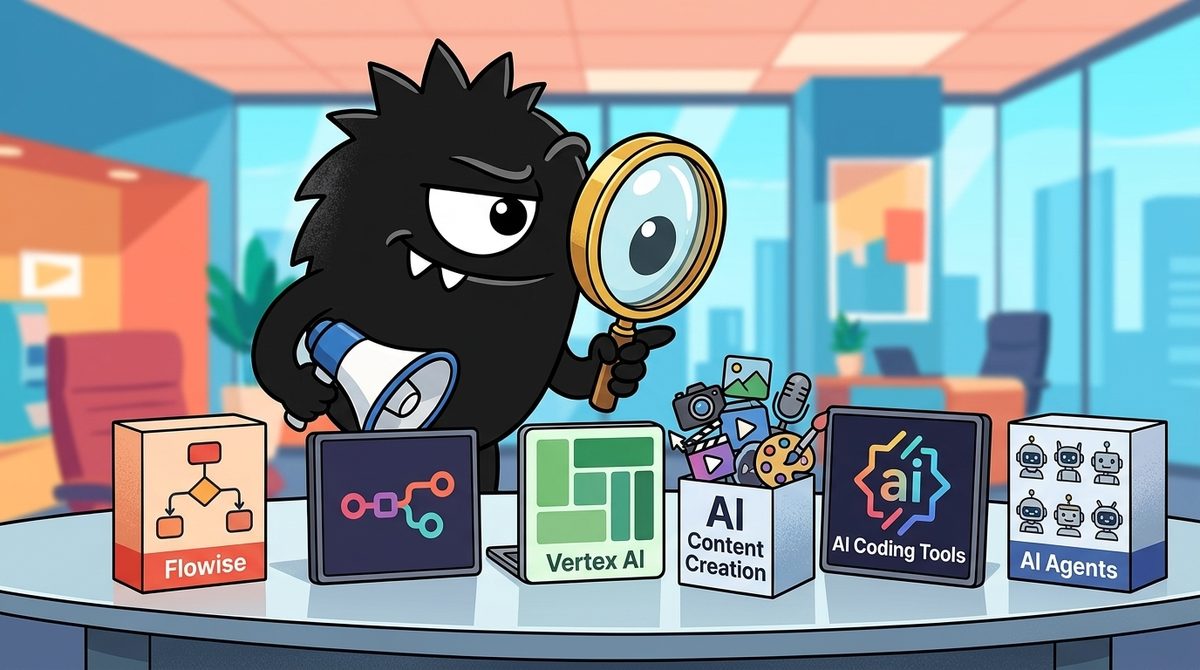
The real question is not simply whether Flowise, Vertex AI Agents, or n8n has the longest feature list. It is which tool can turn AI-generated text into a reliable content operation at the level of control, integration, and governance your organization needs.
Bottom line for 2026:
- Choose Flowise when your priority is building RAG-grounded writing assistants, research agents, or on-brand content applications around your own documents.
- Choose n8n when AI generation is one step in a larger pipeline spanning research tools, databases, approval systems, a CMS, email, and social channels.
- Choose Vertex AI Agent Engine when you are already invested in Google Cloud and need managed agent infrastructure, centralized governance, and production-scale operations.
- Do not default to autonomous agents. Use deterministic workflows for repeatable content and reserve agentic loops for ambiguous research and planning.
The Content Creator’s Dilemma: Three Tools, Three Philosophies
“AI-powered content creation” can mean at least five different jobs:
- Collecting source material.
- Researching an unfamiliar topic.
- Retrieving facts from proprietary documents.
- Drafting, editing, and repurposing content.
- Routing the result through review and publishing systems.
No single platform is best at all five. Flowise, n8n, and Vertex AI Agents overlap, but they begin from different architectural assumptions.
Flowise is an LLM application builder. Its visual interface focuses on chat flows, retrieval-augmented generation, document stores, tool-calling agents, and multi-agent systems. It is strongest when the intelligence itself is the product.
n8n is an automation and orchestration platform. AI can research, classify, summarize, or write inside a workflow, but the surrounding emphasis is moving data and triggering actions across business systems. Recent comparisons reach the same broad distinction: Flowise is oriented toward AI-native applications, while n8n covers wider business automation.[1][2]
Vertex AI Agent Engine is managed agent infrastructure. It is designed to deploy, operate, observe, and govern agents on Google Cloud rather than serve as a general-purpose visual content automation canvas.[14]
That is why practitioners resist treating these as direct substitutes:
How to pick:
Deterministic workflow, AI as one step? n8n. Agentic loop, full control? Self-host LangGraph. Already on GCP? Vertex AI Agent Engine. Fully managed, OK with lock-in? Claude Managed Agents. Want harness, keep runtime? OpenAI SDK.
Different problems, different tools.
The same distinction applies to the managed-agent market. One X discussion places Vertex AI Agent Engine alongside other managed agent offerings—and explicitly outside the lane occupied by n8n and agent frameworks:
April shipped two managed agent releases:
- Anthropic Managed Agents (April 8) OpenAI Agents SDK w/ sandbox (April 16)
- Google's Vertex AI Agent Engine is in the same fight but not new. GA since March 2025.
All three compete with each other. Not with n8n. Not with LangGraph.
For content teams, the decision therefore starts with the bottleneck. If it is grounding an LLM in brand knowledge, look first at Flowise. If it is connecting the entire editorial lifecycle, start with n8n. If it is securely operating agents inside an existing Google Cloud estate, evaluate Vertex.
Deterministic Workflows vs Agentic Loops: Which Model Fits Content Production?
The most consequential choice is not the vendor. It is how much control to surrender to the model.
A deterministic workflow specifies the sequence in advance: fetch an RSS feed, remove duplicates, summarize each item, apply a newsletter template, request approval, and publish. The LLM handles bounded tasks, but it does not decide what the overall system should do next.
An agentic workflow gives the model a goal and a set of tools. It may decide which sources to search, whether more evidence is needed, which specialist agent to invoke, and when the draft is complete. n8n supports AI components within workflows, including agents that use tools, while its documentation also presents conventional chains and other bounded AI patterns.[10][11]
The token economics can differ dramatically. A widely discussed practitioner example compared three implementations of one monitoring task:
I've been building with N8N for months and this tutorial finally clicked something for me.
The token economics of agents are backwards from what most people think.
Pawel walks through building the same competitor monitoring workflow three ways. A traditional workflow, an agentic workflow, and a fully autonomous agent.
The numbers are WILD.
Traditional workflow with manual steps... 5,000 tokens, 30-40 seconds. Everything is predefined. You control every step. The LLM just formats a report.
Agentic workflow where the model decides prompts... 12,000 tokens, 90 seconds. The agent chooses what to ask Perplexity. More expensive. More flexible.
Fully autonomous agent with just an objective... 90,000 tokens. Same 90 seconds but 8x the token cost.
And here's where it gets interesting.
The fully autonomous version produced the best output. Pawel's exact reaction was "this is like the best one yet."
So you're paying 18x more tokens than the basic workflow. You're giving up control. The agent makes sequential Perplexity calls instead of parallel ones.
But the quality jumps.
This is the tradeoff nobody talks about when they say "just use agents for everything."
n8n just raised $180M at a $2.5B valuation. ARR hit $40M. That's a 62x revenue multiple.
Investors are betting the orchestration layer becomes THE layer.
The logic goes like this. If you can't plug in a GPU because power infrastructure doesn't exist, compute isn't your bottleneck. If Claude and GPT-5 keep getting smarter but your workflows can't use them, model capability isn't your bottleneck.
The bottleneck is connecting intelligence to action.
n8n sits in that exact gap. Workflow automation meets AI orchestration. Self-hostable. Fair-code license. 400+ integrations.
Pawel's advice is counterintutive but correct. Use agents only when you have to.
For production systems at scale, every token matters. You want the workflow version when the process is predictable. Save agents for genuinely ambiguous problems where you can't predefine the steps.
The tutorial covers practical stuff too. Pin your data during development so you're not burning API calls on every test. Use fromAI() expressions to let agents fill parameters dynamically. Set max iterations to 30 so complex workflows don't terminate early.
For PMs trying to build AI intuition, this is the move. You don't need to code to understand context compression, token economics, and agent limitations.
You just need to build a few workflows and watch them fail.
Those figures—5,000, 12,000, and 90,000 tokens—are one reported workflow comparison, not universal benchmarks. But the underlying lesson is durable: more autonomy usually means more model calls, larger contexts, and less predictable cost.
For content creation, allocate autonomy by stage:
- Templated product descriptions, social repurposing, metadata, and newsletters: use deterministic n8n-style workflows.
- Document-grounded drafting and brand assistants: use a Flowise RAG flow with constrained retrieval and generation.
- Open-ended research, source discovery, and editorial planning: use an agentic loop, but impose limits on iterations, tools, and spending.
- Enterprise agents operating across governed cloud data: deploy through a managed runtime such as Vertex AI Agent Engine.
One important correction to simplistic comparisons: Vertex does not inherently make an agent “fully autonomous.” It is a runtime and management layer. Developers still determine the agent’s reasoning pattern, tools, permissions, and stopping conditions. Managed infrastructure changes operational responsibility; it does not remove the need for workflow design.
Is Flowise Best for RAG-Grounded, On-Brand Content?
Flowise is the clearest fit when a team wants to build an AI content application rather than automate a long chain of unrelated SaaS tasks.
Its drag-and-drop environment supports simple LLM chains, document retrieval, agents, and multi-agent flows. Community discussion particularly values reusable flows, model choice, document stores, API exposure, and integrations with the wider LLM tooling ecosystem:
Flowise is one of the best tools I’ve used to build AI Agents.
What makes Flowise great:
• Easy to get started (no/low-code)
• Allows you to build simple LLM chat flows, RAG systems, and advanced multi-agent workflows
• Shareable and reusable workflows
• Use any LLM with lots of configurations
• Easy to build and test your document stores
• Both offline (open-source) and online (paid) offering
• Exposes APIs for extending agentic workflows (e.g., automate workflows)
• Great integration with other tools like LangChain, LlamaIndex, and LangSmith
• Great community with a bunch of examples to get started
For content teams, the defining capability is retrieval-augmented generation, or RAG. Instead of asking a model to rely only on its pretrained knowledge, a RAG pipeline retrieves relevant passages from approved material—style guides, product documentation, interview transcripts, research archives, or previous articles—and includes them as context for generation.
That does not “train” the model on a brand voice in the machine-learning sense. It grounds each request in selected proprietary material. The distinction matters because retrieval can be updated or inspected without retraining a model.
Flowise is therefore well suited to:
- A brand-writing assistant grounded in an editorial handbook.
- A product-content generator using current technical documentation.
- A research interface over transcripts and internal reports.
- A reusable drafting agent exposed to other systems through an API.
- A prototype testing different models, vector databases, and retrieval strategies.
Flowise can be self-hosted, while hosted options reduce infrastructure work. Comparisons also identify its open-source availability, visual AI focus, and API-based integration as major reasons to choose it.[3][4]
You don't need to write a single line of code to build a full AI agent with RAG, memory, and tool calling in 2026.
I know that sounds like a lie. But It's not.
Flowise is an open source drag and drop builder for LLM apps and it's the most slept-on AI tool I've seen this year.
What you can build without touching a single line of code:
→ AI chatbots trained on your own documents
→ RAG pipelines connected to any vector database
→ Agents with persistent memory across sessions
→ Multi-agent workflows that chain tools together
→ Full LLM apps connected to your APIs and databases
Supports literally everything - Claude, GPT, Gemini, DeepSeek, Mistral, Llama, and every local model worth running through Ollama.
Self-hosted. Your data stays on your server.
No vendor lock-in. No monthly SaaS bill.
The no-code AI agent builder the big labs don't want you to know about because it makes their expensive APIs feel optional.
49K+ stars and most people in this space still haven't heard of it.
Now you have.
100% Open Source.
(Link in the comments)
However, “no code” does not mean “no engineering.” Production RAG still requires decisions about document parsing, chunking, metadata, retrieval quality, access control, prompt versioning, and evaluation. Flowise lowers the barrier to assembling those components; it does not make weak source data or unsafe permissions disappear.
Best fit: technically curious creators, startups, agencies, and AI teams building document-grounded content tools—especially when model portability and self-hosting matter.
Is n8n Best for End-to-End Content Automation?
n8n is the stronger choice when writing is only one stage in a process.
A typical content workflow might monitor feeds, gather analytics, query a database, call a research service, generate a brief, create a draft, open a review ticket, wait for approval, publish to a CMS, and distribute the result through email and social platforms. That breadth is n8n’s core advantage.
Its AI features sit inside the larger orchestration environment. Teams can combine conventional logic—schedules, filters, branches, retries, API calls, and database operations—with LLM chains or agents. n8n’s documentation describes both AI-assisted workflow building and native methods for adding AI functionality to workflows.[7][10]
The AI Workflow Builder pushes that abstraction further by allowing users to describe a workflow in natural language and generate its initial nodes and connections:
🚨BREAKING: @n8n_io just dropped their AI Workflow Builder
This means you can now build automations by describing what you want in plain English.
And it changes everything.
WHAT JUST HAPPENED:
n8n released AI Workflow Builder (Beta) that:
• Converts text prompts into complete workflows
• Generates nodes, logic, and connections automatically
• Builds complex automations in minutes, not hours
• Available now on n8n Cloud (v.1.116.0)
THE OLD WAY:
"I need client onboarding automation"
→ 3 hours mapping workflow logic
→ 2 hours connecting nodes manually
→ 1 hour testing and debugging
→ Total: 6+ hours of technical work
THE NEW WAY:
"Create a workflow that automatically invoices new clients and sets up their project folders when they sign a contract"
→ AI generates complete workflow in 60 seconds
→ You review and adjust as needed
→ Deploy immediately
The generated result should be treated as a scaffold, not an automatically production-ready system. Credentials, edge cases, retry policies, data mappings, publishing permissions, and human approval gates still need review. The benefit is faster assembly, especially for people who understand the business process but do not want to place every node manually.
n8n Agents adds a second layer. Instead of placing only an agent node inside a fixed workflow, teams can describe an agent’s goal, choose a model, and attach tools. Existing workflows can become bounded tools callable by that agent.[8][12]
n8n shipped Agents (Cloud preview, Sep 25).
Describe the goal, pick a model, attach tools. Memory, sessions, channels, and approvals come with it.
Existing workflows can be the agent's tools. Their support example uses three workflows (get account context, add a note, page on-call). The agent chooses when to call them. Each workflow still runs exactly as you built it.
So the agent doesn't get your CRM write keys. It gets a workflow that can only add a note. Mark a tool sensitive and it pauses for Approve/Reject first.
Same published agent works in Slack, on a schedule, or via the Message an Agent node inside a workflow. Tool calls to workflows don't count as separate executions.
That pattern is particularly useful for content operations. An editorial agent could be allowed to:
- Retrieve an approved content brief.
- Create a draft in a designated workspace.
- request fact-checking.
- Add a comment to a review ticket.
- Schedule publication only after approval.
Crucially, the agent need not receive unrestricted credentials for every underlying system. It can be given a narrow workflow that performs one approved operation.
n8n is less specialized than Flowise for sophisticated RAG experimentation, but it is better positioned to carry content from input to publication. Independent comparisons consistently frame it as the broader automation platform and Flowise as the more AI-focused builder.[2][6]
Best fit: creators, agencies, marketing operations teams, and SMBs that need repeatable multi-application pipelines with visible business logic and controlled AI steps.
When Does Vertex AI Agent Engine Make Sense for Content?
Vertex AI Agent Engine belongs in this comparison because an enterprise content system may need more than a visual builder. It may need managed deployment, identity controls, tracing, scaling, and integration with cloud data infrastructure.
Google describes Agent Engine as a managed service for deploying and operating AI agents, with support for development frameworks and production agent capabilities.[14] Its value rises when an organization already stores data, runs applications, and manages identities on Google Cloud.
For a large content organization, potential applications include:
- A research agent accessing approved enterprise data.
- A localization system coordinating specialist tools and reviewers.
- A governed assistant for regulated communications.
- A content-operations agent serving multiple internal teams.
- Agents whose execution must feed centralized logging and monitoring.
A Japanese practitioner captured the hybrid architecture in the X discussion: in English translation, the post recommends letting the LLM focus on judgment and summarization, leaving operations to APIs or RPA, and centralizing permissions and audit logs in an enterprise agent platform.
Difyやn8nのようなノーコード基盤に、GoogleのVertex AI Agent BuilderやMicrosoft Agent 365、OpenAIのエージェント機能を組み合わせると、「LLMが意思決定しつつ業務アプリやSaaSをつなぐ」エージェントワークフローを一気に量産できます。ポイントは①ビジネスKPI起点でタスク分解する ②LLMは判断と要約に専念させ、操作はAPI/RPA側に任せる ③Agent BuilderやAgent 365で権限・監査ログを一元管理する、の3つです。現場レベルでのLLM活用を設計するうえで、主要ベンダーのエージェント戦略と事例を俯瞰したい方は、この月次ダイジェストがまとまった参考になります
Combining no-code platforms like Dify or n8n with Google's Vertex AI Agent Builder, Microsoft Agent 365, and OpenAI agent features allows mass-producing agent workflows where 'LLM makes decisions while connecting to business apps and SaaS'. Key points: ① Decompose tasks starting from business KPIs ② Let LLM focus on judgment and summarization, leave operations to API/RPA ③ Centralize permissions and audit logs with Agent Builder or Agent 365. For those wanting an overview of major vendors' agent strategies and examples when designing LLM utilization at the field level, this monthly digest is a good reference.
That is a stronger design than asking one model to reason, retrieve, publish, and administer its own credentials. It separates probabilistic decisions from deterministic operations and policy enforcement.
The tradeoffs are substantial. Vertex requires Google Cloud expertise, introduces platform dependency, and can be excessive for a small team that needs a blog pipeline rather than an enterprise agent estate. Costs also extend beyond a single subscription: Vertex pricing varies by the models and services consumed, so teams must account for inference and surrounding cloud resources.[13]
Best fit: organizations already standardized on GCP, especially those with governance, compliance, centralized identity, or scaling requirements. For independent creators and small marketing teams, it is usually more infrastructure than the problem warrants.
Which Tool Is Easiest to Debug When Content Breaks?
Content pipelines fail in mundane ways: a source changes its HTML, a token expires, a model returns malformed JSON, retrieval finds the wrong document, or a CMS rejects a field. The best architecture is not merely the one that produces an impressive demo. It is the one an operator can repair before the morning newsletter is due.
n8n’s practical advantage is run-level visibility. Its workflow model makes it possible to inspect node execution and follow data through a pipeline; the project’s documentation repository covers executions and debugging as part of the broader platform.[9]
The big practical difference is visibility. n8n keeps the input and output of every node for each run in the Executions list, so when something goes wrong you can open that exact run and see where it broke, while a custom agent only gives you that if you build the logging yourself.
View on XThat makes n8n attractive for recurring production jobs. An operator can distinguish an extraction problem from an LLM problem or a publishing problem without treating the system as one opaque agent.
Flowise’s canvas makes chains inspectable, but diagnosis becomes more difficult as agents recursively choose tools, revise plans, and pass state among one another. This is not unique to Flowise. Agentic systems are intrinsically harder to reproduce because the path can vary between executions.
A Chinese-language post in the discussion describes the translated sentiment as canvas tools being flexible but “debug hell,” while code-first alternatives offer more control but rougher interfaces:
感觉现在的 orchestration 工具要么是拖拽画布型(n8n / flowise),灵活但 debug 地狱;要么是 code-first(LangGraph / mastra),可控但 UI 粗糙。polish 缺位大概率是因为底层抽象还在快速变化,没人敢在 UI 层重投入。等 agent loop 稳定了才轮到 app 层内卷。
It feels like current orchestration tools are either drag-and-drop canvas type (n8n / flowise), flexible but debug hell; or code-first (LangGraph / mastra), controllable but rough UI. The lack of polish is probably because the underlying abstractions are still changing rapidly, and no one dares to invest heavily in the UI layer. Once the agent loop stabilizes, it will be time for the app layer to compete internally.
Vertex offers managed observability capabilities, but teams still need to configure their cloud logging, tracing, evaluation, and alerting practices. Managed does not mean self-explanatory.
For a daily content operation, prioritize:
- Stored inputs and outputs.
- Prompt and model-version tracking.
- Retrieval citations or source IDs.
- Structured-output validation.
- Retry and fallback behavior.
- Human approval before consequential publishing.
- Cost and latency telemetry.
On those criteria, n8n is usually the easiest starting point for operational visibility. Vertex has the higher enterprise ceiling, while Flowise’s debugging burden grows with the complexity of its agent graph.
Do Flowise and n8n Meet Enterprise Security Requirements?
Flowise and n8n win attention because a small team can start inexpensively and produce a convincing prototype quickly. The live debate, however, draws a sharp line between speed-to-demo and the enterprise definition of “done”:
n8n and Flowise basically own the SMB and prosumer market.
Good for them. Honestly.
– Free to start
– Huge communities
– A working demo by lunch
For prototyping and simple automation, these tools are great.
But Enterprise is a completely different fight:
⫺ Security requirements
⫺ Data and IP ownership
⫺ Very complex processes
⫺ Different UX requirements
⫺ Different embedding requirements
⫺ A completely different definition of “done”
Off-the-shelf automation platforms can't handle those needs.
That criticism is directionally useful but too absolute. Self-hosting Flowise or n8n can help organizations control where data resides, and n8n’s scoped workflow tools can reduce the credentials exposed to an agent. Both platforms can be components of serious systems.
But self-hosting is not automatically secure. The organization becomes responsible for patching, network isolation, secrets, backups, access policies, logging, and incident response. Meanwhile, content systems may contain unreleased product details, customer stories, copyrighted assets, executive communications, and proprietary research. Data and IP controls are not peripheral concerns.
Use these decision criteria:
- SMB or agency seeking speed: Flowise or n8n will usually reach useful output sooner.
- Sensitive data with strong internal infrastructure: self-hosting either platform may be viable, subject to security review.
- Existing GCP identity and governance: Vertex reduces the number of separate operational systems to manage.
- Strict audit and approval requirements: favor bounded tools, centralized logs, and human checkpoints over unrestricted agents.
- Lock-in sensitivity: Flowise offers the strongest model and hosting flexibility; n8n balances portability with broad orchestration; Vertex creates the deepest Google Cloud dependency.
The deeper divide is not “open source versus enterprise.” It is who owns the operational burden. Open and self-hosted tools give teams more control, while managed platforms transfer more infrastructure responsibility to the vendor at the cost of dependency and potentially more complex consumption pricing.
Who Should Choose Flowise, n8n, or Vertex AI Agents in 2026?
| Decision factor | Flowise | n8n | Vertex AI Agent Engine |
|---|---|---|---|
| Primary strength | RAG and LLM application building | End-to-end workflow orchestration | Managed enterprise agent operations |
| Best content use case | On-brand, document-grounded assistants | Research-to-publishing pipelines | Governed agents over cloud data |
| Typical user | AI builder or technical content team | Automation-minded operations team | Cloud engineering or platform team |
| Control model | Visual agent and chain design | Deterministic workflows with optional agents | Developer-defined agents on managed infrastructure |
| Self-hosting | Strong reason to choose it | Available and commonly considered | Managed Google Cloud service |
| Debugging | Manageable for simple flows; harder for agent loops | Strong node-by-node execution visibility | Powerful, but requires cloud observability practices |
| Lock-in | Relatively low with portable models and hosting | Moderate, depending on workflow dependence | High relative to the other two |
| Governance ceiling | Depends heavily on deployment | Good workflow-level control | Strongest fit for centralized enterprise governance |
Choose Flowise when intelligence is the product
Pick Flowise if the main deliverable is a knowledge-grounded writing assistant, research agent, or content application. It is particularly compelling when you want to switch models, self-host, or experiment rapidly with retrieval and agent designs.[3][4]
Choose n8n when content is part of an operational chain
Pick n8n if the draft must move between sources, databases, reviewers, publishing systems, and distribution channels. Keep predictable stages deterministic, then introduce agentic decisions only where the process cannot be fully specified.
Choose Vertex when governance and GCP integration outweigh simplicity
Pick Vertex AI Agent Engine if your organization already operates on Google Cloud and needs managed agent deployment, enterprise controls, and integration with cloud infrastructure.[14] Do not adopt it merely because “agents” sound more advanced; adopt it when the operating model justifies the platform.
Consider a hybrid architecture—but keep ownership clear
These tools can complement one another. A Flowise application can provide document-grounded generation, while n8n handles ingestion, approvals, and publishing. A larger organization might use workflow tools at the edges while deploying governed agents on Vertex.
The danger is not using multiple tools. It is duplicating orchestration across them until nobody knows which system owns state, retries, permissions, or audit history. Assign one layer responsibility for each concern.
For most content teams in 2026, the practical default is n8n for the pipeline, Flowise for specialized RAG experiences, and Vertex only when enterprise cloud requirements make managed agent infrastructure necessary. The winning strategy is not maximum autonomy. It is putting autonomy only where ambiguity creates enough value to justify the extra cost, risk, and debugging burden.
Sources
[1] Flowise AI vs n8n 2026: Build AI Agents or Automate everything? — Cybernews
[2] Flowise vs n8n: Which Should You Choose? (2026 Comparison) — xPay
[3] Flowise vs n8n: Picking the Right Tool for Your AI Automation Project — Alus Labs
[4] Flowise vs n8n in 2026: Which One Belongs in Your AI Stack — Farever Reach
[6] Flowise vs n8n: AI Agents Tool Compared — Thordata
[7] Use AI Assistant — n8n Docs
[8] Introducing n8n Agents — n8n Blog
[9] n8n Documentation Repository — GitHub
[12] Build and Manage Agents — n8n Docs
References (15 sources)
- Flowise AI vs n8n 2026: Build AI Agents or Automate everything? - cybernews.com
- Flowise vs n8n: Which Should You Choose? (2026 Comparison) - xpay.sh
- Flowise vs n8n: Picking the Right Tool for Your AI Automation Project - aluslabs.com
- Flowise vs n8n in 2026: Which One Belongs in Your AI Stack - fareverreach.com
- N8n vs Flowise (2026) | Which One is Better? - growwstacks.com
- Flowise vs n8n: AI Agents Tool Compared - thordata.com
- Use AI Assistant | Build | n8n Docs - docs.n8n.io
- Introducing n8n Agents – n8n Blog - blog.n8n.io
- GitHub - n8n-io/n8n-docs: Documentation for n8n - github.com
- Integrate AI | Build | n8n Docs - docs.n8n.io
- AI examples | Build | n8n Docs - docs.n8n.io
- Build and manage agents | Build | n8n Docs - docs.n8n.io
- Vertex AI Pricing | Google Cloud - cloud.google.com
- Vertex AI Agent Engine overview | Generative AI | Google Cloud - cloud.google.com
- Gemini Enterprise Agent Platform pricing | Google Cloud - cloud.google.com
Related Guides

The Best AI Agents in 2026: What Polymarket's 98% Anthropic Bet Reveals About Where SaaS Is Heading
24 min read
Framer vs Railway vs Figma: Which Is Best for Code Review and Debugging in 2026?
15 min read
The Best AI Model in 2026: What Polymarket's $4M Bet Reveals About Where AI Is Heading
17 min read
Aider vs Cline: Which Is Best for AI Pair Programming in 2026?
15 min read