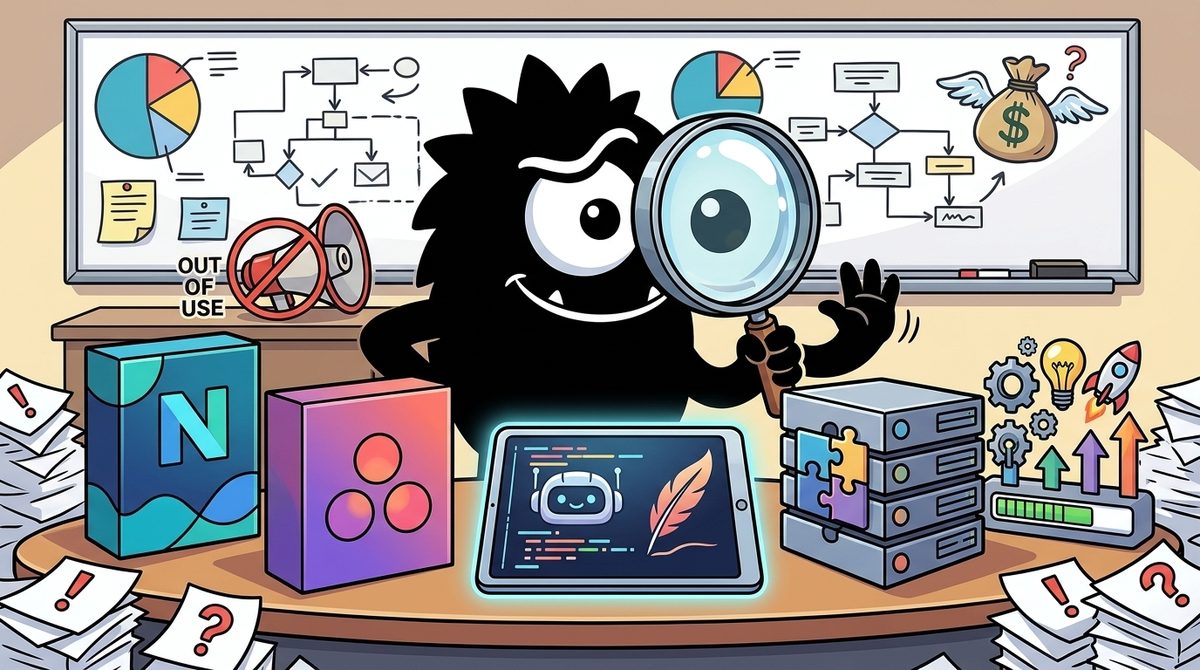
Neon vs Notion: Which Is Best for AI Pair Programming in 2026?
Updated: October 18, 2026
Neon vs Notion for AI pair programming: compare setup, context, automation, pricing, and workflows to choose the right tool for your team. Learn

Why Neon vs Notion Is the Wrong Comparison—and Still the Right Question
“Neon vs Notion” sounds confused because the products live at different layers.
Neon is a serverless Postgres platform: it stores application data, supports real databases for real software, and is increasingly optimized for AI-assisted development workflows.[1] Notion is a workspace and coordination layer: docs, tasks, databases, notes, prompts, and now AI-assisted operations across that workspace.[8] One powers the app. The other organizes the humans and agents building it.
So why are people comparing them at all?
Because in AI pair programming, the stack has changed. Developers are no longer just choosing an editor and a cloud provider. They’re choosing:
- where the model gets structured context
- where generated code connects to persistent state
- where tasks, prompts, and outputs are tracked
- where review and handoff actually happen
That’s why this sentiment landed so hard:
80% of new databases on @neondatabase were created by AI agents, not humans (thanks to @v0 and @Replit defaulting to it)
I mapped the default choices for hosting, auth, payments, email & more across popular app builders.
AI agents are already choosing tech stacks
And on the other side of the workflow, this one did too:
Notion really fixes the issue of "where do I store all this info from AI"
Even more so, it can work with the data natively.
I was reluctant to give this a try but the value was proven immediately.
This + Claude Chat / Cowork is insane leverage.
The emerging reality is simple: AI agents increasingly need both an execution layer and a coordination layer. Neon is showing up as a default execution-side primitive because it looks like normal Postgres and can be provisioned quickly.[1] Notion is showing up as the memory and work-management surface where specs, prompt versions, and agent outputs accumulate.[8]
Guillermo Rauch captured the execution-side case better than most:
Congrats to the @neondatabase team on their acquisition by @databricks. It’s clear that serverless and open source data was not just what developers wanted, but also the ideal foundation for coding agents to build on.
Agents like @v0 favor infrastructure that’s well represented in the training (Postgres: check). Not re-inventing the wheel and bringing new query languages to market was rewarded.
On the other hand, agents and modern dev platforms like @vercel need agility. Databases need to be created instantly when you prompt or create from a template. During the vibe coding or preview process, the database is needed, but then not accessed for a while.
At rest, a Neon database is inexpensive S3 objects. Modernizing the storage layer, while retaining the “frontend” APIs that agents and devs are familiar with is a winning combination.
It’s great to see new players in the Postgres space like https://t.co/QR9Mw4BKzv, https://t.co/BDjniVkUQH, https://t.co/zjjtxnz4aU innovating in the storage infrastructure as well. @Supabase recently announced the acquisition of https://t.co/xNJospTeCl to pursue decoupled storage and compute, while @Prisma is bringing a Unikernel-based approach for instant db boots with https://t.co/6KPUinWmtQ.
It’s clear now that Postgres has become the Linux of the database world, and the de-facto choice of developers, enterprises, and importantly, agents.
So the useful question is not “which is better software?” It’s: which one removes the bigger bottleneck in your AI pair-programming loop right now?
If your problem is “the model wrote code but there’s no real backend state, no database, no production-friendly data layer,” Neon matters more.
If your problem is “we keep losing requirements, prompts, outputs, and task history across chats and tools,” Notion matters more.
That is the comparison practitioners are actually making.
If Your Goal Is to Build and Run the App, Neon Has the Stronger Pair-Programming Role
If by “AI pair programming” you mean turning prompts into a working application, Neon has the stronger claim.
The main reason is boring—and that’s exactly why it works. Neon is Postgres.[1] Coding agents are much more reliable when they can operate against patterns that are deeply represented in training data and common developer practice. Standard SQL, familiar drivers, conventional migrations, and mainstream ORM support make Neon easier for agents to use correctly than a novel data model or proprietary query surface.[5]
That’s why developers keep describing Neon not as a clever AI toy, but as infrastructure that fits the shape of agentic coding.
Neon database is excellent, especially its scale-to-zero capability.
As an engineer who has developed distributed database kernels and worked on scale-to-zero functionality for Kubernetes (K8S) platforms, Neon is my top choice whenever I am building new AI apps using Vibe Coding.
The second advantage is ephemerality. AI-generated apps often begin as experiments, previews, side projects, internal tools, or prototypes. You need a real database now, but maybe not sustained traffic for days. Neon’s serverless design, instant provisioning, branching, and scale-to-zero are unusually well matched to that pattern.[1][5]
This is also why it keeps appearing inside other AI-native builder flows:
stripe launched something today that matters more for solo devs than any new AI model.
a CLI that provisions cloud services. stripe projects add neon/database. done — credentials land in your .env. 10 services at launch: Supabase, Vercel, Chroma, PostHog, etc.
wild part: it drops agent skill files into your project. your coding agent can now provision infrastructure in natural language. like, actually set up the database and hosting, not just write code that assumes they exist.
spent 3 hours wiring up infra when I built my AI video product. auth + database config took longer than writing actual features. if agents can handle the plumbing, that changes things.
what service setup always eats your afternoon?
That post gets at a practical truth many teams underestimate: the bottleneck is often not code generation. It’s the “plumbing” around code—database creation, credentials, environment setup, safe experimentation, and reproducible infrastructure.
Neon has leaned directly into that with AI-specific workflows, including agent skills and guidance intended to help coding agents provision and use Neon more effectively.[2] It also publishes AI-oriented usage patterns—such as using Postgres and pgvector for AI applications—which makes Neon a natural backend for retrieval, app state, and transactional data in one place.[2][5]
🚀 FREE SOFTWARE ALERT! 🚀
Want free access to a massive bundle of AI and Developer tools? I've got a pack that includes ALL of these for free. No catch.
Featuring: Elevenlabs, Notion Business for 6Months, Freepik, n8n, Sentry, Render, Langbase, Upstash, Clerk, Runware, NEON, Dub, Svix, Resend, Modal, WorkOS, AgentQL, Firecrawl, CodeRabbit, https://t.co/wmAfCc4TpY, https://t.co/WxerDZgp2o, Wordware, Mintlify, PICA, fal, Jam, Prolific, Inkeep, Braintrust, QuotientAI, DeepReel, Shaped, https://t.co/DX7qomU4Qo, Exa, Index, Sentient, Laminar, Rootly, Fern, COVAL & more!
If you want access, comment "PACK" below or DM me!
#DeveloperTools #FreeSoftware #AITools #SaaS #Giveaway #Programming #Tech #Notion #Freepik
That last post is promotional, but it reflects real market behavior: Neon is increasingly bundled into the “starter pack” of AI app building.
For beginners, the takeaway is straightforward: if you want your AI coding assistant to build something that is more than a static mockup, a real database matters.
For experts, the more important point is architectural: Neon reduces the impedance mismatch between generated code and deployable systems. It gives agents a familiar persistence layer, and it gives humans a path from prototype to production without swapping out the database later.
In pair programming terms, Neon is less “copilot for thinking” and more copilot for getting the software onto real rails.
If Your Goal Is Shared Context, Prompt Ops, and Task Flow, Notion Feels More Like an AI Copilot Hub
Notion wins a different part of the workflow: everything around the code.
A lot of teams aren’t failing with AI because the model can’t write code. They’re failing because no one knows where the prompts live, which spec is current, what the agent already tried, what outputs were reviewed, or how work moves between sessions. Notion is increasingly the answer to that operational sprawl.
this notion + claude setup has become my go-to for prompt engineering...
the workflow:
1. write prompts in your notion workspace
2. have claude optimize them on the spot
3. build context profiles that attach to your pages
4. execute everything and organize the output in your database
i like the fact that you can save different versions of your prompts and outputs to visualize your improvements
That use case is more important than it sounds. Prompt iteration is a form of engineering, and engineering benefits from versioning, visibility, and structured reuse. Notion’s strength is that it lets teams treat prompts, docs, research notes, status, and outputs as organized workspace artifacts, not disposable chat debris.[7][8]
This is why posts like this resonate:
chatGPT Operator + Notion is so far pretty OP
Use Notion as a log & database for all the work Operator does. Build reports. Its kinda glitchy, but the sparks are there. Assuming this improves, some very interesting potential
chat interface is dead
Long live databases & spreadsheets
And this one is even more blunt:
I don't spend so much time trying to set up Notion anymore.
Used to take me hours just to organize one project, building pages, structuring databases, writing everything manually.
Then I connected Claude to it.
Now I just describe what I need, Claude builds the page, fills in the structure, organizes everything and saves it.
Here's what it can actually do.
- Turn messy notes into clean structured pages
- Build project dashboards from scratch
- Write and update task lists automatically
- Create Docs and save them directly
- Summarize entire databases in seconds
Notion is already a great tool,
Claude just made it effortless.
Notion itself is pushing toward this positioning. Its AI product is no longer just “write a paragraph for me”; it is increasingly framed as an AI teammate embedded in the workspace, able to draft, summarize, search, and interact with organizational knowledge.[7] Even its documentation-centered guidance focuses on reducing friction in notes and docs, which is exactly where AI pair-programming context often falls apart.[6]
For solo builders, this matters because context switching is expensive. You might brainstorm in one tool, code in another, track bugs somewhere else, and store decisions nowhere. Notion can become the place where:
- product specs live
- prompt libraries evolve
- task boards reflect agent work
- logs and outputs are stored
- review comments persist beyond one chat session
That doesn’t make Notion a better coding tool than Neon. It makes it a better memory system.
And memory is central to AI pair programming. The model may have a long context window, but your workflow usually doesn’t. Sessions end. tools disconnect. decisions vanish. Teams repeat themselves. Notion’s value is that it gives the work a durable surface.
If Neon helps the agent build the app, Notion helps the team remember what app they were trying to build in the first place.
The Real Split: Neon Supports Agent Execution, Notion Supports Agent Orchestration
The deepest shift in the X conversation is this: people are moving past the idea of one magical assistant.
They’re building workflows with multiple specialized agents—one for research, one for coding, one for docs, one for project updates, one for review. In that world, Neon and Notion are not rivals. They are different control points.
✨New demo: what if vibe coding felt more visual?
@brian_lovin @maryrosecook and I did a game jam using Notion as our "IDE": launching Cursor agents from a task board, and making a custom image for each task 😎
The demo shows 3 ideas for the future of agents:
1) Agents should collaborate across apps.
Each app has its focus--Notion AI is good at drafting specs and organizing tasks; Cursor is good at coding. So let them specialize!
Today we're launching a new integration where Notion AI can kick off Cursor Cloud Agents to do coding tasks. The Cursor API accepts natural language prompts, so I think of this as "cross-app sub-agents" -- it's kinda cute how it resembles humans hiring outside contractors 😊
BTW: the parallelism of cloud agents is incredibly freeing for creativity, but it also creates a new problem: sooo much work to keep track of! Which brings us to the next idea...
2) Agent orchestration is a data visualization problem.
A powerful frame for designing agent UIs is to think of the chat transcripts as the "raw data" and ask: what visual projections might help people make sense of this data at scale? We need to engage our human GPUs -- our visual processing -- to understand what the computer GPUs are doing for us!
One thing we can do is use AI to populate traditional UIs like progress bars and status updates. But there are also new possibilities now...
For example: when you have a lot going on, it can be hard to identify tasks just by text titles. So we tried generating an AI image for each task -- turns out this helps a lot by giving it a unique visual identity!
And of course, it also just makes it super fun to build with friends 😃 Speaking of friends...
3) The future of coding is collaborative.
Sometimes it feels like IC engineers are being reduced to middle managers: shuffling information between the team's context and the coding agents that they individually manage.
The solution: bring all the people and agents into one shared space, with shared context and visibility!
In the video you can get a glimpse of how this feels. Mary, Brian and I record ourselves chatting about ideas, and then we use AI to turn that conversation into a list of tasks on a shared board. As the ideas get built in parallel, we can all monitor progress and review the work together, nothing is siloed.
My main takeaway from this game jam was: damn, creativity with friends, at the speed of conversation, is incredibly fun.
---
Our goal here is to let anyone use Notion as a fun and creative "software factory" to build software together with your team. Give the Cursor integration a shot and let us know what you think! (AI Image gen in Notion isn't GA yet, but coming soon and already out to some users)
And let me know if you'd want a template or more detailed instructions on the setup we showed in this demo...
---
That demo points to a useful mental model. Notion is becoming a visual orchestration layer: a place where tasks are created, delegated, monitored, and reviewed across tools. Neon is not trying to do that. Neon is what the coded system reads from and writes to when actual software executes.[2][3]
Another post makes the orchestration argument more explicitly:
multi-agent orchestration in Notion — actually possible? 🤔
yep — if you know how 😎
For complex workflows, monolithic agents (ones that try to do everything in sequence) are often underwhelming:
❌ unclear where things go off track
❌ tend to ignore instructions
❌ very expensive to run
The fix? Split the workflow into steps and have multiple agents each own one.
Tools like Claude Code make this easy because orchestration is built in — your main agent can spawn sub-agents directly.
Notion AI can't spawn sub-agents yet. But that doesn't mean you can't build multi-agent orchestration in Notion.
I just wrote a full tutorial and filmed a video on exactly how this works.
Drop a comment if you want to see it 👇
And once you accept that multi-agent work is about decomposition, the stack becomes clearer:
- Notion manages plans, assignments, prompts, progress, and artifacts
- Neon stores structured runtime data, user state, application records, embeddings, and transactional events
- coding agents sit between them, translating tasks into implementation
This is why Notion’s “AI team” framing is landing with some practitioners.[8] It is less about replacing the IDE than about turning the workspace into a system where AI work can be assigned and made visible.
𝗖𝗹𝗮𝘂𝗱𝗲 𝗮𝗴𝗲𝗻𝘁𝘀 𝗷𝘂𝘀𝘁 𝗺𝗼𝘃𝗲𝗱 𝗶𝗻𝘀𝗶𝗱𝗲 𝗡𝗼𝘁𝗶𝗼𝗻 𝗮𝗻𝗱 𝘆𝗼𝘂𝗿 𝘁𝗮𝘀𝗸𝗯𝗼𝗮𝗿𝗱 𝗷𝘂𝘀𝘁 𝗯𝗲𝗰𝗮𝗺𝗲 𝗖𝗹𝗮𝘂𝗱𝗲'𝘀 𝘁𝗼-𝗱𝗼 𝗹𝗶𝘀𝘁.
This is not a chatbot in a side panel.
Here's how the full loop works:
→ Write a task in Notion exactly like you would for any team member
→ Claude picks it up, reads pages, pulls from databases, writes documents, and updates records
→ Multiple tasks run in parallel at the same time without you watching any of them
→ Completed work lands back in your workspace where your whole team can see and use it
→ You review. That's your entire job in this workflow
Real example of what runs simultaneously:
Draft the weekly newsletter. Summarize the latest tool releases. Update the resource database. Write social posts.
All running together. All landing in Notion when done.
You assigned 10 things. You come back to 10 completed outputs.
Currently in private alpha so access is limited.
But the direction is clear. Agents that execute instead of respond. Tools that work for your team instead of just for you.
Getting familiar with this model now puts you ahead of everyone waiting for the mainstream release.
Save this post.
Want the full breakdown? DM me. 💬
For advanced teams, the best pattern is often:
- Define specs and tasks in Notion
- Dispatch coding work to agents or developers
- Use Neon as the application database those agents build against
- Return outputs, status, and review checkpoints to Notion
That separation is healthy. It mirrors a classic production distinction:
- coordination state belongs in work systems
- application state belongs in databases
Trying to force Notion into being your runtime backend is usually wrong. Trying to force Neon into being your task board is equally wrong.
In other words, Neon is strong where the software runs. Notion is strong where the work gets organized.
Neither Tool Fixes Bad Engineering Habits: What Actually Makes AI Pair Programming Work
This is the part the hype cycle keeps trying to skip.
AI pair programming works best when the human behaves like a reviewer, not a spectator.
AI pair-programming works best when you treat it like a very fast, slightly overconfident junior dev.
Review everything it suggests.
That is probably the single healthiest mental model in the whole conversation. A fast junior developer can create huge leverage. A fast junior developer with no supervision can also create elegant nonsense at scale.
The more structural version of that argument came from Santiago:
I keep seeing the same pattern over and over again:
Teams working on a relatively clean codebase, with good test coverage and documentation, are flying with Claude Code.
Teams that are yolo'ing things are struggling to make AI work for them.
Vibe-coding is great, but good luck getting far in a large, complex, poorly documented codebase.
Sometimes, you should consider that the issue isn't with agentic coding but with your codebase.
The reason you aren't making progress might not be the model or the prompts you are using. The issue is with the things *you don't have* in place before letting AI touch your code.
AI amplifies whatever you already have.
If your codebase is well-structured and tested, AI will help you move much faster.
If your codebase is a mess, AI will help you create a bigger mess, also faster.
This is exactly right. AI amplifies the quality of your environment. If your codebase has tests, documentation, consistent patterns, and clear boundaries, AI coding tools are dramatically more useful. If your repo is chaotic, your AI pair programmer just helps you generate chaos faster.[11]
Even broader reporting on “vibe coding” has converged on the same conclusion: speed is real, but so is the need for human oversight, especially once a project moves beyond toy scope.[10]
So when choosing between Neon and Notion, keep the hierarchy straight:
- Good engineering habits matter most
- Then clear context and review loops
- Then tool choice
Neon reinforces disciplined app-building by giving generated code a standard backend target. Notion reinforces disciplined collaboration by preserving specs, task history, and decisions. Neither compensates for absent tests or lazy review.
If you want AI pair programming to work, stop asking which tool is magical. Ask which tool makes disciplined work easier to sustain.
Where Each Tool Breaks Down: Setup Overhead, Rate Limits, and Enterprise Friction
Both tools can create overhead instead of leverage.
With Notion, the biggest risk is obvious: the workspace becomes a project about the project.
This is an incredible essay that hits on something I’ve never understood but often observed. The time that people put into setting up tools often surpasses any output they get. This is Notion, Linear, Claude. Setting them up is 80% of what people do with them.
Amazing framing 🎯
That critique is harsh but often fair. Teams can spend days designing databases, dashboards, views, templates, and automations before shipping anything. Notion’s flexibility is its strength, but also its trap. You can model almost any workflow, including several you do not need.
There’s also a technical downside for API-heavy automations. If you want agents to read and write large Notion datasets, rate limits and pagination become very real concerns. Notion can support these workflows, but you need competent client logic, batching discipline, and backoff handling.
npx skills add is definitely better than manual boilerplate but the real hurdle with the notion api specifically isn't the schema it's the rate limits and pagination logic for large databases.
if you're using this to bridge claude code into your project management, make sure the generated server actually implements a decent backoff strategy. claude can get chatty with api calls when it's searching for a specific page, and notion will 429 you faster than most people expect.
the 116k stars on github is a bit of a stretch though. the skills repo is actually closer to 110 stars, but the tool itself is solid for rapid prototyping.
That is exactly the kind of issue that appears after the demo works and before production works.
Enterprise buyers should also pay attention to governance and admin friction, not just AI features. This complaint is unfiltered, but it points to a real evaluation category many AI-first teams gloss over:
The left one is like $12/mo/employee and comes with sso, takeover employee accounts, data retention, ldap. You get everything included and it’s all cohesively integrated into a single suite of tools
the right one is like… fucken… $50/mo/employee all in. and has useless AI features built in because the founders need the ai usage metrics to play into the ai hypecycle narrative to pump their val (email support to opt out)
ALSO: No SSO or ability to transfer terminated employees’ pages unless you pay for the insane enterprise tier (!!!!!!) (“Contact sales for pricing” bullshit)
and is fucking SLOW and eats 200MB of ram. and 50% chance doesnt work on linux
and impossible to switch off of because xDdd data moat and process moat
I regret switching to Notion from Google Docs every day at work
Not every criticism in that post applies to every plan or organization, but the core lesson is solid: if access control, SSO, account transfer, retention, and compliance matter to you, verify those requirements early.[7]
Neon’s friction is different. It is still infrastructure. That means schema design, SQL competence, migration hygiene, connection management, and environment handling still matter. “Serverless Postgres” removes a lot of operational burden, but it does not remove the need to understand your data model.[1][5]
So the failure modes differ:
Notion breaks down when:
- the team over-designs the workspace
- API automations hit scaling edges
- governance requirements were ignored during adoption
Neon breaks down when:
- teams expect infrastructure without database thinking
- AI-generated schemas are accepted without review
- prototypes become production systems without operational discipline
The common thread: neither product is a shortcut around engineering judgment.
Use Cases, Pricing, and Learning Curve: Who Gets Value Fastest From Each?
If you already know Postgres, Neon is usually the faster path to value. You can provision a database, connect your generated app, and work in familiar patterns.[1] It fits especially well for:
- AI app backends
- prototypes that need real persistence
- internal tools
- Postgres-native production systems
- retrieval or vector-adjacent workloads built on standard database foundations[3]
If you are a founder, PM, operator, or solo builder drowning in prompts, specs, task lists, and outputs, Notion often pays off faster.[6][8] It fits best for:
- PRDs and specs
- prompt libraries
- shared task boards
- documentation
- cross-session memory for AI work
The irony is that Notion itself is proof that databases still matter under the hood:
In mid-2020, Notion came under an existential threat.
Their Monolithic PostgreSQL DB faced a catastrophic situation.
The same DB had served them for 5 years & 4 orders of magnitude growth.
But it was NO longer sufficient.
Here's the story of how they saved Notion.
👉 First signs of trouble
The first signs of trouble started with:
- Frequent CPU spikes in the DB nodes
- Migrations became unsafe & uncertain
- Too many on-call requests for engineers
The monolithic database was struggling to cope with Notion's tremendous growth.
Happy problems!
But things turned ugly.
👉 The Inflection Point
Two major problems started:
✅ The Postgres VACUUM process began stalling.
This meant no DB cleanup & no reclaiming of disk space.
✅ TXID Wraparound (An Existential Threat)
TXID wraparound is like running out of page numbers for a never-ending book.
Solution - Partition the Monolithic DB
👉 The solution was partitioning or sharding.
But why sharding?
Vertical scaling (getting a bigger instance) wasn't viable at the scale of Notion.
It simply wasn't cost-effective.
With sharding, you can scale horizontally by spinning up additional hosts.
👉 Implementation of Sharding
Notion went for Application-Level Sharding.
No use of 3rd party tools.
Why?
Because they wanted more control over data distribution.
Important design decisions came up:
- What data to shard?
- How to partition the data?
- How many shards?
Each decision was crucial.
Let's look at them in more detail.
👉 Decision#1 - What Data to Shard?
Notion's data model is based on the concept of Block.
One block = database row.
Block table is the highest priority table for sharding.
However, Block depends on other tables like Space & Discussion.
Decision - Shard all tables transitively related to Block.
👉 Decision#2 - How to Partition?
A good partition scheme results in efficient sharding.
Notion is a team-based product where each Block belongs to one Workspace.
Decision - Workspace ID (UUID) was chosen as the partitioning key.
This was to avoid cross-shard joins when fetching data.
👉 Decision#3 - How many Shards?
The goal was to handle existing data & meet a 2-year usage projection.
Output:
✅ 480 logical shards distributed across 32 physical databases.
✅ 15 logical shards per database
✅ 500 GB upper bound per table.
✅ 10 TB per physical database.
👉 The Data Migration Process
Notion adopted a 4-step framework to migrate data:
✅ Double-Write
New writes get applied to both old & new DBs
✅ Backfill
Migrate old data to new DB.
✅ Verification
Ensure data integrity
✅ Switch-Over
Switch to the new DB
👉 Lessons Learnt
Some key lessons shared by the Notion team are:
✅ Shard earlier
Premature optimization is bad. But waiting too long for sharding creates constraints.
✅ Aim for a Zero-Downtime Migration
Results in a good user experience
✅ Use Combined Primary Key
The new version uses a composite key anyway
===
That's all for now!
If you enjoyed this explanation of how Notion solved its database challenges:
- Go ahead and destroy the LIKE button
- REPOST to share the post with other because practical applications of concepts is always fun to read
- Follow me for more stuff like this.
P.S. - The post is based on the article titled Herding Elephants available on the Notion Engineering Blog
That’s a good reminder that these categories are layered, not opposed. Notion is a workspace product, but even it had to solve serious database scaling underneath.
Learning curve matters too:
- Neon: easier if you know SQL/Postgres already
- Notion: easier to start from zero, harder to keep simple as workflows grow
For beginners, Notion feels more approachable. For developers shipping apps, Neon often produces value faster because it plugs directly into the thing being built.
Final Verdict: Choose Neon for Execution, Notion for Coordination, and Both for a Mature AI Dev Stack
If your immediate goal is building and running the app, choose Neon. It plays a more direct role in AI pair programming because it gives coding agents a real, standard, production-friendly database target.[1][5]
If your immediate goal is keeping context, prompts, specs, and agent outputs organized, choose Notion. It is better as the coordination and memory layer around AI-assisted work.[7]
And if your workflow is getting serious, use both.
That’s where the conversation is heading anyway:
Meet NEO — a fully autonomous AI Machine Learning engineer from @withneo 💡
NEO is a multi-agent system that automates the entire ML workflow.
NEO transforms AI/ML engineering and MLOps through automated workflows. Effectively brings world-class ML expertise to your fingertips, cutting workload by 100X while maintaining collaboration across tasks.
📌 NEO executes tasks through a systematic workflow based on defined objectives. It segments complex problems into discrete components using an iterative loop:
- Planning
- Code generation
- Execution
- Debug cycles
The system runs continuous refinement until reaching optimal performance metrics. After developer approval, deployment happens in seconds. NEO handles the underlying ML engineering complexity through its automated pipeline architecture.
Watch the demo video below.
And thank you to @withneo for collaborating with me for this post.
🧵 1/n
The winning stack in 2026 is not one universal AI tool. It’s a layered system:
- Notion for planning, prompt ops, visibility, and review
- Neon for runtime state, persistence, and execution
- human engineers in the loop for judgment
That’s what mature AI pair programming actually looks like.
Sources
[1] Neon documentation — https://neon.com/docs/introduction
[2] Agent Skills - Neon Docs — https://neon.com/docs/ai/agent-skills
[3] Three Ways to Use Neon for AI — https://neon.com/blog/three-ways-to-use-neon-for-ai
[4] neondatabase/ai-rules — https://github.com/neondatabase/ai-rules
[5] Postgres for AI — https://neon.com/ai
[6] Building a Modern Database: Nikita Shamgunov on Neon — https://www.madrona.com/building-a-modern-database-neon-nikita-shamgunov-serverless-postgres
[7] Use Notion AI to write better, more efficient notes and docs — https://www.notion.com/help/guides/notion-ai-for-docs
[8] Meet your AI team | Notion — https://www.notion.com/product/ai
[9] Using Notion AI for documentation — https://medium.com/@mehmetodabashi/using-notion-ai-for-documentation-5b6642d990b2
[10] anfernee-create/notion-ai-resources: A comprehensive collection of everything Notion AI — https://github.com/anfernee-create/notion-ai-resources
[11] Why Did a $10 Billion Startup Let Me Vibe-Code for Them ... — https://www.wired.com/story/why-did-a-10-billion-dollar-startup-let-me-vibe-code-for-them-and-why-did-i-love-it
[12] Notion CEO Ivan Zhao wants you to demand better from ... — https://www.theverge.com/decoder-podcast-with-nilay-patel/756736/notion-ceo-ivan-zhao-productivity-software-design-ai-interview
References (15 sources)
- Neon documentation - neon.com
- Agent Skills - Neon Docs - neon.com
- Three Ways to Use Neon for AI - neon.com
- neondatabase/ai-rules - github.com
- Postgres for AI - neon.com
- Building a Modern Database: Nikita Shamgunov on Neon - madrona.com
- Use Notion AI to write better, more efficient notes and docs - notion.com
- Meet your AI team | Notion - notion.com
- Using Notion AI for documentation - medium.com
- anfernee-create/notion-ai-resources: A comprehensive collection of everything Notion AI - github.com
- Why Did a $10 Billion Startup Let Me Vibe-Code for Them ... - wired.com
- Notion CEO Ivan Zhao wants you to demand better from ... - theverge.com
- Building AI agents just got faster with Wordware (and Neon) - neon.com
- v0 vs Lovable: Which AI builder should you choose? [2026] - softr.io
- Best AI App Builder 2026: Lovable vs Bolt vs v0 Comparison - getmocha.com
Related Guides
The Best AI Bubble Signals to Watch in 2026: What Polymarket's Odds Reveal About AI and SaaS
20 min read
xAI Grok vs Mistral AI: Which Is Best for Building Full-Stack Web Apps in 2026?
20 min read
CrossPublish vs Buffer vs Publer vs Hootsuite: Which Scheduler Is Best for Creators in 2026?
19 min read
The Best AI Model in 2026: What Polymarket's Odds Reveal About Where AI and SaaS Are Heading
22 min read