Neon vs Figma: Which Is Best for Developer Productivity in 2026?Updated: July 26, 2026
Neon vs Figma for developer productivity: compare backend speed, design-to-code workflows, costs, and fit for your team. Find out
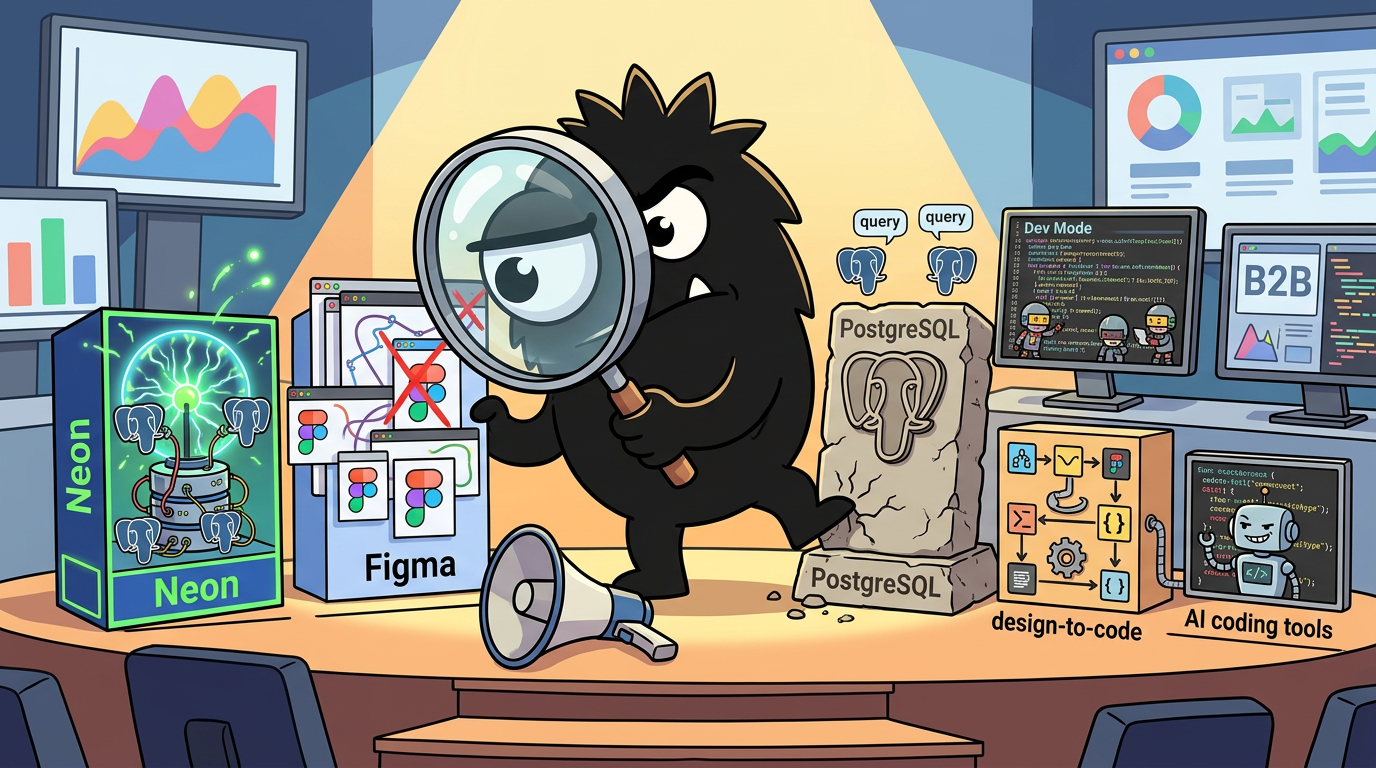
Why “Neon vs Figma” Is the Wrong Question—and Still a Useful One
At the category level, Neon and Figma are not competitors.
Neon is a serverless Postgres platform built to make database provisioning, branching, testing, and scaling less painful for developers.[1] Figma is a design, collaboration, and developer handoff platform that increasingly sits inside the loop between interface exploration and implementation.[8][10] One lives primarily in the backend and data workflow; the other lives at the intersection of design systems, product collaboration, and front-end execution.
So if you ask, “Which one is better?” the honest answer is: better for what bottleneck?
That is why the comparison is wrong in the strict sense. But it is also why the comparison is useful.
What practitioners on X are actually comparing is not tool category but marginal productivity gain. If you are a solo founder or lean startup team, you are not buying “a database platform” in the abstract, and you are not adopting “a design tool” for philosophical reasons. You are trying to answer a much more immediate question:
- What is slowing us down right now?
- What can remove that friction fastest?
- Which tool changes our actual shipping velocity rather than just adding another surface area to manage?
That framing explains why Neon and Figma now show up in the same stack diagrams, workflow screenshots, and “vibe coding” lists. Builders are assembling modular systems around bottlenecks, not around old software categories.
Your 2026 startup team (no employees required)
- CTO → Claude Opus 4.6
- Senior Dev → Codex 5.3
- Research Lead → ChatGPT Deep Research
- Backend → Supabase / Neon
- Infra → Vercel / Railway
- Designer → Figma + Midjourney
- QA → CodeRabbit
- Voice → ElevenLabs
One laptop. Global reach.
That post is revealing because it puts backend, infra, design, QA, and AI assistants into one operating model. Neon and Figma appear side by side not because they overlap, but because modern teams increasingly evaluate every tool through the same lens: does it compress cycle time?
You see the same stack-level thinking in lighter-weight builder conversations too:
Every Vibe coder should know these free tools:
- for ui / ux : figma / stitch
- for 3D designs: spline
- for database: neon/supabase
- for development: cursor / antigravity
- for hosting: vercel / netlify
- for email: resend
- for domain: use github student developer pack
Happy vibe coding :)
And in end-to-end workflow discussions, where Figma and Neon are named alongside hosting, auth, analytics, and product tooling:
We’re integrating with the tools modern SaaS and AI builders rely on — GitHub, Figma, Vercel, Neon, Better-Auth, Polar, PostHog, Resend, and OpenRouter — to make the entire workflow seamless end-to-end.
View on X →This is the 2026 reality: developer productivity is no longer measured only inside the IDE. It is measured across the full path from idea to testable implementation:
- Can we explore a UI direction quickly?
- Can we hand it off without ambiguity?
- Can we provision realistic backend environments safely?
- Can we test without breaking shared state?
- Can we iterate with AI tools without introducing new coordination debt?
Neon and Figma each attack a different subset of those problems.
What Neon is really buying you
Neon’s core promise is not “managed Postgres, but nicer.” It is faster development workflows around data. The platform emphasizes serverless Postgres, instant branching, isolated environments, and reduced operational burden so developers can spend less time on setup and environment management.[1][2] In practice, that matters most when your team is blocked by things like:
- waiting for a safe test database
- maintaining staging clones manually
- coordinating schema changes across developers
- overprovisioning environments “just in case”
- treating database work as slow, risky, and shared by default
If those are your bottlenecks, Neon can have an outsized impact.
What Figma is really buying you
Figma’s value to developers used to be framed too narrowly as “where the mockups live.” That undersells what is happening now. Figma has become a shared interface layer where designers, PMs, and engineers coordinate decisions, and where Dev Mode and handoff workflows aim to reduce ambiguity between design intent and implementation.[8][9][10]
Increasingly, Figma is also part of an AI-assisted loop:
- generate UI in code
- send it into Figma for editing and review
- refine with structured design context
- send it back for implementation
That does not mean Figma replaces code. It means Figma can reduce the friction around getting the right code built.
The real comparison: where is your team losing time?
If your team is shipping backend-heavy features, dealing with schema churn, working with PR environments, or building AI products that need lots of isolated experimentation, then Neon usually delivers more immediate productivity gains.
If your team is losing time in design review, UI ambiguity, developer handoff, or repeated “that’s not what I meant” loops between PMs, designers, and engineers, then Figma often has the higher upside.
For many teams, especially startups, the answer is not either/or. It is:
- Figma for reducing ambiguity in the interface
- Neon for reducing friction in the data layer
This is why the “Neon vs Figma” framing keeps appearing despite being technically mismatched. Teams are not asking whether a database platform can replace a design tool. They are asking a harder and more practical question:
If I can only fix one constraint this quarter, should I fix my UI iteration loop or my backend workflow?
That is the comparison worth making.
Where Neon Wins: Backend Velocity, Safer Testing, and Less Operational Drag
If you are measuring developer productivity in terms of how fast a team can make backend changes safely, Neon has the stronger and more direct story.
Its advantage is not a vague promise of “better cloud databases.” It is the combination of serverless Postgres and database branching, which changes how developers create environments, validate migrations, and isolate work.[1][2][3]
For many teams, that is not a nice-to-have. It is the difference between shipping continuously and treating every database change like surgery.
Branching is the feature that changes the workflow
The most important thing to understand about Neon is that branching is not just a convenience feature. It alters the shape of the development process.
Traditionally, if you wanted to test a database-related change safely, you had a few bad options:
- share a staging database and risk collisions
- manually clone data into another environment
- test locally with unrealistic data
- avoid making changes until absolutely necessary
- centralize DB changes through one cautious person
All of those create drag. They either slow teams down or make testing less realistic.
Neon’s branching workflows are designed to let developers create isolated database branches from production or another parent branch, making it easier to test changes without interfering with shared environments.[3][4] Neon explicitly positions this as a faster development workflow for teams that want preview environments, safer migrations, and less staging overhead.[2]
That is why practitioner praise for Neon often sounds operational, not aspirational. People are not saying “this database feels modern.” They are saying: it removed actual process work from my week.
Migrated AudioWave's Postgres from Supabase to Neon last Wednesday. 14 tables, 2.3GB of data, ~400 queries/min at peak. Neon's branching let me test the migration against a full production clone in 90 seconds. Zero downtime. Total migration: 22 minutes. Bill went from $25/mo to $19/mo. Not life-changing. But branching a full database for testing instead of maintaining a separate staging env saves me ~3 hours/week. What database are you running your side projects on?
View on X →That post captures the strongest Neon argument better than most product pages do. Note what stands out:
- full production clone for testing
- 90 seconds
- zero downtime
- staging environment work removed
- ~3 hours/week saved
The monthly bill change is almost an afterthought. That is exactly how technical buyers should think about it. For productivity tooling, time reclaimed is usually more important than line-item savings.
Why staging environments are such a hidden tax
A lot of teams underestimate how much productivity they lose to shared staging databases.
Shared staging looks efficient on paper. In reality, it often creates:
- conflicting test data
- broken assumptions between branches
- migration sequencing issues
- “works on my machine” validation gaps
- waiting on teammates to finish testing
- reluctance to run destructive or risky tests
That friction compounds. Each individual delay is small, but they add up across every PR, migration, and release.
Neon’s branching model gives teams a cleaner way to move to per-developer, per-feature, or per-PR database environments.[3] Instead of a single staging system serving everyone imperfectly, each stream of work can get its own isolated database state. The New Stack’s overview of Neon’s approach highlighted precisely this advantage: branching creates disposable, realistic environments that fit modern software workflows better than traditional database management patterns.[5]
For experts, the deeper point is that database branching does something culturally important too: it makes backend experimentation feel more like modern Git-based software development. Developers are already used to:
- branch
- change
- test
- merge
- discard
Neon brings more of that mental model to the data layer.
Serverless Postgres matters because ops work is still work
The second reason Neon wins on productivity is simpler: developers spend too much time thinking about database infrastructure when they should be building product.
Neon’s serverless architecture is designed to separate storage and compute, allowing for elastic provisioning and usage patterns that reduce some of the manual capacity planning burden common in traditional setups.[1][7] For many teams, especially startups and solo builders, that means fewer early decisions about:
- instance sizing
- idle capacity
- overprovisioning for spikes
- keeping non-production environments alive
- paying for infrastructure that mainly exists for “just in case”
That matters because operational overhead is one of the most productivity-killing forms of invisible work. It rarely appears in sprint planning, but it steals real engineering attention.
A production-focused review of Neon from ReadySet Cloud noted that its serverless posture and developer-friendly provisioning can be attractive, especially when teams want to move quickly without carrying the full weight of conventional database operations from day one.[6]
For beginners, think of this as the difference between:
- managing a machine
- and consuming a database capability
You still need to care about schema design, queries, migrations, and application correctness. But you spend less time caring about the infrastructure substrate.
Per-PR databases are especially powerful in AI-era workflows
This becomes even more important when teams are shipping with AI coding agents or very high change velocity.
AI-assisted development tends to create more experiments, more branches, more generated migrations, and more trial implementations. That increases the need for isolated environments. If each experiment has to fight over one staging database, your productivity gains from AI get partially canceled by coordination failures in infrastructure.
Neon is unusually well positioned here because its branching model maps neatly to agent-driven and preview-driven workflows. A branch can mirror the lifecycle of an experiment. Create it, test it, validate it, throw it away.
That is why this stat resonated so strongly:
Crazy stat: AI agents now create 80% of the new databases created on Neon
View on X →Even if the exact percentage shifts over time, the directional signal is clear: Neon fits the needs of workflows where software is being generated, tested, and iterated faster than traditional environment management was designed to support.
Where Neon’s gains are biggest
Neon tends to produce the biggest productivity lift for teams that have one or more of these characteristics:
- Backend-heavy product work with frequent schema changes
- Multiple developers touching the same data model
- Frequent previews or PR environments
- High experimentation rates, especially with AI-generated features
- Small teams without dedicated DB ops capacity
- SaaS products where realistic data testing matters
In these contexts, the productivity gain is concrete:
- less time provisioning environments
- less time maintaining staging clones
- safer migration testing
- fewer conflicts between developers
- faster feedback on backend changes
Where Neon does not magically solve productivity
That said, Neon is not a universal speed button.
It does not remove the need for:
- good schema design
- migration discipline
- query optimization
- observability
- permission models
- backup and recovery planning
- production incident readiness
And while serverless reduces operational burden, it can also introduce its own learning curve around connection behavior, scaling assumptions, and cost patterns, depending on your architecture. Productivity gains come when the platform aligns with your workflow—not when teams treat it as infrastructure they never have to think about again.
Neon also delivers less value if your app is very simple, your data model is stable, and you rarely need isolated testing. A solo developer shipping a basic content site with minimal backend complexity may not feel branching as a life-changing advantage.
But once backend coordination becomes part of your team’s drag, Neon’s case gets strong fast.
Bottom line on Neon
If your team’s productivity problem lives in the data layer, Neon is one of the clearest wins in this comparison.
Not because databases are exciting. Because realistic testing, safe branching, and lower environment overhead directly reclaim engineering time. That is real productivity, not dashboard theater.
Where Figma Wins: The Design-to-Code Loop Is Getting Much Faster
If Neon wins when backend work is the bottleneck, Figma wins when ambiguity is the bottleneck.
And ambiguity is one of the most expensive forms of waste in software teams.
A feature can be technically easy and still take weeks because nobody is aligned on the UI, states, edge cases, spacing, content hierarchy, or interaction details. Developers wait on design. Designers wait on implementation context. PMs wait on both. Then someone ships a version that is “basically right,” and the next sprint gets eaten by revisions.
That old loop is exactly what many people on X think is collapsing.
Figma just closed the last excuse PMs had for not shipping polished UI from AI code. The loop is now complete. Claude Code generates UI. It goes straight into Figma as editable frames. Designers tweak it. Figma MCP sends it back to Claude Code. The entire design-to-engineering handoff cycle that used to take 2-3 weeks now runs in a single session. This tells you something about where the real constraint in product development has been. PMs always said the bottleneck was getting designs into code. Figma just proved the actual bottleneck was the opposite direction: getting code into a form designers could touch without starting over. The implication for AI PMs specifically is that “I need to wait for design” stops being a valid dependency. You can prototype flows in Claude Code, push to Figma, get visual feedback in the same afternoon, and iterate without scheduling a sprint. What makes this particularly sharp: Figma didn’t build an AI code tool. They built a bridge that makes their existing canvas the canonical source of truth for anything AI generates. Every AI coding tool that produces UI now feeds Figma. That’s the real product decision here. The design tool became the AI output layer without writing a single line of AI.
View on X →That post is slightly provocative, but it lands on a real point: the historic bottleneck was not just “turn design into code.” It was also “turn code into something design can quickly review and refine.” That distinction matters. If AI can generate code quickly but designers cannot productively interact with the result, you have not removed the bottleneck—you have just moved it.
Figma’s value to developers is broader than mockups
For developers who have not worked closely with design teams, Figma can still look like a place where static screens get drawn and commented on. That is outdated.
Today, Figma’s productivity value for engineering teams comes from a mix of capabilities:
- shared visual context for product decisions
- structured design systems and reusable components
- inspectable implementation details
- reviewable interaction and layout intent
- Dev Mode features aimed at handoff
- growing interoperability with code generation and AI tools
Figma’s own handoff guidance emphasizes reducing ambiguity through clearer specs, organized files, shared terminology, and explicit design decisions.[8][9] Dev Mode is positioned to help developers inspect designs, understand measurements and tokens, and move from design artifacts into implementation with less translation work.[10]
That may sound mundane, but in practice it is huge. A lot of front-end productivity is lost not in writing code, but in reverse-engineering what the UI is supposed to do.
The handoff problem is finally being reframed correctly
For years, “developer handoff” was treated as a downstream step: design finishes, engineering implements. In modern teams, that model breaks down quickly because UI work is iterative by nature.
The better mental model is a design-to-code loop, not a handoff. And Figma has become central to that loop because it remains the most common place where teams can:
- compare alternatives visually
- maintain component libraries
- discuss UI with non-engineers
- annotate decisions
- track system consistency across screens
This is where Dev Mode matters. Figma’s Dev Mode gives engineers a more implementation-oriented view into files and components, which can reduce friction during translation from design to code.[10] It does not turn design into production-ready software by itself, but it shortens the path from “what is this supposed to look like?” to “I know what to build.”
For beginners, a simple way to think about Figma is this:
- Without Figma, developers often have to infer intent from screenshots, Slack threads, tickets, and memory.
- With Figma used well, developers get a centralized visual specification and shared review surface.
The phrase “used well” matters. Figma is powerful, but teams only get the productivity benefit if their files, components, naming, and handoff habits are disciplined.
The big shift: bidirectional workflows
What has changed most recently is that Figma is no longer only the starting point for implementation. It is becoming an editable midpoint in AI-assisted development loops.
That is why this observation resonates:
The bidirectional Figma MCP server is the real differentiator here. Most design-to-code tools only go one way. Being able to push UI changes back to the canvas means you can iterate on generated code and have it reflect in the design file—that's where the actual productivity gain lives.
View on X →The one-way design-to-code story was never enough. The interesting productivity gain is in going back and forth without losing fidelity or restarting from scratch.
If you can:
- generate UI in code,
- bring it into Figma in an editable form,
- let designers refine structure and polish,
- send those changes back into implementation,
then the distinction between “design phase” and “build phase” starts to blur in a useful way.
This is exactly the kind of loop that can compress weeks of asynchronous handoff into an afternoon of collaborative iteration.
Figma is becoming an orchestration point
Another reason Figma wins on productivity is ecosystem gravity.
Jordan Singer’s post captured the trend succinctly:
the product development process revolves around @figma just today: - @Replit x Figma plugin converts designs → react with AI - @trace_ai x Figma plugin generates SwiftUI apps with AI - @webflow syncs Figma design system components seamlessly
View on X →This is bigger than individual plugins. It points to a strategic shift: Figma is becoming a hub where interface intent can move into multiple implementation targets.
That matters for developers because productivity is rarely about one linear path anymore. Teams may want to move a concept into:
- React for web application UI
- SwiftUI for native iOS experiences
- Webflow for marketing or content surfaces
- documentation or design systems for broader reuse
When Figma sits at the center of those translations, it increases leverage. A well-structured design system can support multiple output channels with less duplicated effort.
Why Figma especially helps cross-functional teams
Figma’s gains are strongest in teams where multiple functions need to coordinate on the UI:
- designer + engineer
- PM + engineer
- founder + contract designer
- marketing + product + engineering
- mobile + web teams sharing patterns
In these teams, productivity losses often come from misalignment, not coding speed. A capable engineer can implement a screen quickly. The harder problem is making sure everyone agrees on the right screen, states, patterns, copy, hierarchy, and interactions.
Figma’s canvas solves a communication problem before it solves an implementation problem.
That is also why solo builders can undervalue Figma until they hit a certain complexity. If you are the only person making decisions, externalized visual thinking may feel optional. But as soon as you need feedback, consistency, or reusable system thinking, Figma can save time you would otherwise spend repeatedly rebuilding UI ideas in code.
AI amplifies Figma’s strengths—but does not erase process discipline
The AI-era Figma story is compelling, but it is easy to oversell.
Yes, AI can reduce the cost of initial implementation.
Yes, MCP-style workflows can shorten the code-design loop.
Yes, generated UI can now move through Figma more fluidly.
But teams still need:
- a coherent design system
- file hygiene
- shared naming
- component discipline
- clear ownership of decisions
Figma’s own best-practice materials on handoff make this explicit: productivity depends heavily on file organization, component clarity, and communication conventions.[8][9] A messy design system paired with AI does not create flow. It creates faster chaos.
The strongest practical case for Figma
Figma delivers the most productivity when your team suffers from one or more of these:
- engineers build the wrong UI due to unclear specs
- designers and developers revise the same feature repeatedly
- product reviews happen too late
- visual inconsistency spreads across screens
- design systems are ad hoc rather than reusable
- stakeholders need to review work before code is finalized
- AI generates plenty of UI, but teams struggle to refine and align it
In those contexts, Figma can materially reduce wasted cycles.
Bottom line on Figma
If your biggest problem is not “how do we code faster?” but “how do we get to the right UI with less churn?”, then Figma is the stronger productivity tool.
Its power is not that it replaces code. It is that it reduces costly uncertainty before and during implementation—especially now that AI-assisted workflows are making the boundary between design and development more fluid.
The Real Debate: Is the Source of Truth the Design File or the Codebase?
This is where the conversation gets interesting.
It is easy to say, “Use Figma for design, use code for implementation,” and move on. But that would miss the actual tension practitioners are feeling in 2026: as prototyping in code gets dramatically faster, what is the real source of truth?
For a growing number of builders, especially product engineers and design-minded developers, the answer is increasingly: the codebase.
Not always. Not universally. But often enough that Figma’s role is being actively renegotiated.
Okay real talk. I’m not sure what my design process is anymore.
It used to be Figma Figma Figma with some notion docs or such thrown in there.
Now, when I have a new project, it’s just quicker to start building prototypes first (I’m currently big on @conductor_build) but I lose the breadth of exploration that I used to have before. It’s literally faster for me to build a concept inside of the actual codebase than it is to work in Figma.
But the amount of versions and breadth of the final result is not up to the quality bar that I usually hold. I’m loving the speed, but the output is sloppy at times.
So I’ve got this weird flow of Code -> Code -> Figma -> Code -> Figma. Repeat, reorder, etc.
The issue is that the transition from Figma -> code with their MCP is solid. I feel like Opus does a great job with that.
But code -> Figma… is a terrible flow. I’ve tried a bunch of plugins, but they all output spaghetti Figma and there’s no way to use our internal DS (which is very good) so I basically have to start from scratch with that step. Layer onto that the issue that Figma feels SO SLOW compared to creating complex screens in code now.
It’s absolutely better at detail work, crafting the reusable components, nailing down consistency, icons, layouts, and the grunt work of making a UI feel amazing, but it’s such a slog to drag in components vs just prompting it with a screenshot of my app or something that can do bunk functions or bind mock data.
Anyone have a decent workflow?
— aside
I’m now about 10x faster than I’ve been in the past, my angst is that it feels like I could be 100x faster and that slog is making previously ignored grunt work feel comparatively unbearable.
That post is one of the clearest descriptions of the modern discomfort. Code-first prototyping is faster. It feels more real. It can bind to mock data and express behavior immediately. But it narrows exploration and often produces sloppier outcomes. Figma is still better for detail work, consistency, reusable components, and final polish—but it can feel slow and disconnected from the implementation reality.
That is the core tension.
Why Figma is still powerful as a source of truth
For many teams, especially design-heavy ones, the design file is still the best shared source of truth for intent.
Not because it is executable, but because it handles kinds of thinking code handles poorly:
- broad exploration of alternatives
- comparison of multiple directions side by side
- quick stakeholder review
- layout and hierarchy reasoning in a spatial medium
- reusable component documentation
- design-system visibility outside engineering
This is what people mean when they say Figma is unmatched for free canvas exploration. It allows teams to think visually before they commit structurally.
design is shifting and it's wild to watch
figma is unmatched for exploring freely on a canvas. nothing else gives you that spatial thinking. but the moment you prototype, it falls apart. the noodles, the variables nobody actually figured out, the output that never feels like the real thing
code is the opposite. flexible, real, but you commit to a direction fast and lose that free exploration
more designers are crossing over to code now. less fear, more fluency. i hope figma sees this shift clearly. prototyping in figma should feel like creation, not wiring a circuit board
config this year feels like it has a lot at stake. could be a real turning point
That captures the split well: Figma is excellent at free exploration and spatial thinking, while code is better at realism and flexibility. The tradeoff is not accidental. These media optimize for different kinds of work.
If you are still deciding what should exist, Figma is often the better medium.
If you are validating how something behaves in reality, code is often better.
Why code is increasingly treated as the “real” source of truth
The case for code-as-source-of-truth is not just ideological. It is practical.
When a prototype in code already contains:
- actual layout behavior
- responsive rules
- live states
- data binding
- animations
- component logic
- accessibility behavior
then it starts to look wasteful to recreate that artifact in a design file.
That is the critique behind this post:
Figma's real problem isn't AI, it's that the design file was never the source of truth, code is.
tools like Paper and Pencil are starting to get this right, the canvas compiles to code and design files live in the repo, but they all still funnel input through a chat interface, which is the wrong modality for design.
most of what AI handles in design is deterministic. reproducing component states and applying an existing design system to new screens. you don't need heavy reasoning, you need a fast model that keeps up with visual thinking.
what i actually want is something closer to a live whiteboarding session than a chat window. voice as the primary input with real time feedback loops on canvas.
the question of "how do we turn designers into software engineers" fails to see the value in skipping an entire layer of abstraction
The strongest version of this argument is simple: if the thing that ships is code, and code can now be produced and iterated on quickly, why maintain a separate abstraction layer unless it clearly adds value?
For experienced builders, that is a fair question.
And the rise of repo-native design ideas, code-compiling canvases, and design systems that live closer to implementation all push in the same direction. They do not necessarily eliminate Figma, but they challenge the assumption that the design file should remain the canonical artifact forever.
The mistake: forcing one source of truth for every stage
In practice, the “single source of truth” debate often gets framed too rigidly.
The better question is: source of truth for what, at what stage?
Because software teams actually maintain different truths:
- source of truth for visual exploration
- source of truth for interaction intent
- source of truth for production behavior
- source of truth for component API
- source of truth for design tokens
- source of truth for data contracts
Trying to collapse all of those into one artifact can create as many problems as it solves.
A healthier framework is to assign primacy by phase:
Early exploration
- Figma often wins
- Best for breadth, alternatives, reviews, visual ideation
Interaction and implementation validation
- Code often wins
- Best for realism, edge cases, data states, responsiveness
Final production truth
- Code must win
- Because production behavior is what actually ships
This means the answer is not “Figma or code.” It is more like:
- Figma is the source of truth for visual intent during exploration
- Code is the source of truth for production behavior
- The hard part is the synchronization layer
And that synchronization layer is exactly where current tooling still feels immature.
Why the code-to-Figma path is still weak
One reason this debate has intensified is that the flow from Figma to code has improved faster than the reverse.
Design-to-code is still imperfect, but it is becoming more usable through Dev Mode, structured handoff, code generation paths, and AI-assisted translation.[8][10] Code-to-Figma, by contrast, often produces low-quality output, broken structure, or artifacts that do not map cleanly to a team’s design system.
That mismatch creates friction:
- builders prototype in code because it is faster
- teams still want Figma for review and polish
- moving code back into Figma feels lossy or tedious
- the result is a messy hybrid workflow
That is not a fringe complaint anymore. It is becoming a common reality among advanced practitioners.
What experienced teams should actually do
The smartest teams are not waiting for a perfect universal source of truth. They are defining workflow boundaries.
A practical approach looks like this:
- Use Figma for exploration when breadth matters
- multiple concepts
- stakeholder reviews
- design system planning
- layout and hierarchy decisions
- Move to code earlier when behavior matters
- responsive logic
- interactive states
- data-driven UI
- real-world usability testing
- Treat the codebase as final truth for shipped behavior
- production implementation
- accessibility
- component APIs
- performance-sensitive details
- Use Figma as a refinement layer, not always a mandatory intermediate
- especially for polish, alignment, and reusable system patterns
This is more nuanced than saying “design files are dead” or “everything should start in Figma.” In reality, the right workflow depends on the team’s skills and the type of product being built.
Team skill matters more than tool dogma
A designer who is fluent in code will naturally push more work into implementation earlier.
An engineer with weak visual instincts may benefit enormously from a stronger Figma-first process.
A startup founder trying to move fast might prototype directly in code, then formalize in Figma only once patterns stabilize.
A larger company with many stakeholders may still need Figma as the main review artifact regardless of what engineers prefer.
This is why the debate can feel so polarized online. People are not disagreeing only about tools. They are describing different team capabilities.
My view
For most teams, code is the ultimate source of truth, because that is what users experience. But that does not mean the design file is obsolete.
Figma still provides the best environment for exploration, review, and system-level visual thinking. The mistake is expecting it to own every stage equally well.
If you force everything through Figma, you slow down implementation realism.
If you force everything through code, you often lose breadth, consistency, and collaborative clarity.
The best teams are not choosing one truth. They are deciding which medium should lead each phase.
AI Agents, MCPs, and the New Productivity Stack Around Both Tools
One of the clearest signals in the X conversation is that productivity is no longer tool-local.
People are not talking about Neon as a database in isolation or Figma as a design surface in isolation. They are talking about workflows stitched together by AI agents, MCPs, plugins, and automation layers.
That shift changes how this comparison should be understood.
The question is not just, “What can Neon do?” or “What can Figma do?”
It is: How well does each tool plug into an agent-driven development loop?
Neon fits the pace of agentic backend work
Neon’s strengths map unusually well to AI-assisted software creation.
Agents and coding copilots tend to create a lot of ephemeral work:
- spin up a feature branch
- test schema changes
- generate migrations
- validate assumptions
- throw away failed approaches
- retry with a new branch
That kind of iteration is painful when every database environment requires manual provisioning or shared coordination. It is much easier when databases can be created and branched quickly.
Neon’s docs and open-source positioning emphasize serverless Postgres and workflow-friendly development primitives.[1][7] That matters in the age of agents because the bottleneck is shifting from “can software be written?” to “can safe, realistic environments keep up with the rate of software generation?”
This is why the earlier X stat about AI agents creating most new Neon databases is so telling. It is not just a fun metric. It suggests Neon is aligning with a real platform transition.
Figma is becoming the UI coordination layer for agents
On the front-end side, MCP-style workflows are making Figma more important, not less.
Why? Because AI can generate interface code quickly, but teams still need:
- a space to review it visually
- a way to refine it collaboratively
- a path back into implementation
- a system for consistency across screens
That makes Figma a useful orchestration layer. Not the place where all code is written, but the place where generated UI becomes discussable, editable, and systematized.
This is where workflow posts like this matter:
the Figma to Claude Code pipeline is lowkey the best workflow I've found too. designing first means you know exactly what you want before the AI touches it. no ambiguity, no going in circles. went from one app a month to multiple per week once I locked in that same pattern. the bottleneck moved from coding to deciding what to build next
View on X →The key phrase there is “the bottleneck moved from coding to deciding what to build next.” That is exactly what you expect when execution friction falls and decision quality becomes the limiting factor. Figma’s role in that world is to support clearer decision-making around UI before teams spend cycles polishing the wrong thing.
MCPs matter because they reduce context-switch cost
A lot of productivity gains from AI do not come from better raw generation. They come from reducing the cost of moving intent between tools.
That is where MCP enthusiasm enters the picture:
relatively new and Growing so fast it has a future Like the MCP UI, for now most dev use to optimize their workflow, like Figma , Neon, Notion MCPs e.t.c I use them daily.
View on X →The post is loose, but the sentiment is real: practitioners increasingly value MCPs because they make tools operable from the same working context. Instead of manually hopping between products and recreating state, you can orchestrate actions across systems with less friction.
For Figma, that means design context can be made available to coding assistants.
For Neon, that means backend environments can be provisioned and manipulated inside broader workflows.
For teams, it means the “stack” behaves more like a loop than a chain.
The modern productivity stack is composable by default
The most important strategic point here is that modern teams are not choosing monoliths. They are assembling modular productivity systems.
A common setup now looks something like:
- code assistant for generation and refactoring
- Figma for UI exploration and review
- Neon for data environments and isolated testing
- Vercel or Railway for deployment
- auth provider for identity
- analytics for product feedback
- docs and tickets for coordination
- CI tools for guardrails
In that world, Neon and Figma are not substitutes. They are specialized acceleration layers in different parts of the loop.
That is why simplistic “which one is better?” questions are often unhelpful at the architecture level. Better tools are increasingly those that are:
- easy to invoke programmatically
- easy to connect to agents
- easy to integrate into iterative loops
- opinionated enough to reduce work, but open enough to compose well
What this means for technical decision-makers
If you lead a product or engineering team, the lesson is not “adopt every MCP-enabled tool.” It is:
- Identify where human coordination still slows work down.
- Choose tools that make that part of the loop more machine-assistable.
- Avoid platforms that improve one step while increasing friction between steps.
By that standard, both Neon and Figma are strong—not because they solve the same problem, but because each is becoming more usable inside automated, AI-assisted workflows.
Pricing, Learning Curve, and Team Fit: Where the ROI Actually Comes From
The most misleading way to compare Neon and Figma is by list price alone.
A $20/month tool that saves three hours a week is cheap.
A $0 tool that creates recurring ambiguity is expensive.
A sophisticated platform with no clear workflow adoption can be pure waste.
The right question is: where does the ROI actually come from for your kind of team?
Neon’s ROI is mostly labor ROI, not infrastructure ROI
Neon can save money on infrastructure in some cases, but that is usually not the main story. The stronger business case is engineering time saved.
Its best returns come from:
- fewer staging environments to maintain
- faster migration testing
- less time provisioning DB instances
- less coordination overhead across developers
- less ops attention spent on non-production environments
Neon’s docs explicitly emphasize fast development workflows and branching-based development patterns rather than just raw hosting economics.[2][3] That is the clue. It is a productivity platform wearing a database platform’s clothing.
This is why the most credible practitioner examples focus on hours saved, not cost saved.
For a solo founder or small startup, that matters. Saving even 2–3 hours per week on backend workflow can be more valuable than almost any small cost delta in the database bill.
Figma’s ROI depends on whether design coordination is real work for you
Figma is different because its ROI is highly team-shape dependent.
If you are:
- a solo builder shipping rough internal tools,
- comfortable making UI decisions directly in code,
- and rarely collaborating with a designer,
then Figma may be useful, but not transformational.
If you are:
- a startup with designers and engineers,
- reviewing interface decisions frequently,
- trying to build a reusable design system,
- or repeatedly paying a tax for UI misalignment,
then Figma can have enormous leverage.
Its productivity return comes from:
- fewer revisions caused by ambiguity
- clearer handoff to engineering
- easier stakeholder review
- reusable component systems
- more consistent implementation across teams
Figma’s own guidance on handoff repeatedly stresses organization, clarity, and consistency because that is where the downstream productivity gains originate.[8][9] The tool is only as useful as the collaboration habits around it.
Learning curve: Neon is conceptually narrower, Figma is socially wider
In terms of onboarding, Neon is usually easier to explain but not always easier to operationalize.
A developer can understand the value proposition quickly:
- it is Postgres,
- serverless,
- with branching,
- and modern dev workflows.
That conceptual model is fairly contained.
The real learning curve is in adapting your workflow:
- when to branch
- how to manage migrations across branches
- how to structure preview environments
- how to think about non-production data use
Figma’s learning curve is broader because it is not just a tool learning problem. It is a team coordination learning problem.
You need agreement on:
- file structure
- component naming
- ownership
- handoff expectations
- review process
- design system conventions
That makes Figma harder to fully capitalize on, especially in teams without strong design operations. A badly run Figma workspace can become a cluttered graveyard of half-trusted files. The productivity gain only appears when the team treats Figma as operational infrastructure, not just a drawing app.
Team-fit scenarios
A useful way to compare them is by team type.
Solo builder
Neon often has clearer ROI if your app has meaningful backend complexity.
Figma has clearer ROI if you care deeply about UI quality or need to communicate work to clients, collaborators, or users.
For many solo builders, the practical answer is:
- use Figma lightly early
- adopt Neon as soon as backend testing or migrations start feeling risky
Product engineer without a dedicated designer
Neon usually wins if you spend more time wrestling with environments than interfaces.
Figma wins if UI churn and stakeholder feedback are repeatedly causing rework.
A lot of product engineers now operate in hybrid mode: rough ideas in code, refinement in Figma only when needed.
Design-heavy startup team
Figma tends to be mandatory.
Neon becomes highly valuable once backend complexity rises or multiple engineers need isolated data workflows.
These teams often get the most out of using both well.
Agency or freelancer
Figma can be a sales and communication asset as much as a production tool.
Neon can be valuable if you manage multiple client apps and want quick, isolated database workflows with less ops drag.
This roadmap-style framing from X is simple but basically right:
Roadmap to the "Full-Stack" Freelancer
Step 1: The Visual Foundation
Tailwind CSS (Speed)
Figma (Design basics)
Step 2: The Logic Engine
TypeScript (Type safety)
Next.js (The industry standard)
Step 3: The Data Layer
PostgreSQL (Supabase or Neon)
Prisma ORM (Database communication)
Step 4: The Money & Users
Clerk (Authentication)
Stripe (Payments)
Design → Code → Ship → Invoice
It is not a deep technical taxonomy, but it reflects how many practitioners actually layer their stack: design foundation, logic engine, data layer, then monetization and user systems.
The hidden cost: process mismatch
The biggest adoption risk for both tools is not price. It is process mismatch.
Neon underdelivers when:
- your team barely touches the database
- you do not need isolated environments
- migrations are infrequent
- people will not actually use branching workflows
Figma underdelivers when:
- nobody maintains the files
- engineers do not trust the designs
- designers do not structure components properly
- review still happens in Slack screenshots and meetings
A tool can be excellent and still produce mediocre ROI if your workflow does not match its strengths.
Even branding work illustrates the complement, not the competition
One of the more unintentionally revealing details in this whole conversation is that Neon’s own brand and web work prominently involved Figma-based design workflows.
Meet the new look of @neondatabase. A total of ~1,200 hours of teamwork and five months from the initial kickoff to bring this design beauty to prod. Rebranding, design, dev, and motion. Ship faster with Postgres!
View on X →That does not mean “therefore use both.” But it does underscore the obvious reality: even a company selling backend velocity still relied on Figma to produce the interface and brand system surrounding its product. The tools live in different layers of work.
Pricing summary in plain English
If you want the short version:
- Neon is worth it when backend workflow time is expensive
- Figma is worth it when UI ambiguity time is expensive
- Both are overkill if you are not yet feeling the pain they solve
- Both are underpriced if they become core to how your team ships
Can One Replace the Other? Only If Your Bottleneck Is Extremely Narrow
The short answer is no.
Neon cannot replace Figma.
Figma cannot replace Neon.
They only look substitutable when the question is too abstract.
When you might skip Figma temporarily
You can delay investing heavily in Figma if:
- you are a solo developer
- your UI is simple or utilitarian
- you prototype directly in code effectively
- there is little stakeholder review overhead
- visual polish is not yet strategic
In that case, code-first can be enough for a while. But that is a stage decision, not proof that design tooling is irrelevant forever.
When you might delay Neon temporarily
You can delay adopting Neon if:
- your backend is trivial
- your app barely uses relational data
- you do not need realistic DB testing
- you are not collaborating on schema changes
- your current database workflow is not slowing you down
Again, that can be a rational stage decision. But once data workflows start creating friction, Figma will not help.
The complement is obvious in real product work
The easiest way to see this is to look at actual shipping practice. Neon’s own launch/brand work involved Figma for design execution:
Insane 1,000 hours of team work we put into this new @neondatabase home page (Design, Development, Motion).
Do you like it?
Every single graphic designed fully in @figma.
Interactive animations made in @rive_app.
Stay tuned for behind-the-scenes design stories.
And the broader Neon rollout language was still about shipping faster through Postgres-driven backend productivity:
Meet the new look of @neondatabase.
A total of ~1,200 hours of teamwork and five months from the initial kickoff to bring this design beauty to prod. Rebranding, design, dev, and motion.
Ship faster with Postgres!
That is the point. A modern product team can absolutely use Figma to design the experience and Neon to support the backend velocity behind it. There is no contradiction there.
A practical rule
If your pain sounds like this:
- “Testing DB changes is risky”
- “Staging is a mess”
- “Migrations are stressful”
- “We need isolated environments”
then choose Neon.
If your pain sounds like this:
- “Engineering keeps building the wrong UI”
- “Reviews happen too late”
- “Design handoff is messy”
- “We need a shared visual system”
then choose Figma.
If both statements feel true, then the answer is both.
Who Should Use Neon, Who Should Use Figma, and When You Need Both
Here is the clearest way to decide.
Choose Neon if…
You are primarily trying to improve backend developer productivity.
Neon is the better choice when your team needs:
- fast database provisioning
- safe schema experimentation
- per-developer or per-PR database branches
- less staging environment maintenance
- lower operational overhead around Postgres
- backend workflows that can keep up with AI-generated change volume
This is especially true for:
- SaaS teams
- AI app builders
- backend-heavy product teams
- startups without dedicated DB ops support
Choose Figma if…
You are primarily trying to improve UI iteration and handoff productivity.
Figma is the better choice when your team needs:
- rapid visual exploration
- clear designer-developer collaboration
- reusable component systems
- structured developer handoff
- easier stakeholder review
- a central surface for AI-assisted design-to-code workflows
This is especially true for:
- design-led startups
- PM/designer/engineer teams
- teams shipping polished consumer interfaces
- orgs where visual consistency materially affects speed and quality
Use both if…
You are building a modern product where interface quality and backend velocity both matter.
That includes most serious SaaS teams.
The best 2026 workflow is increasingly modular:
- explore and align UI in Figma
- implement and validate in code
- run backend environments and testing on Neon
- connect both into AI-assisted loops
That is the real lesson from the X conversation. Developers are not becoming less stack-aware. They are becoming more bottleneck-aware.
So, which is best for developer productivity in 2026?
- Neon is best when your bottleneck is the data layer.
- Figma is best when your bottleneck is design iteration and handoff.
- Both are best when you are optimizing the full path from idea to shipped product.
If you want one final opinionated answer: for most growing teams, this is not a “vs” decision at all. It is a sequencing decision. Fix the bottleneck that is slowing you down today—then add the other tool when the next bottleneck appears.
Sources
[1] Neon documentation - Neon Docs — https://neon.com/docs/introduction
[2] Fast Dev Workflows - Neon — https://neon.com/use-cases/fast-dev-workflows
[3] Branching workflows for development - Neon — https://neon.com/branching/branching-workflows-for-development
[4] Database branching workflows: A guide for developers - Neon — https://neon.com/blog/database-branching-workflows-a-guide-for-developers
[5] Neon: Branching in Serverless PostgreSQL - The New Stack — https://thenewstack.io/neon-branching-in-serverless-postgresql
[6] Serverless Postgres with Neon: First Impressions from a Production Perspective — https://www.readysetcloud.io/blog/allen.helton/serverless-postgres-with-neon
[7] neondatabase/neon: Neon: Serverless Postgres — https://github.com/neondatabase/neon
[8] Guide to developer handoff in Figma — https://www.figma.com/best-practices/guide-to-developer-handoff
[9] The Designer's Handbook for Developer Handoff — https://www.figma.com/blog/the-designers-handbook-for-developer-handoff
[10] Guide to Dev Mode – Figma Learn — https://help.figma.com/hc/en-us/articles/15023124644247-Guide-to-Dev-Mode
[11] Creating an effective development handoff with Figma — https://insights.theinteractive.studio/how-to-prepare-figma-for-development-handoff.html
[12] File Management and Design Handoff on Figma — https://medium.com/design-bootcamp/file-management-and-design-handoff-on-figma-4ab4b753295d
Further Reading
- [What Is OpenClaw? A Complete Guide for 2026](/buyers-guide/what-is-openclaw-a-complete-guide-for-2026) — OpenClaw setup with Docker made safer for beginners: learn secure installation, secrets handling, network isolation, and daily-use guardrails. Learn
- [PlanetScale vs Webflow: Which Is Best for SEO and Content Strategy in 2026?](/buyers-guide/planetscale-vs-webflow-which-is-best-for-seo-and-content-strategy-in-2026) — PlanetScale vs Webflow for SEO and content strategy: compare performance, CMS workflows, AI search readiness, pricing, and best-fit use cases. Learn
- [Adobe Express vs Ahrefs: Which Is Best for Customer Support Automation in 2026?](/buyers-guide/adobe-express-vs-ahrefs-which-is-best-for-customer-support-automation-in-2026) — Adobe Express vs Ahrefs for customer support automation: compare fit, integrations, pricing, and limits to choose the right stack. Learn
- [Asana vs ClickUp: Which Is Best for Code Review and Debugging in 2026?](/buyers-guide/asana-vs-clickup-which-is-best-for-code-review-and-debugging-in-2026) — Asana vs ClickUp for code review and debugging: compare workflows, integrations, pricing, and fit for engineering teams. Find out
- [Salesforce vs Buffer: Which Is Best for Building Full-Stack Web Apps in 2026?](/buyers-guide/salesforce-vs-buffer-which-is-best-for-building-full-stack-web-apps-in-2026) — Salesforce vs Buffer for full-stack web apps: compare architecture, speed, pricing, learning curve, and team fit to choose wisely. Learn
References (15 sources)
- Neon documentation - Neon Docs - neon.com
- Fast Dev Workflows - Neon - neon.com
- Branching workflows for development - Neon - neon.com
- Database branching workflows: A guide for developers - Neon - neon.com
- Neon: Branching in Serverless PostgreSQL - The New Stack - thenewstack.io
- Serverless Postgres with Neon: First Impressions from a Production Perspective - readysetcloud.io
- neondatabase/neon: Neon: Serverless Postgres - github.com
- Guide to developer handoff in Figma - figma.com
- The Designer's Handbook for Developer Handoff - figma.com
- Guide to Dev Mode – Figma Learn - help.figma.com
- Creating an effective development handoff with Figma - insights.theinteractive.studio
- File Management and Design Handoff on Figma - medium.com
- erinxclark/smart-handoff - github.com
- Compare Figma vs Notion 2026 - trustradius.com
- Notion vs Figma - Brand Compare - brandcompare.io
Related Guides

Moz vs Buffer: Which Is Best for Code Review and Debugging in 2026?
11 min read
What Is LangChain? A Complete Guide for 2026
20 min read
The Best Software Engineering Career Strategies in 2026: An Expert Comparison
27 min read
GitHub Copilot vs Continue.dev vs Replit: Which Is Best for Customer Support Automation in 2026?
21 min read