Turso vs Notion: Which Is Best for SEO and Content Strategy in 2026?Updated: September 13, 2026
Turso vs Notion for SEO and content strategy: compare publishing, CMS workflows, scalability, pricing, and best-fit use cases. Compare
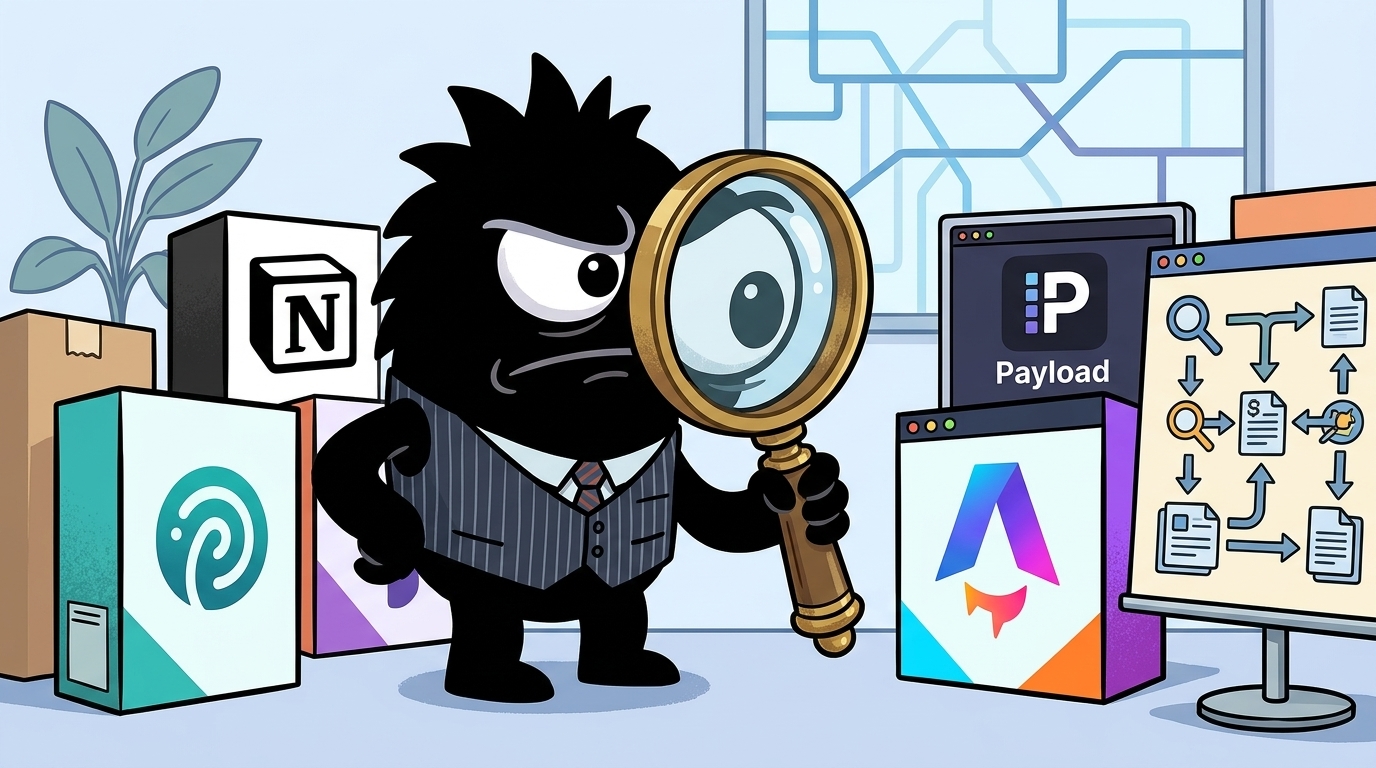
Why Turso vs Notion Is an Unusual but Important SEO Comparison
At first glance, Turso vs Notion looks like a category error.
Notion is a workspace: docs, databases, wikis, team collaboration, lightweight project management.[7] Turso is a distributed SQLite platform for application data and programmable infrastructure.[1] They are not trying to win the same software category.
But that is exactly why this comparison matters in 2026.
SEO teams are no longer buying isolated “SEO tools.” They are building systems: keyword research workflows, editorial calendars, technical checklists, publishing pipelines, AI search playbooks, and reporting loops. In practice, that means one buyer may be comparing a collaborative workspace to a database backend because they are trying to solve a bigger problem: where should our content operation live?
9/ The tool consolidation solution:
Systematic approach:
Standardize toolset:
Research/Analysis:
Primary: Ahrefs (team standard)
Backup: Search Console
Everyone uses same tool, same methodology.
Content optimization:
Primary: Surfer SEO or Clearscope
Shared templates and benchmarks.
Tracking:
Primary: Google Analytics + Search Console
Standard reporting dashboards.
Project management:
Primary: Notion or Asana
All work visible in one place.
Benefits:
- Shared knowledge
- Comparable data
- Easier collaboration
- Lower costs
- Faster training
That post captures the operational reality. Teams want a standardized stack where research, execution, and visibility happen in one place. The confusion starts when “one place” expands to include publishing itself. Notion looks tempting because it is easy to organize people and content around databases and templates. Turso looks tempting because it can power a real content system with developer-grade control.
So the real decision is not “which tool is better?” in the abstract. It is:
- Do you need a collaborative SEO operating system for humans?
- Or a programmable content backend for applications and websites?
If your bottleneck is alignment, playbooks, SOPs, and team execution, Notion is usually the better answer. If your bottleneck is content delivery architecture, schema design, rendering control, and technical SEO implementation, Turso starts to make more sense.
The rest of this comparison follows that workflow reality, not the product categories.
For SEO Strategy, SOPs, and Team Knowledge, Notion Has the Clear Advantage
If your SEO operation lives in docs, templates, checklists, and recurring workflows, Notion wins easily.
This is where the X conversation is most decisive. Practitioners are not using Notion as a note-taking app. They are using it as a knowledge product and an execution system for SEO.
Steal my SEO brain.
Everything I know about SEO, compiled into one Notion Mega Vault:
- Strategy
- Execution
- Systems
Comprehensively covers:
- Keyword Research
- On-Page SEO
- Content Planning
- Tech SEO
- Link Building
- Local SEO
Includes SOPs, guides, and explainer videos.
Want in?
Like this post, and comment VAULT and I'll send you a DM with a direct link to the Notion (must be following) 👇
That is not an outlier. It is a strong signal of how SEO knowledge is now being packaged: keyword research frameworks, on-page standards, link-building SOPs, technical SEO triage, and increasingly AI search guidance, all in one shared environment.
This Notion doc has my complete AI Search Playbook.
To the right person this could be worth $10k.
If AI Search is a priority for your business, this can save you 10 days worth of time.
We have generated $60M+ in organic revenue for 100+ brands by mastering search optimization.
I've put my 12+ years of experience into putting this together.
The Playbook covers everything:
⤷ How to get cited by ChatGPT, Perplexity, and Google's AI Overviews
⤷ Structured content optimization checklist
⤷ How to create content that ranks in both traditional and AI search
⤷ A 90-day plan with weekly milestones
🚨It also has a case study of my Fintech client on how AI search helped them 3X their conversions.
Getting access is simple:
1️⃣ Follow me
2️⃣ Comment "PLAYBOOK" below
3️⃣ I'll DM you the link.
Free access expires in 48 hours.
Notion is well suited to this because its primitives map cleanly to SEO operations:
- Docs for playbooks and strategy memos
- Databases for keyword tracking, content calendars, briefs, and audits
- Teamspaces and wikis for shared knowledge across writers, SEOs, and stakeholders
- Templates for repeatable processes like article briefs, refresh workflows, and technical issue reviews[7][8]
- Knowledge hub structures that make information searchable and maintainable over time[8][9]
For agencies and in-house teams, that matters more than feature checklists. SEO fails surprisingly often because knowledge is scattered: audit notes in one app, briefs in another, strategy decks in another, and no one knows which process is current. Notion reduces that fragmentation.
It also fits the shape of modern SEO work. The job is no longer just “publish articles.” It includes:
- Traditional search optimization
- AI citation readiness
- Internal knowledge standardization
- Cross-functional collaboration with product, engineering, and support
Notion’s help and guide materials increasingly frame the product around knowledge bases and AI-powered information hubs, which aligns directly with this use case.[7][8][9]
Turso, by contrast, does not solve this layer on its own. It can absolutely store structured SEO data. You could build tables for keywords, briefs, intents, entities, internal links, or content clusters. But Turso gives you infrastructure, not a collaborative editorial experience. Without custom interfaces, permission flows, and workflow UX, it is just a database.
That distinction is the heart of this comparison. If your team wants to capture expertise, standardize execution, and keep SEO visible across the org, Notion is the better tool by a wide margin.
For Publishing and CMS Flexibility, Turso Pulls Ahead if You Have Developer Resources
The moment the question shifts from “How do we organize content work?” to “How do we power content publishing?” the balance changes.
Notion can absolutely function as a lightweight CMS. People are already doing it.
yesterday and today i spent ~3 hours and made a complete blog ONTOP of my existing saas powered by notion
now ITS LIVE!!! and i have a simple CMS with access contro. will see how it scales, here's how it works:
it grabs content every 1 hour to serve whatever is in my notion DB as static content on my website
this is kind of part 1 of my SEO Journey to get 100+ daily clicks from organic search!
i hired @medhansh to help me make high quality content + research for low difficulty opportunities i can get into and then he is also a swiss army in helping in other matters to for my business (he's cracked as they say)
i also now have set in motion @alexgroberman 's SEO STUFF gold service he offered to me to see how it can improve my SEO game too for @postbridge_ :D
It comes with: 10 custom articles, 3 DR50+ backlinks, Full SEO and GEO/AIO strategy, and Weekly progress updates + some credits for his platform
This new blog structure will let me add in SEO content with meta tags easily and have it rank super quick + give editors access to add it in themselves too!
cost to setup this notion CMS is $0 so far and it uses Incremental Static Regeneration (ISR) to create or update content on my site without redeploying. so shouldnt hit notion rate limits with it only refreshing every 1 hour.
this is a super cool way to use a blog, on your own domain, content all from notion database (easy to write in an add to)
This is a smart setup for a small team: store content in a Notion database, fetch it on a schedule, generate static pages, let editors work in a familiar interface, and avoid building a custom admin from scratch. For startups and solo operators, that is genuinely compelling.
But this workflow also reveals Notion’s ceiling.
Notion is being used here as an editorial source of truth, while the actual website is doing the SEO-critical work: custom domain, meta tags, static generation, and frontend rendering. In other words, Notion is useful because it is being wrapped by a more controllable publishing layer.
That is where Turso becomes the stronger foundation.
Turso is designed as application data infrastructure built around SQLite, with patterns that fit modern web stacks and edge-friendly architectures.[1] It integrates naturally with developer workflows and frameworks, including Astro.[2] Turso’s own examples show how to use it to serve blog content in server-side rendered setups, which is much closer to a production-grade publishing model than “public doc pages.”[3] And in adjacent CMS tooling, SQLite-plus-Turso patterns are already being used for deployable content systems like Payload on Vercel.[4]
For SEO and content teams with developer support, that translates into practical advantages:
- Schema control: define exactly how posts, authors, categories, entities, FAQs, product mentions, and internal links are stored
- API flexibility: expose content however your site, app, or automation layer needs it
- Rendering control: choose static generation, SSR, ISR, or hybrid approaches
- Workflow integration: connect content to product data, changelogs, docs, marketplace listings, or user-generated content
- Portability: own the data model rather than conforming to a workspace UI
This is especially important when content is no longer just a marketing blog. Many companies now want one structured layer for:
- Blog posts
- Programmatic SEO pages
- Documentation
- Comparison pages
- Glossaries
- Support content
- Dynamic landing pages
Notion can participate in that stack, but usually as the authoring layer, not the core backend. Turso is better suited to being the system behind those workflows.
The catch is obvious: Turso requires engineering. The database is not the CMS. You still need to build or adopt an admin interface, define the schema, manage deployment patterns, and maintain the publishing pipeline. Notion gives marketers a usable interface on day one. Turso gives developers raw power.
So if you do not have technical resources, Notion is faster. If you do, Turso gives you the higher ceiling.
Which One Is Actually Better for SEO Performance?
This is where a lot of buyers get sloppy. Operational convenience is not the same as SEO performance.
Neither Notion nor Turso is an SEO platform by itself. But they offer very different levels of control over the things that actually affect search visibility.
Increase your organic web traffic 1,000% in 3 months.
I broke down the exact playbook we apply when working with our AI, Crypto, and Ecomm clients when approaching discovery, including
-- On-page / Off-page SEO
-- Optimizing GEO / AI citations
-- Technical SEO requirements
That post gets at the real standard. Modern SEO performance depends on more than article volume. You need the ability to support:
- Clean URL structures
- Precise title and meta tag control
- Structured data markup
- Internal linking logic
- Fast rendering and caching
- AI citation-friendly formatting
- Canonicals, redirects, and technical publishing requirements
Out of the box, Notion is not built for that level of control. Public Notion pages are publishable, but they are not a specialized SEO environment. Even when they are indexable, you still have more limited control over metadata, branding, URL architecture, and technical behavior than you would in a custom web stack.[11][12] Third-party layers can improve this substantially by transforming Notion content into a proper site or help center, but now your “simple” setup depends on another platform.[12]
Turso flips the equation. It does not give you SEO features directly, but it enables an architecture where you can implement them exactly as needed. In an Astro or custom framework setup, Turso can back pages with full control over rendering, metadata injection, structured content types, and performance decisions.[2][3]
That matters most for serious technical SEO. If you care about rich schema, page speed budgets, crawl efficiency, scalable internal link systems, or programmatic landing pages, the advantage goes to the stack that lets you control the frontend and publishing pipeline. That usually means a custom site backed by something like Turso, not a public workspace page.
So the blunt answer is:
- Notion is better for managing SEO work
- Turso-backed custom stacks are better for implementing high-control SEO publishing
If your success metric is “our team finally publishes consistently,” Notion may improve SEO faster. If your success metric is “we need total control over the site architecture and technical search surface,” Turso is the better long-term bet.
Can Notion Pages Rank, Get Indexed, and Help With Backlinks?
Yes, public Notion pages can be indexed if you configure them correctly. That part is not controversial.
Get a DR 90 dofollow backlink for free
Notion isn't just for docs, it’s an SEO goldmine
Create a yourdomain(.)notion(.)site page for your documentation
Insert your links
Crucial Step: Enable "Search Engine Indexing" in the settings
Free authority. You're welcome.
The key phrase in that post is “Enable Search Engine Indexing.” Notion does provide indexing controls for public content, which makes public pages viable for lightweight documentation, resources, or support materials.[7] That can be useful, especially for fast-moving teams that want searchable public content without standing up a separate docs stack.
But two things can be true at once:
- A Notion page can be indexable.
- A Notion page may still not be your best long-term SEO publishing setup.
Being crawlable is only the starting point. Serious SEO value depends on what happens after indexing: relevance signals, user experience, branded authority, structured markup, internal linking depth, content design, and technical control. That is where native public Notion pages become limiting.
There is also a difference between discoverability and owned search equity. A public Notion or notion.site page may be useful for documentation, community resources, or fast-launch assets. But if your business cares deeply about building authority on its own domain, controlling SERP presentation, and integrating content into a broader site architecture, you usually want the content rendered through a dedicated site layer instead.[11][12]
This is why third-party products exist specifically to turn Notion into a more polished help center or website experience.[12] They solve a real gap: people like authoring in Notion, but they want stronger publishing characteristics than raw public pages provide.
So: can Notion pages rank? Yes. Can they help with visibility and even backlinks in some cases? Also yes. Should you confuse that with an ideal SEO foundation for a content-led business? No.
Scalability, Governance, and Tool Consolidation: Where Each Fits in a Real Team Stack
For team-scale operations, the decision is less about features and more about how work moves.
Notion is strong where SEO leaders need visibility:
- Editorial calendars
- Ownership tracking
- Cross-functional status updates
- Standard operating procedures
- Shared research databases
- Training and onboarding
This is why it shows up so often in stack consolidation discussions. It acts as the coordination layer above specialist tools like Ahrefs, Search Console, and content optimization software.[7]
Turso shines in a different part of the organization: the content layer that needs to plug into product infrastructure. If marketing pages, docs, changelogs, feature indexes, and programmatic pages all need to share structured data or publish through multiple systems, a database-centric approach is stronger. Turso’s use in performance-sensitive and infrastructure-heavy contexts points to that role.[5]
The most realistic answer for larger teams is often both:
- Notion for operations and knowledge
- Turso underneath a custom publishing product
That split reflects a mature stack design. Marketers and SEOs get an interface they can actually use. Developers get a backend that supports governance, schema evolution, and site-level control.
And remember: scalability is not just traffic volume. It also means:
- Permissioning and access control
- Content model consistency
- Update workflows
- Auditability
- Integration with analytics and product systems
- Ability to evolve without replatforming every six months
Notion scales better socially. Turso scales better architecturally.
Pricing, Learning Curve, and Time to Value
For most non-technical teams, Notion wins on time to value.
You can create a content calendar, keyword database, SOP library, and editorial workflow in a day. Templates, docs, and collaboration are the product.[7] Marketers do not need to wait on engineering to get useful work done.
Turso may be inexpensive as infrastructure, but that can be misleading. The total cost includes:
- Engineering time
- Schema design
- Frontend implementation
- CMS/admin decisions
- Deployment and maintenance
If your team is already building custom web properties, that cost may be justified or even efficient. If not, it is overhead.
Learning curve follows the same pattern:
- Notion: easier for marketers, editors, agencies, and founders
- Turso: better fit for developers and technical teams comfortable with databases and custom stacks
So if your goal is fast execution this quarter, Notion usually delivers faster. If your goal is a durable publishing architecture that supports broader product and SEO ambitions, Turso may pay off later.
Who Should Use Notion, Who Should Use Turso, and When to Combine Them
Here is the clearest way to make the decision.
Choose Notion if your main need is a content operating system
Notion is the better choice if you need to organize:
- SEO strategy
- Keyword research
- Briefs and content planning
- Editorial workflows
- SOPs and training
- AI search playbooks
- Team knowledge
This is the right fit for:
- Solo creators who need structure without engineering
- Agencies packaging repeatable SEO processes for clients
- In-house content teams trying to standardize execution
- Startups that need a shared system before they need a custom platform
If your biggest problem is inconsistency, tribal knowledge, or workflow chaos, Notion is the obvious answer.
Choose Turso if your main need is a programmable content backend
Turso is the better choice when your SEO and content strategy depends on building a custom publishing system with full control over how content is modeled, delivered, and rendered.[1][2]
This is the right fit for:
- Product-led companies merging marketing content with app or product data
- Developer-heavy startups building custom blogs, docs, or programmatic SEO pages
- Teams with framework-based sites that need SSR, ISR, or dynamic routing
- Organizations that expect their content model to become more complex over time
If your main constraint is publishing architecture, Notion will eventually feel like a workaround.
Use both if marketing and engineering have different jobs
For many serious teams, the answer is not replacement. It is separation of concerns.
Use Notion for:
- Planning
- Collaboration
- SOPs
- Content briefs
- Reporting visibility
- Knowledge management
Use Turso for:
- Content storage behind the website
- Custom publishing workflows
- Structured data relationships
- Dynamic page generation
- Technical SEO implementation
That combination gives each team the environment it actually needs.
The bottom line
If you are asking “Which is better for SEO and content strategy?” the answer depends on whether you mean operating the strategy or powering the publishing system.
- For strategy, SOPs, and team execution: Notion is better
- For custom CMS workflows and technical SEO control: Turso is better
- For mature organizations with both needs: use Notion on top of a Turso-backed content stack
In 2026, the winning setup is rarely the tool with the most features. It is the one that matches your bottleneck without boxing in your next stage of growth.
Sources
[1] https://docs.turso.tech/introduction
[2] https://docs.astro.build/en/guides/backend/turso/
[3] https://turso.tech/blog/using-turso-to-serve-a-server-side-rendered-astro-blogs-content-58caa6188bd5
[4] https://payloadcms.com/posts/guides/how-to-set-up-payload-with-sqlite-and-turso-for-deployment-on-vercel
[5] https://turso.tech/blog/how-datocms-solved-tag-invalidation-with-turso
[6] https://www.notion.com/help
[7] https://www.notion.com/help/guides/ultimate-guide-to-ai-powered-knowledge-hubs-in-notion
[8] https://www.notion.com/blog/knowledge-base
[9] https://www.notion.com/blog/how-notion-uses-notion-building-a-modern-flexible-knowledge-base
[10] https://knowledge-base.software/comparison/notion/
[11] https://notiondesk.so/
References (15 sources)
- Welcome to Turso - Turso - docs.turso.tech
- Turso & Astro | Docs - docs.astro.build
- Using Turso to serve a Server-side Rendered Astro blog's content - turso.tech
- How to set up Payload with SQLite and Turso - payloadcms.com
- How DatoCMS solved tag invalidation with Turso - turso.tech
- awesome-turso/README.md at main - github.com
- Help, Support, and Documentation for Notion - notion.com
- The ultimate guide to AI-powered knowledge hubs in Notion - notion.com
- 5 benefits of creating internal and external knowledge bases - notion.com
- Building a modern, flexible knowledge base - notion.com
- Notion vs Knowledge Base Software: Which Should You Use? - knowledge-base.software
- Notiondesk - Build a help center with Notion - notiondesk.so
- Turso - Databases Everywhere - turso.tech
- Notion Content Marketing and SEO strategy - contensifyhq.com
- Is Notion good for SEO? - super.so
Related Guides

The Best AI Model Strategy in 2026: Open vs Closed, An Expert Comparison
25 min read
The Best Signal on the AI Bubble in 2026: What Prediction Markets Reveal for Founders and SaaS Buyers
26 min read
Adobe Express vs ConvertKit: Which Is Best for Customer Support Automation in 2026?
14 min read
Traders Are Betting 96% on Anthropic: What Polymarket's $3.2M AI Model Market Signals for 2026
20 min read