Copilot Studio vs LangChain vs AgentOps: Which Is Best for Marketing Automation in 2026?Updated: October 04, 2026
Copilot Studio vs LangChain vs AgentOps compared for marketing automation in 2026: low-code demos, code-first agents, and observability. Find out which fits your team.
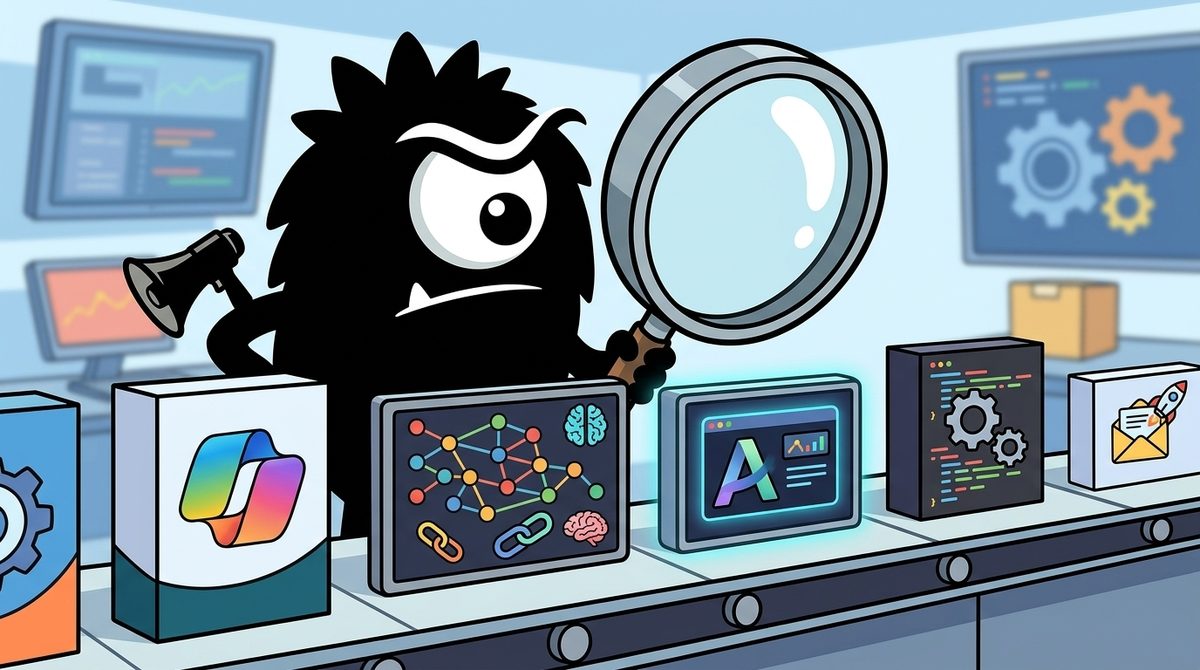
The real question is not whether Microsoft Copilot Studio, LangChain, or AgentOps has the longest feature list. It is which layer of a reliable marketing-agent system your team needs to build, control, or monitor.
For most Microsoft-centric marketing teams without dedicated engineers, Copilot Studio is the fastest starting point. Engineering teams building differentiated, high-scale agents should choose LangChain with LangGraph. AgentOps is not an alternative to either builder: it is an observability layer for monitoring agents after deployment.
Bottom line for 2026
>
- Choose Copilot Studio for low-code marketing automation tied to Microsoft 365, Dynamics 365, and Power Platform.
- Choose LangChain and LangGraph for custom, testable agents that require complex reasoning and integrations.
- Add AgentOps when agents call tools, incur model costs, update CRM records, or communicate with customers.
- Keep humans in the approval loop for outbound email, campaign changes, customer segmentation, and other brand-sensitive actions.
Three Tools, Three Philosophies: Why This Comparison Confuses Marketers
Copilot Studio, LangChain, and AgentOps are often placed in the same “AI agent platform” category, but they solve different problems.
Microsoft Copilot Studio is a managed, low-code environment for creating and governing agents. Its strongest advantage is its position inside Microsoft’s business stack, including Microsoft 365, Power Platform, and Dynamics 365.[1] It is aimed at organizations that want business users and developers to assemble agents through a visual interface rather than build the entire application layer in code.[2]
That is precisely the appeal reflected in marketing workshops teaching teams how to automate without waiting for IT:
I am getting the same feeling too. Lot of enterprise and business looking for copilot based workflow automation.
Just last week, I hand copilot workshop for Marketing team of a large company, where we taught them how they could be copilot Studio to do lot of stuff without going to IT
LangChain, typically paired with LangGraph, is a code-first framework. It gives developers components for connecting models, data, tools, memory, and application logic. LangGraph adds graph-based orchestration for stateful agents whose work may branch, pause, retry, or require human approval. Comparisons of the platforms consistently distinguish Copilot Studio’s managed, low-code approach from LangChain’s flexibility and engineering requirements.[7]
AgentOps sits downstream. Its SDK records and analyzes agent sessions, tool calls, errors, latency, and model costs. It does not replace Copilot Studio or LangChain as the primary environment in which an agent’s business logic is built.[13][15]
This means the useful comparison is not “Which product wins?” It is:
- Who will build the marketing agent?
- How complex and differentiated is its behavior?
- What systems must it access?
- How will the organization test, approve, and audit its actions?
Why Do Marketing-Agent Demos Break When They Meet Real Data?
The sharpest criticism of low-code agent platforms is not that the demos are fake. It is that demos often conceal the hardest part of production automation: identity, permissions, data quality, connectors, and system-specific behavior.
Saw Microsoft Copilot Agent Studio get demoed at work this week. Management loved it. Feed it a calibration report, it gives you a summary and some pointers on how to improve. Feed it a tender doc, it drafts an evaluation. Genuinely impressive from a management pov.
I tried it myself. Fed it a report to generate findings. Got "no connector found." Still, "impressive," said management. It's a chatbot wrapped in a thin harness and a nice UI, but the packaging did all the selling.
Meanwhile the stuff I've actually built — Claude Code workflows, MCP servers, a second brain running on a Pi, poking at open weights models — barely registers. Not because it's worse. Because it doesn't demo in five minutes on a projector.
The “no connector found” moment captures the gap. A polished interface can summarize an uploaded document in minutes, but a production marketing agent may need to retrieve account history from a CRM, check consent status, query product usage, select an approved template, and write an activity record back to the correct system.
Copilot Studio benefits from Microsoft’s connectors and Power Platform integration. It can use tools, knowledge sources, agent flows, and existing organizational services rather than requiring every integration to be written from scratch.[1][4] But low-code does not eliminate integration work. If the connector does not exist—or if it cannot represent the required operation, authentication model, or data transformation—the team still needs Power Automate customization, an API, or engineering support.
LangChain exposes that reality earlier. Developers normally define explicit tools and interfaces for each operation. This produces more initial work, but it also makes failures easier to isolate. A CRM lookup, consent check, content-generation step, and send operation can be implemented and tested separately.
That leads to a practical pilot rule: do not evaluate a marketing agent only on its generated text. Test the least convenient production path:
- Can it access the actual CRM object and fields?
- Does it honor user and service-account permissions?
- What happens when a record is missing or duplicated?
- Can it recover from rate limits and tool failures?
- Does it preserve an audit trail?
- Can a human modify or reject the result before execution?
A five-minute demo measures presentation quality. Those questions measure deployability.
Workflow or Agent: Which Does Marketing Automation Actually Need?
Practitioners are also pushing back on the habit of labeling every automated process “agentic.”
Stop calling everything AI automation. It is a trap. There is a massive difference between a Power Automate workflow and a Copilot Studio agent. One follows a script; the other interprets reality. Understanding this is operational survival. 1/
Think of it like this: A workflow …
A workflow follows predefined logic. For example:
- A webinar form is submitted.
- The contact is matched to a CRM record.
- A score is calculated from fixed rules.
- The appropriate nurture sequence is triggered.
That is usually a better fit for deterministic workflow automation. The business wants predictable execution, not creative interpretation.
An agent interprets context and chooses among possible actions. It might review a prospect’s account history, infer likely objections, select relevant case studies, draft a personalized message, and ask a salesperson to approve it. Microsoft’s marketing scenario library includes Copilot-assisted activities such as content and campaign work, illustrating where generative assistance can complement established processes.[5]
The distinction matters because probabilistic reasoning adds failure modes. An agent can select the wrong tool, misread ambiguous data, or produce an unsuitable message even when every system is technically available.
Copilot Studio combines the two patterns. Agent flows can handle structured processes, while agent capabilities can make context-dependent decisions. The emerging “agent node” pattern places an interpretive step inside a more controlled flow:
What if your Dynamics 365 workflows could think and act?
Learn how to add an #Agent Node in Microsoft Copilot Studio to bring AI-powered decisions and smarter automation to your workflows.
👉https://www.inogic.com/blog/2026/08/how-to-add-an-agent-node-to-an-agent-flow-in-microsoft-copilot-studio/
#CopilotStudio #AI #PowerPlatform #Dynamics365
LangGraph takes a code-first approach to the same problem. A graph can define deterministic nodes for data retrieval and compliance checks, model-driven nodes for classification or drafting, and explicit edges controlling retries and escalation. That architecture suits multi-stage marketing systems where teams need to test each transition.
The best design is therefore rarely “make everything an agent.” Use workflows for routing, synchronization, calculations, and mandatory checks. Introduce agentic reasoning only where the input is genuinely ambiguous or the output requires judgment.
When Is Microsoft Copilot Studio the Best Choice for Marketing?
Copilot Studio is the strongest option when a marketing organization is already invested in Microsoft and wants to deliver internal automation without first assembling an AI engineering team.
Its visual authoring environment, knowledge connections, tools, agent flows, and Power Platform integration can support use cases such as:
- Qualifying or summarizing inbound leads
- Drafting campaign briefs and content
- Answering questions from approved marketing knowledge
- Preparing account summaries from Dynamics 365 data
- Routing requests through existing business processes
- Assisting employees inside familiar Microsoft experiences
Microsoft describes Copilot Studio as a platform for creating, managing, and publishing agents, with connectivity to business data and workflows.[6] Governance is also becoming more central: Microsoft’s April 2026 update highlighted improved agent governance, intelligent workflows, and connected application experiences.[3]
Who should choose Copilot Studio?
It fits organizations with:
- A marketing operations or automation team but limited software-engineering capacity
- Significant use of Microsoft 365, Dynamics 365, Dataverse, or Power Automate
- A need to deploy internal agents quickly
- Centralized Microsoft identity and governance requirements
- Use cases that map reasonably well to available connectors and actions
The tradeoff is a low-code ceiling. Marketing can bypass IT for prototyping and straightforward automations, but production ownership returns to technical teams when the agent needs custom authentication, unsupported APIs, sophisticated testing, unusual state management, or high-volume execution.
Copilot Studio reduces the amount of code needed. It does not remove the need for architecture, security review, data stewardship, and operational support.
Why Do Scaling Teams Choose LangChain and LangGraph?
LangChain and LangGraph make the opposite trade: slower initial accessibility in exchange for deeper control.
The strongest case for this approach comes from organizations treating agents as software systems rather than configurable chatbots. LangChain’s account of Coinbase describes a reusable “paved road” built around code-first graphs, typed interfaces, unit-testable nodes, observability, and auditability:
⚡ Building enterprise agents at Coinbase with LangSmith ⚡
Coinbase went from zero to production AI agents in six weeks, then cut future build time from 12 weeks to under a week.
Their Enterprise AI Tiger Team built a "paved road" so any team could ship agents the same way they ship code.
What made this work:
→ Code-first graphs with LangGraph & LangChain over low-code tools. Typed interfaces and unit-testable nodes beat prompt engineering for the use cases they wanted to scale.
→ Observability as a requirement. Every tool call and decision gets traced using LangSmith, our agent engineering platform.
→ Auditability by design. Immutable records of data used, reasoning followed, and approvals given.
Result: Two agents in production saving 25+ hours per week. Four more completed. Half a dozen engineers now self-serve on the patterns.
Agents are a software discipline. When you host them properly, make them observable end-to-end, and test what's deterministic, you get speed where it helps and rigor where it matters.
Read more:
According to that account, Coinbase reached production in six weeks and reduced subsequent agent build time from 12 weeks to under one week. The important lesson is not that every company will reproduce those timelines. It is that reusable engineering patterns—not isolated prompt improvements—created the reported acceleration.
LangGraph is particularly relevant when a marketing agent must:
- Maintain state across a long-running campaign task
- Call proprietary scoring, pricing, analytics, or experimentation services
- Branch based on confidence or policy
- Retry individual operations safely
- Pause for legal, brand, or sales approval
- Support automated regression tests
- Run across multiple models or infrastructure providers
The same code-first argument appears in LangChain’s account of Toyota scaling from one production agent every six months to more than 50:
"LangSmith gives us the ability to monitor all of our agents, understand what's working, what's not, what tool calls have failed, what PR just broke the pipeline, and what features our users are adopting."
An inside look at how @Toyota went from shipping one production agent every 6 months to shipping 50+ using Deep Agents and LangGraph.
These are vendor-published examples, so they should not be treated as neutral benchmarks. They nevertheless illustrate why engineering organizations choose graph-based systems: the nodes, interfaces, traces, and deployment patterns can be standardized.
For marketing, LangChain is appropriate when the agent itself becomes proprietary product or operational infrastructure—for example, a cross-channel campaign optimizer using custom attribution models, or an account-planning agent integrating product telemetry, CRM history, and internal research.
The cost is straightforward: you need engineers. LangChain’s open-source availability does not make the complete system free. Teams must build hosting, security, evaluation, deployment, monitoring, and support around it. Framework comparisons aimed at marketers likewise position LangChain as flexible but technically demanding.[9]
Why Does a Production Marketing Agent Need AgentOps?
Observability is the layer teams often discover after an agent behaves unexpectedly.
Traditional application monitoring tells operators whether an API returned an error or a server ran out of memory. Agent observability must answer different questions:
- Which model and prompt produced this decision?
- What tools did the agent call?
- Which CRM records did it read or modify?
- How much did the session cost?
- Where did latency accumulate?
- Did it retry, loop, or select an unauthorized path?
- What happened after authentication succeeded?
The question for agents isn't just 'who authenticated' - it's 'what did this agent do after auth.' Behavioral monitoring of every tool call is the gap most platforms skip. AgentOps gives you that observability layer across CrewAI, LangChain, and AutoGen. https://github.com/AgentOps-AI/agentops
View on XAgentOps is designed for this operational layer. Its open-source Python SDK supports agent monitoring, cost tracking, benchmarking, and session analysis, while its documentation positions the product around observing and improving agent behavior.[14][15]
For marketing, that matters because an agent’s mistakes can become customer-facing quickly. A system that only drafts internal copy has a limited blast radius. A system that sends emails, changes CRM fields, reallocates campaign budget, or creates audience segments requires stronger traces and alerts.
AgentOps therefore complements a code-first framework such as LangChain. It can also be part of a broader hybrid architecture, although integration depth will depend on how the Copilot Studio solution exposes events and custom actions.
LangChain teams should also consider LangSmith, particularly when they want tracing, evaluation, and debugging closely aligned with LangChain and LangGraph. The decision is not “AgentOps versus agent building.” It is AgentOps versus other observability approaches—including LangSmith, platform-native controls, or an internal telemetry stack.
Why Are Fully Autonomous Marketing Agents Still a Bad Bet?
Marketing combines probabilistic AI with brand, privacy, and compliance exposure. That makes human approval a system requirement, not a temporary concession to immature models.
You are delusional if you think AI agents will go far without humans.
Anyone who has tried to build fully autonomous agentic workflows knows it's a crapshoot.
But this is not new. We've known for decades that one of the best ways to build technology is with a human-in-the-loop approach.
@CopilotKit is building CoAgents, an open-source framework to build applications where agents and humans collaborate.
There are three things you'll be able to do with CoAgent:
• Humans will be able to steer and correct the agent
• Stream intermediate agent state
• Share state between agent and the application
CoAgents works with LangGraph, the library to build multi-agent applications from @langchain.
I got early access to CoAgents and recorded a quick video about it. If you want early access, sign up here:
https://t.co/Cr4XhtPDrB
Thanks to the team for giving me early access and collaborating with me on this post.
The correct autonomy level depends on reversibility and risk. An agent can safely summarize internal research with relatively light oversight. It should not independently send a sensitive account email, change a regulated claim, or launch a large paid campaign simply because it completed the preceding steps successfully.
A useful pattern is prepare, present, approve, resume:
- The agent gathers relevant data.
- It proposes an action and displays its supporting context.
- A human edits, approves, or rejects the proposal.
- The system resumes from the saved state.
- The action and approval are logged.
The CRM example discussed around CopilotKit shows why this is technically more involved than placing an “Approve” button beneath generated text:
Came across an interesting open-source project: CopilotKit.
It handles the messy layer between an AI agent and the product it needs to work inside.
https://github.com/CopilotKit/CopilotKit
Imagine a user asking this in a CRM:
“Find the large accounts we haven’t followed up with in 30 days. Draft an email, but let me approve it before sending.”
Sounds simple. It isn’t.
The agent needs access to the current page context. The accounts should appear as usable cards, not a blob of JSON. The email draft needs to stay editable. Once the user approves it, the agent has to resume from where it paused.
That means wiring together streaming events, UI state, tool calls, and pause/resume behavior.
CopilotKit handles this layer.
It uses AG-UI to connect LangGraph, Mastra, or your own agent to the frontend. Hooks such as useAgent, frontend tools, and human-in-the-loop flows bring the agent’s state and actions into the product UI.
Would I use it for a basic chat app? Probably not. Vercel AI SDK is enough for that, and I’d still leave backend orchestration to LangGraph.
CopilotKit starts to make sense when an agent needs to read and update real UI state, use browser-side capabilities, and stop for human input halfway through a task.
The application must preserve agent state, expose the right context to the user, accept edits, and resume safely. Comparisons of collaborative agent systems similarly emphasize workflow coordination and human interaction as key architectural concerns, not merely interface features.[10]
Copilot Studio can place approvals and structured controls into Microsoft-oriented workflows. LangGraph can model interruptions and resumption explicitly in the graph, while frontend frameworks can expose that state to users. AgentOps can then record what happened, but it does not itself design the approval experience.
What Do Pricing and Total Cost Look Like in 2026?
Exact commercial pricing and packaging can change, so buyers should verify current terms before procurement. The more durable comparison is the cost model.
| Criterion | Copilot Studio | LangChain and LangGraph | AgentOps |
|---|---|---|---|
| Primary role | Low-code agent builder | Code-first agent framework | Monitoring and observability |
| Commercial model | Microsoft licensing and capacity consumption | Open-source core; pay for engineering, models, hosting, and optional services | Open-source SDK with hosted platform options |
| Skill requirement | Business technologist to Power Platform developer | Software and AI engineers | Developer or platform/operations team |
| Time to first prototype | Usually shortest for Microsoft-aligned use cases | Longer because integrations and infrastructure are explicit | Fast to instrument, but useful only after an agent exists |
| Main hidden cost | Connectors, capacity planning, governance, and customization | Engineering, testing, hosting, security, and maintenance | Telemetry volume, retention, alert design, and operational ownership |
| Long-term advantage | Managed ecosystem and accessibility | Control, portability, testability, and reuse | Visibility into behavior, reliability, and spend |
Copilot Studio tends to minimize time to first agent, especially when required data and workflows already live in Microsoft systems. LangChain can reduce the long-term cost of repeated custom-agent development—but only after an engineering team establishes reusable infrastructure. AgentOps adds expense and instrumentation work, yet can lower the cost of diagnosing failures that would otherwise be opaque.
The cheapest prototype is not necessarily the cheapest production system. Total cost includes approvals, testing, incident response, compliance evidence, and the people responsible when the agent fails.
Which Should Your Marketing Team Pick in 2026?
Use this decision framework.
Pick Copilot Studio when speed and Microsoft integration matter most
Choose it if your marketing team has few engineers, already relies on Microsoft 365 or Dynamics 365, and needs internal knowledge, lead-assistance, or content workflows. It is especially appropriate for controlled departmental adoption where the organization wants centralized governance.[1][6]
Do not choose it solely because the demo looks polished. Validate every required connector and permission against production data first.
Pick LangChain and LangGraph when the agent is strategic software
Choose the code-first route when you have an engineering tiger team, proprietary integrations, complex state, rigorous testing requirements, or plans to reuse agent components across departments. The framework is a better fit when teams need to version, test, deploy, and review agents the way they handle other production code.[7][11]
Do not choose it if marketing has no durable engineering owner. An impressive prototype without maintenance capacity is still a dead end.
Add AgentOps or another observability platform before production
Any agent that takes consequential actions should have traces, cost monitoring, tool-call visibility, and behavioral alerts. AgentOps is relevant across supported frameworks; LangSmith is a natural alternative for teams centered on LangChain and LangGraph.[13][15]
Do not wait for the first customer-facing incident to add this layer.
Use a hybrid architecture when organizational needs differ
A pragmatic 2026 architecture may use:
- Copilot Studio for employee-facing access and Microsoft-native workflows
- Custom services or LangGraph for complex reasoning and proprietary integrations
- Deterministic flows for data movement and compliance checks
- Human approval before external actions
- AgentOps, LangSmith, or equivalent telemetry for operational monitoring
The broader lesson from the practitioner conversation is that agent success depends less on the most impressive builder than on the surrounding system. Connectors determine whether the agent can work. Graphs and tests determine whether it can scale. Human checkpoints limit brand risk. Observability explains what it actually did.
Copilot Studio wins accessibility. LangChain and LangGraph win control. AgentOps wins visibility. Reliable marketing automation often needs more than one of them.
Sources
[1] Official Microsoft Copilot Studio documentation
[3] What’s new in Copilot Studio: April 2026 updates and features
[4] Microsoft Copilot Studio: Features, Use Cases and Benefits
[5] Using Copilot in Marketing — Copilot Scenario Library
[6] Microsoft Copilot Studio — Create AI Agents
[7] Copilot Studio vs LangChain (2026)
[9] AI Agent Marketing: LangChain vs AutoGen vs CrewAI (2026)
[10] Wave 2 vs LangChain: Collaborative Agents Compared
[11] LangGraph vs Bedrock vs Copilot Studio: 2026 FCA Guide
[13] AgentOps
References (15 sources)
- Official Microsoft Copilot Studio documentation - learn.microsoft.com
- Copilot Studio overview - learn.microsoft.com
- What's new in Copilot Studio: April 2026 updates and features - microsoft.com
- Microsoft Copilot Studio: Features, Use Cases and Benefits - techwize.com
- Using Copilot in Marketing (Copilot Scenario Library) - adoption.microsoft.com
- Microsoft Copilot Studio | Create AI Agents - microsoft.com
- Copilot Studio vs LangChain (2026) | AI Agents Guide - ai-agents-guide.com
- Building AI Agents for Relationship Managers in Banking: Copilot Studio vs LangChain vs Hybrid - ai.plainenglish.io
- AI Agent Marketing: LangChain vs AutoGen vs CrewAI (2026) - geniusecommerce.com
- Wave 2 vs LangChain: Collaborative Agents Compared (Workflow Test) - skywork.ai
- LangGraph vs Bedrock vs Copilot Studio: 2026 FCA Guide - agenticai.associates
- Top 9 AI Agent Builders for Marketers (2025): Honest Comparison - thevibemarketer.com
- AgentOps - agentops.ai
- GitHub - AgentOps-AI/agentops: Python SDK for AI agent monitoring, LLM cost tracking, benchmarking, and more. - github.com
- AgentOps: Introduction - docs.agentops.ai
Related Guides
The Best Open-Source AI Models in 2026: An Expert Comparison
22 min read
The 'AI Bubble Burst' Prediction Market in 2026: An Expert Analysis of What Traders Are Really Pricing
21 min read
OpenAI vs Azure OpenAI vs Replicate: Which Is Best for Building SaaS in 2026?
15 min read
The Odds on AI Supremacy: What a $2.3M Polymarket Bet Reveals About the Frontier Model Race in 2026
20 min read