Dify vs Zapier AI vs AgentOps: Which Is Best for Customer Support Automation in 2026?Updated: September 13, 2026
Dify vs Zapier AI vs AgentOps for customer support automation: compare workflows, pricing, observability, and best-fit teams. Learn
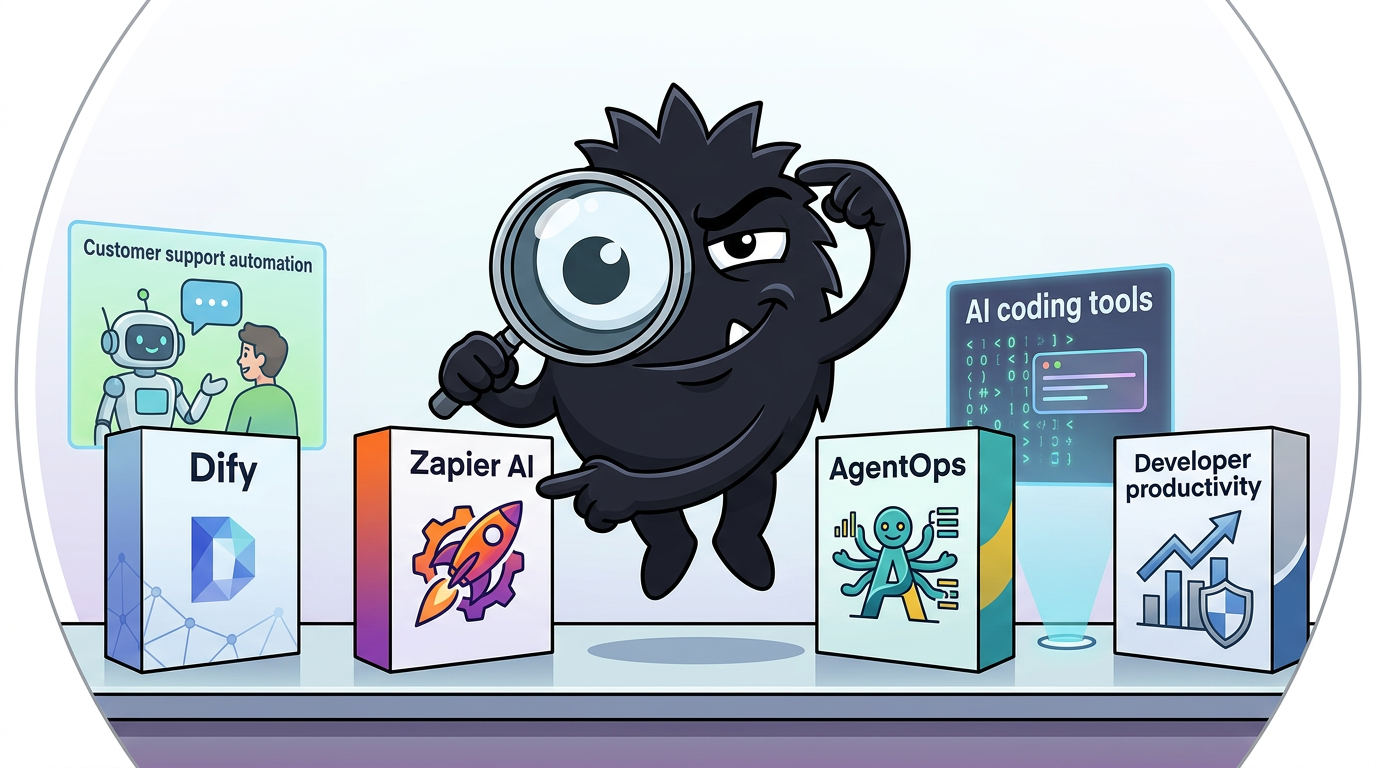
Why Customer Support Automation Has Moved Beyond Basic Chatbots
The old customer-support automation pitch was simple: put a chatbot on your website, deflect a few FAQ tickets, and call it “AI support.” That is not the market teams are actually buying into in 2026.
What operators want now is much more concrete:
- read and classify inbound email
- look up order, billing, or account data
- answer technical questions from documentation and internal systems
- route issues to the right queue or person
- summarize context for humans when escalation is needed
- draft or send replies in a consistent brand voice
- reduce the amount of expensive human time spent on repetitive work
That shift matters because it changes the evaluation criteria. You are no longer comparing “chatbots.” You are comparing support infrastructure: how an AI system connects to business systems, how it executes actions, how much logic it can handle, and how safely you can run it in production.
One of the most revealing posts in the current X conversation is not polished vendor copy at all. It is an operator-level description of what people actually want these systems to do:
Just built a customer support agent because my VA is one scam allegation away from a mental breakdown.
This AI slave handles every customer tantrum. Connects to email, pulls Shopify data, and responds in your brand voice minus the trauma.
Follow, RT + Comment "support" for the workflow.
(Need to do all 3 or my agent won't find your handle to send the DM, give it 20 mins)
- Complete setup walkthrough + node-by-node breakdown
- Auto-labels emails so you know which Karens to avoid
- Pulls customer + order info from Shopify instantly
- Responds with your exact brand tone (without the sarcasm)
- Accesses brand identity through Pinecone vector memory
- Never threatens to quit or asks for a raise
Why pay humans to get emotionally destroyed by customers when AI can take the beating instead?
This post is a little hyperbolic, but the workflow it describes is exactly where the market has moved: email ingestion, Shopify lookup, labeling, brand-consistent replies, and vector-backed memory. That is not a toy chatbot. That is an attempt to replace or augment a real support function.
The same pattern appears at the more technical end of the market. Some SaaS teams are now wiring AI support agents directly into codebases, databases, analytics, and Slack so they can answer questions that previously required an engineer on rotation. That is less about “chat” and more about collapsing a support-and-escalation chain into software.
We just saved $200K+/year for our SaaS. You can do the same ⬇️
Here's what we built:
✅ An internal AI agent connected directly to our codebase and database.
✅ It handles all technical support questions. Debugs customer issues in minutes. Generates custom reports on demand from Slack.
→ Zero engineers on support rotation.
→ Zero documentation to maintain.
→ Zero "let me check with the team and get back to you."
One customer asked for a breakdown of their usage across 14 different metrics.
The agent generated it in 90 seconds with charts ✅
Another had a production bug. The agent diagnosed it in 4 minutes with code references and root cause analysis ✅
One customer literally said it was "the most exceptional support experience" they've ever received ✅
This isn't a side project.
This is our actual support infrastructure now at @ZipchatAI and your SaaS can leverage it too.
And the $200K we're saving this year turns into millions as we scale.
Not from firing people. From never needing to hire them in the first place.
Most SaaS companies are still putting senior engineers on support rotation, burning $150K+ salaries answering the same questions over and over.
We automated all of it.
If you're running a SaaS company and your support costs are growing faster than revenue, this is worth 30 minutes of your time.
Comment "200K"
... below if you want to see how this works for your team.
We'll reach out with details.
Or connect with me if you want to talk about what's possible when you stop treating support like a people problem and start treating it like an infrastructure problem.
The future of SaaS support isn't hiring faster. It's building smarter.
This is not about "firing your Success Team", it's about to make them 100x more effective at building relationships, propose custom strategies and upselling customers rather than providing reactive support.
PS kudos to @leteyski for creating this 👏
There are two reasons this is happening now.
First, the operational pain is real. Support teams are absorbing rising ticket volume across email, chat, forms, and internal channels while trying to preserve SLAs and customer satisfaction. The economics break down fast when every moderately technical question requires a human to gather context from three systems, summarize the issue, and route it manually. Zapier’s own support automation materials frame the problem in exactly these terms: repetitive manual work, fragmented tools, and the need to automate triage, handoffs, and follow-up across support operations.[7][9]
Second, the technical ingredients have improved enough that broader automation is viable. Modern support automations can combine:
- retrieval from help docs, internal knowledge bases, or vector stores
- tool use against CRMs, help desks, e-commerce platforms, databases, and messaging systems
- workflow logic for routing, approvals, escalation, and exception handling
- generation for summaries, reply drafts, and final responses
That stack is the real product category now. A support “agent” that cannot access your systems is mostly a talking FAQ. A support “automation” that cannot reason over context or generate useful responses is just a glorified rules engine. The market is converging on combinations of both.
That is why so much of the X conversation sounds less like chatbot enthusiasm and more like a debate over labor models, operating models, and software architecture. Practitioners are asking: should agents behave like coworkers, workflows, inbox copilots, or background services?
Everyones got autonomous agents all wrong
Right now every agent app is either entirely "watch it do work" aka chat OR a workflow builder (zapier)
problem is this destroys the whole point of it being "autonomous"
no one wants to watch it work
the only way agents get adoption is when we can start treating them like coworkers.
Instead of me going to a site, i can ping them on slack "hey can you update our marketing campaign"
or "user asked for xyz feature, can you implement it"
then agent says OK, and comes back 1-2 hours later after it finishes the task, with ZERO oversight
this also fixes pricing, so instead of using credits or a saas fee, you just pay an hourly wage ($5/hr)
and if you don't like it? hire another one
There is a useful insight buried in that post. The most successful support automations are often the ones users do not babysit in a chat window. They sit in the inbox, in Slack, in the help desk, or behind a trigger. They do work asynchronously. They return outcomes. That makes platform selection more strategic because you are deciding not just how to build the interface, but how tasks get delegated, how state is managed, and what level of autonomy the system can safely exercise.
So this comparison matters because Dify, Zapier AI, and AgentOps all show up in the same buying conversation while solving different parts of that stack.
If your actual goal is “reduce support load,” you need to know whether you are buying:
- an agent/application builder for custom support experiences,
- an automation/orchestration layer for connecting SaaS systems quickly,
- an observability layer for making agentic support reliable once it goes live.
Those are not the same purchase. And confusing them is how teams end up with a prototype that demos well but fails under real inbox pressure.
Dify vs Zapier AI vs AgentOps: Three Different Jobs, Not Three Direct Substitutes
The most important thing to understand in this comparison is that Dify, Zapier AI, and AgentOps are not clean one-to-one alternatives.
They overlap around the broad theme of AI support automation, but they occupy different layers of the stack:
- Dify is primarily a platform for building AI applications, assistants, workflows, and agentic systems.[2][3]
- Zapier AI is primarily an automation and orchestration platform that has expanded into AI agents and natural-language bot building across a huge app ecosystem.[7][10]
- AgentOps is primarily an observability and monitoring layer for AI agents, focused on tracing, debugging, analytics, and reliability rather than end-user support bot creation.[13][14][15]
That distinction sounds obvious once stated, but it is exactly what gets muddled in practitioner conversations. People compare “tools for AI support” as if they all compete on the same axis. They do not.
Zapier just repositioned from 'automation tool' to 'AI-powered orchestration at scale.' Added MCP support, native Agents, Chatbots. n8n and Make are racing to the same place. Your automation tool choice is now also your AI agent infrastructure choice. Worth revisiting before th
View on XThat post gets the core market shift right: your automation platform choice is increasingly also your agent infrastructure choice. But the implication is broader. Once support automation gets serious, you often need to choose at least two things:
- how to build or orchestrate the workflow
- how to monitor and improve the workflow
And sometimes those are separate products.
Dify: builder-first
Dify’s positioning is straightforward in its docs and open-source repository. It is a production-oriented platform for creating AI apps and agentic workflows, with support for multiple model providers, workflow design, knowledge integration, APIs, and deployment options.[2][3] In practice, that means Dify is the closest of the three to a custom support application platform.
If your team wants to build:
- a branded customer support assistant
- an internal support copilot
- a multi-step support workflow with retrieval and tool use
- an API-exposed support service embedded in your own product
Dify fits naturally.
Zapier AI: orchestration-first
Zapier, by contrast, comes from automation. Its support-automation material focuses on ticket routing, response acceleration, notifications, data syncing, and repetitive process automation across support tools.[7][9] Its AI evolution adds agents, chat-based setup, and broader AI-assisted workflows, but its central strength is still the same: connecting lots of SaaS systems quickly and reliably enough for business operations.[8][10]
If your support problem is:
- “When a ticket arrives, enrich it with CRM/account data”
- “Summarize the conversation and alert Slack”
- “Route by intent, sentiment, priority, or plan tier”
- “Create follow-up tasks in downstream systems”
Zapier is often the fastest route to value.
AgentOps: reliability-first
AgentOps lives in a different category. It is not trying to be your help desk interface, knowledge app, or workflow canvas. It is there to help teams understand what their agents did, why they failed, and how they are performing over time through monitoring and developer tooling.[13][14][15]
That makes it highly relevant to support automation — but not as a standalone “support bot” answer.
Why this category confusion matters
The practical problem is that teams often start with the wrong question: Which tool is best? The better question is: What layer is actually missing from our support stack?
If your team already has a support process and just needs cross-app automation, an app builder may be overkill.
If your team needs a domain-specific assistant with custom logic, retrieval, and branded behavior, basic automation may be too limiting.
If your team already has an agent in production but cannot explain why it occasionally makes bad decisions, adding more prompts or integrations will not solve the real issue; you need observability.
The X conversation is beginning to reflect that maturity. More builders are recognizing that “agent infrastructure” and “agent reliability” are becoming separate buying categories.
4/ YC PIVOT TRACKER
8+ YC W26 startups quietly pivoted from building agents to agent infrastructure.
AgentOps → observability
FlowStack → workflow orchestration
MonitorAI → reliability monitoring
The "picks and shovels" thesis is playing out in real-time.
That “picks and shovels” framing is especially useful for support leaders. Once an AI system touches customer communication, its value is no longer judged only by how clever the demo looks. It is judged by:
- consistency
- traceability
- containment of failures
- unit economics
- speed to deploy
- maintainability by your actual team
So a fair comparison cannot just ask which product has the most AI features. It has to ask:
- Can this tool build the support experience I need?
- Can it connect to the systems where support work actually happens?
- Can my team operate it without constant engineering rescue?
- Can I trust it in production, and improve it when it fails?
Through that lens, Dify, Zapier AI, and AgentOps are not three substitutes. They are three answers to three adjacent problems.
Where Dify Wins: Custom Support Agents, Open-Source Control, and Fast Prototyping
Dify is resonating for a reason: it gives teams a relatively fast path from “we need an AI support system” to “we have a working assistant, workflow, or API” without requiring them to assemble every piece from raw frameworks.
At a high level, Dify provides a platform to build AI-native applications with features like prompt orchestration, knowledge integration, workflow design, model flexibility, and deployment options, including self-hosting via its open-source project.[2][3] For customer support, that combination matters because support automation is rarely one behavior. It is usually a blend of:
- knowledge retrieval
- policy enforcement
- tool use
- channel-specific formatting
- escalations
- analytics handoffs
- brand-specific tone and business context
Dify is attractive when you want to package all of that into something more cohesive than a chain of disconnected automations.
Unleash AI chatbots in minutes.
Dify makes building smart assistants fast, flexible, and future-proof!
That “in minutes” framing is marketing, but the broader appeal is real: Dify compresses the path to a working AI support assistant.
The key Dify advantage: you can shape the assistant itself
Compared with automation-first tools, Dify gives you more control over the actual support application:
- the prompt and role design
- the model provider or providers you use
- the knowledge sources you connect
- the workflow structure around inference
- how the assistant is exposed — chat app, internal tool, API, workflow endpoint
That flexibility is valuable when support quality depends on more than just moving data between apps. For example, many teams need the assistant to:
- answer in a distinct support tone
- cite internal knowledge accurately
- separate safe self-service answers from risky account-specific actions
- switch behavior based on customer tier, product line, or issue type
- route technical questions differently from billing questions
A pure automation tool can assist with some of this, but Dify is better suited when the assistant’s behavior design is itself the product.
7. https://dify.ai/
Dify lets you create custom AI chatbot apps without coding. You can build workflows, APIs, and deploy chatbots with various LLMs quickly — ideal for businesses who want personalized AI apps fast and easily.
Open source is not just ideology — it changes the buying decision
Dify’s open-source availability is one of its strongest differentiators.[3] For many support teams, “open source” does not simply mean lower software cost. It changes four practical things:
- Deployment control
Teams with compliance, data residency, or internal-security requirements can self-host instead of sending all traffic through a fully managed third-party environment.
- Customization headroom
If your support process is weird — and many real support processes are — open systems are easier to adapt than rigid SaaS abstractions.
- Reduced lock-in risk
If AI support becomes core infrastructure, teams become much more sensitive to proprietary constraints, pricing changes, and missing extensibility.
- Engineering confidence
Technical teams often trust systems more when they can inspect architecture, community activity, and code paths directly.[3]
This does not mean open source is automatically cheaper or easier. Self-hosting introduces ops work, maintenance burden, and responsibility for uptime. But for support organizations that view automation as strategic infrastructure rather than a side experiment, the option matters a lot.
Dify is especially strong for custom support surfaces
There is a major difference between automating around support and building a support system.
Dify is strongest when you want to create:
- an embedded in-product support assistant
- an internal support copilot for human agents
- a branded email support responder
- a multi-agent workflow for classification, lookup, response drafting, and escalation
- an API-based support microservice other systems can call
This is why it shows up so often in “custom chatbot” and “agentic workflow” conversations. Its docs position it as a platform for building LLM applications and workflows, not just automations.[2] Its GitHub repo explicitly describes it as production-ready for agentic workflows.[3]
And the community conversation reflects that broader framing.
Join our free Dify 101 online workshop and build an AI email automation system with us. We'll show you step-by-step how to create an AI assistant to handle customer support emails. No code needed!
🗓️ When: Next Wed, Nov 19
🕖 Time: 7:00 PM PST
🎟️ Cost: Free
Register here: https://t.co/qMBut4TckO
#TGIF #AIAutomation #NoCode #Workflow #Dify101 #BusinessEfficiency
That workshop post is revealing because email support is one of the most operationally meaningful use cases. It is not a flashy demo. It is a high-volume, measurable workflow that directly impacts staffing needs and customer experience.
Dify’s no-code-to-pro-code gradient is part of the appeal
A lot of support tooling either skews too far toward drag-and-drop simplicity or too far toward developer frameworks. Dify’s appeal is that it sits in the middle:
- approachable enough for less technical operators to prototype
- extensible enough for engineering teams to take further
That matters in real organizations because support automation is usually cross-functional. Ops wants to experiment. Support leadership wants fast iteration. Engineering wants control when the workflow becomes business-critical. Dify gives teams a path where they can start without a full software project but avoid dead-ending into a toy.
MCP support is strategically important
One reason Dify’s momentum has accelerated is its connection to the broader move toward tool interoperability through MCP (Model Context Protocol) and adjacent patterns. Even if a buyer does not care about the protocol itself, they care about the effect: easier tool access for agents.
DifyでMCP!!
これは絶対にチャレンジしないといけないやつ!!!
まずはブログを読みます!!
https://dify.ai/blog/dify-mcp-plugin-hands-on-guide-integrating-zapier-for-effortless-agent-tool-calls
And more importantly, Dify has been actively showing workflow patterns that move beyond simple chatbot behavior into practical routing and tool execution.
🤖 We built a customer feedback router with built-in MCP support
https://dify.ai/blog/v1-6-0-built-in-two-way-mcp-support
Here's how we connected to Linear's MCP server in seconds and automated our feedback workflow.
The setup:
- Connected Linear MCP (got 22 tools instantly)
- Built three specialized agents for different feedback types
- Each agent creates tasks in the right team's project
Two ways we implemented this:
Way 1: Agent app with MCP tools
Let the AI decide which Linear tools to use based on feedback content
Way 2: Workflow with agent nodes
For more control, we defined exact routing logic for each feedback type
It can also be published as an MCP server for direct integration at the feedback source.
We're also working on a Trigger feature that'll listen for external events. Once that's ready, workflows can start automatically when something happens outside Dify—should make real-time feedback handling even smoother.
This is where Dify begins to look less like “chatbot builder” and more like a flexible agent workflow platform. The distinction is critical for support teams. If your support operation needs:
- structured routing logic
- AI-based interpretation where rules are too brittle
- tool invocation against project or ticket systems
- the option to choose between agent autonomy and deterministic workflows
Dify gives you both modes. That hybrid matters because support automation rarely sits at either extreme. You typically want the model to interpret messy customer language but not to improvise on high-risk backend actions.
Dify is increasingly viable for real support backends
The community use cases are also expanding beyond website chat. This matters because support today spans enterprise messaging apps, internal assistants, automation backends, and multimodal workflows.
Real use cases that are already live: ✅ Enterprise customer service bots on WeCom ✅ Internal KB assistants on Feishu/DingTalk ✅ Personal AI agents on QQ/Telegram ✅ Automation pipelines with Dify as the agent backend ✅ Multimodal workflows (image + text, voice-ready)
View on XThat post captures a practical truth: many AI support systems no longer live in one customer-facing widget. They sit behind messaging channels, internal employee tools, or process pipelines. Dify fits that architecture well because it can act as the agent backend rather than just the front-end interface.
Where Dify is best for customer support
Dify tends to be the strongest choice when you need one or more of the following:
- Custom support logic beyond basic if-this-then-that flows
- Knowledge-heavy responses grounded in your documentation or internal corpus
- Branded response behavior that must feel consistent across channels
- Open-source/self-hosted deployment for control or compliance reasons
- Developer extensibility without starting from a raw framework
- A path from prototype to production in the same environment
In practice, this often maps to:
- SaaS companies with technical support needs
- e-commerce teams wanting smarter inbox automation
- startups building AI-native support into their product
- internal support ops teams building copilots for agents
But Dify’s strength is also its demand
Dify gives you more freedom because it gives you more responsibility.
You have to think about:
- prompt design
- tool permissions
- retrieval quality
- workflow boundaries
- model selection
- failure handling
- hosting and maintenance if self-hosted
That is the right trade if your support process is strategically important and differentiated. It is the wrong trade if you simply need to move ticket data between Zendesk, Gmail, HubSpot, and Slack by next week.
That is where Zapier AI often wins.
Where Zapier AI Wins: App Connectivity, Fast Deployment, and Operational Automation Around Support
If Dify’s strength is building the support application, Zapier AI’s strength is operationalizing support work across the SaaS stack you already have.
That distinction matters. A lot of support pain is not actually caused by the lack of a conversational assistant. It is caused by fragmented processes:
- tickets arrive in one system
- account context lives in another
- order or billing data sits somewhere else
- internal escalations happen in Slack or email
- summaries get copied manually into a CRM or task tracker
- follow-ups slip because no one connected the systems properly
Zapier has spent years solving exactly that class of problem. Its support automation guidance emphasizes automating repetitive tasks, connecting support apps, reducing manual handoffs, and improving response workflows across support operations.[7][9] The newer AI layer adds natural-language setup and agent behavior on top of a very mature orchestration foundation.
That is why practitioners should resist a common mistake: assuming the right answer to “support automation” is always a custom AI agent. In many teams, the highest-ROI first step is simply better workflow automation around support.
Zapier’s biggest practical advantage: app ecosystem breadth
Zapier’s app coverage is still its moat. It connects to thousands of business apps, which means support teams can automate across email, chat, spreadsheets, CRMs, project tools, databases, and internal notifications without waiting on custom integration work.[7][8]
That matters more than many AI-first buyers initially realize.
Because in support, the hard part is often not generating language. It is:
- pulling the right customer context
- triggering the next system
- updating records consistently
- notifying the right humans
- preserving an auditable trail
Zapier is very good at this connective tissue.
(re) introducing @zapier agents! fixed the name :) amazing progress from team: * overhauled reasoning process (+50% evals) * search and action support in ~8,000 apps * smarter search in key apps (eg. excel, sheets, tables) * browse/scrape web urls * use agents on web and chrome ext * build agents entirely via chat
View on XThe “~8,000 apps” point is not just a brag stat. It directly affects time to value. If your support team already lives across Zendesk, Intercom, Gmail, Slack, Salesforce, Notion, Airtable, Shopify, HubSpot, and Sheets, the fastest win usually comes from connecting those systems rather than standing up a whole new support application.
Natural-language setup lowers the barrier
Zapier’s AI evolution also matters because it changes who can build automation. With Zapier Central and related agent experiences, the company pushed hard on no-code, natural-language bot creation.[10] That opens the door for support ops teams and non-technical managers to prototype workflows without becoming automation specialists first.
Zapier is opening a new era of AI Automation today with our public preview of Zapier Central -- a new workspace where you can build, teach, and work with AI bots that do useful work for you! Entirely through natural language, no code or tricky config required.
View on XThis is not a trivial improvement. One of the biggest blockers in support automation is that the person who best understands the support process often is not the engineer. If an operations manager can describe a triage workflow in plain English, iterate on it, and connect it to existing apps, you get much faster experimentation.
For customer support, that can translate into rapid deployment of workflows like:
- classify inbound tickets by issue type
- summarize long email threads
- enrich tickets with account metadata
- route enterprise accounts to priority queues
- create follow-up tasks when sentiment looks risky
- notify product or engineering when a bug pattern emerges
Zapier is strongest when support automation is mostly process automation
This is where some of the X debate gets clearer. Teams often say they want “AI support agents,” but what they actually need first is:
- triage
- enrichment
- routing
- summarization
- follow-up automation
Those are process problems more than agent problems.
Zapier is unusually well suited to these because it lets teams automate around existing support motions rather than replacing the whole support layer in one leap. This is often the right move organizationally. It delivers visible wins without forcing a risky “full autonomous support agent” rollout.
A good example comes from a sales-facing use case, but it maps closely to support triage.
💡We used a Zapier Agent to auto-pre-qualify every inbound lead. It researches the company, writes a fit-brief, and routes the best ones to our sales team — before anyone touches the inbox. 5 steps. Fully automated. No SDR needed. Here's exactly how we did it 👇 https://t.co/wUc0qZ3fnw #Futurepedia #ZapierAgent #AIToolsTips #AIProductivity
View on XLead qualification is not customer support, but structurally it is extremely similar:
- intake arrives
- context is gathered
- a brief is generated
- the item is routed to the right destination
Support inbox automation follows the same pattern. If you can pre-process and route the work before a human touches it, you unlock major efficiency gains.
Zapier AI is a strong fit for semi-autonomous support workflows
The best use of Zapier AI in support is often semi-autonomous, not fully autonomous.
For example:
- A new support email arrives.
- Zapier classifies intent and urgency.
- It pulls CRM/account/order data.
- It generates a summary and suggested response.
- It either drafts the reply for review or sends it if confidence and policy conditions are met.
- It escalates edge cases to a human with all context attached.
This is a better fit for many teams than “let the agent handle everything.” It reduces repetitive work while preserving human control where needed.
That pattern also aligns with Zapier’s own customer-support automation messaging, which focuses on streamlining support processes rather than replacing the entire function.[7][9]
The non-technical team advantage is real
One of Zapier’s biggest advantages over Dify is organizational, not technical. It is often easier for non-developers to own.
That matters because customer support automation frequently sits with:
- RevOps
- support operations
- customer-success operations
- founders at small companies
- generalist operators
These teams need a tool that:
- does not require deep prompt engineering up front
- already integrates with their systems
- can be deployed in days, not quarters
- is understandable enough to maintain internally
Zapier fits that profile well.
How to Build AI Automations With No Code in 2026 A step-by-step guide to building AI-powered automations using no-code platforms like Make, Zapier, n8n, and Dify - no programming required. #NoCode #Automation
View on XThat post lumps Zapier and Dify together under “no code,” which is fair at the highest level, but their styles differ. Zapier’s no-code motion is fundamentally about automating across apps. Dify’s no-code motion is more about building AI-native apps and workflows. For support teams, that difference is decisive.
Zapier’s newer AI positioning is not cosmetic
Some practitioners still think of Zapier as just old-school automation with AI sprinkled on top. That is too reductive. Its public AI-agent push, reasoning improvements, and bot workspace direction are meaningful expansions.[10] VentureBeat’s coverage of Zapier Central framed it as a no-code workspace for enterprise AI bots, not just traditional zaps with a prompt inserted.[10]
That said, the important practitioner takeaway is not “Zapier became an agent company.” It is that Zapier now spans a wider range:
- straightforward automations
- AI-assisted workflow steps
- natural-language bots
- agents that can search and act across apps
For support operations, that means it can cover more of the maturity curve than before.
Where Zapier AI is best for customer support
Zapier AI tends to win when:
- your support stack is already SaaS-heavy
- speed of deployment matters more than custom assistant design
- your team is operations-led rather than engineering-led
- you need cross-app orchestration more than a bespoke support interface
- your first wins are around triage, routing, enrichment, and follow-up
Typical strong use cases include:
- inbox triage and labeling
- ticket enrichment from CRM/e-commerce/account tools
- support summaries and internal notifications
- task creation and escalations
- post-ticket follow-up automations
- QA sampling and reporting workflows
Zapier’s biggest limitation is also visible in support
Zapier is most compelling when the workflow is legible as a chain of actions. The more your support problem starts to resemble a domain-specific AI application — with nuanced reasoning, retrieval design, and layered control over agent behavior — the more its orchestration-first nature starts to show.
That does not make it weak. It just means its center of gravity is still operational automation, not bespoke support-agent architecture.
And that brings us to the friction points practitioners keep raising.
The Real Friction Points: Complex Logic, Task-Based Pricing, and Build-vs-Buy Tradeoffs
The most useful conversations on X are not the ones saying a tool is amazing. They are the ones surfacing where tools become awkward in production.
On paper, Dify and Zapier can both be used for support automation. In practice, the tradeoff is sharper:
- Zapier usually gets you to value faster.
- Dify usually gives you more control and a better long-term shape for custom AI support.
- Both can become expensive — just in different currencies.
Zapier’s friction: complexity and task economics
The most common practitioner complaint about Zapier is not that it cannot automate support. It clearly can. The complaint is that as logic becomes more sophisticated, the workflow can get brittle, awkward, or expensive.
not dead yet but definitely losing ground. for simple A-to-B automations zapier still works fine. but the moment you need conditional logic, loops, or AI in the middle, you hit walls fast. I moved most client projects to custom agents that talk directly to APIs — costs less, does more, and you're not paying per task. the "per zap" pricing model doesn't survive a world where AI makes the number of tasks explode.
View on XThat post is blunt, but it captures a real issue. Traditional automation pricing and execution models were designed around relatively discrete actions. AI changes the economics because:
- one support workflow may trigger many intermediate steps
- loops and retries become common
- summarization, enrichment, and routing may each count as separate actions
- higher volume turns “just a few automations” into meaningful spend fast
Zapier’s pricing is plan- and task-based, with higher usage and advanced capabilities moving teams into more expensive tiers.[8] That model is predictable enough for classic workflow automation, but AI-heavy support flows can inflate task counts quickly.
This does not mean Zapier is bad value. It means buyers need to estimate workflow expansion, not just workflow count. A support team that starts with “auto-triage emails” can accidentally build a chain that includes:
- ingest
- parse
- classify
- enrich from CRM
- enrich from commerce system
- summarize
- notify Slack
- create task
- draft response
- log QA data
That is a lot of orchestration. If ticket volume is high, pricing becomes part of architecture.
Dify’s friction: flexibility means design responsibility
Dify avoids some of Zapier’s task-pricing pain, especially if self-hosted, but it introduces a different burden: you are more responsible for the system’s quality.
That means thinking carefully about:
- how the assistant is prompted
- what tools it can access
- how knowledge is chunked and retrieved
- what should be agentic vs deterministic
- where escalation boundaries sit
- how outputs are validated
- how the system is hosted and maintained
Dify’s pricing varies by plan, and self-hosting can change the cost structure materially.[1] But the bigger issue is not line-item subscription cost. It is the operational cost of owning a more customizable system.
This is where many teams miscalculate. They compare SaaS pricing pages and ignore the hidden labor.
The hidden costs support teams actually pay
When evaluating these platforms, there are at least five cost buckets:
- Software/platform cost
Subscription, usage, tasks, model costs, hosting.
- Integration cost
Time to connect help desk, CRM, order systems, databases, internal tools.
- Reliability/debugging cost
Time spent understanding failures, misroutes, bad answers, duplicate actions.
- Governance/risk cost
The cost of hallucinations, incorrect policy application, or bad customer-facing actions.
- Maintenance cost
Updating prompts, tools, workflows, schemas, docs, access permissions, and business rules.
This is why build-vs-buy is no longer a purely technical choice. It is an operating model choice.
Simpler rule: identify your bottleneck honestly
The best platform depends less on feature checklists and more on your actual bottleneck.
Choose based on what is constraining you most:
- Need results next week with minimal engineering?
Zapier is often the better first move.
- Need differentiated, branded, knowledge-rich support behavior?
Dify is often the better foundation.
- Need lower long-term lock-in and more infrastructure control?
Dify becomes more attractive, especially if engineering is available.
- Need the cheapest path for large-volume, highly custom AI support?
A flexible builder or direct API approach may beat task-based orchestration, but only if your team can operate it well.
- Need a system non-technical ops can own end-to-end?
Zapier often wins.
This is also why open-source Dify is attractive to people comparing it with proprietary support AI products. In some conversations, it gets grouped with other open-source chatbot builders partly because the economics feel more favorable than per-resolution or heavily usage-metered alternatives.
Top 6 AI chatbot builders in 2025:
1. Langflow (open source): https://www.langflow.org
2. Dify (open source): https://dify.ai
3. Flowise (open source): https://flowiseai.com
4. Voiceflow (best for beginners): https://www.voiceflow.com
5. Chatbase (for customer support): https://t.co/mz5ru7utIK
6. Botpress (more customization): https://t.co/rWD1v6A99z
The last 3 - instead of billing $1 per resolution like Intercom Fin AI, you buy "message credits".
Check out Voiceflow's message credit calculator here:
https://t.co/b6usgMXVoX
Screenshot: support chatbot conversation topics breakdown
That comparison is not apples-to-apples across all products, but the sentiment is important: practitioners are increasingly sensitive to how pricing scales once AI touches every customer interaction.
The build-vs-buy decision is really build-vs-compose
There is a common false binary here:
- either buy a complete platform
- or build a custom support stack from scratch
In reality, most teams will compose:
- a builder or orchestrator for the workflow
- a model provider or providers
- a help desk or inbox
- a knowledge system
- an observability layer
- internal notification and escalation tools
Dify and Zapier just represent different centers of gravity in that composition.
The practical lesson is simple: do not buy for the demo. Buy for the part of the support system you are most likely to outgrow.
If your team will likely outgrow basic branching and task economics, start more builder-first.
If your team is much more likely to fail through inaction than through architectural constraints, start orchestration-first.
And once either goes live, a different problem emerges: how do you trust the thing?
Why AgentOps Matters Once Support Automation Goes Live
This is the piece many support automation evaluations still miss.
Teams spend a lot of time comparing builder features, integration breadth, and pricing. Then they deploy an AI support workflow and discover the hard part is not getting the agent to work once. It is getting it to work reliably, explainably, and improvably over time.
That is where AgentOps enters the conversation.
AgentOps is not a customer support bot builder. It is infrastructure for monitoring and improving agent systems, with tooling around tracing, session visibility, debugging, and performance analysis.[13][14][15] In plain English: it helps you answer questions like:
- What did the agent try to do?
- Which tools did it call?
- Where did the run fail?
- How often is it succeeding?
- Which patterns of requests are producing bad outcomes?
- What changed after we updated the prompt, model, or workflow?
For customer support, those are not nice-to-haves. They become mandatory the moment the system interacts with paying customers.
Support automation is a reliability problem disguised as an AI problem
When an AI support agent works in a demo, people focus on answer quality. In production, the bigger issues are usually:
- inconsistent behavior on edge cases
- missing or malformed tool calls
- poor retrieval on certain document classes
- duplicate or contradictory actions
- overconfident but wrong replies
- silent failures that no one notices until a customer complains
A builder can help you create the system. An orchestrator can help it move across apps. But neither automatically gives you a deep operational view of what the system is doing.
The current X conversation is getting more sophisticated about this.
If your AI agent feels inconsistent, add a lightweight run journal: goal, context, tool calls, result, and failure reason. Small logs turn random behavior into something you can debug and improve. #AIAgents #AgentOps #Automation
View on XThat “run journal” advice is exactly the right instinct. Once an agent produces variable outcomes, you need artifacts that turn “it’s acting weird” into something diagnosable.
Observability is what separates experiments from operations
This is the key maturity step. Early-stage teams often think:
- first we will build the support agent
- later we will worry about monitoring
That is backwards for any business-critical customer workflow.
If an AI system is:
- answering customers
- touching tickets
- routing escalations
- updating records
- influencing retention or satisfaction
then observability is part of the product, not a postscript.
That can include:
- request and response logs
- tool-call traces
- confidence and fallback indicators
- latency metrics
- issue clustering
- sentiment or outcome monitoring
- cost tracking
- regression tracking after workflow changes
The broader market is moving this direction because operators want proof, not vibes.
We don't just build voice agents.
We show you exactly how they're performing. 📊
━━━━━━━━━━
Just shipped the Zingaro AI Analytics Dashboard.
Real-time visibility into every call your agent handles:
→ Call volume by day — see exactly when your customers call → Usage time in minutes — track every conversation → Credit usage history — full transparency on costs → Sentiment breakdown — know if customers leave happy or frustrated → Top performing agents — ranked by calls, minutes and positive sentiment
No black box. No guessing. Full control.
━━━━━━━━━━
This week alone on the platform:
212 calls handled by our Multi-Language Support agent 1,404 minutes of automated conversations 8,519 credits processed across all agents
Your agent works 24/7. The dashboard never lies.
━━━━━━━━━━
If you're a business that:
→ Handles inbound calls at scale → Wants to automate without losing quality → Needs to track ROI on every voice interaction → Serves customers in multiple languages
This was built for you.
━━━━━━━━━━
We're onboarding new clients right now.
Drop a comment or DM me directly — let's set up your first agent and have it live within days.
🔗 https://t.co/cw1Ag5X4uA
♻️ Repost if you know a business still handling calls manually 🔔 Follow Zingaro AI for product updates
That dashboard-oriented mindset is very relevant to support leaders. “No black box” is the right standard. Even if your stack is not voice-first, the same questions apply: volume, cost, sentiment, success rate, escalation patterns, and per-agent performance.
AgentOps is usually complementary, not competitive
This is the most important way to think about AgentOps in this comparison: it usually complements Dify or Zapier instead of replacing them.
Examples:
- Dify + AgentOps
Build a custom support agent in Dify, then monitor runs, tool behavior, and reliability through an observability layer.
- Zapier + AgentOps
Use Zapier to orchestrate support workflows and AI-driven actions, then instrument higher-stakes agent components or custom logic for monitoring.
- Custom stack + AgentOps
If you build directly with APIs or frameworks, observability becomes even more important.
Why? Because once support automation becomes part of the revenue engine, every failure has a business cost:
- delayed responses
- mishandled escalations
- churn risk
- internal trust erosion
- increased QA burden
AgentOps-style tooling helps teams improve systematically instead of through anecdote.
Why this matters more in support than in many other AI use cases
Support has three characteristics that make observability unusually important:
- It is repetitive enough to automate at scale
So small failure rates can generate lots of bad outcomes.
- It is customer-facing
So errors are reputational, not just internal.
- It is measurable
Which means leaders will expect dashboards, ROI, and continuous improvement.
This is why the “picks and shovels” conversation around agent infrastructure is becoming so relevant.
Just shipped AgentOps AI 🚀
A complete Angular 21 dashboard template for
AI agent monitoring.
21 screens. 31 services. Signal-based.
Dark neon. $69.
Thread on what's inside 🧵
That post is about a dashboard template, not the AgentOps company itself, but it reflects a broader market reality: monitoring and analytics around agents are becoming standalone product categories because every serious deployment needs them.
What support teams should look for in an observability layer
Whether you use AgentOps specifically or another monitoring approach, support teams should want:
- traceability of agent runs
- visibility into tool usage and failures
- session replay or step logs
- success/failure analytics
- cost and usage visibility
- easy debugging workflows
- alerts for regressions or abnormal behavior
- a way to compare versions of prompts/workflows/models
Without these, your support automation may still save time. But it will be much harder to trust, govern, and improve.
And that is exactly why AgentOps belongs in this comparison. Not because it replaces Dify or Zapier, but because it solves the production problem the other two do not fully solve on their own.
Side-by-Side: Use Cases, Pricing Model, Learning Curve, and Team Fit
Now to the practical matrix: if you are a founder, support lead, or technical decision-maker, which tool fits your team?
The answer depends on what kind of support automation problem you actually have.
First, the short version
| Category | Dify | Zapier AI | AgentOps |
|---|---|---|---|
| Core role | AI app/agent/workflow builder | SaaS automation + AI orchestration | Agent observability and monitoring |
| Best for | Custom support assistants and workflows | Fast cross-app support automation | Production reliability, debugging, analytics |
| Technical orientation | No-code to pro-code | No-code / ops-friendly | Developer / technical ops |
| Deployment model | Cloud + open-source self-hosting | SaaS | SaaS/dev tooling |
| Biggest strength | Control and customization | Integration breadth and speed | Visibility into agent behavior |
| Biggest risk | More design/ops burden | Cost/complexity at scale | Not a standalone support automation builder |
Use case fit
1. Email triage and ticket routing
- Best default choice: Zapier AI
- Why: This is often more orchestration than app-building. Pull in email, classify content, enrich with CRM or account data, and route to Slack/help desk/project tools. Zapier’s app ecosystem and support-automation patterns make it strong here.[7][9]
Dify can absolutely do this, especially if you want more customized classification and response behavior. But if your goal is “make our inbox process less manual,” Zapier is often faster.
2. Knowledge-based customer support assistant
- Best choice: Dify
- Why: When the value comes from retrieval quality, custom prompting, support-specific behavior, multi-model flexibility, or embedding the assistant into your own product, Dify is better aligned.[2][3]
This includes:
- documentation-heavy SaaS support
- internal support copilots
- custom branded assistants
- technical support interfaces
3. Technical support and internal escalation
- Usually best: Dify, often with observability added
- Why: Technical support often needs more nuanced reasoning, better retrieval, direct access to internal systems, and more carefully designed behavior. This is where builder control matters.
That is also the environment where observability quickly becomes necessary, because failures are harder to spot and more expensive.
4. Process automation around support operations
- Best choice: Zapier AI
- Why: Follow-ups, handoffs, summaries, notifications, survey triggers, CRM updates, and ticket lifecycle automations are core Zapier territory.[7][8]
5. QA, monitoring, and continuous improvement
- Best choice: AgentOps
- Why: Neither Dify nor Zapier is primarily a dedicated agent observability product. If your support automation is business-critical, an AgentOps-style layer is what helps you measure and improve it.[13][14][15]
Pricing logic: what you are really paying for
Dify pricing economics
Dify offers tiered pricing, and its open-source/self-hosted option changes the equation significantly.[1] You may pay less in platform markup and gain more control, but you may take on:
- infrastructure cost
- maintenance cost
- engineering labor
- security and uptime responsibility
Dify can look cheaper at scale if your team already has technical capability and wants to avoid per-task expansion. It can look more expensive if you underestimate operational overhead.
Zapier pricing economics
Zapier pricing is straightforward in principle but sensitive to usage volume and task count.[8] This works well for well-bounded workflows. It can become painful when AI-heavy support flows produce lots of steps, retries, branches, or parallel actions.
If your support automation is:
- moderate volume
- relatively standard
- primarily process-oriented
Zapier may be excellent value.
If it is:
- high volume
- branching heavily
- AI-enrichment intensive
- cross-system and iterative
you need to model usage carefully.
AgentOps pricing economics
With observability products, the biggest mistake is thinking of them as optional overhead. In reality, they are often the cost of safe scale. If your agent handles customer-facing work, better visibility can easily pay for itself by reducing:
- debugging time
- support incidents
- false confidence
- internal distrust of the system
Learning curve
Dify learning curve
Dify is approachable, but its true power emerges when teams understand:
- prompt and role design
- retrieval setup
- tool configuration
- workflow logic
- deployment choices
So it has a medium learning curve. Easier than building from raw frameworks, harder than standard no-code automation.
Zapier AI learning curve
Zapier remains one of the easiest tools for non-technical teams to start with, especially if they already understand their SaaS stack well. The AI layer lowers setup friction further. Its learning curve is low to medium, depending on how ambitious the workflow gets.
AgentOps learning curve
AgentOps is for teams already operating agentic systems. If you are not yet running an agent in production, it may feel premature. For technical teams, the learning curve is reasonable; for non-technical support teams, it may require engineering partnership.
Team fit
Solo founder or very small startup
- Best starting point: Zapier AI
- Why: fastest to automate repetitive support operations without hiring specialists
If the product is deeply technical and support is core to differentiation, Dify becomes more attractive sooner.
SMB support team with limited engineering
- Best fit: Zapier AI first, possibly Dify later
- Why: immediate process wins, lower setup barrier, easier ownership by ops
SaaS company with technical support load
- Best fit: Dify, often with observability
- Why: technical support benefits from customized reasoning, knowledge access, and internal-tool integration
Ops-led organization with lots of SaaS tools
- Best fit: Zapier AI
- Why: orchestration depth and app coverage matter more than custom assistant design
Engineering-heavy company treating support as infrastructure
- Best fit: Dify + AgentOps
- Why: control, extensibility, self-hosting option, and production visibility align with this operating model
That “support as infrastructure” framing is exactly what some operators are arguing now.
You can hear it in posts like Luca Borreani’s: the question is no longer whether support can be automated, but whether you are willing to architect it as a system rather than staff it purely as a function.
Bottom line from the matrix
- If you need a custom support brain, choose Dify.
- If you need a support process engine, choose Zapier AI.
- If you need a support reliability layer, choose AgentOps.
And many mature teams will end up with two of the three.
Who Should Use Dify, Zapier AI, or AgentOps for Customer Support Automation?
The strongest practitioner view emerging right now is the right one: stop looking for a single magic platform.
Different teams need different layers.
- Choose Dify if your support automation needs to feel like a real product: branded behavior, custom knowledge access, agent workflows, deployment control, and room to grow into a more sophisticated support architecture.[1][2][3]
- Choose Zapier AI if your immediate problem is operational drag across existing SaaS systems and you want the fastest path to triage, routing, enrichment, summaries, and follow-up automation with minimal engineering.[7][8][10]
- Choose AgentOps if your support automation is already important enough that reliability, debugging, and analytics matter as much as raw capability.[13][14][15]
The best stack patterns are usually:
- Zapier-first, then Dify later
For teams that need quick wins now and deeper custom support logic later.
- Dify + AgentOps
For engineering-led teams building custom support agents that must be observable in production.
- Zapier + AgentOps
For ops-led teams automating support at scale and needing more trust and measurement around AI behavior.
The big shift in 2026 is that support leaders are increasingly making an infrastructure decision, not just a tooling decision. The X conversation has caught up to that reality.
And that is why this comparison is not really “Which product is best?” It is: Which layer of customer support automation do you need to solve first?
Sources
[1] Plans & Pricing - Dify — https://dify.ai/pricing
[2] Dify Docs: Introduction — https://docs.dify.ai/
[3] GitHub - langgenius/dify: Production-ready platform for agentic workflows — https://github.com/langgenius/dify
[4] What is Dify.ai? A Strategic Overview, Competitive Analysis, Pricing, and More (2025) — https://www.baytechconsulting.com/blog/what-is-dify-ai-2025
[5] Dify (dify.ai) Review & Buyer's Guide: Open-Source LLM Tools 2025 — https://skywork.ai/blog/dify-review-buyers-guide-2025
[6] Dify AI Review (2026): Features, Alternatives, and Use Cases — https://www.gptbots.ai/blog/dify-ai
[7] Support Automation - Zapier — https://zapier.com/automation/support-automation
[8] Plans & Pricing | Zapier — https://zapier.com/pricing
[9] Your customer support automation playbook | Zapier — https://zapier.com/blog/automation-for-customer-support-teams
[10] Zapier Central debuts as no-code tool for building enterprise AI bots — https://venturebeat.com/ai/zapier-central-debuts-as-no-code-tool-for-building-enterprise-ai-bots
[11] How Zapier AI Agents Are Revolutionizing Workflow Automation (And Why Mission-Driven Organizations Should Pay Attention) — https://www.optimi.co.nz/blog/how-zapier-ai-agents-are-revolutionizing-workflow-automation-and-why-mission-driven-organizations-should-pay-attention
[12] Customer-Care-Call-Summary-Alert-using-Open-AI-and-Zapier — https://github.com/bhavyabhagerathi/Customer-Care-Call-Summary-Alert-using-Open-AI-and-Zapier
[13] AgentOps — https://www.agentops.ai/
[14] Introduction - AgentOps — https://docs.agentops.ai/
[15] GitHub - AgentOps-AI/agentops: Python SDK for AI agent monitoring — https://github.com/AgentOps-AI/agentops
Further Reading
- [Adobe Express vs Ahrefs: Which Is Best for Customer Support Automation in 2026?](/buyers-guide/adobe-express-vs-ahrefs-which-is-best-for-customer-support-automation-in-2026) — Adobe Express vs Ahrefs for customer support automation: compare fit, integrations, pricing, and limits to choose the right stack. Learn
- [What Is OpenClaw? A Complete Guide for 2026](/buyers-guide/what-is-openclaw-a-complete-guide-for-2026) — OpenClaw setup with Docker made safer for beginners: learn secure installation, secrets handling, network isolation, and daily-use guardrails. Learn
- [PlanetScale vs Webflow: Which Is Best for SEO and Content Strategy in 2026?](/buyers-guide/planetscale-vs-webflow-which-is-best-for-seo-and-content-strategy-in-2026) — PlanetScale vs Webflow for SEO and content strategy: compare performance, CMS workflows, AI search readiness, pricing, and best-fit use cases. Learn
- [Asana vs ClickUp: Which Is Best for Code Review and Debugging in 2026?](/buyers-guide/asana-vs-clickup-which-is-best-for-code-review-and-debugging-in-2026) — Asana vs ClickUp for code review and debugging: compare workflows, integrations, pricing, and fit for engineering teams. Find out
- [Salesforce vs Buffer: Which Is Best for Building Full-Stack Web Apps in 2026?](/buyers-guide/salesforce-vs-buffer-which-is-best-for-building-full-stack-web-apps-in-2026) — Salesforce vs Buffer for full-stack web apps: compare architecture, speed, pricing, learning curve, and team fit to choose wisely. Learn
References (15 sources)
- Plans & Pricing - Dify - dify.ai
- Dify Docs: Introduction - docs.dify.ai
- GitHub - langgenius/dify: Production-ready platform for agentic workflows - github.com
- What is Dify.ai? A Strategic Overview, Competitive Analysis, Pricing, and More (2025) - baytechconsulting.com
- Dify (dify.ai) Review & Buyer's Guide: Open-Source LLM Tools 2025 - skywork.ai
- Dify AI Review (2026): Features, Alternatives, and Use Cases - gptbots.ai
- Support Automation - Zapier - zapier.com
- Plans & Pricing | Zapier - zapier.com
- Your customer support automation playbook | Zapier - zapier.com
- Zapier Central debuts as no-code tool for building enterprise AI bots - venturebeat.com
- How Zapier AI Agents Are Revolutionizing Workflow Automation (And Why Mission-Driven Organizations Should Pay Attention) - optimi.co.nz
- Customer-Care-Call-Summary-Alert-using-Open-AI-and-Zapier - github.com
- AgentOps - agentops.ai
- Introduction - AgentOps - docs.agentops.ai
- GitHub - AgentOps-AI/agentops: Python SDK for AI agent monitoring - github.com
Related Guides
The Best Signal on the AI Bubble in 2026: What Prediction Markets Reveal for Founders and SaaS Buyers
26 min read
Adobe Express vs ConvertKit: Which Is Best for Customer Support Automation in 2026?
14 min read
Traders Are Betting 96% on Anthropic: What Polymarket's $3.2M AI Model Market Signals for 2026
20 min read
Supabase vs Webflow vs Linear: Which Is Best for Building SaaS in 2026?
22 min read