Gemini Code Assist vs Continue.dev vs Windsurf: Which Is Best for Marketing Automation in 2026?Updated: September 27, 2026
Gemini Code Assist, Continue.dev, and Windsurf compared for marketing automation: pricing, context windows, agents, and workflows. Find out which wins in 2026.
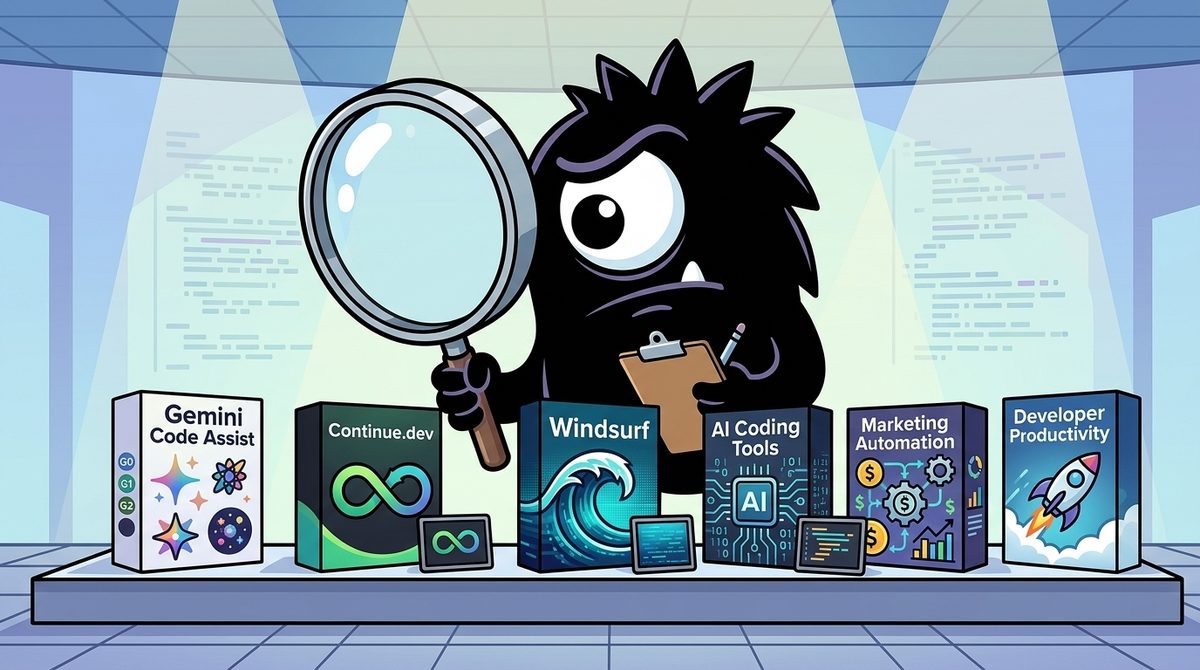
The real question is not which AI coding assistant tops a generic 2026 tier list. It is which tool can safely build, understand, and maintain the glue code behind your marketing stack: CRM syncs, email journeys, attribution pipelines, ad-platform APIs, analytics events, webhooks, and scheduled jobs.
Bottom line:
- Choose Gemini Code Assist if you use Google Cloud, BigQuery, or Google marketing APIs and want the strongest free allowance.
- Choose Continue.dev if privacy, model choice, open-source control, or retaining your existing editor matters most.
- Choose Windsurf if you want an integrated, agent-first environment that can take on multi-file automation tasks.
- For large, messy repositories, the model’s usable context and the tool’s retrieval quality matter more than autocomplete speed.
- There is no universal winner. For many teams, the best answer is a layered setup rather than one product.
Why Does Marketing Automation Change the AI Coding Tool Equation?
Marketing automation engineering is unusually integration-heavy. Even a modest system might connect form submissions to a CRM, enrich leads through an external API, trigger an email platform, write campaign data to a warehouse, and notify sales through Slack. It often includes JavaScript snippets, Python jobs, SQL transformations, webhook handlers, OAuth flows, and vendor-specific schemas.
That makes the work different from writing an isolated application feature. The assistant must trace data across files and services, understand side effects, preserve identifiers, and avoid breaking live campaigns.
Best AI coding tools in 2026
▪️ Claude Code
▪️ OpenAI Codex
▪️ Aider
▪️ Cline
▪️ Replit Agent
▪️ Cursor
▪️ Windsurf
▪️ Gemini Code Assist
▪️ Amazon Q Developer
▪️ Sourcegraph Cody
▪️ GitHub Copilot
+ Open-source coding models
▪️ Qwen3-Coder / Qwen3-Coder-Next
▪️ Kimi K2.7 Code
▪️ Devstral 2
There isn't one best AI coding tool - only the one that fits your workflow. Hopefully, this guide helps you find it ->
Generic “S-tier versus B-tier” arguments obscure those requirements. The best tool for rapidly creating a React component may not be the best tool for finding why duplicate HubSpot contacts are appearing after a retry, or determining whether an old Meta Pixel script can safely be deleted.
Marketing automation therefore favors:
- Repository-wide context, including configuration and data schemas.
- Agentic file operations, not merely next-line suggestions.
- Strong API and integration reasoning.
- Reviewable changes, especially around consent, PII, and tracking.
- Flexible model access for long-context analysis.
- Security controls appropriate to customer and campaign data.
The three products occupy different roles. Gemini Code Assist is the cloud-native option, particularly for Google-centric stacks. Continue.dev is an open-source layer added to an existing editor or command-line workflow.[7] Windsurf is the integrated, agentic IDE choice, although its product positioning has become contentious.
AI dev is shifting from autocomplete → agents 🚀
• Google: Gemini Code Assist, Firebase Studio, Gemini CLI, Android Studio AI
• IDEs: Cursor, Windsurf
• OpenAI: Codex-style dev agents
Coding is becoming delegation, not typing.
That shift—from typing code to delegating outcomes—is the lens through which this comparison should be read.
How Is Agentic Coding Different From Autocomplete?
Autocomplete predicts the next line or block. An agent is expected to inspect a project, develop a plan, edit several files, and iterate toward a result. It may create an OAuth callback handler, add environment-variable validation, update a CRM client, write tests, and explain how to deploy the change.
Gemini Code Assist supports code generation, transformation, explanation, and related development tasks inside supported IDEs.[4] Continue describes itself as an open-source coding agent with IDE and CLI workflows.[7] Windsurf emphasizes a more unified agent-first environment through features such as codebase retrieval and structured code maps.[11]
Reasoning models are what make this delegation more plausible. They are better able to plan sequences, follow dependencies, and maintain intent during longer changes.
Coding with models like o4-mini and Gemini 2.5 Pro is a magical experience.
Planning improved, code understanding is next level, and long code generation is more accurate.
If you use agentic IDEs like Windsurf, reasoning models feel 100x smarter and more useful.
Golden era!
For marketing automation, useful agentic assignments include:
- “Add idempotency to this webhook so retries do not create duplicate leads.”
- “Create a nightly job that pulls campaign costs and loads them into BigQuery.”
- “Replace this deprecated email-platform endpoint across the repository.”
- “Trace every place where
utm_campaignis transformed before reaching the warehouse.” - “Refactor the tracking consent logic and add tests for EU visitors.”
The important distinction is how much supervision the task requires. A low-risk script generator can be closely supervised. An agent changing production attribution logic needs a plan, a diff, tests, and human review.
If you liked this, you might love what we’ve been cooking up recently on the OG Windsurf:
- SWE-1.5, a fast agent model that achieves near-SOTA coding performance at 13x faster speed than frontier models
- Codemaps, AI-annotated structured maps of your code which help you understand codebases and build faster.
- SWE-grep and SWE-grep-mini models - fast agentic models specialized in highly parallel context retrieval
Lots more coming soon.
Windsurf’s promoted SWE-1.5, Codemaps, and SWE-grep illustrate where agentic tools are heading: faster execution combined with parallel context retrieval. But faster agents do not remove the need for review. In marketing systems, a syntactically correct change can still inflate conversion counts, violate consent rules, or silently drop revenue attribution.
Is Gemini Code Assist Best for Google-Centric Marketing Stacks?
Gemini Code Assist is the strongest default for a solo builder or small team that wants a generous entry point without changing editors. It supports VS Code and JetBrains environments, while Google’s individual offering includes up to 180,000 code completions per month and GitHub code review capabilities.[2][6]
Friendly reminder that Gemini has a free alternative to Cursor
You can install Gemini Code Assist at no cost directly in VS Code just by using your Google account:
→ Gemini 2.5
→ 240 chat requests DAILY
→ 180,000 completions /month
(Setup below)
The community also cites an allowance of 240 daily chat requests. Allowances and plan terms can change, so teams should verify the current product page before treating them as permanent capacity. Still, the scale of the free offering is a meaningful advantage for developers who would otherwise ration agent interactions.
When does Gemini fit marketing automation particularly well?
Choose it when your marketing data plane already includes:
- BigQuery for campaign, customer, or attribution data.
- Google Cloud services for scheduled jobs and serverless functions.
- Google Ads, Analytics, or adjacent Google APIs.
- GitHub collaboration where AI-assisted review can supplement normal pull-request review.
- Large repositories that benefit from Gemini’s long-context capabilities.
The advantage is not simply brand alignment. Context switching decreases when the assistant, cloud environment, data warehouse, and relevant APIs are part of the same broader ecosystem. Google also offers Standard and Enterprise Code Assist editions aimed at organizational development workflows.[1]
AI-powered coding, built for developers. 💡
Gemini Code Assist for individuals now brings:
⚡ Up to 180K code completions/month
🤖 AI-powered code reviews for GitHub
🛠️ Coding assistance in VS Code and JetBrains IDEs
Start building → https://blog.google/innovation-and-ai/technology/developers-tools/gemini-code-assist-free/
For marketing teams, GitHub code review is potentially more consequential than autocomplete. Automation code often appears as “small” scripts that receive less scrutiny than application code, despite having access to customer records and production credentials. Automated review can identify suspicious changes or missing safeguards, although it should not be treated as a security or privacy approval.
Where does Gemini fall short?
Its differentiation is strongest inside the Google ecosystem. A team centered on AWS, self-hosted infrastructure, or strict local-model policies may not receive the same strategic benefit. Teams must also distinguish large advertised context from context actually assembled inside an IDE: repository indexing, excluded files, prompt construction, and retrieval all affect what the model sees.[3]
Gemini Code Assist is therefore the best value-oriented choice for Google-native marketing engineering—not automatically the best interface for end-to-end delegation.
Is Continue.dev Better for Privacy and Model Control?
Continue.dev is not a replacement IDE in the same sense as Windsurf. It is an open-source coding agent that can be incorporated into existing development environments and workflows.[7] That distinction is its core strength.
Popular vibe coding tools and their free alternatives
• Cursor → VS Code + Cline
• Claude Code → Aider
• Windsurf → https://continue.dev/
• Lovable → https://bolt.new/
• v0 → Magic Patterns
• Replit AI → Firebase Studio
• GitHub Copilot → Codeium
• Devin → OpenHands
• Augment → Cline
• https://t.co/8VVwsNRnlC → Webcrumbs
• Midjourney → Flux
• ElevenLabs → Kokoro TTS
• Pinecone → Qdrant
• Supabase → Appwrite
You don’t need a $200/month AI stack.
Most of the best alternatives are open source… and free.
Which free tool surprised you the most? 👀
A team can preserve its editor conventions while deciding which models, providers, and configurations sit behind the assistant. This is attractive for agencies, regulated businesses, and internal marketing teams that handle customer identifiers, CRM exports, lead-scoring logic, or proprietary segmentation rules.
Who should choose Continue.dev?
It is the clearest fit for teams that need:
- Open-source inspectability and customization.
- Bring-your-own-model flexibility.
- A path to local or privately hosted inference.
- Cost controls based on chosen model APIs.
- Minimal disruption to existing VS Code, JetBrains, or CLI habits.
- Different models for different jobs, such as a cheap model for completion and a stronger model for repository audits.
Privacy, however, is not automatic. Installing open-source software does not guarantee that code stays local. The actual data boundary depends on the selected model endpoint, logging configuration, telemetry, indexing setup, and organizational policy. Teams handling PII should explicitly document what content can be sent to which provider.
Continue’s trade-off is configuration burden. Selecting models, managing keys, tuning context, and maintaining team-wide configuration require more work than signing into a highly integrated product. Independent comparisons consequently frame Continue as more flexible and private, but less turnkey than Windsurf.[10]
My AI coding journey so far
Copy paste ChatGPT to VS Code
Continue dev plugin in VS Code
Github Copilot in VS Code
Windsurf
Warp
Claude Code
and now (in order): Claude Code + Pi + Opencode + Codex
all in @herdrdev
That helps explain why some public tier lists put Continue below more polished commercial tools. “B-tier” can still be the correct production choice when control is more valuable than spectacle. An experienced platform or growth-engineering team can turn configurability into an advantage; a nontechnical marketer seeking one-click delegation may experience it as friction.
Is Windsurf Dead, or Is It Still the Best End-to-End IDE?
No part of this comparison is more disputed.
Cursor isn't leading anymore.
Claude Code and Gemini Code are, in my opinion, ahead of everyone else.
Windsurf is dead, and VSCode Copilot is too far behind.
Calling Windsurf “dead” captures dissatisfaction and competitive momentum, but it does not accurately describe the continuing development associated with the product. Recent discussion references Devin Desktop as the successor or renamed context around Windsurf, while the “OG Windsurf” account has promoted SWE-1.5, Codemaps, and specialized SWE-grep retrieval models.[10]
The more useful question is whether Windsurf’s integrated workflow still solves your problem.
Windsurf’s case is strongest when a team wants one environment for discovering a codebase, planning changes, editing files, and iterating with an agent. Comparisons with Continue commonly distinguish Windsurf’s polished, end-to-end experience from Continue’s modular, open-source approach.[11]
For marketing automation, that can make Windsurf appealing when:
- Building a new integration service from scratch.
- Refactoring an inherited collection of scripts.
- Coordinating changes across API clients, database schemas, tests, and deployment files.
- Onboarding a developer into unfamiliar automation code.
- Delegating well-scoped multi-file tasks rather than requesting isolated snippets.
Codemaps are particularly relevant. Marketing repositories often have weak documentation and unclear ownership. An AI-annotated structural map can help locate event ingestion, identity resolution, lead routing, and vendor-specific adapters before changes begin.
Yet the criticism deserves attention:
claude code for heavy lifting, cursor for quick edits. the split depends on whether i want to babysit the agent or hand off the task entirely. windsurf tried to be both and felt like neither.
View on XIntegrated agents can occupy an uncomfortable middle ground. If an assistant requires constant confirmation, it may be slower than direct editing. If it acts too independently, users may distrust it around sensitive workflows. Windsurf is best for teams willing to formalize delegation: provide rules, define verification steps, separate planning from execution, and review the final diff.
It should not be selected merely because it feels more agentic. Choose it when workflow integration is more important than open-source control or ecosystem-specific cloud assistance.
Why Are Context Windows the Real Advantage for Messy Automation Code?
Marketing stacks accumulate debris quickly: expired campaign logic, duplicate webhook consumers, test credentials, obsolete tracking pixels, unused templates, inconsistent UTM normalization, and mock data that accidentally survives into production paths.
This is where large context windows become more valuable than rapid autocomplete. Gemini documentation describes how Code Assist uses prompt and code context to generate relevant responses, but the practical result still depends on what the client retrieves and supplies.[3] Enterprise-oriented code assistance similarly emphasizes private codebase awareness.[5]
Cursor pro tip:
Struggling with bloated code?
Here’s how I clean things up fast 👇
If you’re starting fresh, use rules inside Cursor or Windsurf to stay lean from day one.
But if your codebase is already messy:
I use Gemini 2.5 Pro inside Windsurf (1M token context = game changer).
Try a variation of this prompt:
“Analyze this entire codebase and identify all unused or redundant components, scripts, and mock data.
For each item:
1. Why it’s unused
2. Where it’s defined
3. If it’s safe to delete”
Start in chat mode to review, then let Windsurf handle cleanup.
Takes a few tries, but always works.
The prompt in that post is a strong starting pattern, but marketing teams should add domain-specific checks:
Analyze this repository and identify unused tracking scripts, duplicate webhook handlers, deprecated vendor API calls, redundant campaign mappings, mock customer data, and inconsistent consent checks. For each item, show where it is defined and referenced, the evidence that it is unused, the operational risk of deletion, and the tests or monitoring required before removal. Do not edit files until the plan is approved.
A million-token model context can make broad audits possible, but context size is not identical to understanding. A giant input containing generated files, logs, and dependencies may perform worse than selective retrieval of the right source code, schemas, and documentation.
The options differ structurally:
- Gemini Code Assist offers direct access to Gemini capabilities within supported editors.
- Windsurf can act as the agentic host while Gemini handles a long-context reasoning task.
- Continue.dev lets the team choose a long-context model and design its own retrieval setup.
For maintenance-heavy automation, evaluate how reliably the system finds relevant code—not only the maximum token number on a model card.
What Do the Free Tiers Actually Cost in 2026?
The X conversation is right about one thing: many individual developers can start without an expensive subscription.
TL;DR — Your free AI dev stack in 2026:
🚀 Gemini Code Assist → 180K completions/mo, most generous
⌨️ GitHub Copilot Free → Best quality, zero friction
♾️ Windsurf → Unlimited basic autocomplete
💻 OpenCode → Terminal agent, 75+ models, open-source
☁️ Amazon Q Developer → Unlimited completions for AWS devs
Pick 2. Layer them. Ship more. Spend ₹0.
RT to save a fellow dev from paying for tools they can get free. 🙏
#AI #Coding #DevTools #OpenSource #TechTwitter #BuildInPublic
Gemini Code Assist’s individual allowance is the most straightforward proposition: substantial monthly completions, supported IDE integration, and code review features.[2] Google separately positions Standard and Enterprise offerings for organizational requirements.[1]
Continue.dev is open source, but the full stack is not necessarily free. Costs can include:
- Model API tokens.
- Local inference hardware.
- Hosted private endpoints.
- Engineering time spent on configuration.
- Large-context requests that repeatedly send substantial code.
Windsurf has been promoted with unlimited basic autocomplete in its free stack, while more capable agent usage is where plan limits and paid capacity become relevant. Current tiers should be checked before procurement because commercial packaging evolves faster than architectural differences.
What is a sensible low-cost setup?
For a solo marketer-developer:
- Start with Gemini Code Assist in an existing editor.
- Use chat for API scaffolding, SQL, tests, and explanations.
- Reserve agentic repository-wide changes for clearly bounded tasks.
- Never paste live customer exports or secrets into prompts.
For a small growth-engineering team:
- Use Continue.dev if model routing, privacy, or standardized team configuration is required.
- Use Gemini for long-context analysis where policy permits.
- Consider Windsurf for developers doing frequent multi-file integration work.
- Put all agent changes through pull requests, tests, and staging.
💡 My recommendation:
⚡ GitHub Copilot → Everyday coding
🚀 Cursor → AI-first development
🧠 Claude Code → Large projects & reasoning
🌊 Windsurf → End-to-end coding workflow
☁️ Gemini Code Assist → Google Cloud developers
AI won't replace developers.
But developers using AI will outperform those who don't.
🔖 Bookmark this thread for your next project.
Which coding assistant is your favorite?
The hidden cost is not autocomplete. It is context-heavy agent execution, review time, and recovery from plausible but incorrect changes. A “free” agent that breaks attribution can be vastly more expensive than a paid tool with better controls.
Which Tool Should You Pick for Marketing Automation in 2026?
The winner depends on where your complexity lives.
| Your situation | Best fit | Why |
|---|---|---|
| Google Cloud, BigQuery, Google Ads or Analytics APIs | **Gemini Code Assist** | Strong ecosystem alignment, generous individual allowance, long-context model access |
| Sensitive CRM or customer data, private models, existing editor workflow | **Continue.dev** | Open-source foundation and control over model providers |
| New automation platform or major multi-file refactor | **Windsurf** | Integrated agentic workflow and codebase-navigation features |
| Messy legacy repository requiring a broad audit | **Gemini model through Gemini Code Assist, Windsurf, or Continue** | Long context plus effective retrieval is the key capability |
| Beginner seeking minimal setup | **Gemini Code Assist** | Installable in familiar IDEs with a low-cost entry point |
| Experienced team optimizing cost and governance | **Continue.dev** | Model routing and infrastructure choices can be tailored |
| Team prioritizing delegation over editor modularity | **Windsurf** | Designed around an end-to-end agent experience |
Choose Gemini Code Assist when…
You want the easiest high-capacity starting point, your stack is Google-centric, or you regularly need to reason across SQL, cloud functions, analytics code, and API integrations. It offers the strongest general recommendation for budget-conscious marketing automation builders in 2026.[2]
Choose Continue.dev when…
Your primary requirements are control, privacy, model choice, and compatibility with an established editor workflow. It is especially compelling when sending customer-related code to a default hosted model is unacceptable.
Choose Windsurf when…
You want a cohesive agentic IDE that can understand and modify an automation project across files. It is the most natural fit for greenfield systems and intensive refactoring, provided your team is comfortable with its product direction and verifies current pricing and support.
Consider a layered setup when…
Your preferred interface and preferred model are not the same product. Continue.dev or Windsurf can provide the workflow while a Gemini model handles context-heavy analysis. This separation—host, model, retrieval, and governance—is the non-obvious takeaway from the 2026 debate.
What's your #1 AI coding assistant right now?
- Cursor
- Copilot
- Windsurf
- Codex
What's yours?
The tool matters, but operating discipline matters more. Give agents bounded tasks, exclude secrets, require plans before destructive edits, test webhook retries, validate attribution totals, and monitor production outcomes. Marketing automation is becoming delegation rather than typing—but delegation without verification is merely automated risk.
Sources
[1] Gemini Code Assist Standard and Enterprise overview
[3] How Gemini Code Assist works
[4] Code with Gemini Code Assist Standard and Enterprise
[5] Introducing Gemini Code Assist Enterprise
[6] Gemini Code Assist for Visual Studio Code
[7] Continue — open-source coding agent
References (15 sources)
- Gemini Code Assist Standard and Enterprise overview - docs.cloud.google.com
- Gemini Code Assist - cloud.google.com
- How Gemini Code Assist works - developers.google.com
- Code with Gemini Code Assist Standard and Enterprise - docs.cloud.google.com
- Introducing Gemini Code Assist Enterprise - cloud.google.com
- Gemini Code Assist - marketplace.visualstudio.com
- Continue - open-source coding agent - github.com
- AI Coding: A Sober Review - ubicloud.com
- Cursor vs VS Code vs Windsurf: 2026 Comparison - daily.dev
- Continue.dev vs Devin Desktop (formerly Windsurf) - vibecoding.app
- Windsurf vs Continue.dev: Which Wins in 2026 - lowcode.agency
- VS Code vs Windsurf vs Cursor: Which to Choose - aidevme.com
- nicepkg/ai-workflow: 🚀 170+ pre-built skills ... - github.com
- The 9 best AI coding tools in 2026 - zapier.com
- AI Automation | Add AI Into Your Business Workflows - make.com
Related Guides
Flowise vs Vertex AI Agents vs n8n: Which Is Best for AI Content Creation in 2026?
20 min read
The Best AI Agents in 2026: What Polymarket's 98% Anthropic Bet Reveals About Where SaaS Is Heading
24 min read
Framer vs Railway vs Figma: Which Is Best for Code Review and Debugging in 2026?
15 min read
The Best AI Model in 2026: What Polymarket's $4M Bet Reveals About Where AI Is Heading
17 min read