JetBrains AI Assistant vs Zed vs Cline: Which Is Best for Developers in 2026?
JetBrains AI Assistant vs Zed vs Cline compared on architecture, AI quality, pricing, and workflows. Find out which AI coding tool fits your stack in 2026.
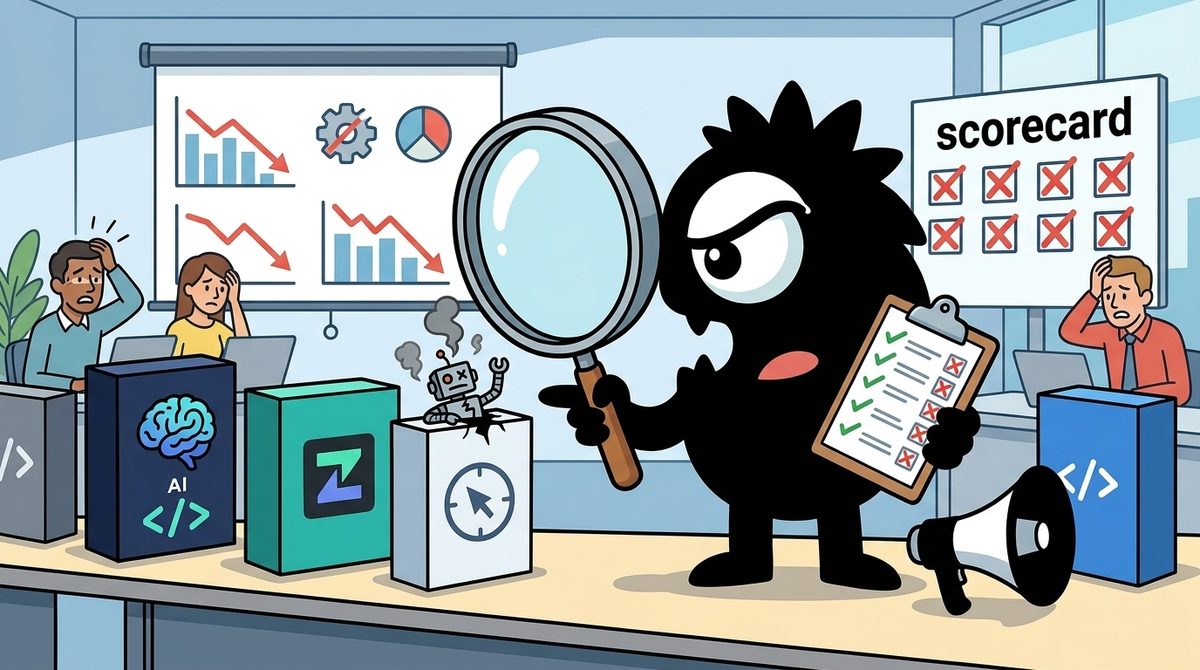
The real question is not whether JetBrains AI Assistant, Zed, or Cline is universally “best.” It is which combination best fits the development work behind your SEO and content strategy: building publishing platforms, automating content operations, fixing technical SEO issues, or maintaining a large production codebase.
As of 2026, JetBrains is the strongest choice for deep refactoring in complex projects, Zed is the best fit for developers who prioritize speed and a native editor experience, and Cline is the most flexible option for large-context agent work, bring-your-own-key model access, and automation outside the IDE. These tools increasingly complement one another rather than compete for a single permanent slot.
Bottom line
>
- Choose JetBrains AI Assistant for mature Java, Kotlin, C#, PHP, or JavaScript systems where indexing, navigation, and safe refactoring matter most.
- Choose Zed for a fast, lightweight daily editor with optional AI assistance and minimal Electron-style overhead.
- Choose Cline when you need broad codebase context, model choice, terminal or CI/CD automation, and direct control over AI spending.
- Combine them when the workflow demands it—for example, JetBrains for structural work, Cline for agent execution, and Zed for quick editing.
Stop Asking Which One Wins — Ask Which One Fits Your Workflow
Developers evaluating these tools often arrive with a deceptively simple search: Which AI coding tool should I use in 2026? For teams working on SEO and content strategy, that becomes more specific: which tool can reliably modify templates, structured data, internal-linking systems, content APIs, analytics integrations, and publishing infrastructure without slowing down the rest of engineering?
No single product leads on every relevant axis. The useful comparison is based on four questions:
- How deeply does it understand and manipulate the codebase?
- Does the AI feel integrated into the editor or attached to it?
- How much context can it use, and who controls the model?
- Is the cost predictable, or does it scale with token consumption?
The dominant pattern on X is already task-based selection rather than editor loyalty:
Cursor for shipping fast with AI agents.
Zed when my RAM demands relief from Electron apps.
JetBrains when a complex Java/C# codebase requires serious refactoring.
Hard to go back to vanilla VS Code once you get used to full codebase indexing!
That division is particularly sensible for content-heavy systems. A quick metadata change does not need the same machinery as restructuring a multilingual publishing service. A script that audits canonical tags may fit Cline’s CLI, while a cross-module refactor of the application generating those tags may be safer inside a deeply indexed JetBrains IDE.
Published 2026 comparisons similarly distinguish JetBrains’ mature IDE foundation from Zed’s performance-first approach rather than treating AI features as the only decision criterion.[1] The “winner,” therefore, depends on the cost of failure and the complexity of the change.
Three Different Bets: Agent-Anywhere, Speed-First, and Deep-IDE
These products feel different because they begin with different architectural assumptions.
Cline is betting that the agent should outlive the editor
Cline is evolving from a VS Code assistant into an editor-independent agent engine. Its architecture separates the agentic loop into a headless core that clients can communicate with, including its JetBrains integration:
We rebuilt Cline from the ground up for @jetbrains.
cline-core runs as a headless process, communicating through gRPC. True native integration with JetBrains APIs, not emulation.
This architecture is our foundation for bringing Cline to any IDE.
Over the past 6 months, we've rearchitected @cline's agentic loop into a standalone "cline core" gRPC service that runs independently of any editor.
This enabled us to decouple from VS code and build
- JetBrains (released in GA this week)
- CLI built in Go (releasing soon)
- Secret project that may be announced soon
That matters beyond implementation elegance. An editor-independent core makes it possible to apply the same rules, model configuration, and agent behavior in an IDE, a terminal session, a script, or eventually a CI/CD pipeline. Cline’s repository presents the product as an autonomous coding agent available through an SDK, IDE extension, or CLI, while its documentation emphasizes file editing, command execution, browser interaction, and human approval.[14][15]
For SEO engineering, that could mean using one agent configuration to modify a rendering service locally and then review generated output in an automated pipeline.
Zed is betting that editor responsiveness still matters
Zed is a from-scratch, open-source editor designed around performance, collaboration, and a native experience rather than an Electron application.[11] AI is part of the editor, but speed remains central to its identity.
One long-term Zed observer on X describes it as combining lightweight performance, Vim-style interaction, mainstream language support, collaboration, and agentic coding:
Honestly feels like the pinnacle of code editor experience right now.
It’s as light and blazingly fast on any moderate hardware as NeoVim when it’s needed. The Vim motions implementation is a chef’s kiss. So it totally captures old school senior engineers.
It’s fully featured for the majority of mainstream languages as a true classic flagship editor when it’s needed — very easy to set up. Capturing the majority of engineers.
And when needed, it rivals the best agentic coding editors with its own thread implementation and concurrent agents view. So now it captures non-technical folks — vibe coding looks pretty slick.
Testing Zed since the private beta back in 2022 was an interesting experience. Seeing it grow is mesmerising. Best-in-class pair coding experience, best-in-class rendering performance, and the ability to just switch off AI when it’s not needed then switch back to a fully fledged editor. It truly feels like NeoVim 2.0.
It’s virtually winning in most types of coding tool competitions (even competing with dedicated agent harnesses), except for JetBrains products which are also awesome and incredible feats of engineering, in a league of their own with a slightly different philosophy.
It’s very inspiring to see the @zeddotdev team making the right decisions one after another, especially with the latest open source and license changes. Amazing job from super smart engineers.
That makes Zed appealing to developers who spend all day navigating repositories but do not want AI to dominate every interaction. It can be used as a fast conventional editor, with agent functionality activated when appropriate.
JetBrains is betting that the IDE’s semantic model is the advantage
JetBrains AI Assistant sits inside an established family of language-specific IDEs. The value is not merely chat or code generation; it is the surrounding indexing, inspections, navigation, debugger integration, and refactoring machinery.
That distinction becomes important in large content platforms. Renaming a field used across schemas, serializers, APIs, tests, and front-end templates is not a text replacement problem. It is a semantic refactor. JetBrains’ deep-IDE philosophy is designed for precisely that class of work, even if the result consumes more memory than Zed and feels less portable than Cline.
Zed Is Fast and Beautiful — But Is the AI Actually There Yet?
Zed’s central tension in 2026 is that developers broadly praise the editor while disagreeing sharply about the maturity of its AI experience.
The skeptical position is clear:
Zed has a huge opportunity to jump on the AI wave right now. It's a great product, it feels great to use, and it has all the potential to compete with all these VS Code forks out there.
However, every time I want to give it a try, I get frustrated with the AI features and can't use it for more than a few minutes before jumping back to Cursor. It all feels disconnected and very primitive. Feels similar to the early days of Copilot.
I'm not sure exactly what's going on here, but it's a huge missed opportunity. I want to like it, but not at the cost of my productivity.
Calling Zed’s AI “disconnected and very primitive” identifies a consequential problem. An AI feature can support capable models and still damage productivity if context selection, diff review, tool execution, and conversation state do not feel like one coherent workflow.
Other practitioners report almost the opposite experience. Samuel Colvin praises the agent for exercising restraint—editing the relevant functions without aggressively touching unrelated code:
Cry your heart out @cursor_ai, I've been using @zeddotdev's coding agent in preview for a few weeks and it's awesome.
In particular, it's not too over zealous or greedy, it seems to make a pretty reasonable judgement of which files/functions to edit, and which to leave.
That restraint can be more valuable than raw autonomy. For technical SEO work, an agent that changes a metadata component without rewriting its surrounding framework produces a smaller review surface and lowers regression risk.
Zed’s AI offering includes an agent panel, inline assistance, edit prediction, and support for interacting with models in the editing workflow.[7][8] Its agent can use tools to inspect and modify a project, while Zed’s AI documentation explains how users can configure providers and begin agent sessions.[9][10] Zeta, its edit-prediction capability, targets the smaller next-edit workflow rather than only large autonomous tasks.[12]
There is also evidence that developers are attempting substantial production work with it:
Build svc from scratch for 1M RPM peak, <100ms p99, incl. CDC peaks to 50k TPM for near-RT sync.
All work via AI w/ Zed editor + agent.
Most time spent reviewing plan & post-impl code chgs.
Finally review test results w/ local infra.
A single account is not a benchmark, and claims such as one million requests per minute or sub-100-millisecond p99 latency cannot establish Zed’s general reliability. The useful signal is the workflow described: the developer spent significant time reviewing the plan, reviewing code changes, and validating test results locally. That is the correct operating model for any agent handling production infrastructure.
Zed is a good fit when:
- Editor latency and memory consumption affect daily productivity.
- The developer wants AI available but not permanently in control.
- Tasks can be divided into reviewable, constrained changes.
- A team is comfortable validating plans, diffs, tests, and generated code.
Zed is a weaker fit when:
- The organization depends on mature, language-specific refactoring.
- Developers expect a highly polished, end-to-end autonomous workflow.
- Existing JetBrains plugins, inspections, or enterprise conventions are essential.
Has JetBrains Caught Up on AI—and What Does ACP Change?
JetBrains spent part of the current AI-editor cycle looking like the incumbent being disrupted. The 2026 conversation is more nuanced: developers are returning because the AI gap has narrowed while the underlying IDE remained strong.
A Ukrainian developer described returning to WebStorm after a year with VS Code, Cursor, and Zed. In the post’s translation, JetBrains had been behind on AI a year to a year and a half earlier, but was now “fine”; terminal-based Claude Code still handled much of the AI work:
Після року на vscode, cursor та zed повернувся на WebStorm. Рік-півтора тому вони відставали по AI, зараз норм + основна робота все одно Claude Code в терміналі. Немає кращої IDE за JetBrains. І їх позиція щодо війни наче була ок, хоча в подальші роки не досліджував
After a year on vscode, cursor and zed I returned to WebStorm. A year and a half ago they were lagging in AI, now it's fine + main work is still Claude Code in the terminal. There is no better IDE than JetBrains. And their position on the war seemed ok, although I haven't researched further years
This is an important clue about JetBrains’ comeback. The company does not necessarily need to make its own assistant the exclusive agent. It needs to remain the best environment in which developers inspect, navigate, run, debug, and refactor the results.
ACP could turn JetBrains into an agent host
The Agent Client Protocol, or ACP, standardizes communication between editors and coding agents. Originating with Zed and Google, it offers a way for an editor to connect to compatible agent CLIs rather than requiring every agent to build a bespoke interface.
A Chinese-language post captures the strategic implication: in translation, JetBrains can provide a native interaction layer while opening its IDE capabilities to ACP-compatible agents.
Jetbrains AI の公式 AI 交互界面 可以通过 ACP 连接任何一个支持 ACP 的 Coding Agent CLI,也包括连 Jetbrains 自己的 Coding Agent. 相当于 Jetbrains 提供了一套原生交互界面且把自家 IDE 能力开发给所有Coding Agent.
ACP 最早是 Zed 和 Google 搞的,现在 Jetbrains 加入并迅速落地。
ACP 是一个让 IDE / 编辑器 和 AI Coding Agent 之间标准化通信的协议。
JetBrains AI's official AI interaction interface can connect via ACP to any ACP-supporting Coding Agent CLI, including JetBrains' own. It's like JetBrains providing a native interface and exposing its IDE capabilities to all coding agents.
ACP was originally from Zed and Google, now JetBrains joined and quickly implemented it.
ACP is a protocol for standardized communication between IDEs/editors and AI Coding Agents.
This shifts the comparison. It is no longer necessarily JetBrains AI Assistant versus an external agent. The future workflow could be JetBrains as the semantic IDE plus whichever ACP agent best fits the task. Cline’s editor-independent direction reinforces the same trend.
For large SEO platforms, that combination is compelling. JetBrains can remain responsible for high-confidence navigation and refactoring, while an external agent handles exploratory implementation or repetitive changes. Reviews of 2026 editor options likewise emphasize JetBrains for established IDE depth and external terminal agents for flexible AI workflows.[6]
Is BYOK Cheaper Than Subscription AI—or Just Less Predictable?
The most important cost debate is not free versus paid. It is subscription-controlled context versus user-controlled model consumption.
Cline follows a bring-your-own-key, or BYOK, model. The software can be used without a conventional per-seat assistant subscription, while the user pays the selected model provider for actual usage.[4] This gives developers more control over model choice and context, but it transfers cost management to them.
Addy Osmani frames Cline’s appeal as unrestricted access to frontier models and broad codebase understanding:
Tip: @cline is a free, best-in-class AI coding assistant for @code! It's designed for engineers who value unrestricted access to frontier AI models and comprehensive codebase understanding.
On its one year anniversary, it's still my AI-coding tool of choice, with many fans at Google.
Unlike tools that artificially limit context to maintain subscription pricing, Cline works with your own API keys across multiple providers...
Another practitioner describes the same quality more bluntly: Cline can feel stronger on complex work because it is willing to keep more files in context, even when that is expensive.
You have to try @cline.
There's something about it just completely ignoring cost that feels magical.
It's MUCH better at complex stuff than any other AI IDE because it always has all the files in context
The benefit becomes obvious in multi-file work. Suppose an agent must change:
- A content schema
- Database migrations
- API types
- Rendering templates
- Structured-data generation
- Sitemap behavior
- Integration tests
An artificially constrained context window can cause the agent to miss relationships, duplicate logic, or repeatedly rediscover files. Allowing broader context may improve coherence.
But “ignoring cost” is not free. Large prompts, repeated tool calls, and long agent loops can produce volatile API bills. Cline’s pricing is therefore attractive to experienced users who can select models deliberately, monitor usage, and stop unproductive runs.[4] Comparative 2026 pricing analyses treat usage-based tools as potentially economical but less predictable than fixed subscriptions.[5]
BYOK works best for:
- Individual developers and technical teams comfortable with API billing.
- Complex tasks where sufficient context is worth more than a fixed monthly fee.
- Organizations that need provider choice or local-model options.
- Intermittent agent use, where a permanent seat may be wasteful.
Subscriptions work best for:
- Teams that require predictable per-user budgeting.
- Beginners who do not want to manage providers and token economics.
- High-frequency users whose included allowances match their workloads.
- Procurement environments that prefer one vendor relationship.
What Do JetBrains AI Assistant, Zed, and Cline Actually Cost in 2026?
Pricing changes quickly, so teams should verify the current plan in their region before procurement. The meaningful structures are nevertheless distinct.
| Tool | Entry model | Paid model | Main budget risk |
|---|---|---|---|
| **JetBrains AI Assistant** | Limited or bundled access varies by JetBrains product and entitlement | Tiered JetBrains AI subscription | Paying for both the IDE and higher AI allowances |
| **Zed** | Personal plan at no charge | Pro at **$10 per month**, with hosted AI usage governed by its current plan terms | Hosted-model consumption beyond included access |
| **Cline** | Free, open-source client | No required Cline subscription; model APIs are metered separately | Unpredictable token and tool-execution costs |
Zed publishes its current Personal and Pro options on its official pricing page.[3] Cline’s pricing page explicitly centers its model around provider costs rather than a mandatory agent subscription.[4] Broader 2026 comparisons are useful for evaluating JetBrains’ tiered AI offering against other fixed and metered products.[2]
A Japanese reviewer tested whether free alternatives could replace a ¥14,000-per-month JetBrains AI setup. In translation, the post says the boundary between what paid Copilot and free Continue or Cline could complete became unexpectedly clear:
月14,000円のJetBrains AIを、無料の代替で置き換えられるか試しました。
有償のCopilotと、無料のContinue・Clineで任せられる範囲の境界がくっきり分かれます。
無料だけで完走できるか、意外な線引きでした。
👇詳細はリプに
I tested whether free alternatives can replace the 14,000 yen/month JetBrains AI. The boundary of what paid Copilot and free Continue/Cline can handle became clear. Whether you can complete tasks with only free tools had some surprising limits. Details in replies.
The lesson is not that free tooling fails. It is that software price and task-completion cost are different metrics. A free client paired with weak or tightly limited model access may stall on a large task. Conversely, an expensive subscription can be poor value if the developer mainly needs autocomplete and occasional chat.
Evaluate a representative month: include model charges, failed runs, review time, IDE licensing, and the engineering cost of incomplete changes.
Why Cline’s CLI and SDK May Matter More Than Another AI Editor
Cline’s most consequential move is not a new chat panel. It is packaging one agent core across multiple clients.
A detailed Chinese-language post describes, in translation, a five-client strategy spanning a CLI, desktop application, VS Code extension, JetBrains plugin, and npm-installable SDK. It also highlights Plan and Act modes, checkpoints, shared .clinerules, custom tools, and model-provider flexibility:
同一个 agent 内核,现在被封装成了五种形态:命令行、桌面 App、VS Code 扩展、JetBrains 插件,以及一个可以 npm install 的 SDK。这是 Cline 这个仓库现在的样子。
它不是"又一个 IDE 里的 AI 助手",而是把 agent core 抽出来做成 @cline/sdk,上面四个客户端都跑在同一套引擎上。
▸ 装:npm i -g cline 就有终端版,交互式聊天和 headless 两种模式,后者是给 CI/CD 和脚本用的
▸ 改:跨文件协调修改,一边改一边盯 linter 和编译器输出,缺 import、类型不匹配这类问题它自己回头补;IDE 里每处改动以 diff 呈现,配 checkpoint 可整体回滚
▸ 跑:直接在你的终端执行命令并实时读输出,dev server 这种长驻进程它挂后台,编译报错和测试失败出现时会接着处理
▸ 控:Plan 模式先探索代码库、提问、给方案,对齐之后切 Act 执行,每次编辑和命令都要你点确认,嫌烦可以开 auto-approve
▸ 配:项目级规则写进 .clinerules,CLI、VS Code、JetBrains 三端自动读取同一份,不用各配一次
▸ 扩:用 SDK 的 createTool 注册自定义工具和生命周期钩子,做审计、策略拦截都行;也可以接 MCP server,CLI 里用 cline mcp 管理
模型侧不锁供应商,Anthropic、OpenAI、Gemini、Bedrock、Vertex、Groq,到本地的 Ollama 和 LM Studio 都能接。
两点需要说清楚:JetBrains 插件明确写了不开源,仓库里只有一个和共享内核通信的客户端说明;VS Code 扩展部分代码仍标着 WIP migrating,桌面 App 目录挂在 apps/examples 下。
适合想把 agent 从编辑器里搬到终端和 CI、或者要基于现成内核搭自己 agent 的人。只想在编辑器里有个补全式助手的,用不上这么多层。
今日 +102 star · TypeScript · 总计 68,335
#AIcoding #MCP
The same agent kernel is now packaged into five forms: CLI, desktop app, VS Code extension, JetBrains plugin, and an npm-installable SDK. This is what the Cline repo looks like now.
It’s not “just another AI assistant inside an IDE”, but extracts the agent core into @cline/sdk so the four clients all run on the same engine.
▸ Install: npm i -g cline gives you the terminal version with interactive chat and headless modes (the latter for CI/CD and scripts)
▸ Edit: coordinates changes across files while watching linter and compiler output; auto-fixes missing imports or type mismatches; every edit in the IDE shows as a diff with checkpoints for full rollback
▸ Run: executes commands directly in your terminal and reads output in real time; long-running dev servers stay in the background; compilation errors and test failures are handled immediately
▸ Control: Plan mode first explores the codebase, asks questions, proposes a plan; switch to Act to execute; every edit and command requires confirmation (or auto-approve)
▸ Config: project rules in .clinerules are read automatically by CLI, VS Code and JetBrains — no per-client setup
▸ Extend: use SDK createTool to register custom tools and lifecycle hooks for auditing or policy interception; also connect MCP servers, manage with “cline mcp” in CLI
Model side is not locked to any provider: Anthropic, OpenAI, Gemini, Bedrock, Vertex, Groq, plus local Ollama and LM Studio.
Two clarifications: the JetBrains plugin is explicitly not open-source (only a client that talks to the shared kernel); VS Code extension still marked WIP migrating; desktop app lives under apps/examples.
Useful if you want to move the agent out of the editor into terminal/CI or build your own agent on the existing kernel. Not needed if you only want a completion-style helper inside an editor.
+102 stars today · TypeScript · total 68,335
#AIcoding #MCP
The repository and official overview support this broader positioning: Cline is intended to inspect files, propose plans, make coordinated edits, run commands, react to compiler or test output, and keep the user in an approval loop.[14][15]
The CLI extends that model beyond interactive editing. The emerging workflow includes terminal use, isolated agent sessions, headless execution, and ACP connectivity:
🚨 This tool just made every AI coding plugin look outdated.
Cline CLI 2.0 is a completely rebuilt, open-source AI coding agent that runs entirely in the terminal.
Model-agnostic, editor-agnostic, Apache 2.0 licensed, and trusted by over 5 million developers.
Same core engine as the VS Code extension rebuilt for how serious development actually happens.
The new interactive UI feels genuinely native.
Redesigned navigation, real-time agent reasoning, model switching mid-session, all without leaving the terminal.
Parallel agents let multiple Cline instances run across tmux panes simultaneously, each with fully isolated state, working different tasks on different branches without conflicts.
Headless mode with the `-y` flag plugs Cline directly into CI/CD pipelines, pipe a git diff in, get a code review out.
And the `--acp` flag connects to Zed, Neovim, Emacs, and any ACP-compatible editor, so there's no forced editor choice.
Claims in that post—such as adoption numbers or declaring every plugin outdated—should be read as advocacy, not independent measurement. The architectural direction is still significant.
For SEO and content engineering, a headless agent could support workflows such as:
- Reviewing a pull request for accidental
noindexdirectives. - Checking template changes for missing canonical or hreflang logic.
- Generating tests after a content-schema migration.
- Auditing a Git diff for changes to analytics events.
- Applying repository-specific policies from
.clinerules.
This is where Cline separates itself from a purely editor-bound assistant. The same agent logic can potentially participate in local development and automated quality gates. The trade-off is governance: teams must define permissions, approval behavior, secret handling, logging, and spending limits before allowing an agent to execute in CI.
Who Should Use What in 2026?
Pick JetBrains AI Assistant for complex, high-consequence codebases
Choose JetBrains when the primary requirement is deep code intelligence, especially in established Java, Kotlin, C#, PHP, or large TypeScript systems. It is best suited to enterprise teams, mature applications, and refactors where semantic accuracy matters more than startup time or memory use.
It is the safest default for engineering organizations whose SEO systems are embedded in a large commerce platform, CMS, or service architecture. ACP also makes JetBrains more attractive as a host for external agents rather than a closed AI environment.[1][6]
Pick Zed for a fast daily editor with restrained AI
Choose Zed when developers care intensely about responsiveness, native feel, and low overhead. It fits individuals and small teams that want a modern editor with agent capabilities but do not want every task transformed into an autonomous AI session.
It is especially suitable for front-end work, content templates, scripts, and focused changes that can be reviewed quickly. Teams should validate whether its agent workflow feels cohesive enough for their projects before making it the standard editor.
Pick Cline for context, model choice, and automation
Choose Cline when the goal is agent flexibility rather than editor replacement. It fits experienced developers who want BYOK access, broad context, terminal workflows, reusable project rules, and integration with scripts or CI/CD.
Cline can be cost-efficient for selective use, but it is not inherently cheap. Teams need model-routing discipline, approval controls, and budget monitoring.
The strongest setup may combine all three
A practical stack could use:
- JetBrains for indexing, navigation, debugging, and difficult refactors.
- Cline’s JetBrains client or ACP-compatible workflow for model-flexible agent tasks.
- Cline CLI for scripted reviews and controlled CI automation.
- Zed for fast editing on modest hardware or projects where responsiveness is the priority.
That is the real 2026 conclusion: the strategic competition is moving away from which editor owns the developer and toward which environment can host the right agent for each task. For SEO and content strategy teams, the best choice is the one that reduces change risk, preserves reviewability, and fits the economics of the actual workload—not the one with the longest AI feature list.
Sources
[1] JetBrains AI Assistant vs Zed (2026): Which is Best?
[2] AI Coding Assistants 2026: Real Prices · BitByteCore
[4] Pricing — Cline AI Coding Agent
[5] AI Coding Tools Pricing Comparison 2026: Every Plan Compared
[6] 8 Best Code Editors for Claude Code (2026)
[10] AI Agent Tools — Zed
[12] Zed — The AI Code Editor Built for Speed
[15] Cline Overview
References (15 sources)
- JetBrains AI Assistant vs Zed (2026): Which is Best? - aicentralresources.com
- AI Coding Assistants 2026: Real Prices · BitByteCore - bitbytecore.com
- Plans & Pricing - zed.dev
- Pricing - Cline AI Coding Agent - cline.bot
- AI Coding Tools Pricing Comparison 2026: Every Plan Compared - cursor-alternatives.com
- 8 Best Code Editors for Claude Code [2026] - secondtalent.com
- Overview | AI in Zed - zed.dev
- AI Quick Start | AI Quick Start - Zed - zed.dev
- Introducing Zed AI — Zed's Blog - zed.dev
- Tools | AI Agent Tools - Zed - zed.dev
- GitHub - zed-industries/zed: Code at the speed of thought - github.com
- Zed — The AI Code Editor Built for Speed - zed.dev
- Cline - Visual Studio Marketplace - marketplace.visualstudio.com
- cline/cline: Autonomous coding agent as an SDK, IDE extension, or CLI assistant. - github.com
- Cline Overview - Cline - docs.cline.bot
Related Guides
The Best AI Model in 2026: What Polymarket's $2.1M Market Reveals About the Frontier
22 min read
DALL-E 3 vs Ideogram vs Later: Which Is Best for AI Content Creation in 2026?
14 min read
The Best AI Model in 2026: An Expert Analysis of the $2M Polymarket Odds
22 min read
Sprout Social API vs DALL-E 3: Which Is Best for Building SaaS Products in 2026?
20 min read