Kiro vs Continue.dev vs Cline: Which Is Best for AI Pair Programming in 2026?
Updated: October 18, 2026
Kiro vs Continue.dev vs Cline compared for AI pair programming: pricing, spec workflows, model flexibility, and the acquisition shakeup. Find out which fits you.
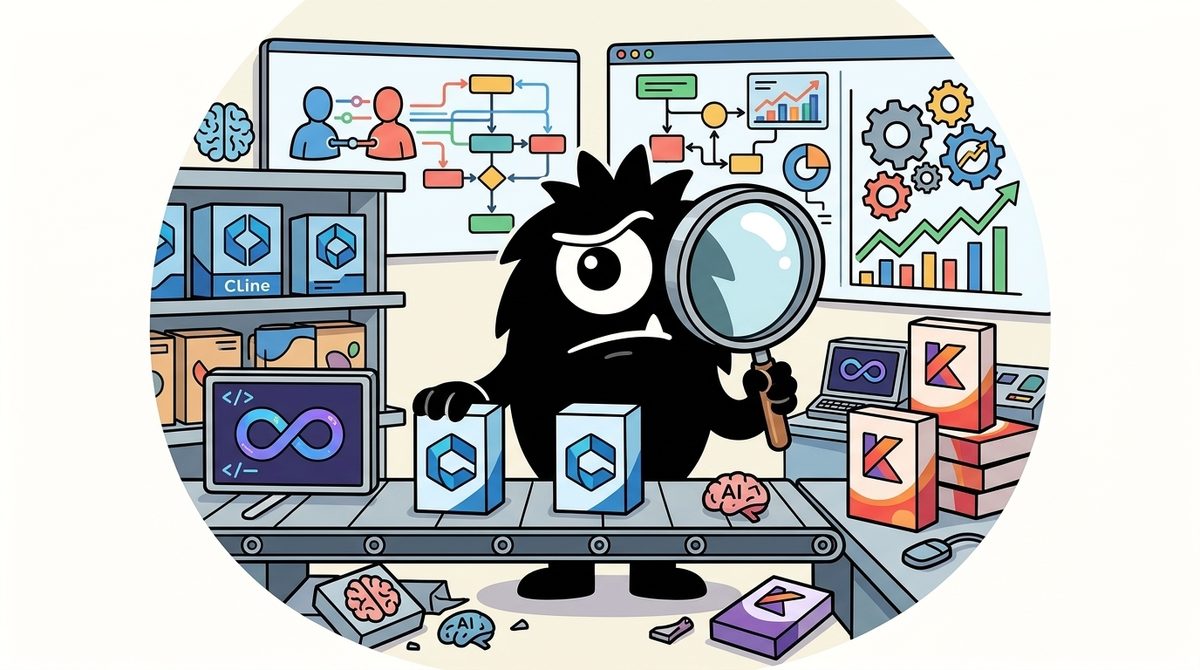
The real decision in 2026 is not simply which AI coding assistant writes better code. It is which operating model you want around the model: Kiro’s structured, spec-driven IDE; Cline’s transparent, bring-your-own-model agent; or Continue.dev’s open-source architecture, now effectively a legacy option after joining Cursor.
Bottom line:
- Choose Kiro when requirements, architecture, task decomposition, and repeatable team workflows matter more than unrestricted model choice.
- Choose Cline when you want provider freedom, local-model support, visible agent actions, and direct control over context and cost.
- Do not adopt Continue.dev as a new primary assistant in 2026 unless you intend to maintain or fork its read-only open-source codebase.
- For complex work, the strongest workflow may be Kiro for specifications and Cline or another agent for implementation, rather than forcing one tool to do everything.
Why Does This Comparison Look Different in 2026?
Continue.dev used to be the obvious open-source, model-agnostic counterweight to bundled AI IDEs. That is no longer the market reality.
In June 2026, Continue joined Cursor. Its public repository describes the final state of the project, with the codebase left available under its open-source license rather than continuing as the same independent product practitioners had evaluated in previous years.[1] Its website and comparison pages should therefore be read as migration or historical material—not evidence of an active three-way product race.
Continue is no longer independent — the official site says it joined Cursor. This page is a migration guide now, not a live bake-off.
https://aicoolies.com/comparisons/cursor-vs-continue
This change belongs to a broader consolidation wave. Developers on X have been tracking acquisitions, shutdowns, and archived projects across the AI coding market:
Feels like the end of an era
Windsurf (sold July, 2025)
Roo Code (shut down May, 2026)
Cursor (sold June, 2026)
Continue dev (sold June, 2026)
Kilo Code (sold July, 2026)
Cline (operating, but part of the team joined OAI)
Cline remains operational and independent as a product, even though part of its team reportedly joined OpenAI. Its repository continues to position Cline as an autonomous coding agent available through an IDE extension, CLI, and SDK.[2] Kiro, meanwhile, has AWS backing and remains an actively developed agentic development environment spanning planning and implementation.[3]
Acquisition status matters because an AI pair programmer becomes embedded in more than an editor. Teams accumulate steering rules, model configurations, MCP integrations, prompts, task histories, and internal workflows around it. When a product is acquired or frozen, replacing it means reconstructing that operating context—not merely installing another extension.
For a new deployment in 2026, this immediately narrows the practical choice: Kiro and Cline are active options; Continue.dev is primarily an open-source inheritance decision.
What Are Kiro, Cline, and Continue.dev Actually Designed to Do?
The three tools emerged from different ideas of what “AI pair programming” should mean.
Kiro is a spec-driven agentic IDE
Kiro is an AWS-backed agentic IDE built around moving from an idea to production through structured artifacts. Its defining workflow converts a prompt into requirements, design documentation, and an implementation task list rather than immediately changing files.[4] Kiro also provides steering and hooks for persistent instructions and event-triggered agent behavior.[5]
Because it is based on the familiar VS Code environment, the transition is less disruptive for VS Code users. But Kiro is better understood as a structured development system than as a conventional autocomplete editor.
A Japanese developer’s assessment on X captures that distinction: although Kiro is often compared with Cursor and Windsurf, it felt closer to an autonomous tool such as Claude Code, with requirements definition as a major strength.
AmazonのAIエディタ「Kiro」所感
⭕️良い点
・要件定義、設計、Taskリストがベースにある安心感
・HooksやSteeringなど細かい設定が充実
・VSCodeのForkで移行が簡単
・アイコンが可愛い(⬅️重要)
❌気になる点
・モデルが弱い(Claude Sonnet 4.0, 3.7)
・AIエージェントの動作が若干遅い
・若干Claude Codeと役割が被る
CursorやWindsurfと比較されがちだが、役割はClaude Codeなどの自律駆動型に近い印象を個人的に受けた。しっかり要件定義をしてくれるので、製品版では本格的な開発での使用も視野に入りうるのが良い。
プレビュー版は無料で使えるので、Taskの洗い出しまでKiroにさせて、実装はClaude Codeなどの使い方でも良さそう。
Amazon's AI editor 'Kiro' impressions
Pros:
- Sense of security with requirements definition, design, and task list as base
- Detailed settings like Hooks and Steering are well-equipped
- Easy migration as VSCode fork
- Cute icon (important)
Cons:
- Weak models (Claude Sonnet 4.0, 3.7)
- AI agent actions somewhat slow
- Somewhat overlaps role with Claude Code
Though often compared to Cursor or Windsurf, it feels closer to autonomous types like Claude Code. Good that it properly defines requirements, so in product version it could be viable for serious development.
Preview is free, so let Kiro handle task extraction, implement with Claude Code etc.
Cline is a controllable, model-agnostic coding agent
Cline began as a VS Code extension, but “plugin” now understates its direction. It can inspect files, edit across a repository, run terminal commands, react to compiler errors, operate browsers, use MCP tools, and checkpoint changes. Its Marketplace listing and repository describe a human-in-the-loop agent that asks permission before consequential actions.[6][2]
Its central proposition is that the developer supplies the model. Cline is not primarily selling access to one bundled model; it is providing an agentic layer through which engineers can use commercial APIs or local models.
Tip: @cline is a free, best-in-class AI coding assistant for @code! It's designed for engineers who value unrestricted access to frontier AI models and comprehensive codebase understanding.
On its one year anniversary, it's still my AI-coding tool of choice, with many fans at Google.
Unlike tools that artificially limit context to maintain subscription pricing, Cline works with your own API keys across multiple providers - Google Gemini, Anthropic, OpenAI, Groq, Deepseek, Kimi, Local models (Ollama/LMStudio), and many more - giving you full access to models complete agentic capabilities without artificial constraints.
The architecture is fundamentally different: instead of compressed context windows optimized for cost management, Cline analyzes your entire file structure, runs AST analysis, performs regex searches, and reads all relevant files to truly understand your project before making suggestions.
But where Cline truly excels is in its autonomous capabilities - it can execute terminal commands, monitor dev server output, launch applications in headless browsers with full computer use capabilities to click, scroll, and capture screenshots for visual debugging. These are what originally caught my attention. The plan/act mode lets you guide complex refactoring tasks in real-time, while the checkpoint system automatically snapshots your workspace at each step, enabling safe exploration of different approaches with easy rollback capabilities.
Cline extends its capabilities through the Model Context Protocol (MCP), allowing you to ask it to "add a tool that fetches Jira tickets" or "add a tool that manages cloud infrastructure," and it will create, install, and integrate these custom tools directly into its workflow.
Context features like pulling in a url for live documentation, or problems for workspace error analysis, and folders for bulk file operations, combined with real-time linter and compiler error monitoring, create a development environment where the AI genuinely understands both your codebase architecture and operational context.
The key architectural insight is that when you use your own API keys (I now use Cline with Gemini the most), you get access to the unfiltered capabilities of frontier models - full context windows, complete reasoning chains, and the ability to maintain project understanding across complex, multi-step tasks.
Cline can seamlessly work across your entire development stack: analyzing React component hierarchies, understanding database schema relationships, executing terminal commands to run tests, launching browsers to verify functionality, and even creating custom tools to integrate with your specific infrastructure.
Cline comprehends service relationships, understands deployment patterns, can test changes end-to-end in a browser, and reasons about cross-cutting concerns that span multiple repositories - all while maintaining the full reasoning capabilities of frontier models without the limitations imposed by tools optimized for subscription economics rather than engineering excellence.
Join me in congratulating @sdrzn @pashmerepat and the team on their one year milestone! 🥳 @cline is well worth checking out if you’re serious about AI-assisted engineering.
That architecture gives engineers more control, but also more responsibility. Someone must choose models, manage keys, monitor token usage, and decide when the agent has enough context.
Continue.dev is now an open-source legacy platform
Historically, Continue offered a model-agnostic assistant with configurable models, IDE integration, context providers, and local deployment options. Its Apache-licensed code made it attractive to organizations that wanted to adapt the assistant rather than accept a fixed SaaS experience.[1]
In 2026, however, its relevant advantage is forkability, not roadmap momentum. Existing deployments may remain useful, but new adopters must budget for internal ownership.
Should You Choose Kiro’s Spec-Driven Planning or Cline’s Direct Editing?
The most consequential workflow difference is what happens after you describe a feature.
Kiro’s default answer is: formalize the work first. Its spec system produces three core artifacts:
requirements.mdcaptures what the system must do.design.mddescribes the proposed technical approach.tasks.mdturns the design into executable implementation steps.
Kiro can then work through those tasks, including parallel execution where dependencies permit.[4] Steering files supply persistent project conventions, while hooks can trigger repeatable actions when files or events change.[5]
This is valuable when ambiguity is expensive: a multi-service feature, a regulated workflow, a migration, or work being handed between developers. The documents give humans a review point before the agent creates a large diff.
1/3 Kiro
If you want an AI IDE that actually helps you structure a project:
Kiro Free = $0
You get 50 credits/month and access to Claude Sonnet 4.5 + open-weight models.
It's especially interesting for:
→ specs
→ planning
→ architecture
→ multi-file changes
→ turning an idea into a real project
Best for: builders who want more structure than “just vibe and pray.”
Cline’s Plan/Act model is lighter. In Plan mode, the agent can inspect the codebase and propose an approach. In Act mode, it edits files and executes actions, with diffs and permissions remaining visible to the developer. Checkpoints provide an additional recovery mechanism beyond normal Git history.
That favors experienced developers who can evaluate a plan quickly and want the agent to start changing the repository without maintaining a formal requirements-design-tasks chain.
Depends on what you're doing honestly.
Cursor if you want the smoothest IDE experience, Cline/RooCode if you're already in VS Code and want agentic stuff that actually edits your files.
I'd skip Copilot unless you're already in GitHub's ecosystem.
Choose Kiro’s structure when:
- Requirements are incomplete or contested.
- Several engineers need to review the implementation plan.
- The change spans architecture, infrastructure, and application code.
- You want reusable project instructions and automated hooks.
- Auditability matters as much as implementation speed.
Choose Cline’s direct agent workflow when:
- The desired outcome is already clear.
- You are debugging or performing a contained refactor.
- A senior engineer is actively supervising the agent.
- You want immediate file edits with granular approvals.
- Formal spec artifacts would become process overhead.
Kiro reduces the risk of building the wrong thing. Cline reduces the friction between deciding and editing. Neither advantage is universal.
Who Gives You More Model Freedom: Kiro, Cline, or Continue.dev?
For many practitioners, this is Cline’s strongest differentiator.
Cline supports API-based and local model configurations, with its ecosystem covering providers such as Anthropic, OpenAI, Google Gemini, DeepSeek, Groq, and local runtimes.[2] Developers can assign different models to different jobs—for example, a lower-cost reasoning model for planning and a stronger implementation model for difficult edits.
Why I use Cline - a free VS Code plugin - for AI engineering. @thankscline has:
Flexible context management: It lets you include only what's relevant, making it ideal for large codebases. Attach files, folders, URLs and problems. Visualizes how much of the context window you've used too.
Model flexibility: Cline isn't tied to one provider; it supports models from Anthropic, DeepSeek, Google Gemini, OpenAI, local models (via @ollama or @lmstudio) and more, allowing you to switch models for cost efficiency and capability.
Plan/Act Modes: The v3.2.6 update introduces modes for designing solutions (Plan) or direct implementation (Act), providing control when you need it most.
DeepSeek-R1 (Plan) + Claude 3.5 Sonnet (Act) workflow: This hybrid approach can reduce costs by up to 97% while improving output quality. DeepSeek as an architect, Sonnet for implementation.
Checkpoints: Beyond git, Cline captures workspace states, offering granular rollback and comparison, especially useful for exploring solutions or debugging.
Runtime awareness: Cline's integration with running systems is a game-changer, allowing real-time interaction with browsers (automatically check UI, interactions) and terminals to verify changes.
Model Context Protocol (MCP): This allows for custom tool integration, making Cline extensible for specific enterprise needs without complex prompt engineering.
How does it compare to alternatives? Cline shines with its system-level integration, model flexibility, and control, though it requires more attention to model selection and cost.
My take: Cline aligns with professional engineering practices, offering control, visibility, and extensibility for complex system development. Totally worth considering for serious engineering teams.
The benefits are practical:
- Capability: Teams can adopt a stronger model without waiting for the tool vendor to integrate it into a subscription.
- Cost control: Routine jobs can use cheaper models, while frontier models are reserved for high-risk work.
- Privacy: Local models can keep selected code and prompts within the developer’s environment.
- Resilience: A provider outage or policy change does not necessarily disable the entire coding workflow.
The tradeoff is operational complexity. Bring-your-own-key billing can become unpredictable, and unrestricted access does not guarantee efficient use. Poor context selection or repeated agent loops can consume more than a fixed subscription would.
Kiro takes a more managed approach. Its free offering has been discussed as including 50 monthly credits and access to Claude Sonnet 4.5 plus open-weight models. That reduces setup and makes spend easier to bound, but model availability is ultimately mediated by Kiro.
Complaints about “weak models” in earlier preview impressions should be dated carefully: those posts referred to Sonnet 3.7 and 4.0, whereas the 2026 conversation references Sonnet 4.5. The durable issue is not one model version; it is whether the developer or the IDE vendor controls model selection.
Continue.dev historically matched Cline’s model-agnostic appeal, including local-model configurations.[7] But its frozen status means compatibility with future providers may depend on community forks or internal maintenance.
Which Tool Handles Large and Legacy Codebases Best?
Large repositories do not fail AI agents solely because the context window is too small. They fail because the agent retrieves the wrong context, includes too much irrelevant material, or loses project rules between tasks.
Cline exposes context selection directly. Users can attach files, folders, URLs, and workspace problems, while monitoring how much of the model’s context window is occupied. It can also inspect repository structure, search code, read errors, and use MCP—the Model Context Protocol—to connect external tools or data sources.
That explicit control is especially important for constrained local models. A Turkish developer described trying to run a local agent with a 32K context window on NixOS and concluding that Cline was the remaining solid option after Continue.dev and Roo Code left the field.
Hayalet gemiye turbo motor taktım.
Continue,dev Haziran da Cursor a satılıp fişi çekildi. Roo Code da Mayıs ta arşive kalktı. NixOS üzerinde 32K contextli local ajan kurmaya çalışırken ortada kalan tek sağlam seçenek Cline oldu.
I put a turbo engine on a ghost ship. Continue.dev was sold to Cursor in June and shut down. Roo Code was archived in May. While trying to set up a 32K context local agent on NixOS, the only solid option left was Cline.
A practical Cline strategy for a large repository is to begin with architecture documents, dependency manifests, the target module, and failing test output. Add adjacent files only after the agent identifies a concrete dependency. This keeps token usage aligned with the task rather than repository size.
Kiro approaches persistence through specs and steering. Instead of repeatedly prompting the agent with coding standards, architecture boundaries, or product requirements, teams can encode that information in project artifacts. This is less flexible at the individual prompt level, but more repeatable across tasks and developers.[8]
Both can extend their working environment through tools and structured instructions. The important distinction is that Cline makes context assembly a developer-controlled activity, while Kiro turns more of it into project infrastructure.
That infrastructure becomes sticky:
Cline's model-agnostic MCP support and workflows as code make it genuinely sticky. I'd never force a migration expecting a simple swap. You're rebuilding developer context, and that's why people don't look back.
View on XFor legacy systems, migration cost should include rebuilding context rules, MCP connections, approval practices, and task history. Exporting source code is the easy part.
Which AI Coding Assistant Produces the Most Useful Code Per Token?
“Cheaper” is not a meaningful comparison without defining useful output. The practitioner metric should be cost per accepted, tested change, not raw tokens or lines generated.
A French-language post in the conversation proposes a reproducible approach: a repository, a YAML configuration, and a quantified report. Its author reports that Kiro was up to 50% more cost-effective in those particular tests—not that Kiro will always be 50% cheaper.
Quel assistant de code IA vous donne le plus de code pour le moins de tokens ? Mesurez-le vous-même : un repo, un fichier YAML, un rapport chiffré. Dans ces tests, Kiro va jusqu'à 50% plus rentable. Clonez le repo. https://www.youtube.com/watch?v=rFoeg-cXhWs
Which AI code assistant gives you the most code for the least tokens? Measure it yourself: a repo, a YAML file, a quantified report. In these tests, Kiro is up to 50% more cost-effective. Clone the repo.
Teams can build a useful internal benchmark by running the same representative tasks across tools:
- Pin the repository commit and task prompt.
- Define acceptance tests before the run.
- Record model, tool version, tokens, credits, and retries.
- Measure whether the final patch passes tests.
- Review correctness, security, and maintainability.
- Divide total spend by accepted tasks—not generated output.
Kiro’s credit system makes monthly expenditure easier to predict, and its structured planning may prevent costly implementation loops. Cline exposes provider economics more directly: it can be very inexpensive with a carefully selected model, or costly when a premium model repeatedly scans broad context.
Continue.dev’s source code is free, but “free software” is not “free operation.” Model inference, deployment, updates, security review, and internal maintenance remain real costs.
The non-obvious conclusion is that workflow often dominates list pricing. A spec that prevents one incorrect implementation may save more than switching to a model with cheaper tokens. Conversely, generating elaborate specifications for a five-line bug fix wastes both time and inference.
Do You Need an IDE Extension, CLI, JetBrains Support, or Persistent Memory?
AI pair programming is moving beyond the editor tab. Agents increasingly need to run in CI, scripts, remote environments, and long-lived workspaces.
Cline’s team says it rearchitected the agent loop as a standalone gRPC service called Cline Core. That separation enabled a generally available JetBrains integration and a Go CLI, while preserving settings, API configurations, checkpoints, context, and conversation state across interfaces.
Over the past 6 months, we've rearchitected @cline's agentic loop into a standalone "cline core" gRPC service that runs independently of any editor.
This enabled us to decouple from VS code and build
- JetBrains (released in GA this week)
- CLI built in Go (releasing soon)
- Secret project that may be announced soon
The CLI is our newest product and will ship without a TUI.
Our focus is to release a true primitive. something close to the metal that pipes cleanly into RL environments, CI/CD systems, scripts, and automation workflows.
Any "presentation layer" mentioned above can connect to the same running cline core - maintaining full feature parity (e.g. checkpoints, settings, api configurations), context, and conversation state.
There's an SQLite-based instance and file/directory lock registry that prevents port conflicts and coordinates graceful shutdowns between paired processes - so you can start up thousands of cline instances in parallel with no conflicts or dangling processes.
What's remarkable is that this cline core architecture opens Cline to any interface imaginable: mobile apps, web dashboards, custom tools - all powered by the same intelligent core that understands your codebase.
This matters to platform teams. A headless agent primitive can participate in CI/CD, automation, evaluation harnesses, or reinforcement-learning environments without pretending that an IDE is always present. Cline’s repository now explicitly presents it as an SDK, IDE extension, or CLI assistant.[2]
Kiro is also expanding beyond a single editor workflow. Its documentation covers an integrated environment for agentic development, while the wider Kiro conversation describes shared agent work across IDE, CLI, web, and other surfaces.[3] Kiro Crew pushes that idea toward durable sessions, scheduled tasks, memory, and resumable checkpoints:
Your agent shouldn’t forget the work when the chat closes.
Kiro Crew is an open-source development workspace for builders who want agent work to persist beyond one session.
It helps you keep multi-step development work moving by retaining sessions, memory, schedules, and task checkpoints across Gateway restarts, with desktop, web, CLI, and messaging interfaces for the same workspace.
Key features:
• Persistent sessions – resume isolated conversations after Gateway restarts and search prior sessions
• Long-running tasks – plan, execute, validate, retry failures, and resume from checkpoints
• Scheduled work – run recurring agent work or deterministic scripts and commands on a schedule
• Self-learning workspace – turn corrections and task failures into editable lessons for later sessions
• Multiple work surfaces – continue the same work from the desktop app, web dashboard, CLI, Slack, or Discord
It’s open-source (Apache License 2.0 license).
Persistent memory is powerful but raises governance questions. Teams need to know where conversations and learned instructions are stored, how stale lessons are corrected, and whether one project’s context can leak into another. Long-lived memory should be treated as mutable project data, not unquestioned truth.
Continue had CLI and Plan Mode ambitions before the acquisition; its September 2025 newsletter documents the product’s then-active development.[9] Those features remain historically relevant, but buyers should not mistake that legacy for a guaranteed 2026 roadmap.
Can You Combine Kiro and Cline Instead of Choosing One?
Yes—and for many teams, that is the more rational architecture.
One emerging workflow is:
- Use Kiro to turn a feature idea into requirements, design decisions, and tasks.
- Have engineers review and edit those artifacts.
- Implement the approved tasks with Cline, Kiro CLI, Claude Code, or Codex.
- Return failures and architectural discoveries to the spec.
- Preserve stable rules in steering files or workflows-as-code.
VS Code + Cline for creating specs, building context files, and debugging existing code. Claude Code or Codex or Kiro CLI for implementing specs and other agentic workflows
View on XThe reverse can work too. Cline can inspect an existing repository, debug runtime behavior, and assemble context; a more autonomous CLI agent can then execute a well-bounded implementation plan.
MCP and text-based artifacts make this composability possible. A requirements.md file does not care which agent implements it. A test suite is an even better interoperability layer: every agent must satisfy the same executable contract.
The limitation is coordination overhead. Two tools may use different context formats, approval models, memories, and billing systems. Mix-and-match works best when the handoff artifact is explicit: a reviewed spec, issue, patch, failing test, or task list. Without that boundary, agents can duplicate work or operate from inconsistent assumptions.
Who Should Use Kiro, Cline, or Continue.dev in 2026?
| Decision context | Best fit | Why |
|---|---|---|
| Solo builder turning an uncertain idea into a product | **Kiro** | Requirements and task decomposition reduce “vibe and pray” development |
| Experienced VS Code developer doing supervised edits | **Cline** | Direct file operations, visible context, Plan/Act control, and checkpoints |
| Team with strict architecture or repeatable planning | **Kiro** | Specs, steering, and hooks make workflow conventions persistent |
| Team requiring multiple model providers | **Cline** | BYO-key and local-model flexibility reduce vendor dependence |
| JetBrains or automation-heavy environment | **Cline** | Decoupled core, JetBrains support, and CLI direction |
| Predictable starter budget | **Kiro** | Managed credits are easier to bound than open-ended API consumption |
| Privacy-sensitive local inference | **Cline** | Local model support offers the clearest route |
| Existing Continue.dev deployment | **Continue.dev or a fork** | Migration may cost more than short-term maintenance |
| New production deployment considering Continue.dev | **Kiro or Cline** | Continue’s independent roadmap has ended |
| Large, high-risk feature | **Kiro + Cline** | Structure the work in Kiro; implement under Cline’s granular control |
The final recommendation is straightforward. Pick Kiro if your primary failure mode is poorly defined work. Pick Cline if your primary concern is losing control over models, context, agent actions, or provider costs. Keep Continue.dev only when its open-source code and your existing investment justify becoming part of the maintenance strategy.
In 2026, Cline is the stronger general-purpose choice for practitioners who want independence and technical control. Kiro is the stronger process choice for teams that need AI to improve how work is specified, not just how quickly files are edited. The best mature workflow may use both—because planning and implementation are different optimization problems.
Sources
[1] Continue · continuedev/continue
[2] cline/cline: Autonomous coding agent as an SDK, IDE extension, or CLI assistant
[3] Docs — Kiro
[4] Specs — Features — Docs — Kiro
[5] IDE — Kiro
[6] Cline — Visual Studio Marketplace
[7] Continue Review 2026: 7.8/10, Free to Start
[8] AWS introduces powers for AI-powered Kiro IDE — InfoWorld
References (15 sources)
- Docs - Kiro - kiro.dev
- Specs - Features - Docs - Kiro - kiro.dev
- Introducing Kiro - Kiro - kiro.dev
- GitHub - kirodotdev/Kiro: Kiro is an agentic IDE that works alongside you from prototype to production. - github.com
- AWS introduces powers for AI-powered Kiro IDE | InfoWorld - infoworld.com
- IDE - Kiro - kiro.dev
- Continue · continuedev/continue - github.com
- Aider vs Cline vs Continue: The Best Open-Source AI Coding Tools in 2026 - vibecodemeta.com
- Continue Review 2026: 7.8/10, Free to Start - makerstack.co
- Continue | Ry Walker Research - rywalker.com
- Continue.dev Review 2026 — Free AI Coding - aitoolfit.ai
- Continue Newsletter - September 2025 | Continue Blog - blog.continue.dev
- Cline - Visual Studio Marketplace - marketplace.visualstudio.com
- cline/cline: Autonomous coding agent as an SDK, IDE extension, or CLI assistant. - github.com
- Claude Code vs Cline: Full Comparison 2026 (Pricing, Models, Verdict) - claude-code-alternatives.com
Related Guides
xAI Grok vs Mistral AI: Which Is Best for Building Full-Stack Web Apps in 2026?
20 min read
CrossPublish vs Buffer vs Publer vs Hootsuite: Which Scheduler Is Best for Creators in 2026?
19 min read
The Best AI Model in 2026: What Polymarket's Odds Reveal About Where AI and SaaS Are Heading
22 min read
Netlify vs Asana: Which Is Best for AI Pair Programming in 2026?
15 min read