Netlify vs Asana: Which Is Best for AI Pair Programming in 2026?
Netlify vs Asana for AI pair programming: compare agent deployment, workflow orchestration, pricing, and ideal use cases. Find out which fits your team.
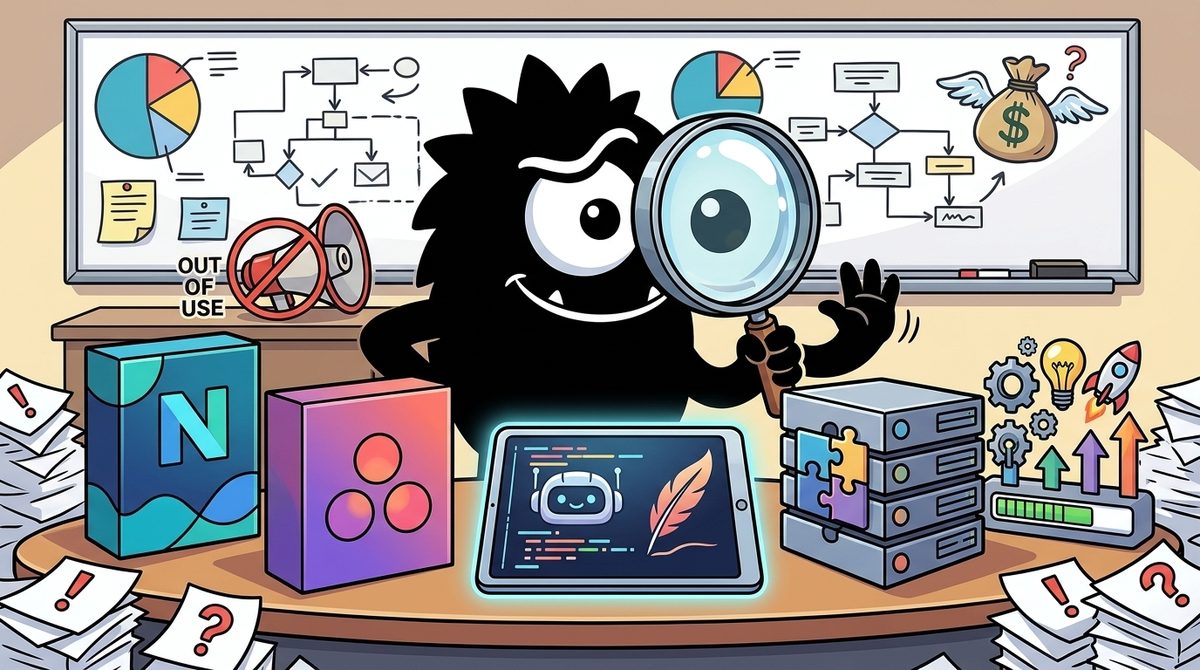
Netlify is better for AI pair programming when the goal is to turn generated code into a live application. Asana is better when the harder problem is deciding what to build, supplying agents with sufficient context, and coordinating work across an R&D organization. They are not direct competitors; in a mature AI development workflow, they occupy different stages of the same loop.
Bottom line for 2026:
- Choose Netlify if your bottleneck is building, previewing, deploying, and operating agent-generated web software.
- Choose Asana if your bottleneck is prioritization, requirements, ownership, approvals, and alignment between humans and agents.
- Use both through MCP-enabled workflows if you want an agent to move from an approved task to implementation and deployment without losing organizational context.
The Real Question Behind “Netlify vs Asana for AI Pair Programming”
At first glance, comparing Netlify with Asana is a category error. Netlify is a cloud development and deployment platform. Asana is a work-management platform. One helps software reach production; the other helps teams determine which work should happen and why.
But “AI pair programming” means something broader in 2026 than a chatbot suggesting the next function. It can include turning a product brief into tasks, gathering project context, writing code, opening a deployment, reporting status, and escalating decisions to a human. Under that definition, Netlify and Asana sit on opposite sides of the same development cycle.
That distinction matters because coding agents have changed where engineering teams experience friction. Asana’s chief product officer frames the emerging bottleneck not as code production, but as choosing outcomes and writing agent-ready tickets with enough context to avoid low-quality output:
Asana CPO @ArBose explains why AI has made writing code the easy part of software development, while deciding what to build has become the real bottleneck:
"Because the cost of writing code has dropped so dramatically with coding agents, what’s become way more important is getting aligned on the strategy, on the outcomes you’re trying to build, and ensuring your entire R&D team are aligned on those outcomes."
"Even two years ago, the most interesting cost was ensuring that the developer was spending the right time on the right ticket."
"Now it’s figuring out what tickets do you even want to prioritize, and are they written with the right level of context so that the coding agent gets it right the first time, versus get back some slop that you’ll end up rewriting."
"You go from high quality PRDs that generate agent-ready tickets, and you can trigger these swarms of coding agents in whatever coding agent of choice. We partner with OpenAI Codex, we partner with SpaceXSI’s Cursor, we also have integrations with GitHub Copilot live right now."
@asana
This is the key to the comparison. Netlify addresses execution: “Can the agent build and ship this?” Asana addresses intention and coordination: “Is this the right thing to build, and does the agent understand the assignment?”
Netlify’s conception of AI pair programming emphasizes the environment around the model: documentation, context, platform knowledge, deployment tools, and infrastructure access that help an agent produce a working result rather than merely plausible code.[5] Asana’s agentic work-management pitch emphasizes connecting strategy, workflows, tasks, and AI collaborators.[7]
Neither replaces the coding model itself. They make the model useful at different organizational layers.
Start With Your Goal: Are You Shipping Code or Orchestrating the Work?
The fastest way to choose is to identify what happens after someone enters a prompt.
If the expected result is a live website, application, prototype, or internal tool, Netlify should be the center of gravity. Its role begins where many coding assistants stop: connecting generated code to a project, build system, deployment pipeline, preview environment, and production infrastructure.
One X post captures the ambitious version of this workflow: a non-coder instructs Claude as a plain-English “CTO,” connects Netlify and a backend service, and asks the agent to plan, build, and push the result live.
You won't write a line of code. It builds websites, mockups, and small tools, you describe them, you never write code.
It's not for you if you want a simple doc or excel (that's Cowork), just an image (that's ChatGPT), a widget you'll open once (that's an Artifact), or a small interactive interface (that's Claude Chat). Still here? Then it's for you.
Setup takes 5 minutes: https://t.co/rJz6BGrNwX → Pro $20 → Code tab, make one empty folder, turn on bypass permissions, add Netlify and Supabase as connectors, set the model to Opus 5, High.
The prompt that works: tell Claude it's your CTO, you don't read code, plain English only. State your end goal, have it interview you one question at a time with AskUserQuestion, show the plan, then build and push live with Netlify. A live booking site: 24 minutes.
That post describes one practitioner’s configuration and result, not a general performance benchmark. But it illustrates the appeal of deployment-capable agents: the user evaluates a working application rather than a block of code.
If the expected result is an R&D organization moving coherently toward a product outcome, Asana is more relevant. Its AI features operate within projects, tasks, goals, workflow rules, and organizational context. Asana AI Teammates are positioned as collaborators that can take on defined work, while AI Studio provides a no-code route for constructing AI-assisted workflows.[8][9]
The decision therefore depends on the unit of work:
| Your unit of work | Better fit | Why |
|---|---|---|
| A deployable web application | Netlify | Agents can act on build and deployment infrastructure |
| A ticket or implementation task | Either, depending on the next action | Asana supplies context; Netlify supports execution |
| A product initiative involving multiple teams | Asana | The central challenge is ownership and coordination |
| A prototype built by one developer or founder | Netlify | Deployment is likely the immediate bottleneck |
| An end-to-end AI-assisted delivery system | Both | The workflow needs organizational context and execution tools |
For many teams, the category mismatch is precisely the point. Asana governs demand for software; Netlify helps fulfill it.
Why Is Netlify Betting on Agent Experience, or AX?
Traditional developer experience, or DX, assumes that a person reads documentation, interprets examples, corrects mistakes, and adapts configuration to a project. Agent Experience, or AX, asks whether a machine can reliably do those things.
That requires more than attractive documentation. Agents benefit from content that is:
- Available as clean, structured text
- Accessible without executing a complex client-side interface
- Explicit about platform conventions
- Easy to retrieve selectively
- Supported by current, platform-specific context
- Paired with tools that can perform validated actions
Netlify says its documentation pages are available as Markdown, support Accept: text/markdown, expose an llms.txt resource, and use server-rendered content. The company has presented those properties as evidence that its documentation is designed for machine consumption, not only human browsing.
AI coding agents can't use docs they can't parse.
That's why every page on https://docs.netlify.com/ serves clean markdown — .md URLs, Accept: text/markdown, llms.txt, server-rendered content.
@buildwithfern and @mintlify both just scored us 97/100 (A) for agent readiness. AX isn't a buzzword here.
Why does that matter? A coding model may understand JavaScript or a framework while still misunderstanding how a particular platform expects redirects, functions, builds, environment variables, or deployment configuration to work. Generic model knowledge can be incomplete or stale. The resulting code may look correct but fail when it meets the target environment.
Netlify’s AI context files are intended to give coding assistants relevant, platform-specific instructions inside a project.[6] Its broader AX strategy treats documentation and contextual guidance as parts of the runtime relationship between an agent and the platform.[5]
For practitioners, the outcome is not simply “better docs.” It is a lower probability that the agent:
- Invents an unsupported configuration field
- Uses an obsolete platform pattern
- Produces code that cannot be deployed as written
- Requires a human to translate generic output into Netlify-specific setup
- Repeats avoidable mistakes because project context was absent
AX is most valuable to solo developers, small teams, and less technical builders who want the agent to complete platform-specific work. Experienced platform engineers benefit too, but they are more capable of detecting hallucinated configuration manually. For a novice delegating the entire build, machine-readable guardrails are much more consequential.
How Do Netlify Agent Runners and MCP Let Agents Actually Ship?
Netlify’s strongest advantage in this comparison is that its agent tooling is designed to act on software, not merely discuss it.
Agent Runners execute coding work with project context
Netlify Agent Runners provide a managed way to run coding agents including Claude Code, OpenAI Codex, and Gemini from the Netlify environment. According to Netlify’s documentation, runners can work on tasks such as creating or fixing code and shipping changes while using relevant project context.[3]
This changes the boundary of pair programming. In a conventional assistant workflow, the model proposes code and the developer remains responsible for applying, testing, and deploying it. In an agent-runner workflow, the agent can be assigned a bounded outcome and given an execution environment in which to pursue it.
That creates new governance requirements. Teams need to decide:
- Which projects may use agents?
- What permissions should an agent receive?
- Can it change production resources?
- Which actions require human approval?
- How are generated changes reviewed and attributed?
- What happens when a build succeeds technically but violates the product requirement?
Netlify provides team-level controls for managing AI features, with availability and defaults varying by plan and configuration.[1] Those controls matter because a workflow suitable for a founder’s prototype may be inappropriate for a regulated production system.
The Netlify MCP Server exposes deployment actions to agents
The Model Context Protocol, or MCP, gives AI applications a standardized way to discover and call external tools. Netlify’s MCP Server lets compatible agents interact with Netlify capabilities using natural-language requests backed by API and CLI operations.[2]
Netlify describes use cases including creating projects, deploying code, and managing platform resources.[4] The important distinction is that MCP turns Netlify from something an agent can read about into something it can act upon.
That makes Netlify the clearer choice when success means:
- Creating a deployable project
- Connecting an existing repository
- Producing a preview or production deployment
- Inspecting platform state
- Fixing a deployment problem
- Managing supported infrastructure through an agent interface
The tradeoff is risk. Broad permissions and bypass-style configurations can remove friction, but they also reduce opportunities for human review. Production teams should begin with constrained projects, least-privilege credentials, preview deployments, and explicit approval boundaries—not unrestricted production access.
How Does Asana Orchestrate the “What Should We Build?” Layer?
Asana’s argument is that cheap code does not automatically create valuable software. It can instead accelerate the production of poorly specified features.
That makes the quality of upstream context more important. Agents need to know the intended outcome, constraints, acceptance criteria, dependencies, stakeholders, and priority. If that information is scattered across meetings and chat threads, faster code generation only gets the team to the wrong result sooner.
Asana’s AI portfolio aims to put agents inside the work graph where that context already lives. Its product materials position Asana AI and AI Teammates around planning, coordinating, summarizing, and carrying out work with organizational context.[7][9] AI Studio lets teams create no-code AI workflows using natural-language instructions and workflow controls.[8]
This approach is better suited to tasks such as:
- Converting a product brief into structured work
- Identifying missing context before development begins
- Assigning or routing tasks based on workflow conditions
- Summarizing project progress and blockers
- Connecting execution to goals and ownership
- Giving agents a controlled role within a cross-functional process
Asana also acquired no-code agent builder StackAI in May 2026, reinforcing its strategy of letting organizations construct agentic workflows without requiring every workflow owner to become a software developer.[11]
There is a useful “dogfooding” signal too. OpenAI reported that Asana used Codex to complete a code migration in two weeks that had previously been expected to take years.[10] That does not prove every migration can be compressed similarly. It does show how Asana views coding agents: as execution capacity that becomes more useful when attached to clearly scoped organizational work.
Asana is therefore a stronger fit for product-led R&D organizations, larger engineering teams, and cross-functional initiatives. Its value rises as the number of stakeholders, dependencies, approvals, and parallel workstreams increases.
How Does MCP Connect Asana’s Tasks to Netlify’s Deployments?
MCP is the reason “Netlify vs Asana” is ultimately the wrong architecture question.
An agent does not have to live entirely inside one product. It can retrieve a task and its context from a work-management system, inspect a repository, implement a change, call deployment tools, and then report the result back to the project.
A 2026 X discussion of Letta Code’s CodeMode shows the orchestration pattern. In the cited example, JavaScript coordinates Asana’s get_me and get_projects reads alongside another service, combining multiple MCP operations without launching additional agents:
Letta Code can now coordinate 3 MCP reads in one JavaScript tool call, without launching another agent.
I found CodeMode in v0.34.17, released October 18.
The maintainers' live example starts with Asana's get_me, then runs Asana get_projects and Better Stack teams in parallel. One script returns the combined result.
The model writes the script. JavaScript handles the sequence, parallel calls and filtering. CodeMode itself makes no model calls and cannot spawn subagents.
That is useful for routine agent work: fetch related records, join the data, return only what the next decision needs. The model doesn't have to narrate each plumbing step.
There is a boundary: nested tools still face permission checks. If approval is needed, the script cannot grant it.
I'd try this on a read-only reporting workflow before reaching for a multi-agent setup.
This is technically significant. Multi-agent systems are not always necessary for routine integration work. A single model can write a small orchestration script, while deterministic JavaScript handles sequencing, parallel calls, and filtering. That can reduce model calls, narrative overhead, latency, and the number of autonomous components that can fail.
Applied to Netlify and Asana, an end-to-end loop could look like this:
- Read: The agent retrieves an approved Asana task, acceptance criteria, owner, and relevant project context.
- Clarify: It identifies missing requirements and requests human input rather than guessing.
- Build: A coding agent modifies the application in a controlled environment.
- Validate: Tests and policy checks run before deployment.
- Deploy: The agent uses Netlify’s MCP Server or an Agent Runner to create a preview.[2][3]
- Review: A human evaluates the preview against the acceptance criteria.
- Report: The workflow updates the Asana task with status, deployment details, and unresolved issues.
The security boundary remains crucial. MCP standardizes tool access; it does not make every action safe. As the X post notes, nested tools still face permission checks, and orchestration code cannot grant itself an approval. That is a feature, not an inconvenience.
A sensible rollout starts with read-only Asana access and Netlify preview deployments. Production deployment, task closure, budget changes, and destructive infrastructure actions should remain approval-gated until the workflow has demonstrated reliability.
Which Is Cheaper and Easier to Adopt in 2026?
A direct price comparison is misleading because the products replace different kinds of work, and both gate capabilities by plan.
Netlify has the shorter path for builders
Netlify is generally the lower-friction choice for a solo developer, founder, or small web team whose immediate goal is a deployed application. The user already thinks in terms of repositories, builds, environment variables, domains, and deploy previews. Agent functionality extends that existing development model.
The learning curve is primarily technical: users must understand what permissions the agent has, how the project builds, and where generated code will run. Netlify’s AI-feature controls and defaults also vary by plan, so teams should check current account documentation rather than assume every agent capability is universally enabled.[1]
Asana requires more organizational design
Asana can be approachable at the individual task level, but an effective organization-wide rollout is more involved. Teams must agree on project structures, fields, ownership, workflow rules, AI permissions, and what constitutes sufficiently complete agent input.
Asana’s smart features and availability depend on plan and administrative configuration.[12] The cost is therefore not only the subscription. It includes the work required to create consistent processes that agents can interpret.
This investment makes sense when coordination costs are already high. A five-person startup with one product stream may not need elaborate orchestration. A 200-person R&D organization with multiple products and dependencies can gain much more from structured context and governance.
Verdict: Who Should Use Netlify, Asana, or Both?
Pick Netlify when the primary user is a developer, technical founder, or web team and the bottleneck is converting agent output into running software. It is the stronger AI pair-programming platform for implementation and deployment because its Agent Runners, MCP Server, context files, and AX work all focus on helping agents produce platform-valid results.[3][4][6]
Pick Asana when the primary users include product managers, engineering leaders, operations teams, and cross-functional stakeholders. It is the stronger choice when the bottleneck is prioritizing work, creating agent-ready requirements, coordinating ownership, and keeping execution connected to strategy.[7]
Use both when an organization wants an auditable decide → build → review → ship → report loop. Asana should hold the intent, constraints, responsibility, and status. Netlify should provide the deployment context and controlled execution surface. MCP can connect those stages without pretending that one platform should perform the other’s job.
The decisive question is not which product has “more AI.” It is where your AI-assisted development loop currently breaks:
- If agents produce code that never becomes reliable software, choose Netlify.
- If agents produce the wrong code because priorities and requirements are unclear, choose Asana.
- If both problems exist, do not force an either/or decision. Connect the systems, limit permissions, and put human approval at the points where mistakes become expensive.
Sources
[1] Manage AI features | Netlify Docs
[2] Netlify MCP Server | Netlify Docs
[3] Agent Runners overview | Netlify Docs
[4] Netlify MCP Server: AI Agents Can Now Deploy Code Directly | Netlify
[5] AI pair programming: enhancing Developer Experience through Agent Experience (AX) | Netlify
[6] AI context files | Netlify Docs
[7] Asana AI & Agentic Work Management | Asana
[8] Asana AI Studio: build no-code AI workflows | Asana Help Center
[9] Asana AI Teammates: Powerful Agents Ready to Work with Your Team | Asana
[10] Asana completed a years-long code migration in 2 weeks with Codex | OpenAI
[11] Asana acquires no-code agent-builder StackAI | TechCrunch
[12] Get started with Asana AI: smart features | Asana Help Center
References (15 sources)
- Manage AI features | Netlify Docs - docs.netlify.com
- Netlify MCP Server | Netlify Docs - docs.netlify.com
- Agent Runners overview | Netlify Docs - docs.netlify.com
- Netlify MCP Server: AI Agents Can Now Deploy Code Directly | Netlify - netlify.com
- AI pair programming: enhancing Developer Experience through Agent Experience (AX) | Netlify - netlify.com
- AI context files | Netlify Docs - docs.netlify.com
- Asana AI & Agentic Work Management • Asana - asana.com
- Asana AI Studio: build no-code AI workflows | Help Center - help.asana.com
- Asana AI Teammates: Powerful Agents Ready to Work with Your Team [2026] • Asana - asana.com
- Asana completed a years-long code migration in 2 weeks with Codex | OpenAI - openai.com
- Asana acquires no-code agent-builder StackAI | TechCrunch - techcrunch.com
- Get started with Asana AI: smart features | Help Center - help.asana.com
- Asana vs Netlify: 2026 Comparison | CheckCharm - checkcharm.com
- Netlify vs Asana (2026) | SaaS & B2B Tools | BrandCompare - brandcompare.io
- Asana + Netlify Integration: Create Tasks from Form Submissions | Integrately - integrately.com
Related Guides
The Market Says 8%: What Polymarket's OpenAI AGI Odds Reveal About Where AI and SaaS Are Headed in 2026
15 min read
Together AI vs Azure OpenAI vs Replicate: Which Is Best for Marketing Automation in 2026?
21 min read
The Best AI Model of 2026: What Prediction Markets Reveal About the Frontier Race
19 min read
Anthropic vs Hugging Face vs Perplexity AI: Which Is Best for SEO and Content Strategy in 2026?
17 min read