Make vs Botpress vs OpenAI Assistants API: Which Is Best for Customer Support Automation in 2026?
Make vs Botpress vs OpenAI Assistants API compared for customer support automation: pricing, integrations, learning curve, and real use cases. Find out which wins.
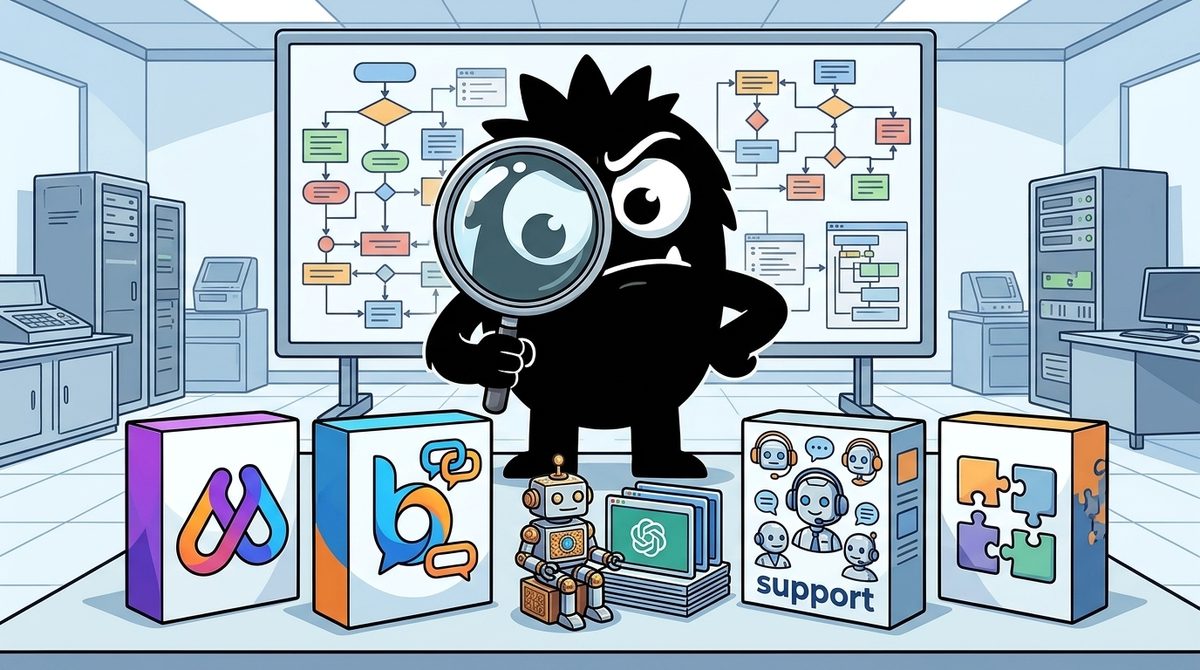
Make, Botpress, and the OpenAI Assistants API all show up in customer support automation conversations in 2026, but they do different jobs. Choosing the "best" one depends on which part of your support workflow you're automating and who on your team will build and maintain it.
Bottom line (as of mid-2026):
- Make is an orchestration engine. It routes messages between WhatsApp, your CRM, your helpdesk, and an AI model. It is best for non-technical founders and agencies wiring multiple apps together.
- Botpress is a dedicated conversational AI platform. Knowledge bases, multichannel deployment, and human handoff come built in. It is best for support teams that want one system to own the conversation.
- OpenAI Assistants API is a code-first reasoning layer. It is strong at generating replies and weak at native integrations. It is best for developers embedding support AI into their own product.
- Many production setups combine them, typically Make as the engine and OpenAI as the brain, or Botpress for conversations with Make handling back-office automation.
Start With the Goal, Not the Tool: What Support Automation Actually Needs to Do
Most comparisons line up feature checklists. A better question is what job you need done. Across the sources and the X conversation, customer support automation breaks into four jobs:
- Intent routing: sorting each incoming message by type, urgency, and language.
- Drafting from docs: generating a reply grounded in your help center.
- Autonomous resolution: answering simple tickets end to end without a human.
- Clean human handoff: escalating to a person, with context, when the AI shouldn't answer.
No single tool in this comparison is best at all four. That is why one of the more widely shared framings on X starts by telling readers they've probably picked wrong:
4 tools for building AI agents in 2026. You're probably using the wrong one for your use case.
Here's the breakdown:
OpenAI Assistants - for simple, single-job agents.
Fast to set up. Weak on external integrations.
Make (AI module) - for non-technical builders.
Working agent, zero code. Gets pricey at scale.
n8n - for agents that act across multiple apps.
Most powerful option here. Steepest learning curve.
LangGraph - for multi-agent systems where AIs collaborate.
Full control. Code required, only worth it when complexity demands it.
How to pick:
Start with OpenAI Assistants.
Need no-code? Move to Make.
Need full control? Move to n8n.
Agents need to work together? Move to LangGraph.
Most businesses never leave Make.
Save this - Part 2 drops soon.
Koba's breakdown matters because it ranks tools by use case, not by power. It also ends with a line worth remembering: "Most businesses never leave Make." For many small teams, the orchestration layer is where the system ends up living.
The metric that should drive your decision is deflection rate: the share of conversations the AI resolves without a human, at acceptable quality. Botpress's own 2026 roundup of support agents frames the category around resolving routine queries and escalating the rest[1]. DevRev's comparison of 17 platforms likewise treats resolution and handoff as the core differentiators rather than model quality[2].
Read the three tools below with this in mind. You aren't buying an AI. You're buying a path from "AI answers a few conversations" to "AI answers most of the routine ones."
The Three Contenders, Explained Simply
What is the OpenAI Assistants API?
The Assistants API is OpenAI's developer interface for building stateful AI agents. You define an assistant, attach instructions and tools (file search, code interpreter, function calling), and manage conversations through threads and runs[13]. The API remembers conversation history for you, which is why tutorials describe it as a way to build stateful AI applications without managing context yourself[15].
What it doesn't give you is a channel. There's no built-in WhatsApp inbox, no helpdesk connector, and no agent dashboard. You get a very good reply engine and you write the plumbing. OpenAI has also been steering developers toward its newer Responses API, so check the current deprecation status before building a long-lived system on Assistants specifically.
What is Make (formerly Integromat)?
Make is a visual automation platform. You build "scenarios" by connecting modules on a canvas: a trigger (a new WhatsApp message), actions (look up the contact in the CRM, call an AI model), and branches (if the order status is "late," notify a human). Make's own 2026 guide to support agents positions it as the connective tissue between AI agents and the business apps support teams already use[3]. Its AI module lets non-developers drop an LLM step into a workflow without code.
What is Botpress?
Botpress is purpose-built for conversational AI agents. Its documentation describes a platform for building, deploying, and monitoring agents. It includes a visual studio, knowledge bases that ingest your documents and websites, integrations for deploying to multiple channels, and human-in-the-loop handoff[8][12]. Where Make is a general automation tool with AI added, Botpress is a conversation tool with automation added.
The agency-builder crowd on X already treats these as separate layers rather than competitors:
2️⃣ Build a working prototype:
- Use Vapi/Retell AI for voice agents
- Use Voiceflow/Botpress for chatbots
- Use Make/Zapier for integrations
I show you step-by-step in my YouTube tutorials (link below).
That split (Botpress for the chat, Make for the integrations) shows up repeatedly. It points to the next section: most real systems are stacks.
The Stack Everyone Is Actually Building: Make + OpenAI + a Channel
The most visible support architecture on X right now isn't any single tool. It's a three-layer stack: a channel (usually WhatsApp), Make as the routing engine, and OpenAI Assistants as the reply generator, often with a CRM like GoHighLevel holding customer data.
The WhatsApp AI That’s Smarter Than My Sales Team
(And it never takes a day off…)
Here’s What’s Inside:
🔥 GoHighLevel CRM – Your 24/7 digital sales rep
🔥 Make (Integromat) – The silent powerhouse routing 1000+ messages
🔥 OpenAI Assistants – Replies so human, clients don’t even know
The descriptions, "silent powerhouse" for Make and "replies so human" for OpenAI, capture how each layer is used:
- Make receives the incoming message and looks up the contact. It decides which path to take, passes the message to OpenAI, writes the result back to the CRM, and sends the reply.
- OpenAI Assistants holds the persona, the instructions, and the attached knowledge files, and returns a reply. It never has to know WhatsApp or GoHighLevel exist.
The numbers Rizvan cites (500 to 1,000+ messages a day) are worth noting. At that volume, the architecture decision is also a cost decision, which we'll return to.
There's a second, equally common variant: Botpress + Make.
Botpress + Make customer support & lead gen AI Agent system: https://ainsider.gumroad.com/l/botpress-leadgen
View on XHere Botpress replaces the OpenAI layer and absorbs much of the conversational logic: knowledge base retrieval, channel deployment, and handoff. Make handles what Botpress isn't designed for, such as pushing qualified leads into a CRM, creating tickets, or triggering follow-up emails.
A 2026 buyer's guide comparing Botpress, the Assistants API, and n8n in a different domain reaches a similar structural conclusion. Botpress bundles the conversational layer, while the Assistants API is a component you integrate into something else[6].
The tradeoff:
| Make + OpenAI stack | Botpress (± Make) | |
|---|---|---|
| Flexibility | Very high: any app, any logic | High within conversational scope |
| What you maintain | Every scenario, prompt, and error path | Mostly bot content and flows |
| Knowledge base | Files attached to the assistant; you manage updates | Native KB ingestion[^8] |
| Handoff | Build it yourself | Built in[^8] |
| Failure modes | Spread across tools, harder to debug | Concentrated in one platform |
Glue code gives you freedom. An integrated platform gives you fewer things that can break at 2 a.m.
Integrations and Channels: WhatsApp, CRMs, and the Omnichannel Reality
For many teams, channel reach decides the winner before model quality matters at all. If your customers live on WhatsApp, the question is which tool connects to WhatsApp and your CRM with the least friction.
Make has the broadest integration surface. Its catalog of connectors covers CRMs, helpdesks, e-commerce platforms, and messaging apps, and its support-agent guide emphasizes wiring AI into existing tools[3]. If your stack includes something unusual, like a niche booking system or a regional payment provider, Make is the most likely of the three to already connect to it.
Botpress handles deployment natively. You build the agent once and publish it to web chat, WhatsApp, and other messaging channels through its integrations[8]. Directory listings describe it explicitly as an AI customer support platform with multichannel deployment[11]. Its integration breadth outside of messaging is narrower than Make's, which is why the two get paired.
OpenAI Assistants API has no native channels. Every surface is something you build or connect through a tool like Make. This is the "weak on external integrations" point in koba's breakdown, and it's the main reason non-developers rarely use the Assistants API alone in support.
The CRM-centric version of the WhatsApp stack shows why this matters:
The WhatsApp AI That Just Killed My Sales Job
(...and I couldn't be happier about it)
Meet Your New Top Performer:
🤖 GoHighLevel CRM - Your entire sales department in one dashboard
⚡ Make Automation - The invisible engine handling 500+ convos daily
🧠 OpenAI Assistants - Replies so smooth, clients ask "Is this really a bot?"
Multilingual support in practice
Multilingual support is where the "drafting pipeline" pattern is useful. One builder described a setup that captures the full four-job model in three sentences:
I built a support infrastructure into FolioPress.
A customer writes in German. I read it in English, reply in English, and they get German back.
AI sorts every message, drafts the reply from our docs, and answers simple ones by itself, labelled as AI.
That single pipeline covers intent sorting, drafting from docs, autonomous resolution of simple tickets, translation in both directions, and a transparency label. It could be built with any of the three tools. Botpress keeps the conversation logic and knowledge base in one place. Make + OpenAI lets you insert translation and classification as discrete, inspectable steps. A custom Assistants API build gives you the tightest control over how translation interacts with retrieval.
AI-to-Human Handoff: Automation That Augments Instead of Replaces
The strongest real-world support story on X this year isn't about replacing a team:
In 3 months, our AI agent at @heyreach_io went from answering 19% of support conversations to 45%, and we still hired 5 more people.
When I took over support, 2 people were holding up thousands of accounts. The easy thing was to hire fast. Instead I spent my first few weeks rebuilding Fin (the AI agent we run on @intercom). I rewrote its logic and added 30+ new help articles so it had real answers to pull from, while the 2 of them carried everything else.
Two lessons stand out. First, the jump from 19% to 45% deflection came from rewriting the agent's logic and adding 30+ help articles, not from switching models. Knowledge base quality is the main thing driving deflection, and that holds whichever tool you pick. Second, the team still grew. AI handled the repetitive volume so humans could cover the conversations that need judgment.
Vick's team uses Intercom's Fin, not any of the three tools here. The pattern still applies, and it exposes a real gap between the three options: how handoff works.
- Botpress includes human handoff as a platform capability. A conversation can escalate to a live agent with the history intact[8]. Its 2026 support-agent roundup treats escalation as a baseline requirement for any serious support agent[1].
- OpenAI offers handoff as a pattern, not a product. Its own open-source customer support demo shows a human-in-the-loop design where the agent proposes actions and a human approves them[14]. You still build the review interface, queue, and notification logic yourself.
- Make can implement escalation as a branch: if the confidence is low or the topic is billing, create a ticket in your helpdesk and alert a Slack channel. This is flexible, but the "agent desk" is whatever tool you route to.
Transparency is part of handoff design. Rodesia's choice to label AI answers "as AI" sets customer expectations and makes escalation feel natural rather than like a failure. In Botpress this is a flow decision. In a Make + OpenAI stack it's one more step you have to remember to add.
Pricing at Scale: The "Gets Pricey" Problem
Koba's warning that Make "gets pricey at scale" reflects a real structural issue. At 500 to 1,000+ conversations a day, small per-unit costs compound. The pricing models differ in how they compound.
How Botpress pricing works in 2026
Botpress lists a free tier and paid plans, and directory listings summarize the range as free to roughly $150/month for its standard plans[11]. Its pricing page breaks out plan limits and usage[7]. Botpress also published a pricing update in May 2026 that changed how plans and AI usage are packaged[9]. Read that post directly before modeling costs, because older third-party breakdowns may predate it.
Independent analyses stress that conversation volume and AI usage, not the plan's base price, drive your real bill[10]. The appeal is consolidation: the orchestration, LLM access, and channel all sit on one invoice.
How Make + OpenAI pricing stacks up
With Make you pay for operations: each module execution in a scenario counts. A single support conversation might trigger a webhook, a CRM lookup, an AI call, a CRM write, and a reply. That's several operations per message, multiplied across every message in a thread. On top of that, you pay OpenAI token costs separately. Two meters run at once, and both scale linearly with volume.
How OpenAI Assistants API pricing works
You pay for model tokens, plus tool usage such as file search where applicable[13]. With no platform fee, the Assistants API can be the cheapest option per conversation at high volume. The engineering time to build and maintain channels, handoff, and monitoring is the cost that doesn't show up on the invoice.
Model cost per resolved conversation, not per message
The number that matters is:
Cost per resolved conversation = (platform cost + automation operations + model tokens + human time on escalations) ÷ conversations fully resolved
A cheaper stack with 20% deflection can cost more per resolution than a pricier one at 45%, because every unresolved conversation still carries human labor. Run your actual traffic through a trial, count operations and tokens per thread, and divide by resolutions.
Learning Curve: Who Can Actually Build This?
The X conversation splits roughly into two camps: no-code agency builders and developers. Agency builders openly stack tools:
Most small businesses lose 10+ hours a week to repetitive tasks they shouldn't be doing themselves. Built FlowForge AI to claw that time back. We design AI workflows: WhatsApp chatbots, email triage, booking systems, content generators. Stacked on Make, Zapier, n8n, Botpress.
View on XThe skill requirements differ sharply across the three:
- Make: fastest for non-technical builders. It's visual-first, and a working scenario can be assembled by dragging modules. No-code builder comparisons in 2026 consistently place Make-style tools at the accessible end[4]. The hidden learning curve is error handling: retries, rate limits, and what happens when the AI returns garbage.
- Botpress: low-code with a support-specific ramp. The studio is visual, but you're learning conversation design: flows, knowledge base tuning, and handoff rules. Its documentation is substantial[8], and developer-oriented reviews note you can extend it with code when needed[5]. Expect a steeper start than Make, with less to build from scratch afterward.
- OpenAI Assistants API: code required, maximum control. You'll write code to manage threads, runs, tool calls, and polling or streaming[13][15]. You'll also host the integration layer. Developer-tool roundups put it squarely in the "build your own" category[5]. If nobody on your team writes code comfortably, this isn't your starting point unless you wrap it in Make.
The Verdict: Who Should Use What
Pick Make + OpenAI Assistants if you're a solo founder or agency, your support lives on WhatsApp, and customer data sits in a CRM like GoHighLevel. This is the most proven no-code pattern on X and it reaches the most apps[3]. Plan for rising operations-plus-token costs as volume climbs, and build escalation paths deliberately.
Pick Botpress if you're a support team that wants knowledge bases, multichannel deployment, and human handoff working on day one, with less to maintain[8]. Add Make only for back-office actions such as CRM updates and ticket creation. Re-check the May 2026 pricing terms against your volume[9].
Pick the OpenAI Assistants API (or its successor) if you're a developer embedding support AI into your own product. You already own the channels and the UI, and you need fine control over retrieval, tools, and data handling. Use OpenAI's human-in-the-loop demo as a reference architecture[14], and confirm the API's lifecycle status before committing.
Quick decision checklist
- Volume: Under a few hundred conversations a day, Make + OpenAI is usually fine. In the thousands, model costs per resolution across all three before committing.
- Channels: WhatsApp plus a CRM means Make or Botpress. Your own app means the Assistants API.
- Handoff needs: If humans must take over smoothly and often, Botpress has the built-in advantage.
- Team skills: No developers points to Make or Botpress. A developer with infrastructure ownership points to the Assistants API.
- Knowledge base readiness: Whichever you choose, budget time to rewrite your help content. Vick's 19%-to-45% jump came from 30+ new articles, not a new tool.
Most teams don't need to pick one tool forever. They need the right layer for their current stage, and a stack they can swap pieces out of as volume, channels, and team skills change.
Sources
[1] The 11 Best AI Agents for Customer Support in 2026 — https://botpress.com/blog/ai-agent-customer-support
[2] AI customer support software: 17 platforms compared — https://devrev.ai/blog/best-ai-customer-support-platforms
[3] The 7 best AI agents for customer support in 2026 — https://www.make.com/blog/best-ai-agents-for-customer-support
[4] Best No-Code AI Agent Builders in 2026: 8 Platforms Compared by the Job They Do — https://www.chat-data.com/blog/best-no-code-ai-agent-builders
[5] 9 Developer-Friendly AI Tools to Build Powerful Chatbots — https://strapi.io/blog/best-ai-tools-chatbots
[6] n8n vs Botpress vs OpenAI Assistants API: Which Is Best for Data Analysis and Reporting in 2026? — https://adtools.org/buyers-guide/n8n-vs-botpress-vs-openai-assistants-api-which-is-best-for-data-analysis-and-reporting-in-2026
[7] Botpress Pricing — https://botpress.com/pricing
[8] Botpress documentation – Docs — https://botpress.com/docs/
[9] Pricing Updates on Botpress: May 2026 — https://botpress.com/blog/pricing-update-may-2026
[10] Botpress Pricing 2026: Plans, Conversations, Real Costs — https://www.getmacha.com/blog/botpress-pricing-explained
[11] Botpress: AI Customer Support Platform — Free to $150/mo — https://agentsindex.ai/botpress
[12] Welcome to Botpress — https://botpress.com/docs/get-started/introduction
[13] Assistants API Overview (Python SDK) — https://cookbook.openai.com/examples/assistants_api_overview_python
[14] Customer Support Agent with Human in the Loop Demo — https://github.com/openai/openai-support-agent-demo
[15] OpenAI Assistants API Tutorial: Build Stateful AI Apps with Python — https://reintech.io/blog/openai-assistants-api-building-stateful-ai-applications
References (15 sources)
- The 11 Best AI Agents for Customer Support in 2026 - botpress.com
- AI customer support software: 17 platforms compared - devrev.ai
- The 7 best AI agents for customer support in 2026 - make.com
- Best No-Code AI Agent Builders in 2026: 8 Platforms Compared by the Job They Do - chat-data.com
- 9 Developer-Friendly AI Tools to Build Powerful Chatbots ... - strapi.io
- n8n vs Botpress vs OpenAI Assistants API: Which Is Best for Data Analysis and Reporting in 2026? - adtools.org
- Botpress Pricing - botpress.com
- Botpress documentation – Docs - botpress.com
- Pricing Updates on Botpress: May 2026 - botpress.com
- Botpress Pricing 2026: Plans, Conversations, Real Costs - getmacha.com
- Botpress: AI Customer Support Platform — Free to $150/mo - agentsindex.ai
- Welcome to Botpress - botpress.com
- Assistants API Overview (Python SDK) - cookbook.openai.com
- Customer Support Agent with Human in the Loop Demo - github.com
- OpenAI Assistants API Tutorial: Build Stateful AI Apps with Python - reintech.io
Related Guides

The AI Bubble Prediction Market in 2026: What Traders Pricing 9% Odds Really Means
21 min read
Deno Deploy vs Webflow: Which Is Best for AI-Powered Content Creation in 2026?
15 min read
The Best AI Model in 2026: What Polymarket's 89% Google Bet Reveals for Developers
18 min read
n8n vs LangChain vs Dify: Which Is Best for Customer Support Automation in 2026?
20 min read