n8n vs Botpress vs OpenAI Assistants API: Which Is Best for Data Analysis and Reporting in 2026?Updated: September 27, 2026
n8n vs Botpress vs OpenAI Assistants API for data analysis and reporting—compare workflows, pricing, tradeoffs, and best-fit use cases. Learn
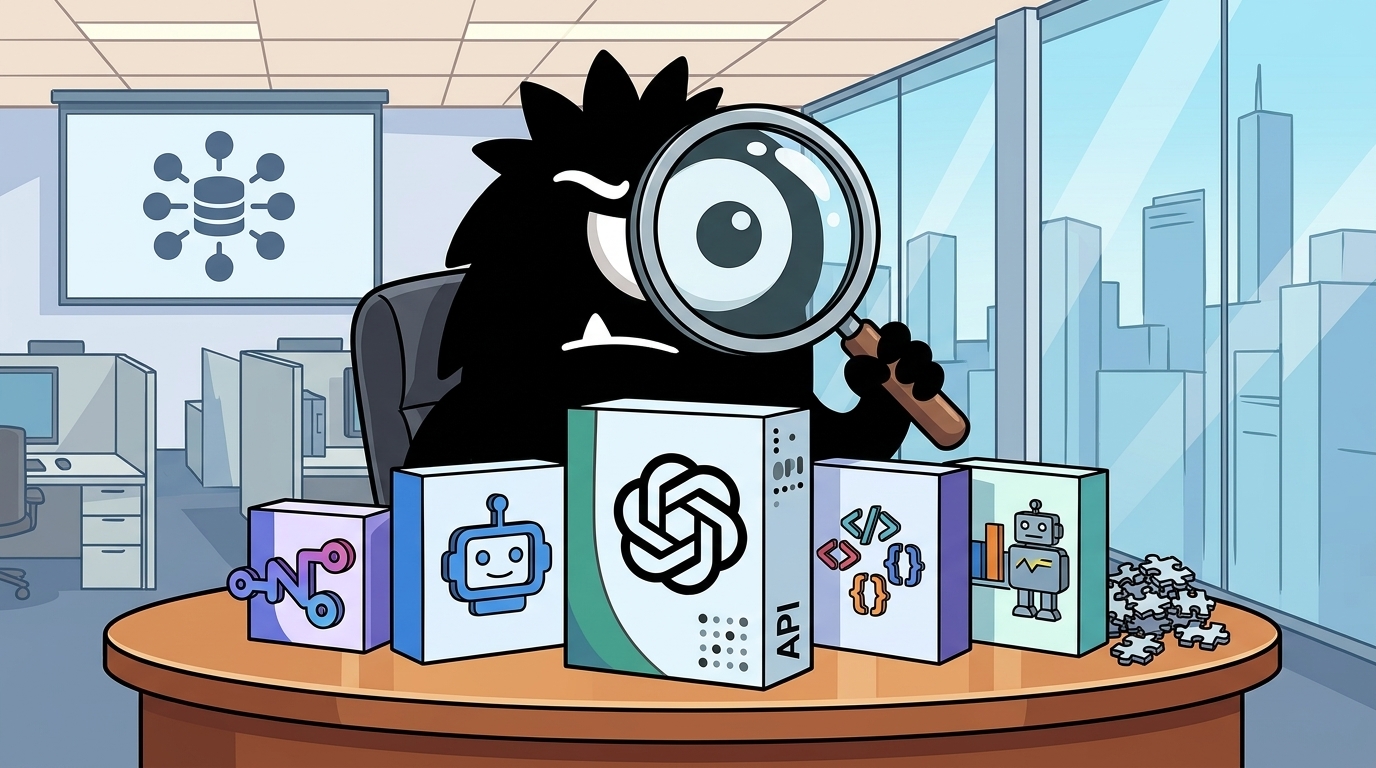
Why This Comparison Matters Now
The real question in 2026 is not which AI tool is smartest. It is: which stack can reliably turn messy business data into useful reports people actually read and trust.
That job usually includes six steps:
- Ingest data from operational systems
- Clean or normalize it
- Analyze or summarize it
- Format the result
- Distribute it on a schedule
- Let users ask follow-up questions
That is why lumping n8n, Botpress, and OpenAI Assistants API into one “AI agents” bucket is misleading. They overlap, but they live at different layers. n8n is workflow orchestration and integration glue, with native OpenAI connectivity and assistant operations support.[1][2] Botpress is primarily a conversational agent platform. OpenAI Assistants API is a model-native runtime for tools like retrieval and code interpreter, but not a complete reporting system by itself.[7]
The mood on X has been unusually clear about this. People are not celebrating abstract autonomy. They are showing working automations that save time.
Built an AI-powered Daily Ops Reporting workflow in n8n
It pulls messy ops data from Google Sheets, cleans it up, gets AI to summarize it, and posts a daily report to Slack automatically.
One less repetitive task for the team.
One more reason to love automation.
That sentiment matters because it reframes the market. Reporting systems win when they eliminate repetitive work and survive contact with bad data, flaky APIs, and impatient stakeholders. Not when they demo well.
At the same time, practitioners also see that orchestration alone is not enough for every use case. Some reports need richer analysis than a simple LLM summary can provide, and some need a chat interface for interactive follow-up. That is where Assistants API and Botpress enter the picture.
AI agents > AI chatbots.
ChatGPT, Grok, and Claude are cool.
But n8n actually gets sh*t done.
• Run actions
• Call APIs
• Automate workflows
• Build tools
Here’s your complete guide to getting started:
And the category confusion is real:
Platforms to build AI Agents 👇
• LangGraph – Production-grade agent flows
• CrewAI – Multi-agent collaboration
• AutoGen – Agent-to-agent conversations
• n8n – Agent + workflow automation
• OpenAI Assistants API
So this comparison is best understood as orchestration vs conversation vs model-native analysis—and, for many teams, how to combine them rather than pick a single winner.
Three Different Paths to the Same Outcome
If your goal is data analysis and reporting, these tools solve different parts of the stack.
n8n: the orchestration-first approach
n8n is strongest when the problem is operational: pull data from SaaS tools, databases, spreadsheets, webhooks, and internal APIs; transform it; then send outputs to Slack, email, Notion, WhatsApp, or another system. Its OpenAI integration and assistant operations mean you can drop AI into those workflows without building the entire control plane yourself.[1][2]
This is why n8n keeps winning mindshare with founders and ops teams. It is the tool you reach for when the reporting problem is mostly plumbing plus a little intelligence.
an ai agent built in n8n, answering business questions via chat.
here's how it actually works:
→ n8n's AI agent node connects to OpenAI's chat model
→ a simple memory node holds the conversation context
→ the workflow triggers on a manual chat input, passes it to the model, and returns the output
→ it's a visual wrapper for a basic llm call chain
the repo doing the heavy lifting: https://t.co/xTsbWD8gDM
the business read: this is low-code automation for internal ops—think customer support triage or report generation. the math roughly: a junior dev automating a manual task saves ~4 hours/week, pays for the stack in a month.
the moat is in the pipes, not the prompts.
That line—the moat is in the pipes, not the prompts—captures the production reality better than most product pages do.
Botpress: the conversation-first approach
Botpress is built around chatbot and agent experiences. It is better thought of as the layer where a human asks, “Why did churn spike yesterday?” or “Show me the top five underperforming SKUs this week,” and the system responds conversationally. Even Botpress’s own positioning against n8n frames the distinction around chatbot experiences versus automation workflows.[3]
That makes Botpress a better fit for interactive report consumption than for scheduled ETL-style automation. It is less compelling as the backend engine that gathers and cleans your data every morning.
So i’m going to start documenting my learning journey on Workflow Automation and Agents Creation using N8N and Botpress here.
So help me God. I already have basic knowledge on Botpress for simple bots that i have done previously, but I want to create more complex agents.
OpenAI Assistants API: the analysis-first approach
Assistants API is most compelling when the report itself requires model-managed tooling: retrieval over files, code execution for analysis, and more agent-like handling of unstructured inputs. Code Interpreter is the standout feature here because it lets the model analyze data programmatically rather than only through text prediction.[7]
But raw Assistants API does not give you scheduling, workflow retries, alert routing, governance, or business-system integrations out of the box. You still need surrounding infrastructure.
making of a mvp with no code
- n8n for automation
- baserow for database
- openai assistants API for AI
- railway for hosting
made in an hour, ready to test with the market
#buildinpublic
That X post is actually the architecture many teams end up with: n8n for automation, Assistants API for AI, and other components for storage or hosting. Not elegant in a slide deck. Very effective in practice.
What Real Reporting Pipelines Look Like in Each Tool
The easiest way to compare these products is to stop talking in categories and start talking in pipelines.
A scheduled ops report in n8n
Take the most common pattern on X: a daily or hourly operational report. n8n shines here because it can trigger on schedule, fetch from Shopify, WooCommerce, Google Sheets, HubSpot, Stripe, Airtable, internal APIs, or SQL, run deterministic transformations, and then optionally call an LLM to summarize the result.[1][13]
Built a 9 AM autopilot for WooCommerce sales Report↓
n8n fetches orders → calculates revenue + top 5 products → logs to Google Sheets → sends email + WhatsApp
No more manual reports.
@n8n_io @WooCommerce #n8n #automation #buildinpublic
That workflow is typical because most business reporting is not deep research. It is repetitive synthesis:
- total sales
- top products
- exceptions
- anomalies
- summary for Slack or email
n8n handles this cleanly because the system is mostly explicit. You can see where data came from, how it was transformed, and where it went next.
File-heavy or exploratory analysis with Assistants API
Now consider a different use case: an executive uploads three CSVs, two PDFs, and asks, “Compare margin trends, explain the biggest changes, and suggest likely causes.” That is where Assistants API starts to separate itself.
OpenAI’s Code Interpreter tool can work with files and perform more sophisticated analysis steps than a simple prompt-based summary.[7] n8n itself offers templates showing how to pass uploaded files into Assistants API for summarization workflows, which is a strong signal that even n8n users reach for Assistants when the data reasoning gets more complex.[5]
Inside our in-house AI data agent
It reasons over 600+ PB and 70k datasets, enabling natural language data analysis across Engineering, Product, Research, and more
Our agent uses Codex-powered table-level knowledge plus product and organizational context
https://openai.com/index/inside-our-in-house-data-agent/
Even more important is the architectural lesson from OpenAI’s internal data agent story:
OpenAI's internal data agent: it answers plain-English questions across 90,000 tables. The architecture is deliberately 'vanilla' — one model, ~13 tools. Reliability comes from six layers of curated context (table usage, owner notes, code analysis), not clever model tricks.
View on XThat should reset expectations. Reliable data analysis does not come from “agent magic.” It comes from curated context, structured tools, and constrained execution.
Botpress for the last mile of report consumption
Where Botpress fits best is after the report exists—or when users want to interrogate it conversationally. Think internal support bot for business questions, employee-facing analytics assistant, or customer portal where users ask about account metrics.
Botpress can act as the front-end conversational shell while n8n or Assistants API handles backend retrieval and analysis. That division of labor is often cleaner than trying to force a chatbot platform to become your ETL engine.
A practical pattern looks like this:
- n8n assembles the daily dataset
- Assistants API analyzes files or generates advanced insights
- Botpress exposes a chat UI for follow-up questions
- n8n handles approvals, logging, and downstream actions
That layered model is closer to how production systems are actually being built than any one-vendor narrative suggests.
Learning Curve and Build Complexity: Visual Workflow vs Agent Stack vs Raw API
If you need a first working reporting workflow this week, n8n is usually the fastest path.
Its visual builder lowers the cost of integrating triggers, transformations, conditions, retries, and delivery. If your reporting logic is straightforward, a non-specialist builder can often assemble it faster than a developer hand-coding an equivalent orchestration layer.[1][13]
OpenAI Assistants API is more flexible, but that flexibility arrives as lifecycle complexity. You are dealing with:
- assistants
- threads
- runs
- polling
- tool invocation
- file upload and attachment
- message retrieval
- error handling
The complexity is not hypothetical. Builders on X keep surfacing exactly where it gets messy:
Currently building an AI-powered course creation system in n8n
Here's a tip most of you probably don't use:
When working with OpenAI Assistants API, you typically need: → HTTP Request (create thread/run) → Wait node → HTTP Request (check status) → IF node (is it completed?) → Loop back if not → HTTP Request (get messages)
That's 5-6 nodes with messy and long looping logic.
Instead, use a single Code node.
Create the thread, poll for completion in a while loop, and fetch the messages all in one place.
Benefit is that it gives a Cleaner, Fewer connections and Full control.
That post is especially useful because it cuts through the “low-code solves everything” story. Even inside n8n, many teams collapse Assistants API logic into code because the underlying lifecycle is cumbersome.
I’ve got Top 5 AI GitHub Projects to Build Real-World Skills which includes 🔥
1 - AI SaaS Starter | OpenAI + Next.js boilerplate ready to launch.
2 - AI Assistants | Production-ready template using the OpenAI Assistants API.
3 - Automation Project | n8n AI workflows to connect all your tools.
4 - Content Factory | AI social media post generators for X, LinkedIn & more.
5 - Agent Project | Library of +3000 AI workflows to build your own agents.
📷 Let me know if you need the links.
The tutorials and demos around Assistants API make the same point indirectly: getting started is easy, but production use means managing asynchronous runs, tool outputs, and state transitions carefully.[9][10]
Botpress sits in a different complexity bucket. It is not “harder” than n8n or Assistants API in the abstract; it has different overhead. You need to design:
- conversational flows
- prompts and personas
- tool access policies
- fallback behavior
- UX for clarification and recovery
That overhead is worth it if chat is the product. It is unnecessary if your core need is “send a clean 9 AM sales summary.”
The clearest rule of thumb is:
- n8n: fastest to first useful reporting automation
- Assistants API: most flexible for custom analysis, highest implementation overhead
- Botpress: strongest when the user experience is interactive conversation, not just report generation
Reliability, Debugging, and Human-in-the-Loop Design
This is where the agent hype usually crashes into operations.
If a report influences staffing, inventory, pricing, or executive decisions, reliability matters more than novelty. And here n8n has a real advantage: explicit execution state, step-by-step visibility, and easier retries. Teams like being able to inspect exactly where a workflow failed, edit a node, and rerun from a known point.[1]
n8n shows up high on agent rankings because the workflow nodes and execution state stay in your database. when a retry loop or auth failure burns tokens you can edit the exact step instead of waiting on platform logs. https://www.make.com/en/blog/best-ai-agent-platforms
View on XThat is not a flashy capability, but it is the kind that determines whether an automation survives month three.
There is also a strong skepticism on X toward fully autonomous “AI agents” for business-critical work:
all that AI agents are pretty much unstable and unreliable
just use the good old n8n with MCP or direct API integrations…
it will be much faster and more reliable and cheaper as lot of AI guess work is gone
Also add humans in the loop for quality control and you will end up with the best balance of speed and quality
That view is broadly correct for reporting. When outputs must be repeatable, traceable, and cost-controlled, deterministic workflows beat free-form agents most of the time.
Assistants API can absolutely produce richer analysis than a standard workflow node. But with that power comes model variance. Retrieval settings, file parsing quality, prompt design, and tool-use behavior all affect outputs. If the system is summarizing a sales table, that may be acceptable. If it is generating a board report or root-cause analysis, you need guardrails.
Good production patterns include:
- threshold-based escalation to a human reviewer
- confidence or anomaly flags
- deterministic pre-processing before the model sees data
- templated output formats
- fallback summaries when tool calls fail
- audit logging of prompts, files, and outputs
Botpress introduces a different reliability challenge: conversational drift. A good chat interface can make users feel like the system understands more than it does. That is powerful for adoption and dangerous for trust. The answer is not to avoid conversational interfaces, but to constrain them: define what the bot can answer, when it should call backend workflows, and when it should say “I don’t know.”
For higher-stakes workflows, privacy and governance also matter. OpenAI’s own research messaging emphasizes anonymization, aggregate analysis, and user data controls.[12]
For this research, we analyzed only ChatGPT conversations from users who allow their data to be used to improve models.
Before analysis, we removed account-linked identifiers and identifiable information, and we report only aggregate findings.
That is a reminder that once reporting touches customer or employee data, architecture decisions are not just about convenience.
Integrations, Data Access, and Retrieval: Where the Stack Starts to Differ
The sharpest architectural divide is in how each tool gets context.
n8n: broadest operational connectivity
If your data lives across six SaaS tools, two spreadsheets, a webhook, and a legacy internal endpoint, n8n is the obvious favorite. Its value is not only AI integration; it is that it connects systems and moves data predictably.[1]
I don't find leads manually anymore.
I built something that does it while I sleep
#n8n #Automation #AIAgent #LeadGeneration #Freelancer #NoCode #ColdEmail #B2BOutreach
That post is about lead generation, not reporting, but the underlying lesson is the same: n8n wins when the job is stitching systems together.
Assistants API: strongest retrieval and file reasoning
Assistants API becomes compelling when context is not just rows in operational tools, but files, documents, and analysis tasks that benefit from retrieval plus code execution. OpenAI’s toolchain supports Code Interpreter, and the retrieval conversation around chunking, metadata filtering, hybrid search, and CSV support is exactly why developers are paying attention.[7]
Details on @OpenAI's new assistants RAG
*Hard* creep into vectorstore territory
Thoughts:
* Default chunk overlap of 50%, super interesting
* Metadata filtering, super interesting how this dips into vectorstore territory
* Unsure about what chunking method they use - 800 tokens character splitter? Recursive? semantic?
* Support for CSV retrieval, this is hard! Cool
* Hints towards alternative methods routing for Q&A types (summarization)
Retrieval set up:
* Query expansion (optimize user queries)
* Multi-query (one query > multiple searches)
* Hybrid search (keyword + semantic)
* Reranking
Fun to see what they included in v1 to anticipate what gpt-5 will cover
That is meaningful for reporting because many “reports” are really mixed-mode artifacts: a spreadsheet plus PDF notes plus policy docs plus ad hoc questions. Traditional automation tools do not handle that context assembly well.
Botpress: interface layer, not pipeline engine
Botpress can integrate with backend systems, including n8n.[14][15] But you should evaluate it primarily as the user-facing layer that routes questions, maintains dialogue, and triggers external workflows. When teams try to make Botpress own all ingestion, transformation, and analytics logic, they often create an awkward system.
And real integration friction does show up:
I have been trying to find a solution to a problem with webhooks in n8n.
I am sending a request from Botpress to a self-hosted n8n workflow, but it doesn’t seem to work, no matter what I try.
Has anyone tried this before or knows how to fix it?
That is the practical reality of multi-tool stacks. The hybrid architecture is often best, but it is not free. Webhooks, auth, hosting, and state handoff all need care.
Pricing and Total Cost of Ownership
List pricing is only part of the story. For reporting systems, total cost usually comes from six buckets:
- Platform subscription
- Model usage
- Compute for analysis or hosting
- Storage for files and execution state
- Retries and failures
- Maintenance time
n8n is often the cheapest option for deterministic pipelines because most of the work is integration and routing, not expensive model reasoning. If the “AI” piece is only summarizing a prepared dataset, you can keep token spend modest while benefiting from strong automation leverage.[1]
Assistants API can cost more, but often for a good reason: it is doing more. Code-based analysis over files, retrieval workflows, and iterative exploration justify higher model and tool usage when the outcome is materially better insight.[7]
Botpress should be evaluated differently. Its value is not cheap backend automation; it is better user interaction, support experience, and self-service question answering.[3] If no one needs to converse with the report, Botpress may be unnecessary overhead. If adoption depends on a good interface, it may be the piece that makes the whole reporting system worthwhile.
Who Should Use n8n, Botpress, or OpenAI Assistants API?
Here is the blunt version.
Choose n8n if you want:
- scheduled reports
- broad integrations
- visible workflow logic
- faster time to value
- easier debugging and retries
Best for ops teams, founders, RevOps, ecommerce, and internal automation builders.[1][2]
Choose Botpress if you want:
- a conversational reporting assistant
- employee or customer-facing chat interfaces
- guided follow-up questions
- a stronger UX layer on top of backend workflows[3]
Choose OpenAI Assistants API if you want:
- file-based analysis
- code interpreter
- richer ad hoc exploration
- custom programmatic control over analysis behavior[7]
The best architecture for many teams
The strongest production pattern is often hybrid:
- n8n for orchestration and delivery
- Assistants API for deep analysis
- Botpress for front-end interaction
If your reporting need is mostly operational, start with n8n. If users need to ask nuanced questions over messy documents and datasets, add Assistants API. If the interface itself matters, layer in Botpress.
The winner is not the tool with the most agent branding. It is the stack that gets the report out on time, answers follow-up questions accurately, and can still be debugged by a human on a bad Tuesday.
Sources
[1] OpenAI integrations | Workflow automation with n8n — https://n8n.io/integrations/openai/
[2] OpenAI Assistant operations | n8n Docs — https://docs.n8n.io/integrations/builtin/app-nodes/n8n-nodes-langchain.openai/assistant-operations/
[3] The 9 Best n8n Alternatives in 2026 — https://botpress.com/blog/n8n-alternatives
[4] AI Assistants at Work: Botpress vs n8n — https://www.reddit.com/r/AI_Application/comments/1qzzxiq/ai_assistants_at_work_botpress_vs_n8n/
[5] Generate summaries from uploaded files using OpenAI Assistants API | n8n workflow template — https://n8n.io/workflows/4911-generate-summaries-from-uploaded-files-using-openai-assistants-api/
[6] AI-Powered Product Research & Price Comparison with Google Search and OpenAI | n8n workflow template — https://n8n.io/workflows/6664-ai-powered-product-research-and-price-comparison-with-google-search-and-openai/
[7] Assistants Code Interpreter | OpenAI API — https://developers.openai.com/api/docs/assistants/tools/code-interpreter
[8] OpenAI's Assistants API — A hands-on demo — https://pakotinia.medium.com/openais-assistants-api-a-hands-on-demo-110a861cf2d0
[9] Getting Started with OpenAI's Assistants API — https://blog.mlq.ai/openai-assistants-api-getting-started/
[10] OpenAI Assistants API Tutorial — https://www.datacamp.com/tutorial/open-ai-assistants-api-tutorial
[11] Full Article: How to Use the Powerful New Assistants API for Data Analysis — https://technofile.substack.com/p/full-article-how-to-use-the-powerful
[12] Azure OpenAI Assistants API (Preview) (classic) — https://learn.microsoft.com/en-us/azure/foundry-classic/openai/concepts/assistants
[13] Tutorial: Build an AI workflow in n8n — https://docs.n8n.io/advanced-ai/intro-tutorial/
[14] N8N Integration | Botpress Hub — https://botpress.com/integrations/n8n
[15] How to Build an n8n Chatbot — https://botpress.com/blog/n8n-chatbot
References (15 sources)
- OpenAI integrations | Workflow automation with n8n - n8n.io
- OpenAI Assistant operations | n8n Docs - docs.n8n.io
- The 9 Best n8n Alternatives in 2026 - botpress.com
- AI Assistants at Work: Botpress vs n8n - reddit.com
- Generate summaries from uploaded files using OpenAI Assistants API | n8n workflow template - n8n.io
- AI-Powered Product Research & Price Comparison with Google Search and OpenAI | n8n workflow template - n8n.io
- Assistants Code Interpreter | OpenAI API - developers.openai.com
- OpenAI's Assistants API — A hands-on demo - pakotinia.medium.com
- Getting Started with OpenAI's Assistants API - blog.mlq.ai
- OpenAI Assistants API Tutorial - datacamp.com
- Full Article: How to Use the Powerful New Assistants API for Data Analysis - technofile.substack.com
- Azure OpenAI Assistants API (Preview) (classic) - learn.microsoft.com
- Tutorial: Build an AI workflow in n8n - docs.n8n.io
- N8N Integration | Botpress Hub - botpress.com
- How to Build an n8n Chatbot - botpress.com
Related Guides

Aider vs Cline: Which Is Best for AI Pair Programming in 2026?
15 min read
The Best AI Model Tools in 2026: An Expert Comparison Through a $4M Polymarket Bet
25 min read
What Is Replit? A Complete Guide for 2026
19 min read
Traders Are Betting on Anthropic: What Polymarket's 99% AI Model Odds Reveal for Developers in 2026
20 min read