Railway vs Supabase vs Asana: Which Is Best for Customer Support Automation in 2026?
Updated: November 01, 2026
Railway, Supabase, and Asana compared for customer support automation: pricing, architecture, and real stacks. Find out which fits your workflow best.
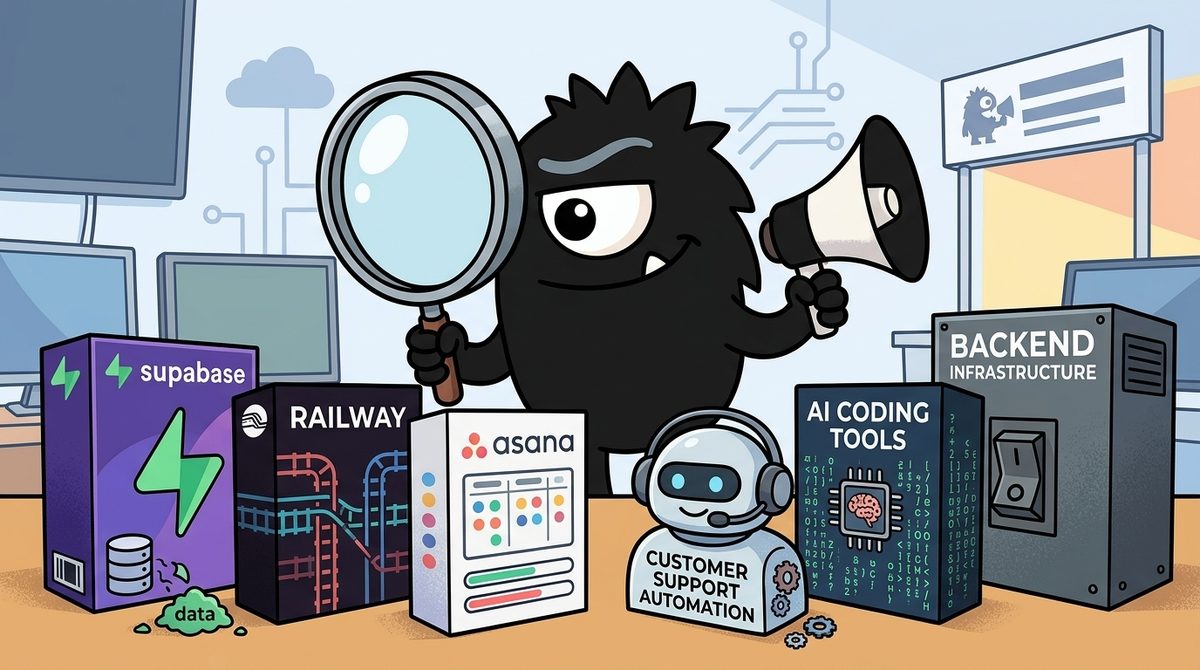
The real question is not whether Railway, Supabase, or Asana is the “best” customer support automation product. It is which layer of the system you need to automate: Supabase stores support data and can execute data-centric workflows; Railway runs custom applications, agents, and workers; Asana coordinates the humans who handle exceptions.
For most production teams in 2026, the answer is therefore a combination rather than a winner. Choose Supabase for the support backend, Railway for long-running or highly customized automation, and Asana for escalation and accountability. Small teams may need only one or two of those layers.
Bottom line
>
- Pick Supabase when you need a ticket database, authentication, vector retrieval, queues, scheduled jobs, and serverless functions.
- Pick Railway when you need to host webhook services, AI agents, MCP servers, workers, or the complete Supabase stack.
- Pick Asana when automated support must hand work to people, assign owners, enforce processes, and expose status to other teams.
- Use all three when you need a durable data layer, a flexible runtime, and a human escalation workflow.
Three Tools, Three Layers: Why Is This Comparison Trickier Than It Looks?
Railway, Supabase, and Asana are not direct substitutes.
Supabase is a backend-as-a-service, or BaaS. Its core is Postgres, surrounded by services such as authentication, storage, APIs, realtime capabilities, and edge functions. For customer support, that makes it suitable for storing tickets, customer profiles, conversation history, knowledge-base embeddings, classification results, and audit trails.
Railway is a platform-as-a-service, or PaaS. It gives developers an environment in which to deploy databases, containers, web services, and background processes. It is less opinionated about the application model: teams bring the code and decide how it should run. Contemporary comparisons consequently frame Supabase and Railway as BaaS and PaaS products that can be used together, not necessarily as mutually exclusive choices.[3]
Asana is a work-management platform. It is where a support escalation can become an assigned task with an owner, due date, status, and cross-functional context. Asana can automate work through rules and request-tracking features, but it does not replace an application database or general-purpose runtime.[13][15]
That distinction matters because customer support automation usually crosses all three layers:
- Data: Save the customer, ticket, messages, knowledge, and automation history.
- Execution: Receive webhooks, call models, classify requests, retrieve context, retry failures, and invoke external systems.
- Human work: Assign uncertain or sensitive cases and track them to resolution.
The X conversation captures the category problem directly:
Closer to a Railway or Render than Supabase, but honestly neither.
Supabase gives you a database with extras. You still host the app somewhere else, and the S3, and the cron. That's the five-dashboard problem, not the fix.
We give you the machine. Postgres, storage, backend, frontend, domains, all on one box you don't have to admin. Flat price for the box.
If you have to file it: "your whole stack on one machine, without a devops person."
The useful comparison is therefore not a generic feature checklist. It is: Which tool should own each part of the support pipeline, and how much infrastructure fragmentation can the team tolerate?
The Five-Dashboard Problem: Should You Consolidate or Compose?
A composable support stack might include Supabase for Postgres, a separate host for the application, object storage for attachments, a queue, scheduled jobs, an observability service, an LLM provider, and Asana for escalations. Each choice can be defensible by itself. Together, they create what Gocha calls the “five-dashboard problem.”
In customer support, fragmentation has operational consequences. A single incoming ticket might travel through:
- An email or help-desk webhook
- A webhook receiver
- A database write
- A queue
- An AI classification service
- A retrieval system
- An outbound response API
- A human escalation tool
Every boundary introduces credentials, rate limits, logs, billing controls, and another place where delivery can fail. If the webhook succeeds but queue publication fails, the ticket can disappear from the automated path. If the model drafts a response but the escalation API times out, a high-risk case may never reach a person.
Supabase reduces some of this fragmentation by bundling Postgres, authentication, storage, functions, and other backend services. But a team may still need somewhere to run its frontend, continuously operating workers, or specialized agent services.
Railway’s consolidation argument is that the application, database, workers, and related services can share one deployment platform. That is attractive to small engineering teams that want container-level freedom without maintaining their own cluster.
The important nuance is that Railway can also host Supabase. Railway provides both a self-hosting guide and a deployment template for the Supabase stack, including Postgres, authentication, and storage components.[1][6] That creates three practical configurations:
- Managed Supabase plus Railway: The easiest division of responsibility for many product teams.
- Supabase without Railway: Appropriate when edge functions and external automation services cover the workload.
- Supabase hosted on Railway: Greater consolidation and control, but also greater responsibility for updates, capacity, backups, and runtime health.
Consolidation is not automatically simpler. One dashboard can hide a larger operational burden. The relevant metric is not dashboard count alone; it is how many system boundaries the team must understand and recover when something fails.
How Did Supabase Become an Automation Backend Rather Than “Just a Database”?
The old description of Supabase as “Postgres with extras” is increasingly incomplete. The consequential additions for support automation are queues, scheduled execution, and functions.
Supabase offers a DB, auth, storage, edge functions, but did you know it also has queues?
It's powered by pgmq extension, and we also provide an interface to manage them!
Combined with cron, edge functions, and you've got a scalable workflow within the Supabase ecosystem!
A queue decouples ticket intake from ticket processing. Instead of making an email provider wait while an application calls an LLM, the webhook handler can validate the event, save it, enqueue a job, and return immediately. A consumer processes the job asynchronously.
That design supports several production requirements:
- Retries: Temporary model or help-desk API failures do not immediately lose work.
- Load smoothing: A spike in tickets becomes a queue backlog rather than a wave of simultaneous model calls.
- Independent processing: Classification, summarization, retrieval, and escalation can run as separate stages.
- Auditability: Queue and ticket records can help operators reconstruct what happened.
Supabase queues use the pgmq Postgres extension, while scheduled workflows can be assembled with cron and edge functions. Tyler Shukert also highlights client and SQL access plus Row Level Security, or RLS, for controlling queue access:
Supabase provides a free queue service!
Queues were the missing piece of the Supabase stack that many in the community were asking for large-scale applications!
You can send and consume queues using SQL, do the same from the client libraries, and secure them using RLS!
RLS is particularly relevant to multi-tenant support software. A SaaS provider does not want one customer’s support agent—or one incorrectly scoped automation—to read another customer’s ticket jobs. Database policies provide a centralized enforcement point, although teams still need careful service-role handling and tenant-aware job consumers.
A practical Supabase support backend could:
- Insert an incoming ticket into Postgres.
- Publish its identifier to a classification queue.
- Retrieve matching knowledge-base passages using vector search.
- Generate a suggested response.
- Route low-confidence, angry, regulated, or high-value cases to human review.
- Run cron-based checks for unacknowledged tickets and approaching service-level deadlines.
There are public implementations showing both sides of this pattern. The SurveyJS Supabase help-desk project demonstrates a ticketing system built on the platform, while published n8n workflows combine Supabase with retrieval-augmented generation, or RAG, for support responses.[10][11]
Supabase fits best when the automation is close to the data. If a job can be expressed as a database event, queued task, scheduled query, or short-lived function, keeping it in the backend reduces integration overhead. The boundary appears when processing becomes long-running, runtime-specific, memory-intensive, or dependent on custom services.
When Should Railway Host the Customer Support Automation Logic?
Railway becomes valuable when the system needs more than event-driven database functions.
Support automation commonly requires long-lived workers that continuously consume queues, maintain connections, process documents, run browser automation, expose model tools, or coordinate several external APIs. These are natural container workloads.
Railway can host:
- Webhook receivers for email, chat, or help-desk events
- Queue consumers and retry workers
- Custom RAG or reranking services
- Agent runtimes
- Scheduled services with specialized dependencies
- Model Context Protocol, or MCP, servers
- Internal APIs connecting Supabase and Asana
A concrete example is the open-source Asana MCP server designed for Railway deployment. It includes OAuth 2.0 support and enables compatible AI clients to interact with Asana through MCP tools.[5] In a support workflow, an agent could use that server to create an escalation task, update its status, or add diagnostic context.
Railway also allows a team to run the entire Supabase stack on the same platform.[1] This can reduce vendor sprawl, but it changes the responsibility boundary. With managed Supabase, the service provider operates more of the backend platform. With self-hosted Supabase on Railway, the team gains deployment control while assuming more ownership of maintenance and resilience.
That leads to a clear decision rule:
- Use Supabase edge functions for short, data-adjacent operations with a serverless execution model.
- Use Railway services for persistent workers, custom containers, specialized runtimes, or automation that needs tighter control over process behavior.
- Self-host Supabase on Railway only when consolidation, deployment control, or architectural policy justifies the additional operations work.
Railway offers flexibility; it does not remove the need to design idempotency, retries, dead-letter handling, health checks, and observability.
Where Does Asana Fit in a Customer Support Automation Stack?
Asana is not the place to store every customer message or run a retrieval pipeline. It is the place to make sure exceptional work has an accountable owner.
A typical automation pattern looks like this:
- Supabase stores and classifies a ticket.
- A Supabase function or Railway worker calculates urgency and confidence.
- Routine, high-confidence questions receive an automated draft or response.
- High-risk or low-confidence cases create an Asana task.
- A support, engineering, finance, or security owner resolves the issue.
- The resolution status is written back to the support system.
This is especially valuable when a ticket stops being “a support ticket” and becomes cross-functional work. A billing defect may require finance. A reproducible software bug may require engineering. A privacy request may require legal or security review. Leaving those cases in an AI queue or support inbox can obscure ownership.
Asana’s native rules can automate actions when tasks meet specified conditions, while its request-tracking guidance covers capturing and triaging incoming requests.[13][14][15] The Railway-deployable MCP server extends that model to AI agents and custom integrations.[5]
Asana should generally receive only the work that benefits from human coordination. Replicating every ticket into Asana creates noise, synchronization complexity, and potentially unnecessary exposure of customer data. A better design sends a compact escalation record containing the reason, severity, owner, deadline, and a reference to the authoritative ticket.
In other words:
- Supabase is the system of record for support data.
- Railway is an execution environment for custom automation.
- Asana is the system of action for human follow-up.
What Does a Production AI Support Stack Actually Cost in 2026?
Infrastructure pricing pages rarely reveal what a complete application bill looks like. Alex Nguyen’s breakdown is useful because it separates backend, hosting, model APIs, speech recognition, and application services for an app reporting 30,000 users and 2,000–3,000 daily active users:
I have received the bill for the services used by my app with:
📊 $6.5K MRR
👥 30K users
🔥 2K–3K daily active users
Here’s the breakdown:
- Supabase: $83
- Railway server: $47
- OpenAI API: $50
- Speech-to-text API: $5
- RevenueCat: $64
- Claude API & Llama: $3
Total: $252
I’m considering applying for AWS or GCP startup credits to save on costs 🧐
In that snapshot, Supabase and Railway together accounted for $130 of a $252 monthly total: $83 for Supabase and $47 for Railway. AI APIs added $58 across OpenAI, Claude, Llama, and speech-to-text, while RevenueCat added $64.
This is not a universal benchmark or a 2026 price quote. Workload shape matters more than registered user count. A support system’s bill depends on ticket volume, attachment size, database activity, egress, function execution, worker memory, model choice, prompt length, and response length. Current 2026 comparisons also emphasize the structural difference between Supabase’s service-and-usage model and Railway’s compute-oriented billing.[2][4]
For AI customer support, model economics can overtake infrastructure economics quickly. A verbose RAG pipeline might send ticket history, account data, and multiple knowledge passages on every request. Cost controls should therefore include:
- Classifying simple requests with a smaller model
- Limiting retrieved passages and conversation history
- Caching repeated knowledge answers
- Summarizing long threads before generation
- Avoiding multiple model calls where one structured call will do
- Escalating uncertain cases instead of repeatedly regenerating answers
- Tracking cost per resolved ticket, not just monthly platform spend
Teams considering AWS or Google Cloud startup credits should also account for migration and operating costs. Credits are most valuable when they fund infrastructure the team already knows how to operate; “free” compute can be expensive if it forces premature re-platforming.
What Does a Practical Three-Layer Architecture Look Like?
A production-oriented architecture can use all three products without giving them overlapping authority.
1. Supabase owns durable support data
Store customer records, tickets, messages, knowledge documents, embeddings, model outputs, confidence scores, and escalation references in Postgres. Apply RLS where customers or external agents access tenant-specific records.
Use queues to separate ingestion, classification, retrieval, drafting, and escalation. Use scheduled jobs to identify tickets approaching service-level thresholds.
2. Railway runs custom and persistent services
Deploy webhook handlers, queue consumers, document processors, agents, and MCP servers. These services can read jobs from Supabase, call model providers, and write structured results back.
If platform consolidation is a priority and the team can carry the operations burden, deploy the Supabase stack itself on Railway. Otherwise, keep managed Supabase and use Railway only for workloads that exceed the function model.
3. Asana handles exceptions and accountability
When policy or confidence thresholds require a person, create an Asana task through the API or an MCP service. Include the escalation reason, severity, deadline, proposed answer, and ticket reference. Let Asana rules assign teams or update workflow fields.
4. Keep fallback paths explicit
Automation must fail safely. If retrieval produces no trustworthy evidence, the system should not invent an answer. Published n8n examples illustrate RAG-based customer support with Supabase, including workflows that fall back to an established help-desk path.[8][12] Another case study connects n8n and Supabase for Gorgias reporting automation, showing how the backend can also support operational analytics rather than only response generation.[9]
Supabase’s Brevo customer story provides a further example of the platform serving as infrastructure around AI-enabled workflows.[7] The broader lesson is that the database, runtime, and human workflow do not need to come from one vendor—but each record and action needs a clear owner.
Who Should Pick Railway, Supabase, or Asana in 2026?
Solo founders and small product teams
Start with Supabase if you need to build the support backend yourself. It covers the most application concerns with the fewest initial components: data, authentication, storage, functions, queues, and scheduling.
Add Asana only when escalations need coordination beyond an inbox. Add Railway when edge functions no longer suit the runtime.
Teams building custom agents or MCP integrations
Use Railway as the runtime and Supabase as the backend. This combination fits teams running persistent workers, custom dependencies, agent services, or integrations with several support systems.
Self-host Supabase on Railway only if the team explicitly values consolidation and can own the operational consequences.
Support-operations-heavy organizations
Use Asana as the human work layer, not the ticket database. Connect it to Supabase and Railway so high-value exceptions become assigned work. This is strongest when customer issues frequently involve product, engineering, finance, or compliance teams.
Teams with simple internal request workflows
Asana alone may be enough. If “customer support automation” really means collecting requests, assigning them, applying rules, and tracking status—with no custom AI backend—Asana’s request tracking and workflow rules can cover the requirement.[13][15]
The final recommendation
There is no credible overall winner because the products own different layers.
- Choose Supabase first for a data-centric support product with minimal backend assembly.
- Choose Railway first when hosting custom code and services is the central requirement.
- Choose Asana first when the real problem is human routing and accountability.
- Combine Supabase, Railway, and Asana when building an AI support system that must ingest reliably, automate flexibly, and escalate safely.
The decisive architectural question is not “Which dashboard has the most features?” It is where the automation logic should live. Put data policies and data-adjacent jobs in Supabase, runtime-heavy processing on Railway, and human decisions in Asana. That boundary is more important than forcing the whole stack into one product.
Sources
[1] Self-host Supabase with Postgres, Auth, and Storage | Railway Guides
[2] Railway vs Supabase: Pricing & Features Compared (2026)
[3] Supabase vs Railway: BaaS or PaaS, Pick One or Use Both
[4] Railway vs Supabase: Backend Platforms Comparison | UI Bakery Blog
[5] GitHub: Production-ready Asana MCP server with OAuth 2.0 for Railway
[6] Deploy Supabase | Open Source Firebase Alternative — Railway
[7] Brevo | Supabase Customer Stories
[8] AI-powered e-commerce customer support chatbot with GPT-4 and Supabase | n8n
[9] Automating Gorgias Reporting with n8n and Supabase | Awees
[10] GitHub: SurveyJS Supabase Helpdesk
[11] Smart Customer Support Automation with RAG and Supabase | n8n workflow
[12] GitHub: n8n RAG Customer Support
[13] How to use rules to automate tasks in Asana | Help Center
[14] Explore Asana Rules Features
[15] Asana request tracking: capture and triage tickets | Help Center
References (15 sources)
- Self-host Supabase with Postgres, Auth, and Storage | Railway Guides - docs.railway.com
- Railway vs Supabase: Pricing & Features Compared (2026) - getdeploying.com
- Supabase vs Railway: BaaS or PaaS, Pick One or Use Both - 13labs.au
- Railway vs Supabase: Backend Platforms Comparison | UI Bakery Blog - uibakery.io
- GitHub - MagicTurtle-s/asana-mcp-railway: Production-ready Asana MCP server with OAuth 2.0 for Claude Code CLI - github.com
- Deploy Supabase | Open Source Firebase Alternative - Railway - railway.com
- Brevo | Supabase Customer Stories - supabase.com
- AI-powered e-commerce customer support chatbot with GPT-4 & Supabase | n8n workflow template - n8n.io
- Automating Gorgias Reporting with n8n and Supabase | Awees - awees.biz
- GitHub - surveyjs/supabase-helpdesk - github.com
- Smart Customer Support Automation with RAG and Supabase | n8n workflow - toolify.ai
- GitHub - FedericoEma/n8n-rag-customer-support - github.com
- How to use rules to automate tasks in Asana | Help Center - help.asana.com
- Explore Asana Rules Features - Automate Routine Tasks • Asana - asana.com
- Asana request tracking: capture & triage tickets | Help Center - help.asana.com
Related Guides

LangChain vs Botpress vs Zapier AI: Which Is Best for Startup Founders in 2026?
24 min read
The Best AI Model Tools in 2026: What a $4M Prediction Market Reveals About the Race
18 min read
Is Mistral AI Worth It in 2026? An Honest Review of Europe's AI Challenger
23 min read
The Best AI Model Tools in 2026: What Polymarket's $3.9M Prediction Market Reveals
16 min read