Webflow vs PlanetScale vs Railway: Which Is Best for Rapid Prototyping in 2026?Updated: September 27, 2026
Webflow vs PlanetScale vs Railway compared for rapid prototyping: features, pricing, tradeoffs, and best-fit use cases for teams. Compare
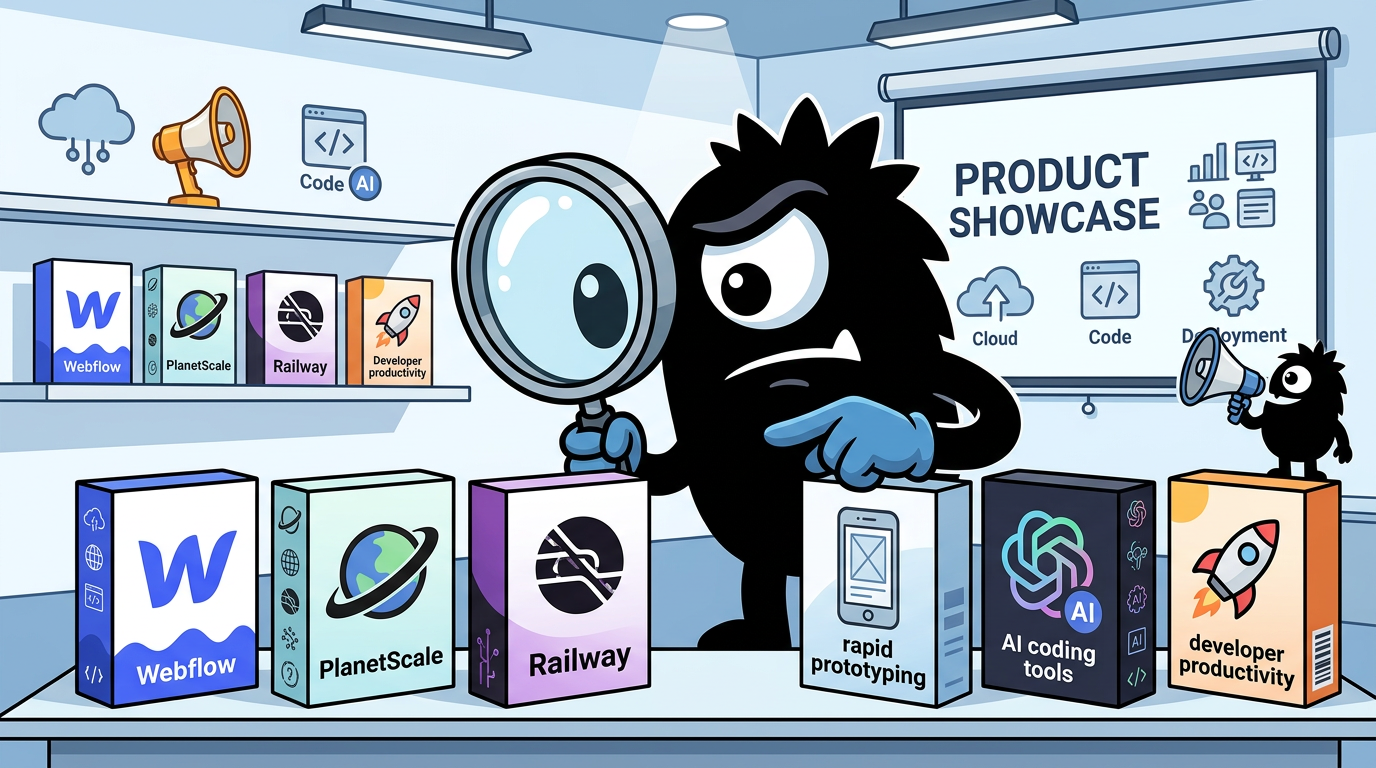
Why This Comparison Is Trickier Than It Looks
“Webflow vs PlanetScale vs Railway” sounds like a clean three-way product showdown. It isn’t.
These tools do not compete at the same layer of the stack:
- Webflow is primarily a visual website and frontend experience builder, with CMS, hosting, and collaboration wrapped in.
- PlanetScale is a managed relational database platform, built around MySQL and Vitess.
- Railway is a deployment and infrastructure platform for apps, services, jobs, databases, and internal tooling.
That matters because the real question practitioners are asking on X is not, Which of these three products is universally best? It is closer to: What gets me from idea to live prototype fastest, with the least operational drag, without forcing a painful rewrite if the prototype actually works?
Solo devs building SaaS: What's the best no-code tool for rapid prototyping in 2025? I've been using Bubble for MVPs, but curious about Adalo or Webflow alternatives.
Share your wins & pitfalls! #NoCode #SaaS #IndieHackers 🚀
That framing is why these products keep getting mentioned in the same breath. Early-stage builders—especially solo founders, agency teams, startup generalists, and product-minded engineers—don’t think in neat infrastructure categories at first. They think in outcomes:
- Can I get something in front of users this week?
- Can I test demand without hiring a full team?
- Can I avoid yak-shaving on infra?
- If this starts getting traction, will I regret the shortcut?
Webflow has become central to that conversation because it lets teams design and publish polished web experiences rapidly, often without waiting on engineering. Webflow’s own material positions rapid prototyping as part of its web design workflow story, especially around iteration and collaboration.[1] That is not just marketing spin; it aligns with how founders and growth teams increasingly use the product.
A lot of people still think you must code everything from scratch to build a powerful website.
Not always.
With Webflow, you can design, build, and launch production-ready websites visually while still having full control over structure, responsiveness, and performance.
For founders, startups, and businesses that need to move fast , it’s a serious advantage.
The real skill now isn’t just coding…
it’s knowing the right tools to build faster.🤨
Railway, meanwhile, has earned strong mindshare as the fastest path from code to something live. Its quick-start flow is intentionally minimal: create a project, deploy a service, provision backing resources, and expose it on the web without a lot of manual environment setup.[13] That combination—deployment speed plus low ceremony—is exactly why developers talk about it with unusual affection.
PlanetScale enters the conversation from a different angle. Nobody serious thinks PlanetScale alone is your prototype UI. What people mean when they bring it up is: if your prototype is crossing from demo to actual product, should you start with a database layer that won’t become tomorrow’s migration headache?
And this is where the comparison gets more useful. The decision is really about five things:
- Speed to first usable prototype
- Flexibility across frontend, backend, and data
- Operational burden
- Cost predictability
- Path from prototype to production
Those criteria produce very different winners depending on what “prototype” means for you.
If your prototype is a marketing-led launch surface, Webflow may beat everything else because design polish and content velocity are the work.
If your prototype is a code-first SaaS MVP, Railway often wins because deployment friction is the bottleneck.
If your prototype is data-heavy and likely to survive first contact with users, PlanetScale becomes disproportionately important because database choices are among the few early decisions that can impose real long-term tax.
The shift in AI-assisted workflows makes this even less of a pure one-tool decision. Designers and developers are increasingly generating screens, components, and code through AI tools, then asking where those artifacts should live: inside Webflow, inside a codebase deployed on Railway, or against a relational backend on PlanetScale.
Design workflows are shifting right now and the core process we've had for 10 years is changing since I am ready for robots to draw rectangles instead of me, I've been experimenting with what's next I set up a workflow: Cursor + Claude Code + our monorepo + a /prototypes/ route the output is Vercel-hosted prototypes in our real design system my flow: → open Cursor and load the monorepo in Claude Code Extension Panel → pass the design Linear ticket in and ask to create 3-5 variations, and interview me → load the branch locally then tweak until it feels right → ship Vercel link to eng the best part is the ability to generate 5 iterations in my exact design language in under 10 minutes *in code* I can finally show exactly what I meant instead of trying to translate it! so is this flow better than Figma? honestly, when I know exactly what I want, Figma is still faster but when I'm exploring, this is excellent, and the prototype IS the spec I expect to see this gap close further with tools like @paper integrating tightly with @cursor_ai and @claudeai, and couldn't be more excited for this new paradigm 🙌
View on XSo the useful way to read this comparison is not as a cage match. It is as a workflow map.
Webflow is best understood as the fastest route to a polished visual web surface.
Railway is best understood as the fastest route to a deployed code-powered product.
PlanetScale is best understood as the database choice you make when “prototype” might need to become “real business.”
That’s the lens we’ll use throughout.
Fastest Path to a Working Prototype: Which Tool Gets You Live First?
If your only metric is how quickly you can go from blank slate to something another person can use, Railway has the strongest claim in this trio for code-first builders.
That sentiment is all over X, and in this case the community read is basically right.
seems like railway is perfect for rapid prototyping
View on XRailway’s advantage is not that it does one magical thing no one else can do. Its advantage is that it compresses a bunch of annoying deployment steps into a workflow that feels closer to “push and ship.” Railway’s documentation and guides repeatedly emphasize this minimal path: create a project, deploy from your app, attach services, and get a live URL without maintaining a lot of configuration ceremony yourself.[13][14]
That matters a lot when the prototype is one of these:
- a Node or Python API
- a Next.js or React app
- a background worker
- a webhook consumer
- an internal admin tool
- a scraper or automation service
- a bundle of small services that need to talk to each other
For those cases, “prototype” usually means real code, real env vars, real deploys, just not enterprise process. Railway is unusually good at turning that into a live system fast.
Your teammate pushed code. 47 seconds later, it's live in production. No YAML files. No infrastructure tickets. No waiting. This is deployment on Railway. Auto-configuration detects your framework and deploys automatically. Hours of config work → Minutes to production.
View on XThe strongest case for Railway is that it removes the kind of friction that kills momentum in week one:
- You do not want to argue about Kubernetes.
- You do not want to hand-roll deployment YAML.
- You do not want to spend a day on reverse proxies and SSL.
- You do not want five different vendors before your first user signs in.
Railway is built for that stage.
But if we stop there, we miss where Webflow wins decisively.
A lot of prototypes are not backend-first. They are customer-facing experiences where the primary work is:
- explaining the product clearly
- making the brand feel credible
- publishing landing pages
- iterating on positioning
- collecting leads
- testing messaging
- shipping CMS-backed content
- building a polished public-facing launch surface
In those situations, a code deployment platform is often the wrong answer to the “fastest prototype” question. A founder can lose days building basic website primitives in code that Webflow already makes visual, responsive, and publishable.
Webflow’s rapid prototyping story is fundamentally about shortening the loop between idea, design, feedback, and public launch.[1] If the thing you need to validate is whether users care, a polished site with forms, CMS content, and structured pages can be a better prototype than a rough app deployed in record time.
That is why “live first” depends on what “live” means.
- If “live” means an interactive app or API, Railway usually wins.
- If “live” means a professional website or visual product shell, Webflow often wins.
- If “live” means a scalable relational data foundation, PlanetScale is usually not first—but it may be the right thing to add on day two.
PlanetScale’s role here is more subtle. On its own, it does not get you from zero to visible product fastest. It is infrastructure, not presentation. But the moment your prototype needs:
- structured relational data,
- durable persistence,
- SQL semantics,
- multiple environments,
- a path toward scale,
then the database stops being an afterthought.
PlanetScale’s platform is oriented around managed MySQL with Vitess under the hood, which is exactly why it gets attention from teams that want something familiar but more scale-conscious than “just spin up MySQL and hope.”[9] For a throwaway toy, this may be overkill. For a serious MVP with accounts, organizations, billing-adjacent data, or relational reporting needs, it starts looking prudent rather than fancy.
Railway’s biggest strength in this section is that it can also absorb some of the database conversation. You can deploy an application and provision supporting services in one workflow.[13] That creates a very attractive “single place to build” experience for MVPs.
Jake from Railway states the value proposition about as directly as possible:
You can deploy anything on Railway, instantly
It’s crazy fast, crazy cheap, and crazy intuitive
If anything is better on any other provider, that’s a bug
Let us know below and we’ll fix that :)
That’s obviously promotional language, but the core point lands because it mirrors real usage: Railway is optimized for reducing time-to-deploy.
Still, the smart decision is not to confuse shipping first with choosing permanently.
A founder can launch a marketing site in Webflow in days and not yet need PlanetScale or Railway.
A solo dev can deploy an MVP backend on Railway tonight and postpone database sophistication.
A team with a product already proving demand may decide that PlanetScale belongs in the stack before public launch because later migration cost feels avoidable.
So who gets you live first?
The short answer
- Choose Webflow if your prototype is mainly a website, CMS experience, or visually polished product concept.
- Choose Railway if your prototype is mainly an app, API, automation flow, or deployable codebase.
- Choose PlanetScale only as part of a stack—usually when the data model matters early.
The mistake is trying to use each tool outside its natural center of gravity.
Frontend and UX Prototypes: Where Webflow Has the Strongest Case
Webflow’s strongest case in rapid prototyping is not that it replaces software engineering. It is that for a huge category of early product work, software engineering is not the bottleneck.
The bottleneck is usually one of these:
- getting a credible web presence live
- iterating on messaging and page structure
- collecting user interest
- creating stakeholder-reviewable interfaces
- shipping CMS-backed content without engineering queues
- making something look “real” enough to test
That is where Webflow is very hard to beat.
The old critique of visual builders was simple: they were fine for brochure sites, but serious teams would outgrow them quickly. In 2026, that critique is too shallow. Webflow has matured into a tool used not just by freelancers and marketers, but by design-led startups and mixed teams that want visual control with a path into more structured frontend workflows.[2][5]
I found Claude, like Cursor, is great for rapid prototyping and custom components, but alone doesn't provide the tablestake features you'd expect for running a live website
Going to look at @webflow as a modern alternative to wordpress, and see how I can integrate with @cursor_ai @claudeai @figma
That post captures a real shift. AI coding tools can generate custom components and rough site structures quickly, but they do not automatically solve all the operational basics of running a polished web experience: content management, responsive page building, publishing workflow, stakeholder editing, and visual consistency. Webflow’s value is that it packages those concerns into something non-engineers and engineers can both work with.
Where Webflow clearly wins
Webflow is the best choice in this comparison when your prototype is:
- A landing page or launch site
- A multi-page marketing website
- A CMS-driven content hub
- A design-heavy startup homepage
- A stakeholder-facing interactive concept
- A lightweight no-code web experience
For those use cases, “rapid prototyping” means visual iteration and publish speed, not service orchestration.
Webflow’s core advantage is that the prototype often looks close to production on day one. That changes behavior inside teams. Founders can show something investors won’t dismiss as a hack. Marketers can update content without filing tickets. Designers can tweak layouts without bouncing through frontend engineering. That is not cosmetic convenience—it is compressed decision-making.
The Webflow ecosystem also matters more than skeptics admit.
🚀 Designing smarter, not harder with @Webflow? Here’s how to unlock its power:
🔥 Pro Tip: Use Webflow’s “Client-first” naming convention from @Finsweet for scalable & maintainable builds. Your future self (and dev team) will thank you.
🧰 Use Cases:
- Rapid prototyping with real data
- SEO-optimized landing pages
- CMS-driven blogs & content hubs
- No-code web apps with Memberstack & Jetboost integrations
✨ Hidden Gem: Combine Webflow’s native CMS + Logic workflows to automate content publishing. No Zapier needed.
📂 Bonus: Copy and paste entire components via Webflow’s “Community Library” to speed up production.
Level up your next build 💡
#Webflow #NoCode #WebDesign #UXDesign #WebsiteDevelopment
The reference to Client-First is important. One of the historical weaknesses of visual building tools is maintainability. Fast initial builds can become messy fast. Client-First, popularized in the Webflow ecosystem, gives teams a more disciplined naming and structure approach, making prototypes less brittle as they evolve. That is one reason Webflow now works better for serious rapid builds than it did in its earlier era.
Likewise, community components and established build patterns reduce the “blank canvas tax.” Rapid prototyping is not just about raw editor speed. It is about how much existing structure you can reuse without making the end result feel generic.
DevLink is the bridge for teams that don’t want a dead-end frontend
For more technical teams, the most important Webflow capability is not the designer itself. It is the existence of DevLink, which Webflow documents as a way to use Webflow-built components inside React projects.[2]
That matters because one of the biggest objections to visual frontend tools is lock-in: What happens when we need engineering to take over?
DevLink does not magically erase every handoff issue, but it changes the conversation. It gives teams a bridge between visual building and code-driven frontend development. For rapid prototyping, that can be exactly the right compromise:
- use Webflow to move fast visually,
- establish structure and design language,
- then bring pieces into a React-based app when needed.
Experts should not overstate this—DevLink is not a universal answer to all architecture questions—but it is a meaningful sign that Webflow is not trying to remain a sealed no-code island.
AI design workflows are making Webflow more relevant, not less
The loudest current design tooling conversation is not “no-code versus code.” It is AI-assisted design-to-build workflows.
That makes Webflow newly interesting because it can become the output destination for AI-generated site structure and components, rather than a rival to coding tools.
Holy shit... Relume just made web designers 10x faster. It turns a single prompt into a full sitemap, wireframe, and style guide in minutes. Sitemap → Wireframe → Style Guide → Export to Figma, Webflow, or React. No templates. No generic AI garbage. Just real components.
View on XRelume is a good example of why. When AI can generate sitemap, wireframe, and style directions from prompts, and then export to Webflow, the practical value of Webflow increases. It becomes a place where generated ideas can become immediately editable, publishable web experiences.
This is a bigger deal than it sounds. In prototype cycles, the slowest step is often not generation—it is turning generated artifacts into something a real team can review, refine, and launch. Webflow is good at absorbing that handoff.
What Webflow cannot replace
None of this means Webflow is a general answer to full-stack prototyping.
It is not the right primary tool when you need:
- complex backend business logic
- custom API orchestration
- long-running jobs
- nontrivial auth/data workflows
- backend-heavy product experimentation
- service-level observability
- serious application runtime control
You can integrate Webflow with external systems, and many teams do. But once your prototype’s value is mostly in application logic rather than web presentation, Webflow moves from center stage to frontend shell.
That is the right way to think about it. Not as “limited,” but as specialized where it counts.
Verdict on Webflow for rapid prototyping
Webflow is the best of these three when the prototype needs to be:
- public-facing,
- polished,
- content-driven,
- design-led,
- and editable by non-engineers.
It is especially strong for:
- founders validating a concept publicly,
- startups testing messaging,
- agencies building launch experiences,
- and teams that want a credible frontend before committing to a full custom app.
If your prototype’s job is to look real, feel trustworthy, and change fast, Webflow has the strongest case in this comparison.
Backend and Data Prototypes: When Railway and PlanetScale Pull Ahead
The moment your prototype needs real backend behavior—accounts, jobs, queues, APIs, ingestion pipelines, scheduled tasks, workers, scrapers, transactional state—Webflow stops being the center of gravity.
This is where Railway and PlanetScale pull ahead, and where the smartest answer is often both, not either.
Railway’s practical appeal is that it lets developers stand up backend systems without turning deployment into a second job. Its quick-start and deployment model are designed for exactly the kinds of prototypes that normally drown in setup overhead: service repos, environment variables, exposed URLs, attached databases, and iterative deploys.[13][14]
That is why it shows up so often in side-project and MVP stacks. Not because it is the most enterprise-complex platform, but because it is the platform most aligned with the psychology of early shipping.
Herramientas que sume a mi stack para hacer side projects últimos dos meses: Railway levant ar rapido y facil dbs, servers, n8n y demas n8n (hosteado en railway) Forma barata y facil de automatizar flujos y armar agents. Fastapi (hosteado en railway) Lo empece a usar para correr algunos jobs largos con mucho procesamiento de datos. Y junto con browserless lo tengo haciendo scrapping. Browserless (hosteado en railway) Lo uso para scrapping Claude Code Estoy teniendo bastantes buenos resultados, lo voy usando de a poco en cada vez mas cosas. Lo siento que hace menos errores y entiende mejor que en cursor. Context7 MCP con librerias actualizadas y que consumen pocos tokens para la AI. Si necesitas que claude labure sobre algo y consulte la documentacion para no cagarla, resuelve eso. Redis (en upstash) Lo uso para cache o como base no relacional. Por ejemplo guardar cotizaciones del dolar por unos minutos o metadata de fondos comunes de inversion. Qstash (de upstash) Lo uso para disparar los scrappings y procesamiento de datos en el fastapi que esta en railway. Algo que estoy buscando ahora, es alguna base de datos donde pueda guardar series de tiempo por ejemplo. Que tenga la ux de upstash y un pricing ridiculamente bajo 🐀 Deje de usar supabase para esto porque tengo uno o dos projects con infinitas tablas que no tienen nada que ver.
View on XThat post is instructive because it’s not abstract praise. It’s a real stack story:
- databases
- servers
- n8n
- FastAPI jobs
- browser automation/scraping
- Redis
- event triggering
This is what “rapid prototyping” actually looks like for many practitioners in 2026. Not a single monolith, but a messy cluster of tools and services glued together around a real business experiment. Railway is compelling precisely because it is comfortable with that mess.
Railway’s sweet spot: code-first prototypes that need to be alive, not just demoed
Railway is especially well suited for:
- API prototypes
- SaaS MVP backends
- internal tools
- worker/queue systems
- automation and agent backends
- scrapers and ETL jobs
- multi-service experiments
- hackathon projects that accidentally become products
Beginners should understand why this matters. A backend prototype is not just “a server.” It is the invisible machinery that makes user actions do things:
- create records
- send emails
- process uploads
- fetch data from third parties
- run async tasks
- coordinate state across components
You can write all of that quickly in modern frameworks. The deployment bottleneck is what slows people down. Railway reduces that bottleneck enough that developers increasingly use it as the default first stop.
PlanetScale’s role: when the database deserves first-class attention
If Railway is about making services easy to ship, PlanetScale is about making relational data easier to live with at scale.
PlanetScale is built on Vitess and presents a MySQL-compatible model that appeals to teams who want familiar relational semantics with infrastructure that has already made important scaling decisions for them.[9][7] It also supports modern application patterns through tooling like its serverless driver and examples for frameworks and ORMs such as Prisma.[7][10]
That does not matter much for a toy CRUD app with ten users. It matters a lot when your prototype is likely to accumulate:
- organizations and users
- large write volumes
- growth-sensitive query paths
- operational risk around schema changes
- future reporting and analytics needs
- genuine uptime expectations
That is why PlanetScale gets discussed with a different tone than many “MVP database” products. People are not treating it as a shortcut. They are treating it as a way to avoid future re-platforming.
Im so proud of this! Started the dev journey from scratch around two years ago!
Shipping like a loonatic, in absolute shrimp mode 24/7🤣
It’s blazing fast, powered by Planetscale, private network redis caching and a queue/worker design so fast and easy to maintain I often forget about it.
Plus my very own version skew system with Coolify and zero downtime deployments!
from a tech standpoint it beats every other community platform out there.
What’s notable in that post is not just “powered by PlanetScale.” It’s the surrounding architecture language: caching, queue/worker design, version skew management, zero-downtime deployments. That’s a production-minded builder talking about a stack that still feels fast to operate. PlanetScale fits that mindset.
The architectural discipline argument is real
There is also a subtler reason experienced builders choose PlanetScale early: architecture discipline.
have having with aws rds in prod at TB scale, planetscale is the way to go
u just can’t overcome physics and key architectural decisions
vitess way also brings discipline of avoiding crazy joins and set you up for high rps and iops success
This is one of the more technically grounded sentiments in the X conversation. PlanetScale’s Vitess lineage comes with opinions, and opinions are often good for prototypes that may become real businesses. Teams sometimes resent constraints in month one and appreciate them in year two. Database products that nudge you away from pathological patterns can save you from expensive success.
That is not to say PlanetScale is automatically necessary. Plenty of MVPs never need its strengths. But if you already know your product is relational, transactional, and potentially high-growth, then starting with a stronger database platform is often cheaper than migrating later.
The practical pairing: Railway for runtime, PlanetScale for data
For many serious prototypes, the most compelling answer is this:
- Use Railway to deploy the application layer
- Use PlanetScale to power the relational database layer
- Optionally use Webflow for the public-facing marketing or launch frontend
This stack division is cleaner than trying to force one tool to do everything.
Why it works:
- Railway optimizes service velocity
You get rapid app deployment, easy iteration, and support for the supporting cast of services a modern MVP often needs.
- PlanetScale optimizes database confidence
You keep MySQL compatibility while adopting a platform intentionally built for better scaling discipline and operational management.[9][11]
- The responsibilities stay legible
Your frontend, application runtime, and data layer each live where they make sense.
For experts, the key point is that this combination preserves optionality. You are not locking your entire product into a visual builder, nor are you treating the database as a disposable sidecar. You are using managed services where they create leverage.
Where Railway beats PlanetScale alone
If the question is “which one helps me build a working backend prototype faster,” Railway wins easily. PlanetScale is not a hosting platform for your app; it is a database platform. You still need somewhere for the code to run.
So for developers deciding between them as if they were substitutes:
- choose Railway when the problem is deployment and service orchestration,
- choose PlanetScale when the problem is durable relational data,
- choose both when you have an actual product stack.
Where PlanetScale justifies itself early
PlanetScale starts to justify its added complexity when:
- data structure matters from the beginning,
- you expect high growth or high concurrency,
- you want MySQL-compatible tooling,
- you care about schema and scaling hygiene,
- you suspect the prototype is not actually temporary.
That last point is crucial. Many “prototypes” are really pre-production products. If you know that, design accordingly.
Bottom line for backend and data prototyping
Railway is the better rapid prototyping platform for running software.
PlanetScale is the better rapid prototyping choice for not regretting your database later.
And if your MVP has any chance of becoming real, pairing the two is often the most adult answer in the room.
Railway is solid for MVPs — free tier works well early on and scales without rewriting your infra. Let's connect
View on XThat post is a little optimistic in broad form—nothing scales infinitely without tradeoffs—but the intuition is correct: Railway is unusually strong early, and often strong longer than skeptics assume.
Local Dev, Developer Experience, and Iteration Speed
Rapid prototyping is not just about first deploy. It is about the speed of the loop after that.
Can you make a change locally, test it quickly, preview it in a realistic environment, and ship again without friction? That day-to-day loop is where tools either become beloved or quietly abandoned.
Railway has been leaning hard into this problem, and the release of railway dev is one of the clearest signs that the platform understands its next challenge: managed infra is convenient, but developers still want local velocity.
Today we’re rolling out ‘railway dev’
Automatically spin up Railway projects locally, so you can move quickly, wherever you are
We will handle the containers, local certs, etc
railway dev -> railway.localhost
This matters more than a feature announcement might suggest. One of the classic tradeoffs in cloud platforms is local-cloud drift:
- local env behaves differently from hosted env,
- services need painful manual wiring,
- certs and networking become setup work,
- onboarding is slower than it should be.
Railway’s pitch here is local-cloud parity with less manual overhead. That is exactly the sort of thing practitioners have been asking for because the ideal prototype platform is not just easy to deploy—it is easy to iterate against when half the work still happens on a laptop.
For experts, this is strategically important. Platforms that win MVP deployment often lose later when teams hit DX pain in development. Railway clearly wants to avoid that trap.
Railway’s developer experience advantage
Railway’s DX advantage comes from reducing infrastructure surface area a small team needs to think about:
- deployment config
- service discovery
- cert setup
- environment wiring
- repetitive provisioning
If you are building quickly, those conveniences are not luxuries. They are the difference between flow and context switching.
The biggest beneficiaries are:
- solo founders
- small startup teams
- prototyping-heavy product engineers
- AI-assisted builders generating lots of iterations
- side-project developers who do not want infra to become the hobby
Webflow offers fast iteration—but a different kind
Webflow absolutely supports fast iteration, but it is a different ergonomic model.
Its loop is:
- design visually,
- adjust layout and content in the browser,
- preview quickly,
- publish changes rapidly.
That is fantastic when the prototype is visual and web-facing. It is less relevant if your workflow is code-editor-centric and branch-driven.
This distinction matters because teams sometimes evaluate Webflow by the wrong standards. If you expect local git-based frontend development, component tests, and conventional engineering handoff, Webflow will feel foreign. If your goal is to collapse design-build-publish into one visual loop, it feels liberating.
That’s why Webflow works best when the people iterating are:
- designers,
- marketers,
- founders,
- or frontend-minded builders comfortable with visual tooling.
And it works less well as the center of gravity for backend-heavy engineering teams.
Still, Webflow’s role in modern frontend workflow has become more technical than many assume. Its developer-facing materials around DevLink make clear that it is trying to participate in code-aware workflows, especially React-oriented ones.[2] That doesn’t make it a local-dev-native platform, but it does make it more interoperable than the old “no-code island” caricature.
Live Site Version ✨ Develop in @webflow 3d asset using @splinetool Component library from @relume_io
View on XThat post is small, but revealing: Webflow is increasingly part of a componentized workflow with tools like Spline and Relume. The iteration speed comes not from raw coding throughput, but from composability in visual systems.
PlanetScale improves database ergonomics, not whole-stack ergonomics
PlanetScale’s developer experience contribution is narrower but real.
It improves the database layer’s ergonomics through:
- MySQL familiarity,
- serverless-friendly access patterns,
- modern drivers,
- compatibility with common tooling and GUIs.[7][10][12]
The PlanetScale JavaScript driver being Fetch API-compatible is a good example of this modern posture.[10] It reflects the serverless and edge-aware reality of contemporary app development. Likewise, Prisma examples and GUI connectivity reduce the friction of working with the database in frameworks teams already use.[7][12]
But PlanetScale only solves one part of the loop. It will not help you deploy your worker, manage your frontend previews, or spin up your local app stack. It improves the data workflow, not the full prototype workflow.
The AI era changes what “iteration speed” means
This section is where the X conversation about AI-assisted development becomes especially relevant. Teams are no longer just writing one implementation. They are generating multiple candidate implementations quickly, then choosing among them.
That changes the infrastructure requirement. The best prototyping stack in 2026 is one that can absorb many small experiments without creating operational drag.
Railway fits that world because generated code still needs somewhere to run.
Webflow fits that world because generated designs still need somewhere to become presentable.
PlanetScale fits that world because promising experiments still need a sane data backbone.
So if your team is:
- generating frontend variations with AI,
- scaffolding APIs with coding assistants,
- spinning up throwaway experiments weekly,
then iteration speed is no longer just “how fast can I code?” It is “how much friction exists between generated output and usable product?”
Each tool shortens a different leg of that journey.
Verdict on DX and iteration speed
- Railway has the strongest overall DX story for code-first prototyping, especially as local development support improves.
- Webflow has the fastest loop for visual web iteration, especially for non-engineering collaborators.
- PlanetScale improves the database developer experience, but it is still one layer, not the full environment.
If your team lives in code, Railway will probably feel fastest.
If your team lives in visual publishing and stakeholder review, Webflow will probably feel fastest.
If your main concern is making DB access less painful in modern app architectures, PlanetScale quietly earns its place.
Pricing, Cost Predictability, and the Hidden Gotchas
Pricing is where prototype tooling stops being aspirational and becomes operational.
Nobody minds paying for leverage. Everyone minds paying unpredictably.
That is why the X conversation around Railway is so price-sensitive. Developers are not only praising speed; they are praising the feeling that they understand the bill well enough to keep experimenting.
I've never seen such a blatant lie.
- I served 1M+ requests on my game deployed on Railway, and it cost me just over $1.
- I currently have over 10 services (APIs and databases) running on Railway, all for $5/month.
- The Railway free plan doesn't sleep your app, rendering (😉) it unresponsive after x minutes like Render does.
- Railway doesn't have issues deploying TypeScript. I always run into issues deploying TypeScript on Render.
Railway is just better.
Now, practitioners should always treat anecdotal pricing claims carefully. Individual workloads vary wildly. But the post captures a real reason Railway has strong builder goodwill: for many small apps and service clusters, it feels inexpensive enough that cost does not become the immediate inhibitor.
That is a bigger advantage than product teams sometimes realize. In prototype-heavy environments, the most dangerous pricing models are the ones that punish experimentation:
- per-build costs that spike with active PR workflows,
- hidden idle charges,
- unexpectedly expensive preview usage,
- complex billing dimensions that are hard to reason about.
This is why another Railway-related sentiment has been resonating:
luckily, @vercel was kind enough to help us out due to an error in our config that almost cost us $2300, so shout out to them for helping us out there, unfortunately for what we are doing its much cheaper to just use railway as they don't charge us per build which helps when you are doing a ton of builds/prs constantly
i highly recommend them and if we can later we will try to migrate back possibly, but right now @Railway is the direction to keep us operational
That is the kind of detail only users deep in the workflow bother posting. Frequent builds and PR-driven iteration are core to modern shipping, especially for startups. When pricing aligns with that behavior, teams notice.
How to think about Railway costs
Railway’s cost appeal is strongest for:
- side projects
- MVPs
- internal tools
- small service fleets
- teams doing lots of deploys
- developers who want one platform for app plus supporting services
The hidden gotcha is not that Railway is secretly bad value. It is that users can overgeneralize from tiny workloads. Cheap for an MVP does not automatically mean cheapest forever. As usage grows, always reassess based on your actual traffic profile, memory/CPU consumption, service count, and reliability expectations.
Still, Railway’s reputation for affordability in the prototype stage is not an accident. It is deeply tied to the product’s positioning around fast, low-ceremony deployment.
Webflow pricing is a different category of purchase
One of the biggest mistakes in this comparison is evaluating Webflow pricing as if it were compute pricing.
It isn’t.
When teams pay for Webflow, they are generally paying for a bundle that includes:
- visual site building
- hosting
- CMS capabilities
- content editing workflow
- collaboration
- publishing convenience
- reduced engineering dependency
That means the question is not “Is Webflow cheaper than hosting a small app?” The question is “Is Webflow cheaper than the combination of developer time, CMS setup, hosting, and publishing process we would otherwise need?”
For marketing-led teams and founders, the answer is often yes. For engineering-heavy product teams building custom applications, the answer is less often yes because the platform may only cover part of what they need.
Webflow’s broader market position also reflects that it is not being bought as a toy tool. Coverage of the company’s growth and enterprise ambitions has long suggested that teams view it as a serious web experience platform, not just a cheap site builder.[3] That’s relevant context when evaluating pricing: you are paying for workflow compression, not raw infrastructure.
The hidden gotcha with Webflow is paying for it when your actual needs are highly custom app logic rather than site/CMS/publishing needs. In that scenario, you can end up buying a polished surface layer while still needing substantial engineering infrastructure elsewhere.
PlanetScale pricing matters later than people think—and more than people expect
PlanetScale pricing usually does not dominate the decision at toy scale. A tiny prototype often will not stress the database enough for cost to be the loudest concern.
But once the prototype becomes:
- write-heavy,
- query-heavy,
- operationally important,
- or structurally central to your product,
database pricing and platform value start to matter a lot.
The hidden economic argument for PlanetScale is not “smallest monthly bill.” It is reduced operational burden and reduced migration risk. Articles covering PlanetScale’s platform positioning consistently emphasize performance, managed operation, and serverless-friendly workflows.[8][9] Those advantages are easy to ignore when all you want is a quick demo. They are much harder to ignore when the app starts generating revenue.
In other words: PlanetScale is often not the cheapest-feeling choice in a vacuum. It is the choice teams make when they are pricing in future complexity.
Simplicity itself has economic value
This is the common thread across all three tools: operational simplicity is a form of cost control.
- Webflow can be “cheap” because it reduces frontend and content workflow overhead.
- Railway can be “cheap” because it reduces deployment and service-management overhead.
- PlanetScale can be “cheap” because it reduces database scaling and migration overhead.
That’s why direct price table comparisons are often misleading. The real cost question is:
What expensive work does this tool prevent me from doing?
The practitioner shorthand on X is crude but useful
There’s a simple post that captures the prevailing heuristic:
Railway is solid and cheap.
Vercel is smoother.
AWS when production.
That is not a formal architecture framework, but it reflects real market perception:
- Railway is associated with affordability and velocity.
- More polished frontend/deployment experiences may win on smoothness.
- Traditional heavy infrastructure still gets associated with “serious production.”
The important correction is that this shorthand can become too simplistic. Plenty of production systems run on tools once dismissed as “just for MVPs,” and plenty of teams overbuy enterprise complexity long before they need it.
Pricing verdict
- Railway is usually the most attractive choice when you want low-friction, cost-conscious experimentation in code-first prototypes.
- Webflow is worth it when your value comes from site quality, content operations, and visual speed, not commodity compute.
- PlanetScale pays off when your prototype’s database is likely to become strategic, and the real savings are in future-proofing and reduced operational pain.
For prototype-heavy teams, predictability often matters more than absolute cheapness. On that metric, tools that simplify the bill and the workflow tend to win.
Prototype Now, Scale Later—or Scale from Day One?
This is the philosophical split underneath almost every rapid prototyping debate.
One camp says: optimize for learning speed.
The other says: avoid choices you’ll regret the minute the prototype works.
Both camps are right, depending on the situation.
The strongest critique of Railway in the current conversation is not that it is bad. It is that it may be best understood as an MVP platform rather than the default forever-home for serious production backends.
Render wins for production backends every time. Railway shines in rapid prototyping, but Render gives you rock-solid reliability without the surprises.
View on XThat sentiment exists for a reason. Practitioners distinguish sharply between rapid prototyping speed and production-grade reliability. Those are not the same thing, and pretending otherwise helps nobody.
But this is where nuance matters. “Great for prototyping” is not a criticism. It is often exactly the point. If your biggest risk is building the wrong thing, then optimizing for infrastructure permanence too early can be a form of waste.
When learning speed should dominate
Choose for learning speed first when:
- you are pre-product-market-fit,
- your main unknown is user demand,
- the app may change shape dramatically,
- the team is tiny,
- time-to-feedback is more valuable than architecture purity.
In that world, Railway is a very rational choice. You are buying speed and focus. If you later outgrow parts of the stack, that is a tax you may gladly pay because you proved the business.
This is also where Webflow shines. A Webflow launch surface can be either:
- the permanent frontend for a content-heavy business,
- or the temporary facade that helps a startup test messaging and acquire early users before a more custom product matures.
That flexibility is underappreciated. A Webflow site is not always a prototype in the pejorative sense. Sometimes it is the durable public face of a business even as the application stack behind it evolves.
When scaling concerns should influence the prototype stack early
There are also scenarios where “we’ll fix it later” is expensive nonsense:
- B2B SaaS with complex account data
- products likely to ingest large datasets
- systems expected to face high concurrency quickly
- teams with enough experience to know their growth shape in advance
- products where migrations carry material customer risk
This is where PlanetScale becomes compelling early.
Its appeal is not just raw scale. It is adopting a database platform whose constraints and architecture push you toward patterns that survive growth better.[9][8] If you already know the app is relational and likely to persist, then starting with PlanetScale can be less about premature optimization and more about avoiding obvious debt.
have having with aws rds in prod at TB scale, planetscale is the way to go
u just can’t overcome physics and key architectural decisions
vitess way also brings discipline of avoiding crazy joins and set you up for high rps and iops success
That post may be blunt, but the underlying point stands: some architectural choices cannot be wished away later.
The mature answer: prototype at the right layer
The best teams do not ask “Should we prototype or scale?” They ask:
At which layers should we optimize for speed, and at which layers should we optimize for durability?
That’s the practical framework:
- Frontend surface: often optimize for speed
Webflow can be perfect here.
- Application runtime: often optimize for speed first
Railway is strong here.
- Data layer: often worth optimizing for durability sooner
PlanetScale is strong here.
This layered approach is how you avoid false binaries. You do not need enterprise everything from day one. But you also do not need to treat every part of the stack as disposable.
The hidden question: what kind of rewrite are you willing to tolerate?
Every prototype stack choice implies a future migration risk. The useful question is not “Will we ever rewrite?” You almost certainly will. The useful question is what kind of rewrite would be acceptable?
- Rebuilding a marketing site later? Often fine.
- Moving hosting platforms later? Usually manageable.
- Migrating a central database under customer load? Potentially painful.
That’s why the PlanetScale conversation has a different emotional weight than the Railway conversation. Hosting is easier to swap than data gravity.
Verdict on the prototype-versus-scale tension
- Use Railway first when your main risk is not knowing what to build.
- Use PlanetScale early when your main risk is that success will expose weak database decisions.
- Use Webflow either temporarily or permanently when the public-facing web layer needs to move faster than your app stack.
The best rapid prototyping stacks are not the ones that optimize everything equally. They are the ones that place durability where future pain is highest.
Best Choice by Use Case: Solo Founder, SaaS MVP, Marketing Site, or Full-Stack Prototype
After all the nuance, most readers still want a clear recommendation. Fair enough.
Here is the simplest honest answer:
- Webflow is best for design-led, customer-facing web prototypes
- Railway is best for code-first MVPs and deployable application experiments
- PlanetScale is best when the relational data layer is serious enough to deserve an adult decision early
The best choice depends on what you are actually shipping.
1. Solo founder launching an idea fast
If you are a solo founder, your biggest bottleneck is usually not theoretical scalability. It is getting a product-shaped thing in front of people before momentum dies.
Recommended default:
- Webflow for landing page / launch site
- Railway for API, auth layer, automation, or simple app backend
- PlanetScale only if your data model is clearly central and relational from the start
Why:
- Webflow gives you instant public credibility.
- Railway gets your app logic live without infra sprawl.
- PlanetScale is worth adding only when your backend stops being disposable.
2. Marketing site, waitlist, or content-led launch
If the prototype is really a market test—positioning, signups, content, design trust—then this is the easiest call in the article.
Choose Webflow.
Use it when you need:
- polished pages,
- CMS-backed content,
- fast edits,
- stakeholder collaboration,
- design flexibility without a frontend sprint.
Webflow’s rapid prototyping value is strongest when the website is the experiment.[1]
3. SaaS MVP with real application logic
If you are building:
- user accounts,
- dashboards,
- internal admin tools,
- async jobs,
- workflows,
- integrations,
- API-backed product features,
then Railway is the best starting point for most small teams.
Use Railway when:
- you already have code,
- you need services online quickly,
- you want low operational friction,
- you are iterating fast and deploying often.
Its quick-start and app deployment flow are tailor-made for this stage.[13][14]
4. Full-stack prototype that might become production
This is the category where simplistic advice fails.
If the prototype has:
- a real relational core,
- meaningful expected growth,
- long-term product intent,
- and a team that knows it is not building a throwaway demo,
then the best stack is often:
- Webflow for marketing/public site
- Railway for app runtime and services
- PlanetScale for relational data
This is the combination that maps closest to each tool’s actual strengths.
5. Design-led startup with strong brand requirements
If your product success depends heavily on first impressions, storytelling, polished interactions, and content velocity, Webflow should probably be in the stack, even if the backend lives elsewhere.
A lot of startups underinvest in this layer because engineers naturally optimize for app functionality. But early users often encounter your site before your product. Webflow lets that surface move independently and quickly.
6. Data-heavy product or backend team thinking ahead
If your prototype already looks like a real product and the database will be central to business correctness, analytics, or scale, bring in PlanetScale earlier than you think.
Use it when:
- MySQL compatibility matters,
- relational structure matters,
- migration pain would be expensive,
- and you want database decisions that age better.[7][9]
A simple decision matrix
Choose Webflow if:
- the prototype is mostly a website or visual web experience
- non-engineers need to edit and publish
- design quality is part of the test
- CMS and content workflows matter
- speed of visual iteration matters more than backend complexity
Choose Railway if:
- the prototype is mostly deployable code
- you need APIs, workers, jobs, or services
- you want minimal setup and frequent deploys
- local-to-cloud workflow matters
- you are a solo dev or small team moving fast
Choose PlanetScale if:
- the prototype has a meaningful relational data model
- you expect growth or high operational importance
- you want MySQL with better scaling discipline
- the app is likely to outlive the MVP phase
- database migration later would be painful
Final recommendation
If you force me to name a single best tool for “rapid prototyping” in the broadest sense, Railway has the strongest claim—but only for code-first builders.
If you force me to name the best tool for shipping a polished public-facing prototype fast, it is Webflow.
If you ask which tool in this list is most likely to save you from future infrastructure regret when your prototype becomes real, it is PlanetScale.
That is the truth of this comparison: there is no universal winner because there is no single kind of prototype.
The real winner is the stack that matches your bottleneck.
And in 2026, for a lot of serious builders, that stack looks something like this:
- Webflow for the surface
- Railway for the runtime
- PlanetScale for the data
That is not indecision. It is architectural clarity.
Sources
[1] Optimize your web design process with rapid prototyping and project ... — https://webflow.com/blog/optimize-your-web-design-process-rapid-prototyping-project-management-in-webflow
[2] DevLink | Webflow Developer Documentation — https://developers.webflow.com/devlink/reference/overview
[3] No-code development platform Webflow raises $140 million at a ... — https://venturebeat.com/technology/no-code-development-platform-webflow-raises-140-million-at-2-1-billion-valuation
[4] How I prototype digital products in Webflow - UX Collective — https://medium.com/@robertsmith_co/how-i-prototype-digital-products-in-webflow-1e1c42d5814e
[5] How to Use Webflow as a Developer - DEV Community — https://dev.to/pixel_mosaic/how-to-use-webflow-as-a-developer-a-complete-technical-workflow-guide-2o5m
[6] What Is the Best Way to Create a Website in 2024? #151800 - GitHub — https://github.com/orgs/community/discussions/151800
[7] Using the PlanetScale serverless driver with Prisma — https://planetscale.com/docs/vitess/tutorials/planetscale-serverless-driver-prisma-example
[8] How to Migrate to PlanetScale's Serverless Database — https://thenewstack.io/how-to-migrate-to-planetscales-serverless-database
[9] PlanetScale: The performant MySQL database platform — https://blog.tericcabrel.com/discover-planetscale-the-mysql-serverless-database
[10] A Fetch API-compatible PlanetScale database driver — https://github.com/planetscale/database-js
[11] How to use PlanetScale in your serverless app - SST Guide — https://guide.sst.dev/examples/how-to-use-planetscale-in-your-serverless-app.html
[12] Connect a MySQL GUI to PlanetScale — https://planetscale.com/docs/vitess/tutorials/connect-mysql-gui
[13] Quick Start Tutorial - Railway Docs — https://docs.railway.com/quick-start
[14] Deploy a React App | Railway Guides — https://docs.railway.com/guides/react
[15] How to Deploy a Node.js App on Railway in Under 10 Minutes — https://dev.to/arunangshu_das/how-to-deploy-a-nodejs-app-on-railway-in-under-10-minutes-1fem
Further Reading
- [PlanetScale vs Webflow: Which Is Best for SEO and Content Strategy in 2026?](/buyers-guide/planetscale-vs-webflow-which-is-best-for-seo-and-content-strategy-in-2026) — PlanetScale vs Webflow for SEO and content strategy: compare performance, CMS workflows, AI search readiness, pricing, and best-fit use cases. Learn
- [Webflow vs Asana: Which Is Best for Data Analysis and Reporting in 2026?](/buyers-guide/webflow-vs-asana-which-is-best-for-data-analysis-and-reporting-in-2026) — Webflow vs Asana for data analysis and reporting: compare insights, dashboards, integrations, pricing, and best-fit use cases in 2026. Learn
- [Sprout Social vs SEMrush: Which Is Best for Rapid Prototyping in 2026?](/buyers-guide/sprout-social-vs-semrush-which-is-best-for-rapid-prototyping-in-2026) — Sprout Social vs SEMrush for rapid prototyping: compare workflows, automation, APIs, pricing, and fit to choose the right tool faster. Learn
- [PlanetScale vs Framer: Which Is Best for Startup Founders and Solopreneurs in 2026?](/buyers-guide/planetscale-vs-framer-which-is-best-for-startup-founders-and-solopreneurs-in-2026) — PlanetScale vs Framer for startup founders and solopreneurs: compare speed, pricing, use cases, and tradeoffs to choose the right stack. Learn
- [What Is OpenClaw? A Complete Guide for 2026](/buyers-guide/what-is-openclaw-a-complete-guide-for-2026) — OpenClaw setup with Docker made safer for beginners: learn secure installation, secrets handling, network isolation, and daily-use guardrails. Learn
References (15 sources)
- Optimize your web design process with rapid prototyping and project ... - webflow.com
- DevLink | Webflow Developer Documentation - developers.webflow.com
- No-code development platform Webflow raises $140 million at a ... - venturebeat.com
- How I prototype digital products in Webflow - UX Collective - medium.com
- How to Use Webflow as a Developer - DEV Community - dev.to
- What Is the Best Way to Create a Website in 2024? #151800 - GitHub - github.com
- Using the PlanetScale serverless driver with Prisma - planetscale.com
- How to Migrate to PlanetScale's Serverless Database - thenewstack.io
- PlanetScale: The performant MySQL database platform - blog.tericcabrel.com
- A Fetch API-compatible PlanetScale database driver - github.com
- How to use PlanetScale in your serverless app - SST Guide - guide.sst.dev
- Connect a MySQL GUI to PlanetScale - planetscale.com
- Quick Start Tutorial - Railway Docs - docs.railway.com
- Deploy a React App | Railway Guides - docs.railway.com
- How to Deploy a Node.js App on Railway in Under 10 Minutes - dev.to
Related Guides

Aider vs Cline: Which Is Best for AI Pair Programming in 2026?
15 min read
The Best AI Model Tools in 2026: An Expert Comparison Through a $4M Polymarket Bet
25 min read
What Is Replit? A Complete Guide for 2026
19 min read
Traders Are Betting on Anthropic: What Polymarket's 99% AI Model Odds Reveal for Developers in 2026
20 min read