Supabase vs Monday.com: Which Is Best for Developer Productivity in 2026?Updated: September 27, 2026
Supabase vs Monday.com compared for developer productivity: backend speed, workflow clarity, pricing, and best-fit use cases. Discover
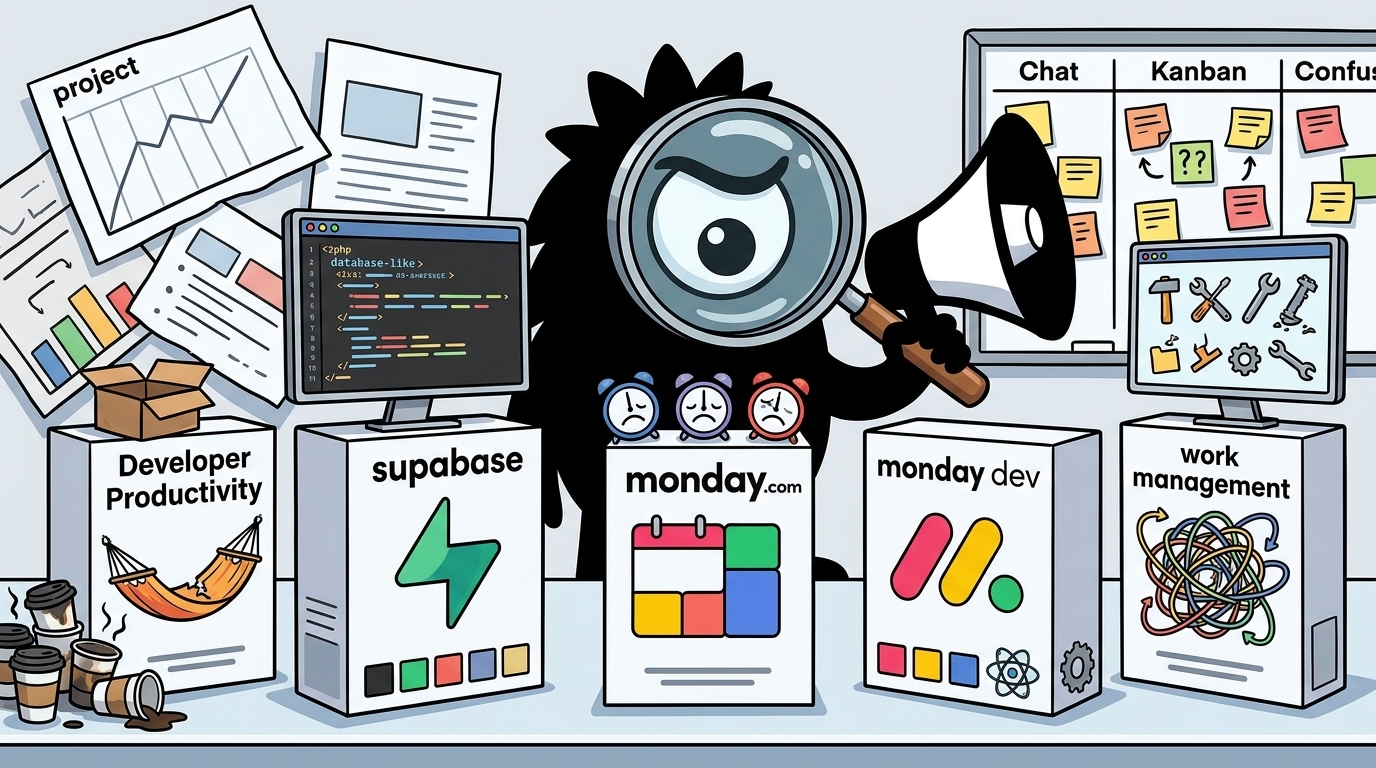
Developer Productivity Is Two Different Problems: Shipping Software vs Coordinating Work
“Developer productivity” sounds like a single metric. In practice, it usually means one of two very different things:
- How fast an individual developer or small team can turn an idea into working software
- How effectively a team can coordinate planning, execution, handoffs, and reporting
That distinction matters because Supabase and Monday.com improve different bottlenecks.
Supabase is fundamentally a backend acceleration platform. It gives developers managed Postgres, authentication, storage, realtime features, APIs, functions, and related tooling in one environment.[1][2][3] Its productivity promise is straightforward: stop wiring basic infrastructure together by hand and start building product features.
Monday.com, especially through monday dev, is fundamentally a work management and delivery coordination platform. Its productivity promise is different: make work visible, reduce ambiguity, automate repetitive coordination, and improve predictability across a team.[8][9][10]
Those are both valid forms of developer productivity. They are just not the same thing.
The X conversation around these tools reflects that confusion. When developers praise Supabase, they are usually talking about setup friction: the pain of standing up auth, a database, storage, APIs, and server-side logic before the real product work can even begin.
You're a frontend dev. You just built a killer UI.
Now you're stuck.
You need a backend. You need a database. You need user auth. And that "weekend project" just became a 3-month infrastructure nightmare.
You think, "I need a server, an RDS instance, I need to write 50 Express routes for CRUD, I need to implement JWTs, bcrypt, password reset..."
This is the exact moment 90% of indie projects die.
For years, the answer was Firebase. But that meant getting locked into a NoSQL world (Firestore) that's not always the right fit.
Today, I really dove into Supabase, and I'm stunned. It’s the open-source alternative built on the one thing we all trust: Postgres.
I was expecting just a database. What I got was a production-ready, scalable backend in minutes.
Here was my journey:
Level 1: The Database API
I created my project. Supabase gives you a full, grown-up Postgres database.
I went to the SQL Editor and created a table: `create table posts (...)`.
The second I saved it, Supabase instantly and automatically generated a full RESTful API for it.
My `GET /posts` and `POST /posts` endpoints just... existed. I didn't write a single line of backend code.
Level 2: The Auth (and the real genius)
I needed user sign-ups. This is usually the part I hate.
I clicked the "Auth" tab. It just handles it. Google, GitHub, email/password, magic links... it's all there.
But here is the genius part. It’s not separate from the database. It's built on it using Postgres's Row Level Security (RLS).
I wrote ONE simple SQL policy:
`create policy "Users can only see their own posts."
on posts for select
using ( auth.uid() = author_id );`
And that's it. My API was secure. Supabase's API automatically enforces this. No more `if (https://t.co/NAFMfNoARo !== https://t.co/9w1bCxVuKL_id)` logic in my backend. It’s handled at the database layer.
Level 3: The "Wait, what?" Features
- Storage: "I need users to upload profile pictures." Click "Storage." It's an S3-compatible bucket, already hooked into your RLS policies.
- Realtime: "I want to show a 'New Post!' notification." Click "Realtime." Now I can subscribe to any change in my database *instantly*. No websockets, no setup.
Level 4: The "Pro Escape Hatch" (What I Used Today)
This is what sold me. The auto-generated API is great, but I needed custom logic.
My Problem: "When a new user signs up, I need to call the Resend API to send them a welcome email."
My old workflow: Spin up a separate Vercel function, figure out webhooks, manage API keys... it's a mess.
My new workflow:
1. I wrote a Supabase Edge Function. It's just a TypeScript file using Deno that lives right in my Supabase project.
2. The function's code was simple: pull the new user's email from the request and `fetch` the Resend API.
3. I deployed it.
4. I told Supabase to trigger this function as a webhook every time a new row is inserted into the `auth.users` table.
The entire process took 10 minutes.
My custom backend logic is now serverless, deployed globally, and co-located with my database.
Supabase isn't a "toy" BaaS. It's an insane accelerator built on top of pro-grade, open-source tools. It’s the first platform that feels like it’s helping me, not limiting me.
It's the cheat code to go from frontend to full-stack.
That post resonates because it identifies a real failure mode in modern product development: not bad ideas, but infrastructure drag. A frontend developer builds a compelling UI, then immediately gets swallowed by backend work—schema setup, CRUD routes, auth flows, secrets management, password reset logic, file uploads, deployment, and permissions. Productivity dies not because coding is impossible, but because the path from “idea” to “usable full-stack app” is too long.
By contrast, Monday.com enters the conversation when teams are already doing work but struggling to see it, assign it, track it, and automate around it. It is not trying to be your app backend. It is trying to be the place where engineering, product, ops, and other stakeholders keep work aligned. That difference is why people who compare these two tools as if they occupy the same layer of the stack usually end up asking the wrong question.
The better question is:
What is actually slowing you down right now?
- If your bottleneck is building product infrastructure, Supabase is relevant.
- If your bottleneck is organizing people and processes, Monday.com is relevant.
- If your bottleneck is both, the answer may be both tools in one stack.
This is why a solo builder and an engineering manager may use the phrase “developer productivity” and mean completely different things.
Solo-builder productivity vs team-process productivity
For a solo founder, indie hacker, or tiny startup team, developer productivity usually means:
- Can I get auth working today?
- Can I store files without adding a second vendor?
- Can I create tables and query them quickly?
- Can I avoid hand-rolling a backend before I know users care?
- Can I ship an MVP this week, not next quarter?
Supabase is optimized for this worldview. Its developer-facing materials explicitly position it as a platform to help developers build faster using a familiar Postgres foundation with integrated auth, storage, edge functions, and APIs.[1][3]
For a growing team, productivity often means something else:
- Do we know who owns each task?
- Can we see where work is stuck?
- Can product, engineering, and ops collaborate without endless status meetings?
- Can we automate recurring coordination steps?
- Can managers understand throughput, bottlenecks, and delivery risk?
That is closer to Monday.com’s value proposition. Monday’s engineering productivity framing focuses on measurable execution, visibility, and process improvement, while monday dev is positioned around agile software planning, sprint workflows, issue tracking, dashboards, and related delivery operations.[8][9]
The X discussion captures this second form of productivity cleanly too.
Managing tasks and building automations with https://monday.com/ has really improved how I work.
Everything stays in one place, tasks are clear, and nothing gets missed.
I also automate repetitive steps, so I don’t have to do everything manually.
That post is not about databases, APIs, or auth. It is about a different kind of drag: mental overhead and coordination overhead. When tasks are unclear, status is fragmented, and repetitive process steps remain manual, teams move slower even if their code stack is excellent.
Why this comparison is tricky—but still useful
At first glance, “Supabase vs Monday.com” looks like a category error. One is backend infrastructure; the other is work management. But it is still a useful comparison because buyers do not purchase software by category alone. They purchase software to remove the most painful bottleneck in front of them.
That is exactly what the current practitioner conversation reveals:
- Some people are blocked by backend assembly
- Others are blocked by delivery chaos
- Some are experiencing both at once
In other words, the real decision is often not “Which tool is objectively better?” but:
- Which tool solves the more urgent productivity problem?
- Which one creates value faster for our situation?
- Do we need an app infrastructure layer, a work coordination layer, or both?
That framing is more honest than a generic feature checklist.
The core thesis
If you care about developer productivity in 2026, you need to separate software throughput from organizational throughput.
- Supabase improves software throughput by collapsing common backend needs into one platform.[1][2]
- Monday.com improves organizational throughput by structuring work, surfacing status, and automating team processes.[8][9][10]
So the answer to “Which is better for developer productivity?” is:
- Supabase is better if your main problem is shipping product faster
- Monday.com is better if your main problem is coordinating work better
- Neither fully replaces the other because they target different forms of developer productivity
That may sound obvious once stated plainly. But it is exactly the distinction people blur in practice. And once you separate those two problems, the rest of the comparison becomes much easier.
Why Supabase Has So Much Momentum with Builders
Supabase has momentum because it aligns almost perfectly with the current builder mood: ship now, optimize later.
That does not mean developers have stopped caring about architecture. It means they have become brutally honest about where projects actually die. Most MVPs do not fail because they hit exotic query patterns in week two. They fail because the builder burns too much time assembling basic backend primitives before users ever touch the product.
That sentiment appears repeatedly across X.
Forget AI coding for a second. One of the biggest shifts in my development speed happened when I switched to Supabase for the backend.
No more setting up databases from scratch, configuring auth, or dealing with slow APIs. Just plug in Supabase and start shipping.
- Postgres DB
- Built-in auth with OAuth, magic links, and more
- Edge functions for custom logic
- Storage for handling uploads
MVPs are all about speed. Supabase removes the backend bottleneck so you can focus on building.
And then, even more bluntly:
Because for most vibe coders the bottleneck isn’t database performance, it’s getting something working fast.
Supabase gives auth, database, storage, and APIs in one place with almost no setup. For someone prototyping or validating an idea, reducing friction matters more than backend elegance.
Once the product proves itself, teams can optimize the stack. Early on, speed of iteration usually beats architectural purity.
That is the case for Supabase in one sentence: for early-stage work, friction is the enemy.
The productivity advantage is integration, not just features
You can get all of Supabase’s major primitives elsewhere. None of these concepts are unique in isolation:
- Relational database
- User authentication
- File storage
- Realtime subscriptions
- Server-side functions
- Background workflows and scheduling
What Supabase does well is compress them into a single workflow around Postgres.[1][2] According to its features and docs, the platform combines a managed Postgres database, auto-generated APIs, authentication, storage, edge functions, realtime capabilities, and other developer services.[1][2]
That integrated workflow matters more than many enterprise buyers initially realize.
A developer building an MVP does not experience “database,” “auth,” and “storage” as three abstract checkboxes. They experience them as a chain of dependencies and failure points:
- provision database
- configure networking
- model schema
- build CRUD routes
- implement auth
- connect auth to data permissions
- handle file uploads
- set up object storage
- write event handling logic
- deploy server-side code
- manage secrets
- monitor failures
Supabase shortens that chain dramatically.
The Harsh thread above is long because the experience itself is meaningful: create a table, get an API, add auth, secure access with row-level security, attach storage, subscribe to realtime changes, add an edge function, trigger custom logic. That is not “magic.” It is developer time reclaimed.
Why Postgres familiarity matters
A major reason Supabase resonates is that it is not asking developers to abandon relational thinking. It is built around Postgres, and that matters both technically and psychologically.[1][3][6]
For years, many teams loved Firebase’s speed but hesitated around Firestore’s data model. Supabase’s pitch is stronger for a broad set of builders because it says: you can move fast without leaving SQL behind.
That gives builders several advantages:
- Familiar data modeling for relational workloads
- Direct SQL access when needed
- A large ecosystem of Postgres knowledge
- A more credible path from MVP to production than many purely abstracted BaaS products
This is also why posts like the following land so well:
Supabase integration connects four core backend services:
→ Postgres: production-grade relational database with full SQL support, including pgvector for vector embeddings
→ Auth: built-in user authentication with email/password, OAuth providers, and magic links
→ Storage: managed file hosting for images, documents, and user content
→ Realtime: live database subscriptions for dashboards, collaboration tools, chat apps, and multiplayer experiences
No separate infrastructure required.
The line “No separate infrastructure required” is slightly idealized—you still have application concerns, observability, deployment decisions, and architecture tradeoffs—but as a description of the early-stage experience, it is directionally right. Supabase removes a huge amount of glue work.
The compounding effect of fewer setup steps
What developers often underestimate is how much productivity is lost not just to coding, but to setup loops:
- environment variables wrong in one service
- auth callback misconfigured
- file bucket permissions broken
- backend route deployed separately from database changes
- API gateway mismatch
- local and production drift
- webhook failures across multiple vendors
That is why this post captures an important truth about velocity:
CreateOS making Supabase a first class service means builders go from idea to working backend in minutes, not setup loops.
No more misconfigured env vars. No more redeploy errors.
This is speed compounds. Less setup means more building, and faster iteration.
“Speed compounds” is exactly the right phrase.
If a platform removes 10–15 pieces of setup and integration work, you are not just saving the initial hours. You are also reducing:
- future debugging surface area
- onboarding complexity
- vendor context-switching
- deployment mismatch
- documentation hunting
- brittle handoffs between tools
For beginners, this means a shorter path to “it works.”
For experienced developers, it means fewer low-leverage tasks before they get to the work that differentiates the product.
Time-to-first-feature beats architectural purity—at first
This is the central strategic reason Supabase wins with solo builders and small teams.
When you are validating a product idea, the question is rarely, “Is this the final optimal architecture for year three?” The question is, “Can we get a credible product in front of users before we run out of time, attention, or money?”
Supabase is very good at that stage because it turns backend implementation into a smaller problem:
- create schema
- connect frontend
- use built-in auth
- store files
- add custom logic only where necessary
- iterate quickly
Supabase’s “for developers” positioning leans directly into this idea: give developers the common backend building blocks so they can spend more time on product development rather than infrastructure assembly.[3]
This is not laziness. It is prioritization.
A lot of sophisticated teams have learned the hard way that “building it the proper way” too early can be another form of waste. If no one uses the product, your self-managed architecture does not earn bonus points.
Documentation is part of the product
One of the smartest observations in the X conversation is that Supabase’s advantage is not only technical. It is also documentation and ecosystem legibility.
Supabase wins on vibes and documentation. most vibe coders aren't choosing it for technical depth they're choosing it because the docs are clean and Claude knows how to write Supabase code from memory. that's actually a real moat
View on XThat is not a superficial point.
Great docs increase developer productivity in at least four ways:
- Faster onboarding
- Fewer implementation mistakes
- Lower reliance on tribal knowledge
- Better AI-assisted coding outcomes
Supabase’s docs are extensive and structured around real implementation tasks, which materially lowers adoption friction.[2] In 2026, documentation quality matters even more because developers increasingly work with AI coding assistants. If a platform is well-documented and commonly used, models are more likely to generate plausible code and patterns for it.
That creates a flywheel:
- many developers use Supabase
- docs stay strong
- examples proliferate
- AI tools become better at Supabase patterns
- adoption becomes easier
- more developers choose it
This is one reason Supabase can feel disproportionately “productive” compared with tools that may be technically capable but harder to learn, search, or prompt against.
Supabase is an opinionated accelerator, not a toy
One subtle but important point in the builder conversation: people increasingly reject the idea that Supabase is “just for toy apps.” The open-source project, product surface, and community maturity make that framing outdated.[5][6]
That does not mean Supabase is the right answer for every workload. It means the default dismissal is too shallow.
Supabase’s actual productivity proposition is:
- use open-source foundations
- keep Postgres at the center
- provide integrated services developers commonly need
- allow a reasonable escape hatch to custom logic when needed
That is why developers who try it often come away surprised. They expected a lightweight BaaS and found a backend platform with more depth than the category stereotype suggests.
The practical takeaway is simple:
Supabase has momentum because it solves the problem developers feel most immediately: backend setup friction.
If your main productivity loss is “too much infrastructure before the product exists,” Supabase is one of the strongest options available.
What Monday.com Improves That Supabase Does Not
If Supabase helps developers build the product, Monday.com helps teams run the work around building the product.
This distinction is essential because many engineering organizations are not primarily slowed down by missing auth or storage. They are slowed down by:
- unclear ownership
- hidden blockers
- weak sprint visibility
- manual status chasing
- fragmented planning across teams
- no consistent reporting on progress or bottlenecks
Supabase does not solve those problems. Monday.com does.
Monday.com is a coordination system, not a backend platform
Monday dev is positioned as a software management environment for planning, executing, and tracking development work.[8][9] In practice, that means boards, workflows, sprint planning, issue tracking, status updates, roadmaps, dashboards, and automations that help teams understand what is happening and what needs attention.
This is a completely different productivity vector from Supabase.
Supabase helps you answer:
- Where does my application data live?
- How do I authenticate users?
- How do I store uploads?
- How do I add server-side logic?
Monday.com helps you answer:
- What is the team working on?
- Who owns this item?
- What is blocked?
- Where is work piling up?
- What changed this week?
- How do we reduce repetitive coordination?
That is why comparing Supabase and Monday.com feature-for-feature misses the point. Monday.com does not need to compete with Supabase on backend primitives to be useful to developers. Its value is in execution visibility.
Visibility itself is a productivity tool
A common mistake in engineering culture is to treat “task tracking” as bureaucratic overhead. Bad task tracking is bureaucratic overhead. Good work visibility is a force multiplier.
When teams lack visibility, they pay hidden costs:
- duplicate work
- delayed handoffs
- poor prioritization
- stakeholder confusion
- status meetings replacing actual execution
- management discovering slippage too late
Monday.com’s workflow structure, boards, dashboards, and reporting features are designed to reduce exactly that.[8][9]
The X conversation around Monday.com reflects this practical value more than abstract theory. The user sentiment is not “I found a better technical abstraction.” It is “I can see what’s happening, automate repetitive process steps, and stop dropping things.” That is not glamorous, but it is often where team productivity is really won or lost.
Automation in Monday.com means process automation
One of the biggest sources of confusion in this comparison is the word automation.
Both Supabase and Monday.com support forms of automation, but they automate entirely different things.
- Supabase automation: application behavior, backend workflows, data triggers, scheduled jobs, queues, functions
- Monday.com automation: work processes, assignments, notifications, status updates, recurring task movement, operational handoffs
When Monday.com users praise automation, they are usually talking about reducing clerical coordination work—not running customer-facing product logic.
That distinction matters because a team can be technically strong and still drown in manual process. For example:
- moving a ticket when review starts
- notifying QA when a bug is ready
- alerting a manager when an item is blocked too long
- creating recurring tasks for releases
- updating a board based on a status change elsewhere
That kind of automation does not replace good engineering, but it does reduce friction in delivery systems.
Reporting and bottleneck detection are where Monday.com gets more compelling
A major advantage of Monday.com for engineering managers and cross-functional teams is that it offers more structure around reporting and bottleneck analysis than a backend platform ever would.[8][9][10]
The Stiltsoft post is useful here because it points at a real team need:
Track where work is piling up in https://monday.com/ 👇
• Current status distribution (native charts)
• Flexible reporting (Smart Spreadsheet)
• Historical tracking via automated snapshots
👉 Blog: https://stiltsoft.com/blog/current-historical-status-distribution-monday/
🎥 Video: https://www.youtube.com/watch?v=KwGecoC_ZEM&feature=youtu.be
That is not a nice-to-have once teams get beyond a certain size. It is how you answer questions like:
- Are we overloaded in QA?
- Is review becoming the bottleneck?
- Are too many tasks stuck in progress?
- Which work types create the most delays?
- How is status distribution changing over time?
Supabase cannot answer those questions unless you build your own operational reporting stack around it. Monday.com is built for that layer.
Monday.com’s best fit: teams, not lone hackers
A solo developer can use Monday.com, but that is usually not where its ROI is highest.
Monday.com starts becoming valuable when there are enough people, stakeholders, and recurring workflows that coordination itself becomes expensive. That can include:
- startup teams with product + engineering + ops
- agencies managing multiple client deliveries
- internal platform teams
- engineering organizations that need planning and reporting discipline
- operations-heavy product teams
The cost is not only the subscription. The cost is also workflow design. Monday.com works best when teams take the time to define statuses, ownership, handoff rules, dashboard views, and automation logic.
That means adoption is partly social, not just technical.
Supabase is often adopted bottom-up by a developer who can create a project and immediately start building.
Monday.com usually requires more explicit agreement:
- what fields matter?
- what statuses do we use?
- how do we define blocked?
- who updates what?
- what should be automated?
- which dashboards matter to whom?
That is why Monday.com can produce major productivity gains for teams and still feel irrelevant to an indie hacker trying to launch a weekend MVP.
The right way to understand Monday.com in this comparison
If you approach this comparison asking whether Monday.com can replace Supabase as a backend, the answer is no.
If you ask whether Monday.com can improve developer productivity by reducing coordination drag, ambiguity, and manual workflow overhead, the answer is yes—often substantially.[8][9][10]
So the practical takeaway is:
- Supabase improves the productivity of building software systems
- Monday.com improves the productivity of organizing the humans and processes around software delivery
In many real teams, the second problem becomes dominant long before anyone notices.
Supabase vs Monday.com by Goal: Backend Delivery, Workflow Management, Automation, and Visibility
The cleanest way to compare these tools is not by category label but by goal. What are you actually trying to make easier?
Goal 1: Build a backend quickly
If your goal is to go from frontend or prototype to a working full-stack application with minimal setup, Supabase is the obvious fit.
Its feature set is directly aimed at this use case:
- managed Postgres database
- auth and user management
- storage
- autogenerated APIs
- realtime subscriptions
- edge functions and supporting backend services[1][2]
The appeal is not just that these features exist, but that they are integrated into one developer workflow. You create the project, define schema, configure auth, and start writing product logic.
Monday.com is not a substitute here. It is not designed to be the backend for your SaaS, marketplace, AI app, internal tool, or consumer product.
Winner for backend delivery: Supabase
Goal 2: Manage sprints, tasks, and delivery workflows
If your goal is to plan work, assign ownership, track status, visualize bottlenecks, and keep cross-functional teams aligned, Monday.com is the stronger fit.[8][9]
Monday dev is specifically designed for software work management, including agile workflows, backlog organization, sprint planning, and dashboards. Supabase, by contrast, gives you infrastructure primitives—not a delivery operating system.
Could you build your own task-tracking app on Supabase? Of course. But that is not the relevant comparison. The relevant question is what gives your team usable value fastest.
For workflow management, Monday.com wins because the capability is native to the product rather than something you must construct yourself.
Winner for workflow management: Monday.com
Goal 3: Automate repetitive work
Here the answer depends on what kind of work you mean.
Supabase automation
Supabase automation is about your application and backend behavior. It can support custom logic through functions and database-connected capabilities, and its ecosystem includes mechanisms like queues and scheduled workflows around the Postgres core.[1][2]
The X thread on queues is a good reminder that the platform has expanded beyond simple CRUD convenience.
Supabase offers a db, auth, storage, edge functions, but did you know it also has queues?
It's powered by pgmq extension, and we also provide an interface to manage them!
Combined with cron, edge functions, and you've got a scalable workflow within the Supabase ecosystem!
This kind of automation is useful for things like:
- sending triggered emails
- processing app events
- running scheduled backend jobs
- orchestrating data-driven workflows
- reacting to database changes
Monday.com automation
Monday.com automation is about team process behavior. Its automations are designed to move work, notify people, update statuses, and reduce manual operational steps within boards and workflows.[8][9]
This is useful for things like:
- assigning tasks automatically
- notifying stakeholders when statuses change
- escalating blocked work
- generating recurring work items
- syncing procedural steps across teams
So both platforms automate—but on different planes.
- If you need automation inside your product stack, pick Supabase
- If you need automation inside your work management process, pick Monday.com
Winner for app automation: Supabase
Winner for workflow/process automation: Monday.com
Goal 4: Improve visibility
Visibility is where the contrast becomes sharp.
Supabase can provide observability into your backend systems only to the extent that you use its logs, metrics, and database tooling, or build reporting on top.[2] That is useful for engineering operations but not enough to manage team execution.
Monday.com is built around visibility:
- board-level status
- dashboards
- workload views
- planning views
- progress reporting
- bottleneck detection[8][9][10]
This matters because many organizations do not have a software construction problem as much as a work visibility problem. Engineers are doing the work, but nobody can accurately answer what is on track, what is blocked, and where capacity is failing.
Monday.com is stronger here by design.
Winner for team visibility: Monday.com
Goal 5: Reduce cognitive overhead
This category is more subtle and depends heavily on persona.
For an individual developer, cognitive overhead often comes from context-switching across too many infrastructure tools. Supabase reduces that overhead by consolidating backend needs into a single platform and a coherent documentation system.[1][2][3]
For a team lead or manager, cognitive overhead often comes from fragmented work systems: one tool for tickets, another for docs, another for status, another for roadmaps, another for follow-ups. Monday.com reduces that by centralizing process visibility.
So the winner depends on whose mind you are trying to free up:
- Individual builder: Supabase
- Team coordinator / engineering manager: Monday.com
The simplest side-by-side
Here is the practical comparison most buyers actually need.
| Goal | Supabase | Monday.com |
|---|---|---|
| Launch an MVP backend fast | Excellent | Poor fit |
| Add auth/database/storage quickly | Excellent | Not designed for this |
| Manage sprint workflows | Limited / DIY | Excellent |
| Create dashboards for delivery visibility | Limited / DIY | Strong |
| Automate app behavior | Strong | Weak fit |
| Automate team processes | Basic only if you build it | Strong |
| Reduce solo-builder setup friction | Excellent | Weak fit |
| Reduce cross-functional coordination friction | Weak fit | Excellent |
What the X conversation gets right
The most useful thing the X conversation reveals is that practitioners are evaluating tools against felt bottlenecks, not abstract product taxonomies.
Some are saying:
- “I need to stop wasting time assembling backend plumbing.”
- “I need fewer setup loops.”
- “I need to get to a real product faster.”
Those people are describing the Supabase fit.
Others are saying:
- “I need work to stay visible.”
- “I need clearer task ownership.”
- “I need better reporting and fewer manual follow-ups.”
Those people are describing the Monday.com fit.
And some stack builders are increasingly pragmatic enough to use one tool for each problem. That is the mature view.
The Hard Part: Does Supabase Still Make Sense as You Scale?
This is the most contested part of the Supabase conversation, and it deserves a direct answer.
Yes, Supabase can make sense in production. No, that does not mean every scaling team should stay on it forever.
The disagreement usually sounds like this:
- one side says Supabase is already handling serious real-world workloads and dramatically lowers operational burden
- the other says serious systems eventually want direct control over Postgres, pooling, extensions, workload isolation, and infrastructure architecture
Both sides are pointing at something real.
The strongest pro-Supabase scale argument
The most straightforward defense is empirical: teams are running meaningful traffic on it.
Our Supabase backend handles 2.5M+ requests everyday and we pay $30/month. Why would you ever want to self host?
View on XThere is a reason this kind of post spreads. It collapses an abstract debate into a practitioner-friendly heuristic:
- enough traffic to matter
- low cost
- low ops burden
For many founders and small teams, that is persuasive because self-hosting and infrastructure ownership have real costs:
- setup time
- maintenance burden
- upgrades
- backup strategy
- monitoring
- incident handling
- security responsibility
- staffing complexity
Supabase’s open-source base and managed offering make the platform attractive precisely because they allow teams to defer those burdens while still building on familiar infrastructure.[5][6]
The strongest case for Supabase at scale is not “managed platforms are always better.” It is:
A lot of teams overestimate the amount of control they need and underestimate the cost of owning infrastructure early.
That is often true.
The strongest anti-Supabase scale argument
The critique is not simply that Supabase cannot scale. The more serious critique is that managed abstraction becomes limiting when your workload or organization becomes more complex.
This post captures the core of that concern:
Right, and most serious production systems use Postgres directly,not Supabase. The managed auth and instant APIs are great for side projects, but at scale you want full control over config, extensions, and connection pooling. Supabase abstracts that away and creates another layer
View on XThat is a real engineering argument, not just posturing.
At larger scale, teams may care deeply about:
- exact database configuration
- extension support and tuning
- connection pooling strategy
- workload isolation
- custom replication needs
- performance debugging
- network topology
- observability granularity
- compliance and security controls
- minimizing platform-specific layers
Those concerns become especially important when the product has:
- complex multi-tenant patterns
- heavy analytical loads mixed with OLTP
- unusual extension requirements
- high concurrency from serverless clients
- strict residency/compliance demands
- strong SRE or platform engineering practices already in-house
In those contexts, “fully managed convenience” can become less appealing than direct ownership.
What people mean by “scale” is often too vague
One reason this debate gets noisy is that “scale” is doing too much work.
Scale can mean at least four different things:
- Traffic scale — more requests, more users, more data
- Workload complexity — more joins, more background jobs, more mixed query patterns
- Team scale — more engineers, more specialized roles, stricter ownership boundaries
- Organizational/compliance scale — security, residency, governance, audit needs
A startup might have high traffic but simple CRUD-style workloads. Supabase may be fine.
Another company might have moderate traffic but strict compliance and unusual database requirements. Supabase may be less ideal.
Another might have a small user base but a very sophisticated data architecture. Again, different answer.
So the right question is not “Can Supabase scale?” but:
Can Supabase scale for your workload, your control requirements, and your team capabilities?
Production success does not invalidate the tradeoffs
The pro-Supabase response to criticism is often some version of: “Large startups are already using it and they’re fine.”
what's so bad about supabase? i've seen large startups using it in production with no issues. it's not perfect, but it gets you up and running in no time and scales easy.
View on XThat is also true in many cases.
But production adoption is not the end of the conversation. It simply proves that Supabase is not inherently disqualified from serious use. It does not prove that it is the best long-term fit for every architecture.
That nuance matters. You can acknowledge all of the following simultaneously:
- Supabase is production-capable
- Supabase dramatically improves early-stage shipping speed
- many startups can stay on it longer than skeptics claim
- some teams will eventually want more direct control
- some workloads are a poor fit from the beginning
That is a more useful position than either extreme.
The Theo critique and what to do with it
The most forceful anti-Supabase position in the provided conversation is Theo’s thread.
Hard truths:
- Supabase team is fundamentally worse at databases than Convex team (founders built and scaled Dropbox)
- Your app DB should not also be your analytics DB
- "CRUD with straightforward data relationships" is the ONLY way I would use Supabase
- You're using an ORM anyways, the SQL point is moot (but your ORM is worse than Convex's minimal SDK)
- Convex is "just typescript", so your agent already knows it. Supabase SDK is...not
- Convex's state lives entirely in your codebase. Really good for agents. Supabase state lives in Supabase, requiring an MCP and a bunch of weird tool calls to make agents work with it
- Supabase's connection pooling is not great, breaks down under even medium load from a basic serverless app
- Supabase's edge functions are actual garbage and cause 10x the problems that they solve
I've been so kind to Supabase over the years. I told them to cut the shit. I'm disappointed that they doubled down instead.
I will no longer be holding back. I genuinely cannot recommend building on Supabase at this time.
The specifics are opinionated and comparative—especially against Convex—but the broader warning is worth taking seriously. He is arguing that certain abstractions and implementation choices become liabilities under more demanding conditions, especially around database behavior, edge functions, serverless interaction patterns, and the ergonomics of AI-agent-driven development.
You do not have to agree with every point to extract the practical lesson:
- if your app has straightforward CRUD and relational patterns, Supabase may be excellent
- if your workload is unusual, highly performance-sensitive, or likely to require deep infrastructure tuning, evaluate very carefully before locking in
This is not a disqualification. It is a reminder to match the tool to the problem.
Managed speed vs long-term control
This is the real strategic tradeoff:
- Managed platforms buy speed now by constraining flexibility later
- Self-managed infrastructure buys control later by imposing complexity now
Neither side gets a free lunch.
For many teams, especially pre-product-market-fit teams, the rational choice is to buy speed. If the product fails, all the infrastructure purity in the world was wasted effort. If the product succeeds, you then have the budget, urgency, and usage data to decide whether migration or deeper ownership is justified.
That is why the strongest “Supabase at scale” critique should not scare builders away from using it at all. It should instead encourage two behaviors:
- Be honest about your actual near-term needs
- Preserve architectural escape hatches where possible
That means:
- keep your schema design clean
- understand your SQL
- avoid needless coupling to platform-specific convenience layers where alternatives are easy
- monitor workload patterns early
- know which parts of the stack would be hardest to replace later
Monday.com is irrelevant to this infrastructure debate
One useful clarifier in this comparison: Monday.com does not solve the Supabase scale debate because it operates at a different layer.
If you outgrow Supabase for infrastructure reasons, Monday.com is not your replacement backend. It may still remain valuable for project and workflow management, but it has nothing to say about your database architecture.
That is another reason the original comparison must stay grounded in actual bottlenecks. A team can simultaneously:
- use Monday.com effectively for delivery management
- keep Supabase for product backend
- later migrate parts of the backend to a more customized architecture
These are independent decisions.
A practical scale framework
Use Supabase confidently when most of the following are true:
- you need to move fast
- your app is still validating market demand
- your workload is mostly standard product data and CRUD + auth
- your team is small
- your ops capacity is limited
- integrated backend services save significant setup time
Evaluate alternatives or a migration path when more of the following are true:
- you need database-level tuning beyond the managed sweet spot
- you have non-standard extension or topology requirements
- connection behavior under your access pattern becomes a bottleneck
- you need stricter infra/compliance ownership
- you have a dedicated platform or SRE team that can support more control
- your workload mixes OLTP and analytics in ways that demand architectural separation
That is the honest middle ground. Supabase is neither a toy nor a universal answer.
Why Many Teams Will End Up Using Both
The more realistic modern stack conversation is not “Supabase or Monday.com?” but “Where should each one sit?”
That is because the tools are naturally complementary.
- Supabase can be the system of record for your product
- Monday.com can be the system of coordination for your team and internal workflows
The X conversation already shows this pattern in the wild.
Spent this week building the backend of an AI system for coaches.
Stack so far:
• n8n automation
• Supabase RAG knowledge base
• WhatsApp bot via Evolution API
• https://monday.com/ CRM integration
• https://cal.com/ booking
• Voice agent layer
That stack makes immediate sense:
- Supabase handles product/backend data needs
- Monday.com acts as CRM or operational workflow layer
- automation tools connect the moving parts
- customer-facing logic and internal coordination live in different systems
This is often the healthiest architecture from a productivity standpoint because it respects the fact that product infrastructure and work management are different jobs.
Product data vs operational coordination
Think about the split this way.
Supabase is good for:
- user accounts
- application data
- permissions
- file uploads
- realtime app features
- backend logic tied to customer experience
Monday.com is good for:
- project tracking
- sprint or roadmap workflows
- internal delivery processes
- CRM-like business workflows
- approvals
- status reporting
- cross-functional collaboration
That division mirrors a broader pattern in modern software teams:
- one system stores and serves product behavior
- another system organizes the people and processes around delivering and operating that product
Trying to force one tool to do both often produces a worse experience.
This is especially true for agencies, ops-heavy startups, and AI workflows
The “use both” pattern is especially compelling for teams with a lot of internal process complexity.
Examples:
- Agencies: Supabase powers client-facing apps; Monday.com tracks deliverables, approvals, timelines, and account workflows
- Ops-heavy SaaS startups: Supabase runs the product; Monday.com handles customer onboarding, internal escalations, and implementation pipelines
- AI product teams: Supabase stores application and retrieval data; Monday.com tracks prompt iterations, content operations, and release workflows
In these environments, asking one product to be both app backend and operational command center is usually inefficient.
The one-person team can still benefit from the split
Even a solo builder may eventually reach a point where product work and operational work diverge.
The X stack post from Shubh Jain is revealing here:
Claude 🡢 Coding
Supabase 🡢 backend + auth
Vercel 🡢 deploy
Porkbun 🡢domain
Stripe 🡢 payments
Github 🡢 version control
Resend 🡢 emails
shadcn/ui 🡢 components
PostHog 🡢 analytics
Sentry 🡢 error tracking
Upstash 🡢 redis
One person these AI tools that's the whole team.
It describes the modern “one person, whole team” stack. Supabase’s place in that stack is clear: backend + auth. But the broader lesson is that modern productivity increasingly comes from assembling tools that each remove a specific kind of drag.
For a solo builder, Monday.com may be unnecessary at first. But for anyone juggling product buildout plus operations, clients, content, launches, or customer management, an internal workflow layer can become useful quickly.
Integrations matter because context switches are expensive
The reason complementary stacks win is not just specialization. It is also reduced context loss.
If Supabase is where application logic lives and Monday.com is where operational workflows live, automations and integrations can connect the two in ways that preserve clarity:
- new customer event in product → internal onboarding item in Monday.com
- release milestone in Monday.com → deployment checklist and launch workflow
- support escalation captured in ops workflow → product issue tracking
- content approval in Monday.com → product data updated downstream
The exact mechanics vary, but the principle is consistent: keep each tool focused on what it does best, then connect them.
The mature answer to the comparison
For many teams, the answer is not to declare a winner. It is to identify which layer needs attention first.
- If your product does not exist yet, Supabase may create more immediate leverage.
- If your team is already shipping but delivery is chaotic, Monday.com may create more immediate leverage.
- If both are problems, use both.
That is not indecisive. It is an accurate reflection of how software teams actually work.
Pricing, Learning Curve, and Time-to-Value
Feature checklists can hide the most important practical question: How quickly will this tool start paying for itself?
Supabase usually wins on immediate time-to-value for builders
For developers starting from zero, Supabase often delivers value very quickly because it replaces many hours—or days—of backend assembly.[1][2][3]
Its ROI is strongest when the alternative is:
- provisioning infrastructure manually
- wiring auth from scratch
- building CRUD APIs
- configuring storage separately
- gluing multiple services together
Even if another architecture is theoretically more customizable, it may still be a worse business decision if it delays learning and shipping.
Monday.com’s ROI appears later, but can be large
Monday.com’s value tends to become obvious once coordination overhead is materially slowing delivery.[8][9][10]
Its gains are less about “I shipped a login screen today” and more about:
- fewer missed handoffs
- less ambiguity
- faster status visibility
- cleaner recurring processes
- better reporting for managers and stakeholders
That means its return often depends on team adoption and workflow quality, not just account creation.
Learning curve: technical adoption vs organizational adoption
Supabase’s learning curve is mainly technical. Developers can often self-serve through docs and examples.[2]
Monday.com’s learning curve is partly organizational. The software itself may be approachable, but getting value requires teams to agree on workflow structure, statuses, ownership, and automation rules.[8][9]
So the friction profile differs:
- Supabase: easier to adopt if you are a developer
- Monday.com: easier to benefit from if your team commits to process design
Cheapest is not the same as lowest subscription price
The cheapest tool is the one that gets you to a useful outcome fastest with the least wasted effort.
- Supabase is often cheaper when backend setup is the main source of delay
- Monday.com is often cheaper when poor coordination is the main source of delay
The wrong tool can be expensive even if the sticker price looks low.
Final Verdict: Who Should Use Supabase, Who Should Use Monday.com, and Who Should Combine Them
Here is the blunt answer.
Choose Supabase if:
- you are a solo developer, indie hacker, or early-stage startup
- your biggest pain is backend setup friction
- you need auth, database, storage, and APIs fast
- you value fast iteration over maximum early control
- your app fits a fairly standard relational product model[1][2][3]
Choose Monday.com if:
- your team already has a product stack but work coordination is messy
- task ownership, planning, and visibility are weak
- you need dashboards, status reporting, and workflow automation
- engineering productivity problems are really execution-management problems[8][9][10]
Use both if:
- you need to ship product infrastructure quickly and
- you need operational clarity across engineering, product, or client-facing work
Scenario matrix
| Scenario | Best choice |
|---|---|
| Indie hacker building MVP | Supabase |
| Small startup validating product | Supabase first, maybe Monday.com later |
| Agency building apps for clients | Both |
| Internal product team with process chaos | Monday.com, plus existing backend stack |
| Startup with fast product build and growing ops complexity | Both |
| Scaling engineering org with strict infra control needs | Monday.com for workflow; evaluate Supabase carefully for backend |
If you force a single winner, the comparison becomes misleading.
Supabase is better for developer productivity when productivity means shipping software faster.
Monday.com is better for developer productivity when productivity means coordinating software work better.
In 2026, the smartest teams increasingly understand that those are two separate problems—and they buy tools accordingly.
Sources
[1] Supabase Features — https://supabase.com/features
[2] Supabase Docs — https://supabase.com/docs
[3] Supabase for Developers — https://supabase.com/solutions/developers
[4] Top 13 Supabase Features You Should Know In 2024 — https://lanex.au/blog/top-13-supabase-features-you-should-know-in-2024
[5] supabase — https://github.com/supabase/supabase
[6] How Supabase Is Building Its Platform Engineering Strategy — https://thenewstack.io/how-supabase-is-building-its-platform-engineering-strategy
[7] Engineering Productivity Metrics: How to Measure and Improve — https://monday.com/blog/rnd/engineering-productivity
[8] Get started with monday dev — https://support.monday.com/hc/en-us/articles/4413846808466-Get-started-with-monday-dev
[9] monday dev | Agile software management — https://monday.com/w/dev
[10] Monday.com touts AI as cure for productivity slump | Computer Weekly — https://www.computerweekly.com/news/366634828/Mondaycom-touts-AI-as-cure-for-productivity-slump
Further Reading
- [What Is OpenClaw? A Complete Guide for 2026](/buyers-guide/what-is-openclaw-a-complete-guide-for-2026) — OpenClaw setup with Docker made safer for beginners: learn secure installation, secrets handling, network isolation, and daily-use guardrails. Learn
- [PlanetScale vs Webflow: Which Is Best for SEO and Content Strategy in 2026?](/buyers-guide/planetscale-vs-webflow-which-is-best-for-seo-and-content-strategy-in-2026) — PlanetScale vs Webflow for SEO and content strategy: compare performance, CMS workflows, AI search readiness, pricing, and best-fit use cases. Learn
- [Adobe Express vs Ahrefs: Which Is Best for Customer Support Automation in 2026?](/buyers-guide/adobe-express-vs-ahrefs-which-is-best-for-customer-support-automation-in-2026) — Adobe Express vs Ahrefs for customer support automation: compare fit, integrations, pricing, and limits to choose the right stack. Learn
- [Cohere vs Anthropic vs Together AI: Which Is Best for SEO and Content Strategy in 2026?](/buyers-guide/cohere-vs-anthropic-vs-together-ai-which-is-best-for-seo-and-content-strategy-in-2026) — Cohere vs Anthropic vs Together AI for SEO and content strategy—compare workflows, pricing, scale, and fit for teams. Find out
- [Asana vs ClickUp: Which Is Best for Code Review and Debugging in 2026?](/buyers-guide/asana-vs-clickup-which-is-best-for-code-review-and-debugging-in-2026) — Asana vs ClickUp for code review and debugging: compare workflows, integrations, pricing, and fit for engineering teams. Find out
References (15 sources)
- Supabase Docs - supabase.com
- Supabase Features - supabase.com
- Supabase for Developers - supabase.com
- Top 13 Supabase Features You Should Know In 2024 - lanex.au
- 5 Must Known Supabase Tricks for Every Developer - medium.com
- supabase - github.com
- How Supabase Is Building Its Platform Engineering Strategy - thenewstack.io
- Engineering Productivity Metrics: How to Measure and Improve - monday.com
- Get started with monday dev - support.monday.com
- monday dev | Agile software management - monday.com
- Monday.com touts AI as cure for productivity slump | Computer Weekly - computerweekly.com
- Monday.com envisions the future of work with AI - SiliconANGLE - siliconangle.com
- GitHub - mondaycom/monday-sdk-js: Node.js and JavaScript SDK ... - github.com
- Supabase Reviews 2026: Details, Pricing, & Features - G2 - g2.com
- Why Supabase is a Game Changer for Full-Stack Developers - medium.com
Related Guides

The Best AI Agents in 2026: What Polymarket's 98% Anthropic Bet Reveals About Where SaaS Is Heading
24 min read
Framer vs Railway vs Figma: Which Is Best for Code Review and Debugging in 2026?
15 min read
The Best AI Model in 2026: What Polymarket's $4M Bet Reveals About Where AI Is Heading
17 min read
Aider vs Cline: Which Is Best for AI Pair Programming in 2026?
15 min read