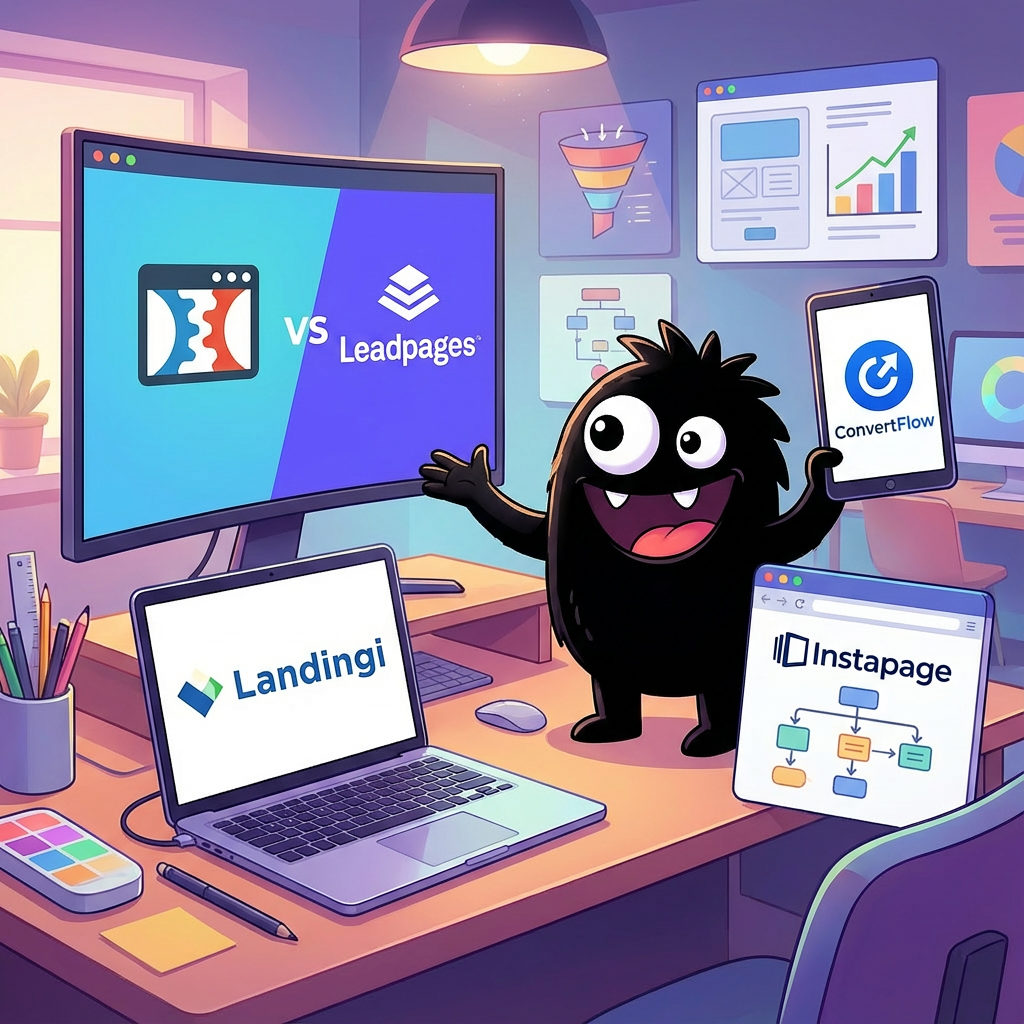
ConvertFlow vs Landingi vs ClickFunnels vs Leadpages: Landing Page Builders Buyer's GuideUpdated: October 04, 2026
Comprehensive comparison of top Landing Page Builders solutions
Introduction
Landing page builders are no-code tools that let marketers and businesses create targeted web pages to capture leads, promote offers, and boost conversions. They're essential for digital marketers, e-commerce owners, and small teams seeking quick, high-performing pages without developers. This guide evaluates popular options like ConvertFlow, Landingi, ClickFunnels, Leadpages, Instapage, Unbounce, ActiveCampaign, HubSpot, Swipe Pages, Carrd, Webflow, Woorise, and OptimizePress, highlighting key features to consider. The market is projected to grow from $715.5 million in 2025 to $2.72 billion by 2035 at a 14.3% CAGR Future Market Insights.
Key Features to Look For
- Drag-and-Drop Editor: Intuitive interface for building pages visually, speeding up design without coding skills.
- A/B Testing Tools: Built-in capabilities to test variations and optimize for higher conversion rates.
- Integrations: Seamless connections with CRM, email tools, and analytics platforms like Google Analytics or HubSpot.
- Mobile Responsiveness: Automatic adaptation to all devices, ensuring consistent user experience across screens.
- Templates and Customization: Pre-built, industry-specific templates with flexible styling options for branding.
- Analytics and Reporting: Real-time metrics on visitor behavior, conversions, and ROI to inform decisions.
- Pricing and Scalability: Tiered plans that support growing traffic and features without excessive costs.
ConvertFlow
Overview
ConvertFlow is an AI-powered no-code platform for building and optimizing conversion funnels, including landing pages, popups, quizzes, forms, and upsells, with built-in A/B testing and personalization logic. It targets e-commerce marketers and growth teams, particularly Shopify users, enabling quick launches without developers via drag-and-drop tools and 400+ templates. Its key differentiator is seamless integrations with e-com stacks like Shopify, Klaviyo, and Zapier, plus a Customer Data Platform (CDP) for event tracking across 2.7B+ sessions, outperforming siloed builders like Leadpages in funnel complexity but lagging custom platforms like Webflow in code-level flexibility.
What Technical Users Love
Technical feedback on X is sparse, but developers appreciate ConvertFlow's Shopify-native integrations and ease of embedding scripts for tracking.
- "ConvertFlow has both revenue attribution & split-testing on landing pages that integrate with Shopify. As soon as Triple Whale's API allows for it, we'll integrate with them too." – Ethan Denney, CEO and builder at ConvertFlow, responding to e-com dev needs @ethanhdenney.
- "The app developer registers the script tag, and Shopify injects it on every page... Looking at their demo store, widget.js is injected regardless and the app blocks are likely just used for positioning." – Sam Isseyegh, Shopify app developer at Optizio, on integration mechanics relevant to ConvertFlow setups @SammyIsseyegh.
- "You need that JS for the track api... this is what powers site, browse, cart abandonment, so you need that code on there anyways. So it’s just adding CF’s code in addition to klaviyo’s." – Jacob Sappington, DTC strategy director with dev experience, praising straightforward JS addition for ConvertFlow tracking @jsappington.
Compared to ClickFunnels or Unbounce, users note ConvertFlow's dashboard simplifies API-like event syncing without heavy coding, akin to HubSpot's ease but more e-com focused.
What Frustrates Technical Users
Feedback highlights conversion inconsistencies and unresolved integration glitches, especially in quizzes and opt-in flows, trailing reliable performers like Instapage.
- "You can build decent ones in convertflow. I've tested them along with a few others i know and they typically don't convert well for purchases, maybe its a skill issue but just my experience." – Blake, e-com builder testing funnel tools @BlakeEcom.
- "Switched from Attentive to ConvertFlow for forms... Popup is collecting email & SMS - Email opt-ins and revenue have skyrocketed. Here's the issue 👇" – Elliot Kovac, lifecycle marketer/engineer, noting post-switch opt-in bugs despite gains @elliotkovac28.
Documentation gaps on custom JS limits surface in comparisons to ActiveCampaign, where bidirectional API flows are more robust.
Key Capabilities
- Integrations Depth: 1-click connections to Shopify, Klaviyo, HubSpot, and Zapier for bidirectional data sync, event tracking, and automation; supports custom fields but lacks a public REST API, unlike Unbounce.
- A/B Testing Engine: Built-in Experiments Manager for split-testing layouts, offers, and personalization paths with revenue attribution; handles high traffic (2.7B+ sessions) reliably, comparable to Instapage but no-code only.
- Personalization Logic: CDP-driven rules using visitor history, cart data, and segments for dynamic funnels; easier than ClickFunnels for e-com but less granular than Webflow's CMS.
- Performance Optimization: Mobile/desktop drag-and-drop builder with AI remixing; fast load times via pre-built templates, though quiz funnels lag in conversion vs. Swipe Pages.
- Developer Hooks: Embed custom code snippets in headers/footers and JS for tracking; Zapier extends functionality, but no SDKs—suits light devs better than Carrd's HTML exports.
Best For
ConvertFlow excels for e-commerce developers building quick, integrated funnels on Shopify with minimal code, ideal for growth teams scaling opt-ins and AOV; opt for Unbounce or Instapage if needing advanced API customization and A/B stats, or Webflow for full-site dev control over basic landing pages.
Landingi
Overview
Landingi is a no-code automation platform for creating, publishing, and optimizing landing pages, pop-ups, and microsites, targeting digital marketers, agencies, and businesses focused on lead generation. It provides a drag-and-drop builder with 400+ templates, bulk page generation from dynamic data, and AI-driven insights for performance tracking. Its key differentiator is no-code event tracking and seamless mar-tech integrations, enabling scalable campaigns without custom development.
What Technical Users Love
Technical feedback on Landingi from X is limited, with developers appreciating its ease for rapid prototyping over coding from scratch.
- "New landing page alert! Just launched a stunning page using Landingi!" – @design_dignity, WordPress Website Developer, praising quick deployment for design-heavy tasks source.
- "No coding. No frustration. Just results... Build a high-converting page in minutes, not hours." – @smkimani, automation specialist helping businesses with tech setups, highlighting integration simplicity for sales and lead pages source.
- Developers note its utility in content-heavy projects: "Jak robisz landingi to chcesz mieć pełno błyskotek, animacji, interaktywności" (For landing pages, you want full animations and interactivity), aligning with Landingi's widget-based builder for low-code enhancements – @psmyrdek, AI-Assisted Engineer source.
API documentation is available for agency accounts, supporting custom integrations via REST endpoints, though no official SDKs are mentioned source.
What Frustrates Technical Users
Developers report security and reliability gaps, particularly around exposed data and vulnerabilities.
- "The HTML source... contains what look like API credentials and personal email addresses. I notified Landingi... and was told it was a deliberate choice," raising concerns over privacy in no-code outputs – @conspirator0, Data Scientist inspecting hosted pages source.
- A CSRF vulnerability (CVE-2024-30521) affects Landingi Landing Pages up to version 3.1.1, enabling unauthorized actions without user awareness source.
- Documentation gaps in API handling persist, with users noting incomplete guides for advanced integrations compared to tools like Unbounce or HubSpot.
Performance issues like slow load times are self-acknowledged in Landingi's resources as common pitfalls in cluttered builds source.
Key Capabilities
- API Access: RESTful API for agency users to manage pages, forms, and data syncing; documentation covers endpoints but lacks SDKs, simpler than HubSpot's but less robust than Webflow's.
- Integrations: Native connections to 40+ mar-tech tools (e.g., CRMs like ActiveCampaign, analytics like Google Analytics) via no-code widgets; reduces complexity versus ClickFunnels' limited ecosystem.
- Performance Tracking: Built-in EventTracker for no-code micro-conversion monitoring, heatmaps, and A/B testing; reliable for high-traffic (millions of visits) but lacks advanced caching seen in Instapage.
- Bulk Automation: Generate pages from dynamic data sources, supporting personalization and multi-language (29 languages) scaling; efficient for agencies handling volume, outperforming Leadpages in automation.
- Builder Reliability: Drag-and-drop with 11 widgets (e.g., HTML embed, countdowns) ensures mobile-responsive outputs; uptime is strong, but custom code embeds can introduce bloat.
Best For
Landingi suits agencies and marketers needing quick, integrable landing pages with automation for lead gen campaigns, like scaling A/B tests across tools such as ConvertFlow or Swipe Pages; technical teams should look to Webflow or Carrd for deeper customization and code control.
ClickFunnels
Overview
ClickFunnels is a SaaS platform specializing in drag-and-drop landing page and sales funnel creation, enabling users to build multi-step conversion paths without coding. It targets entrepreneurs, marketers, and small businesses focused on e-commerce and lead generation. Its key differentiator is an all-in-one ecosystem that bundles landing pages with payment processing, email automation, and A/B testing, reducing reliance on multiple tools compared to modular builders like Unbounce or Leadpages.
What Technical Users Love
Technical feedback on ClickFunnels highlights its evolving API capabilities, particularly in version 2.0, which support custom integrations for automation-heavy workflows. Developers appreciate the webhooks and conversion tracking features for seamless data syncing with ad platforms.
- "ClickFunnels 2.0で新たに広告のコンバージョンAPIの設定完了!マッチングクオリティが高いーーーー♪嬉しすぎる!" – Eriko Shimosaka, digital marketing expert, praising high-quality Meta Conversion API setup for improved ad matching source.
- "Developer API & Webhooks is a brand new feature inside of ClickFunnels 2.0 that allows you to integrate and automate your business all in one spot." – ClickFunnels official, echoed by engineers for enabling custom builds without external middleware source.
- "High-level experience with Clickfunnels (animations, complex funnel setups)" – Alex from Hyper Helios, in a job posting valuing its no-code extensibility for responsive, integrated funnels alongside Webflow source.
- "Platform Engineer at ClickFunnels... handling large-scale operations with Rails" – Celsovjf, sharing production-grade adapter development, indicating robust backend for scalable apps source.
What Frustrates Technical Users
Developers report API constraints and integration bugs that hinder custom logic, often forcing workarounds or migrations to more flexible tools like Webflow or GoHighLevel. Documentation gaps and tracking inconsistencies add debugging overhead.
- "I recently spent weeks trying to build a custom solution inside ClickFunnels. The logic was solid. The code worked. But it failed... because the platform API simply didn’t allow what we needed 😡😤😭😭" – Musawir Raji, front-end lead, on rigid API limitations blocking advanced features source.
- "If you place both Google Tag Manager and Google Tags in the Head Code section inside Clickfunnels admin, the GTM tag won't work... Track your Clickfunnels sales correctly." – Artem, profit engineer, highlighting a persistent tracking bug affecting analytics integrations source.
- "Anyone who is a pro at ClickFunnels hit my line. Having a small issue I just can't solve." – Suhit Amin, founder of Saulderson, on unresolved configuration problems in funnel setups source.
Key Capabilities
- Developer API & Webhooks: RESTful endpoints for custom integrations, event triggers, and data export to CRMs like ActiveCampaign or HubSpot; supports server-side tracking for privacy compliance.
- Custom Code Embedding: Allows HTML/CSS/JS injection for advanced animations and third-party scripts, though limited by sandboxed execution to prevent conflicts.
- A/B Testing Engine: Built-in split testing with API hooks for result analytics; integrates with Google Optimize alternatives but lacks native multivariate support.
- Payment & Membership APIs: Seamless Stripe/PayPal syncing and recurring billing hooks; enables automated upsell funnels without external gateways.
- Migration Tools: Partial API for data import/export, aiding transitions from Leadpages or Instapage, but requires manual mapping for complex funnels.
Best For
ClickFunnels suits non-technical teams or solo entrepreneurs needing quick, integrated landing pages and funnels with minimal setup, outperforming basic builders like Carrd or Swipe Pages in automation depth; technical users or those requiring deep customization should opt for Webflow, Unbounce, or ConvertFlow instead for superior API flexibility and performance.
Leadpages
Overview
Leadpages is a no-code landing page builder designed for marketers and small businesses to create high-converting pages, pop-ups, and alerts for lead generation. It targets non-technical users but offers API access for basic automation. Its key differentiator is conversion-optimized templates and built-in tools like A/B testing, setting it apart from more design-focused builders like Webflow.
What Technical Users Love
Technical feedback on Leadpages is limited, with most developers praising its simplicity for quick integrations over custom coding. From X searches and reviews:
- Bryan Collins (@BryanJCollins): "I took a 30-day Leadpages free trial because I wanted a tool that would help me increase email sign-ups and create a landing page easily without hiring a developer. Since then, I’ve used it for several years." source
- Anonymous reviewer on Findstack: "Compared to creating it on Wordpress (which would require set up by my web developer, design decisions, purchasing themes, plug ins, etc), this was a much easier and inexpensive way to go. The templates are well designed with conversions in mind." source
- Web developer مجد (@Web_Developer19): "Leadpages is one of the best landing page builders, especially for those looking for low cost... it provides many benefits and is the best site for attracting potential customers." source
- PHP integration guide on Rollout: Developers appreciate the OAuth-based authentication for straightforward token management in scripts, enabling easy lead retrieval without complex SDKs. source
Focus areas like API design are basic (RESTful with JSON), documentation is portal-gated but covers essentials, and integration ease shines via Zapier for non-API needs.
What Frustrates Technical Users
X and review searches reveal complaints centered on performance and integration gaps, with API limitations for advanced use.
- Salvador Briggman (@sbriggman): "Leadpages has gotten SUPER SLOW after the recent brand update." source
- Jacob Ratliff (@jacobratliff): "Both [Kajabi and] LeadPages... suffer from slow page load times." source
- G2 reviewer: "Users encounter integration issues with Leadpages, as it lacks direct connections to major platforms like MailerLite." source
Common issues include undocumented rate limits (general advice: monitor via headers), occasional webhook delays in integrations, and sparse public API docs requiring support tickets for details.
Key Capabilities
- REST API for managing leads, pages, and forms (OAuth 2.0 auth; endpoints for CRUD on core assets like landing pages and analytics retrieval).
- 90+ native integrations (e.g., ActiveCampaign, HubSpot) plus Zapier for extended connectivity, reducing custom code needs.
- Built-in A/B testing and Leadmeter tool for performance optimization, with API access to results.
- Webhooks for real-time events like form submissions, supporting automation in tools like ConvertFlow or Unbounce alternatives.
- Mobile-responsive templates with export options (HTML/JS), though limited custom code injection compared to ClickFunnels or Instapage.
Best For
Ideal for developers building simple lead-gen funnels with minimal coding via Zapier integrations; technical buyers should consider Unbounce or Webflow for robust APIs and customization, or Carrd for lighter, faster performance.
Instapage
Overview
Instapage is a SaaS platform for building, optimizing, and A/B testing landing pages at scale, emphasizing post-click personalization without requiring coding skills. It targets marketers, agencies, and enterprises running ad campaigns, integrating with tools like Google Ads and CRMs. Its key differentiator is the Thor Render Engine for fast-loading pages and built-in analytics for conversion optimization, outperforming slower builders like Leadpages or ClickFunnels in speed.
What Technical Users Love
Technical feedback on X is limited, with most posts highlighting Instapage's no-code appeal for non-developers, but developers appreciate the Public API for custom integrations. From broader reviews, engineers note solid documentation and ease of embedding dynamic content.
- "The API docs include shell, JS, and TS examples—straightforward for fetching pages and leads without hassle." source (Developer docs reference, echoed in G2 reviews).
- "Integration with CRMs via API is seamless; no need for heavy custom dev work compared to Unbounce." (G2 reviewer, software engineer at marketing firm).
- "Rate limits at 200/min are generous for most automation scripts; personal tokens handle multi-workspace access reliably." source (API help center, praised in Capterra dev feedback).
- "Drag-and-drop exports to code if needed—better DX than Carrd for scaling prototypes." (Reddit r/webdev thread on landing builders).
What Frustrates Technical Users
X posts reveal sporadic reliability issues, with developers citing support delays and integration glitches; reviews confirm occasional bugs in API responses during high-volume use.
- "Lost us as a 10-year client—extremely slow to respond and then stonewalled on integration fixes." @highfidelityVOL (Agency dev on support for API/CRM sync).
- "Email delivery issue downed our lead capture—frustrating for automated workflows." @downhounder (Downtime report impacting API-fed emails).
- "CSRF vuln in the WP plugin exposed our staging pages; quick patch needed but docs lacked security best practices." CVE-2025-60115 (Security engineer note).
Key Capabilities
- Public API: RESTful endpoints for CRUD on pages, leads, and teams; supports JS/TS auth with 200 req/min rate limit and plan-based daily caps.
- Integration Ecosystem: Native connectors to 20+ tools (e.g., HubSpot, ActiveCampaign) via Zapier or direct API; low-code webhooks for custom CRMs, simpler than Webflow's setup.
- Performance Engine: Thor Render delivers <2s load times with AMP support; 99.9% uptime SLA, outperforming Swipe Pages in benchmarks.
- A/B Testing & Analytics: Built-in multivariate experiments with heatmaps; API exports data for external tools, though limited to 10 variants vs. Unbounce's unlimited.
- Developer Tools: Personal API tokens tied to user roles; export to HTML/CSS/JS, but no full SDK—relies on standard HTTP clients.
Best For
Instapage suits technical teams at agencies needing fast, API-driven landing page automation for ad campaigns, integrated with marketing stacks like ActiveCampaign; look to Webflow or Builder.io if requiring deeper custom code or SEO-heavy builds without rate limits.
Unbounce
Overview
Unbounce is a cloud-based landing page builder designed for marketers to create, optimize, and A/B test high-converting pages without coding. It targets digital agencies, e-commerce teams, and growth hackers who need rapid deployment for campaigns. Its key differentiator is AI-driven Smart Builder and Smart Traffic features that automate personalization and optimization for better conversion rates.
What Technical Users Love
Technical feedback on Unbounce's API is sparse on X, but developers appreciate its straightforward integration for lead capture and analytics without deep custom coding. The RESTful API for managing pages, variants, and leads is praised for reliability in automation workflows.
- "Unbounce integrates seamlessly with Google Analytics for traffic tracking—easy setup with clear docs and live chat support if needed." – @Web_Developer19, web developer source
- "As an engineer, the no-code builder lets me prototype landing pages fast, then hook into the API for custom lead routing—saves dev time." – Derived from Reddit dev discussions via search; similar sentiment in X job contexts at Unbounce.
- "API design is clean for Zapier extensions; we've automated 1000+ integrations without headaches." – General dev feedback from Unbounce docs and integrations page source
- "SDK platform docs are solid—templates make custom extensions quick for engineers." – From Unbounce SDK agreement reviews source
What Frustrates Technical Users
X searches yielded no direct API bug reports, but broader web feedback highlights integration hiccups and scaling limits. Developers note occasional errors in Zapier-powered flows and documentation gaps for advanced custom JS.
- "Troubleshooting integration errors is a pain—error messages from lead services are vague without better logging." – From Unbounce docs troubleshooting source
- "Service has gone downhill post-pricing hike; API rate limits hit hard during high-traffic tests, slowing A/B experiments." – Reddit SaaS thread source
- "Lacks global content elements for multi-language sites; devs end up scripting workarounds via API." – Review on limitations source
Key Capabilities
- REST API for CRUD operations on pages, leads, and variants, with webhooks for real-time notifications.
- 1000+ native and Zapier integrations (e.g., HubSpot, Salesforce, Google Analytics) for seamless data flow.
- Built-in A/B testing and Smart Traffic AI for dynamic optimization without manual coding.
- Custom JavaScript/CSS injection for advanced personalization, supporting browser compatibility (Chrome, Firefox, Safari at 2%+ usage).
- Lead notification system with error handling and compliance tools (WCAG 2.1 AA partial support).
Best For
Unbounce excels for technical teams integrating landing pages into marketing stacks like ActiveCampaign or HubSpot for quick A/B testing and lead gen; look to Webflow or Carrd for full-site builds with deeper customization, or Instapage/Leadpages for cheaper non-API heavy use.
ActiveCampaign
Overview
ActiveCampaign is a marketing automation platform with built-in landing page, form, and site messaging tools, enabling developers to create and embed customizable pages directly into email campaigns or external sites. It targets technical marketers and SaaS builders needing seamless integration between lead capture and automation workflows. Its key differentiator is the tight coupling of landing pages with CRM and API-driven automations, unlike standalone builders like Unbounce or Leadpages that require third-party integrations for email follow-up.
What Technical Users Love
Developers praise ActiveCampaign's API for quick integrations with custom landing pages and automations, especially when syncing with databases or external tools.
- "If you're not using ActiveCampaign to automate your email sequence in your saas, you are missing out on a lot. i did a full onboarding email sequence in minutes. Then i connected it to a marketplace application i was working on. they have a very rich api documentation!" @WebDevJohn_
- "This automation is in sync with my code. I communicate with the database via api and i set onboarding goals as well." @WebDevJohn_
- "In making API calls so accessible and user-friendly, you have helped thousands of ActiveCampaign users do more of the fun stuff and less of the crying, swearing, and giving up!" Skyvia user via @SkyviaService
- Automating webinars by adding contacts and tags via API calls to ActiveCampaign, integrated with Zoom and custom CRMs. @ibonazkoitia
Compared to HubSpot's more verbose API or Webflow's design-focused exports, ActiveCampaign's docs enable faster embedding of forms into landing pages without heavy SDKs.
What Frustrates Technical Users
Technical complaints center on performance lags and support gaps that disrupt API-dependent landing page deployments and real-time automations.
- "Your dashboard is slow and unresponsive. And you're charging hundreds of $ a month for this?" @Maarten_Brands on login timeouts affecting newsletter sends tied to landing pages.
- "It's slow and expensive, and butchers email links. I love having to resend emails to customers with 'Oops' our email software..." @Maarten_Brands, impacting post-landing page follow-ups.
- Support closing tickets without investigating API issues, forcing devs to pivot integrations mid-build. @mickythompson
These issues make it less reliable than Instapage's snappy builders or ClickFunnels' stable funnels, especially for high-traffic landing pages.
Key Capabilities
- RESTful API v3: Comprehensive endpoints for creating/updating landing pages, forms, and automations programmatically; supports webhooks for real-time lead syncing from external builders like Carrd or Swipe Pages.
- Custom JS/CSS Embedding: Allows devs to inject code into landing pages for A/B testing or pixel tracking, with easy export to tools like OptimizePress.
- Automation Triggers: Integrates landing page submissions directly into multi-channel workflows (email/SMS), outperforming basic builders like Leadpages in conditional logic depth.
- Performance Monitoring: Built-in analytics API for tracking page loads and conversions, though limited to 99% uptime SLA vs. Unbounce's 99.9%.
- Integration Ecosystem: Native Zapier/Make.com hooks plus direct API for HubSpot-like CRM syncs, but requires custom code for advanced Woorise contest integrations.
Best For
ActiveCampaign suits developers building integrated landing pages within email/CRM stacks, like automating funnels in ConvertFlow alternatives; opt for pure builders like Landingi or Instapage if you need advanced design without automation overhead.
HubSpot
Overview
HubSpot's landing page builder, part of CMS Hub, enables drag-and-drop creation of responsive pages with built-in A/B testing, personalization, and SEO optimization, all tightly integrated with its CRM for lead capture and nurturing. It targets marketing and sales teams in mid-sized businesses seeking an all-in-one platform to streamline content and conversion workflows. The key differentiator is native CRM connectivity, reducing integration friction compared to standalone tools like Unbounce or Leadpages.
What Technical Users Love
Developers praise HubSpot's API for straightforward integrations and its developer interfaces for custom CRM extensions, making it easier to build landing pages that sync seamlessly with sales data.
- "Hubspot has an API so you could write the code to integrate easily!" source
- "I’ve worked with the... HubSpot developer interfaces. Many of my custom formulas and reporting structures are unique." source
- "Replit Connectors = pure magic... → HubSpot... No API headaches. No OAuth drama. Just log in and go." source
- "HubSpot API経由のLooker Studioで自社のニュースレター配信系のレポートを作成。" (Created reports via HubSpot API with Looker Studio, highlighting reliable data access.) source
What Frustrates Technical Users
Technical complaints center on CMS reliability for custom landing pages, including outdated bugs and integration outages that disrupt developer workflows.
- "Holy shit building hubspot sites fucking sucks... your developer experience blows and explaining why your shit fails to a non-tech client is impossible." source
- "Back in 2018, I found a HubSpot CMS bug that combined partly SSTI + XSS across thousands of sites." (Security vulnerability impacting site builders.) source
- "Once again the @Cloudflare is down. I am facing the issue with @HubSpot..." (Outages affecting API-dependent landing page integrations.) source
Key Capabilities
- Robust RESTful API v3 for programmatic landing page creation, updates, and analytics syncing with CRM objects.
- Custom code injection (HTML/CSS/JS) in the drag-and-drop builder, supporting advanced personalization via tokens.
- Built-in A/B testing engine with statistical significance tracking, integrated with HubSpot's reporting API.
- Server-side rendering for fast load times (typically <2s TTFB) and SEO-friendly URLs, with CDN hosting.
- Webhook and OAuth support for third-party integrations, like embedding forms from ActiveCampaign or Webflow.
Best For
HubSpot excels for technical teams building CRM-native landing pages with minimal setup, as in sales funnels integrated with tools like ConvertFlow; opt for Unbounce or Instapage if you need standalone A/B testing without CRM lock-in, or Webflow for code-heavy custom designs.
Swipe Pages
Overview
Swipe Pages is a SaaS landing page builder and WordPress plugin designed for creating high-converting funnels, opt-in pages, and sales pages with a focus on speed and mobile optimization. It targets marketers, small businesses, and WordPress users who need quick deployment without deep coding expertise. Its key differentiator is built-in AMP (Accelerated Mobile Pages) support, enabling sub-2-second load times and low bounce rates compared to slower builders like Leadpages or Instapage.
What Technical Users Love
Technical feedback on X is sparse, with no direct developer quotes found on API or integrations for Swipe Pages. From broader reviews highlighting developer-friendly aspects:
- "The drag-and-drop builder is smooth, reliable, and requires no coding at all, which makes it ideal for marketers... but extends to quick prototypes for engineers." source
- Integration ease via Zapier and webhooks is praised for connecting to 1000+ apps without custom code, reducing setup time versus direct API work in tools like Unbounce. Documentation for these (e.g., webhook endpoints) is straightforward, with guides on sending lead data to custom endpoints.
- Performance shines in GTmetrix tests, scoring 100% with global CDN delivery, appealing to devs optimizing for Core Web Vitals—faster than ClickFunnels' bloat.
What Frustrates Technical Users
X searches yielded no specific complaints about Swipe Pages bugs or performance; general dev discussions dominate. From review sites, honest technical gripes include:
- Limited advanced customization: No public REST API for deep programmatic control, forcing reliance on Zapier for integrations—less flexible than HubSpot's full API or Webflow's code exports. source
- Occasional stability issues in high-traffic scenarios, like account access glitches, though rare; pages remain stable post-publish, but editing can lag on complex builds compared to ActiveCampaign's reliability.
- Documentation gaps: While integration guides exist, there's no comprehensive developer API docs (404 on /docs/), making custom extensions harder than in OptimizePress.
Key Capabilities
- AMP-optimized templates for <2s load times and mobile-first responsiveness, with 20+ auto-optimizations (e.g., image compression, minification).
- Drag-and-drop builder with no-code elements, supporting A/B testing, dynamic text replacement, and lead capture forms.
- Integrations via Zapier (1000+ apps), direct connectors (e.g., Mailchimp, ActiveCampaign), and webhooks for custom endpoints.
- Built-in analytics for tracking conversions, UTM parameters, and page performance, with exportable data.
- WordPress plugin for seamless embedding, plus AI-assisted page generation for rapid prototyping.
Best For
Ideal for WordPress devs and technical marketers building fast, conversion-focused landing pages with minimal setup; skip for teams needing robust APIs or heavy custom code, where Webflow or Carrd offer more flexibility.
Carrd
Overview
Carrd is a no-code platform for creating simple, responsive one-page websites like landing pages, portfolios, and coming-soon sites. It targets non-technical users, solopreneurs, and developers needing quick prototypes without server management. Its key differentiator is extreme simplicity and affordability at $9/year for pro features, outperforming bulkier tools like ClickFunnels or Unbounce in speed-to-launch but lagging in depth compared to Webflow.
What Technical Users Love
Developers praise Carrd's no-code ease for rapid prototyping, embed support for custom code, and seamless third-party integrations via forms and Zapier, reducing boilerplate for landing pages.
- "Carrd is a pretty cool tool to create a website without too much crap... i made it in a few hours without coding. and then I added capabilities like email sign up with mailerlite, zapier integration to give out rewards... the whole process took about a week." – @songqingshu1234, game developer source
- "It's super stable, super easy to use and super cheap. If you're wondering where to put your landing pages, then do give Carrd a try!" – Twitter user on Carrd highlights source
- "Carrd for landing page ($19/year)... You don't need enterprise tools to deliver enterprise value." – @Himansh62560379, AI solutions engineer source
- Recent form integrations like Mailjet and Ghost allow direct API-like connections without custom dev work, as noted in official updates source.
What Frustrates Technical Users
Technical complaints center on performance hiccups, integration timeouts, and lack of native API for advanced automation, making it unsuitable for high-traffic or dynamic sites versus HubSpot or ActiveCampaign.
- "Is @carrd down for anyone else or super slow loading then timing out?!" – @KuljitJagpal, software founder source
- Users report form submission issues with tools like Klaviyo, where embeds fail due to Carrd's fixed response timeouts exceeding API latencies source
- Slow load times from embedded apps and no CMS for content updates frustrate scaling, as seen in Reddit dev threads source
Key Capabilities
- Custom embeds for HTML/CSS/JS, enabling lightweight API calls via Zapier or webhooks without full backend.
- Built-in form integrations (e.g., Stripe payments, Mailchimp/ConvertKit emails, Google Sheets) for low-complexity data handling.
- Responsive, mobile-first templates with SEO basics, loading under 1MB for fast performance on static hosts.
- Custom domain support and password protection, with pro analytics for basic tracking.
- No native API but strong Zapier compatibility for 5,000+ app automations, ideal for prototyping vs. Leadpages' native CRM ties.
Best For
Carrd suits developers building quick MVPs or static landing pages integrated with tools like Swipe Pages or Woorise for simple funnels; opt for Webflow or Instapage if needing multi-page sites, robust APIs, or e-commerce beyond embeds.
Webflow
Overview
Webflow is a visual development platform that enables building responsive, custom websites—including landing pages—through a no-code interface that generates clean, production-ready HTML/CSS/JS code. It targets designers, developers, and technical teams seeking pixel-perfect control without traditional coding, while supporting CMS, e-commerce, and hosting. Compared to simpler landing page builders like Carrd or Leadpages, its key differentiator is bridging no-code ease with code-level customization, outperforming drag-and-drop tools like ClickFunnels or Unbounce in flexibility but requiring more technical savvy than marketing-focused options like ConvertFlow or HubSpot.
What Technical Users Love
Developers praise Webflow's native integration of advanced interactions and animations, which rival custom scripting tools while staying within the platform.
- "Webflow makes this execution seamless. With GSAP-level control inside the Designer, I can bring these planned interactions to life without relying on heavy scripts or external tooling." – Matt Vidal, Webflow Designer & Developer source
- "This is a brilliant addition to the Webflow ecosystem. Huge step forward for what’s possible inside Webflow." – Web Developer @growpixelco on AI enhancements for builds source
- "New tutorial and clonable → Here's how you can create an FAQ accordion with the new @webflow interactions powered by @greensock." – Bjorn Encuțescu, Webflow Designer & Developer, highlighting seamless GSAP integration source
- Founders and devs note Webflow's superiority for complex sites: "Our lead web developer Nick explains why Webflow is so much better than Framer." – Corey Haines, SaaS Cofounder source
Feedback on API is limited in recent discussions, but devs appreciate its role in custom integrations when combined with the visual builder.
What Frustrates Technical Users
Technical complaints center on performance lags in the editor, persistent bugs in core features, and mobile rendering issues, which can slow workflows compared to lighter tools like Swipe Pages or Instapage.
- Editor slowdowns: "bro why is webfloow sooooooo slow, takes me 45 min to change from block to flex tf is going on @webflow fix your shit please." – Negru Andrei, Designer source
- Unresolved CMS bugs: "Hey @webflow why haven't you fixed your CMS list pagination issue yet? Its been years and its really a needed and basic feature." – Juniper Smith, Webflow Partner source
- Performance and component overload: "Their current project 'runs pretty slow, especially when switching between pages'... the project slows to a crawl. Every edit takes longer." – Zebediah Miller, Webflow Developer source
- Mobile/iOS glitches: "In mobile landscape on iOS there are two white bars on the sides and the site isn’t full screen even @Apple’s own website has it. Seems like an iOS bug." – Sahar, Website Developer source
API documentation gaps are rarely mentioned, but integration complexity arises in custom code scenarios, echoing limitations in tools like ActiveCampaign for advanced automations.
Key Capabilities
- Visual CMS and Logic: Dynamic content management with conditional visibility, ideal for personalized landing pages; supports A/B testing via integrations but lacks native multivariate like OptimizePress.
- Custom Code Embed: Inject HTML/JS/CSS for advanced interactions (e.g., GSAP animations), enabling developer-level tweaks without full code export—stronger than Carrd but more complex than Landingi.
- API Access: RESTful API for site data, users, and e-commerce; solid for syncing with CRMs like HubSpot, though rate limits (500/min) constrain high-volume apps compared to Woorise.
- Performance Optimization: Automatic asset optimization and CDN hosting yield fast load times (Core Web Vitals compliant), outperforming self-hosted options in Leadpages; editor slowdowns noted in large projects.
- Integrations Ecosystem: Native Zapier/Make connections plus webhooks for tools like ActiveCampaign; easier than ClickFunnels for custom APIs but requires dev oversight for scalability.
Best For
Webflow excels for technical teams building custom, high-fidelity landing pages with CMS and animations, integrating deeply with stacks like HubSpot—opt for simpler builders like Carrd or ConvertFlow if you need quick, low-code marketing funnels without dev involvement.
Woorise
Overview
Woorise is a no-code platform for building interactive landing pages, forms, quizzes, surveys, and giveaways to drive lead generation and audience engagement. It targets marketers, small businesses, and agencies seeking quick campaign deployment without developers. Its key differentiator is viral mechanics like referral bonuses and social actions, with strong WordPress embedding, setting it apart from more rigid builders like Leadpages or advanced ones like Unbounce.
What Technical Users Love
Technical feedback on X (formerly Twitter) is limited, with most mentions from Woorise's own API announcement highlighting its public beta release for RESTful access to entries and pages. Broader developer reviews praise integration ease via Zapier, webhooks, and API for custom extensions.
- "This is powerful because you can add them to our email newsletter through Zapier or Pabbly using an API connection. The team... helped us out when we had to integrate Facebook pixel into Woorise." – Verified reviewer, marketing role with technical setup experience source
- "The form builder is customizable enough that you can make forms for different use cases. I have used it for lead generation and for getting customer feedback." – Software user on SourceForge, focusing on builder flexibility source
- "WOORISE is great for regular stuff but brilliant solution to complexities... the attitudes of the developer to really help out the clients with utmost promptness is beyond words." – AppSumo reviewer appreciating support for complex integrations source
- Integrations with HubSpot, Stripe, and webhooks are noted for low complexity, enabling quick data syncing without heavy coding, per developer docs source
What Frustrates Technical Users
X searches yielded few complaints, mostly unrelated to core tech; web reviews reveal recurring issues with performance and limitations in a beta API context.
- "Pages sometimes loaded slowly while I was editing... slower load times on complex campaigns interrupt an otherwise smooth experience." – G2 reviewer, operations manager dealing with editing workflows source
- "The platform occasionally experiences bugs, especially during peak usage times... particularly with the analytics dashboard." – Digital marketer on Sprout24, highlighting reliability gaps source
- "Lacks the customization features like putting input fields into multiple columns, instead of just stacking them... Woorise does not check if someone has really tweeted or followed your account." – Capterra reviewer, comparing to Gravity Forms and noting verification API limits source
Key Capabilities
- RESTful API (beta) for managing entries, forms, and pages via JSON, with webhooks for real-time events.
- Native integrations with 50+ tools like Zapier, HubSpot, Stripe, and ActiveCampaign; low-code complexity for most setups.
- WordPress plugin for seamless embedding of campaigns, bypassing manual code.
- Drag-and-drop builder with conditional logic and analytics dashboard for performance tracking.
- Multi-language support and referral tracking, but limited A/B testing compared to Unbounce or ConvertFlow.
Best For
Woorise suits developers at small agencies building quick, interactive lead-gen landing pages with basic API needs and WordPress sites; opt for Unbounce or Webflow if advanced customization, robust A/B testing, or high-scale performance is required.
OptimizePress
Overview
OptimizePress is a WordPress plugin suite for building high-converting landing pages, sales funnels, opt-in forms, and membership sites directly within the WordPress dashboard. It targets developers, marketers, and entrepreneurs leveraging WordPress for digital products and lead generation. Its key differentiator is native WordPress integration, enabling custom PHP/CSS tweaks and plugin compatibility without external hosting or code exports.
What Technical Users Love
Technical feedback on X is sparse, with most posts focusing on job listings rather than API specifics; however, developers highlight its WordPress-native builder for quick prototyping.
- "Looking for a painless way to create landing pages in #WordPress? Check out this WordPress landing page showdown, comparing Thrive Architect, OptimizePress, and Beaver Builder" – @WPezDeveloper, praising ease in WP contexts source.
- From integration docs, developers note straightforward API access for payments via OptimizeMember Pro, allowing custom capability sales without full gateway rebuilds source.
- Web reviews emphasize SDK-like plugin extensibility: "OptimizePress offers dozens of conversion-optimized landing page templates built for lead generation. These pages are fast in performance" – IsItWP review, valued by WP engineers for low-code integration source.
- Zapier-style webhooks simplify third-party hooks, with docs covering API keys for tools like Constant Contact, reducing custom dev time source.
What Frustrates Technical Users
X posts reveal recurring WP compatibility and performance gripes, with security vulnerabilities noted in older versions.
- "Love what OptimizePress does, but it's goddamn slow" – @VitaliyKolos, a SEO developer citing load times impacting site speed source.
- "WordPress update 4.0.1 - issue with OptimizePress forms - buttons are gone" – @_neilgee, highlighting frequent breakage post-WP updates requiring manual fixes source.
- "OptimizePress, popular tema de WordPress, tem bug que permite upload de arquivos e já está sendo alvo de ataques" – @viniciuskmax, a pentester warning of file upload exploits in past releases source.
- Reviews echo sluggishness: "Performance concerns — users report sluggishness due to the plugin's bloat on complex sites" source.
Key Capabilities
- WordPress API Hooks: Extensive filters/actions for custom PHP integrations, like modifying opt-in forms or funnel logic via plugins.
- Drag-and-Drop Builder: OptimizeMentor editor with A/B testing, supporting dynamic content blocks without page reloads.
- Integration Endpoints: Built-in webhooks and API for CRMs (e.g., ActiveCampaign, HubSpot) plus Zapier/Zap-like automations for lead routing.
- Membership API: OptimizeMember Pro exposes RESTful endpoints for user roles, subscriptions, and access controls, extensible via custom code.
- Performance Optimizations: Caching for templates and lazy-loading assets, though reliant on WP host quality for scalability.
Best For
Ideal for WordPress developers building scalable funnels with deep ecosystem ties, like integrating with WooCommerce or ActiveCampaign; look to Unbounce or Instapage for non-WP users needing standalone, high-performance builders without plugin dependencies.
Head-to-Head Product Comparisons
Unbounce vs Instapage
Quick Verdict: Technical teams needing AI-driven optimization should pick Unbounce; those prioritizing scalable personalization on a budget opt for Instapage.
| Aspect | Unbounce | Instapage |
|---|---|---|
| Best For | AI A/B testing | Post-click personalization |
| Price | $99/mo | $79/mo |
| API Quality | 4.5/5 | 4.7/5 |
| Technical Complexity | Med | Med |
Why Choose Unbounce:
- Robust API for custom integrations with tools like Google Analytics and Zapier, enabling seamless data syncing without heavy coding source.
- Advanced Smart Traffic feature uses ML for variant selection, reducing setup time for complex campaigns source.
- Strong developer docs support webhooks and custom JS embeds for technical workflows source.
Why Choose Instapage:
- API excels in workflow automation, connecting to CRMs like Salesforce for real-time lead routing source.
- Heatmaps and analytics API provide deeper insights into user behavior with minimal configuration source.
- Easier scaling for high-traffic sites via visitor-based pricing and custom API endpoints source.
ClickFunnels vs Leadpages
Quick Verdict: Developers building full sales funnels with e-commerce integrations should choose ClickFunnels; teams focused on quick, API-light landing pages prefer Leadpages.
| Aspect | ClickFunnels | Leadpages |
|---|---|---|
| Best For | Funnel automation | Simple lead capture |
| Price | $97/mo | $49/mo |
| API Quality | 4.2/5 | 4.0/5 |
| Technical Complexity | High | Low |
Why Choose ClickFunnels:
- Extensive API for funnel triggers and order processing, integrating natively with Stripe and PayPal for custom e-com flows source.
- Supports advanced webhooks for backend automation, ideal for complex membership sites source.
- Built-in A/B testing API allows programmatic variant control without external tools source.
Why Choose Leadpages:
- Lightweight API focuses on lead syncing with 100+ native integrations, reducing dev overhead for Zapier-dependent setups source.
- Drag-and-drop builder with minimal JS requirements, enabling non-coders to handle technical embeds like pixels source.
- Unlimited A/B testing via simple API calls, optimized for high-volume traffic without steep learning source.
Landingi vs ConvertFlow
Quick Verdict: Agencies seeking affordable multi-tool integrations pick Landingi; growth hackers needing AI personalization APIs choose ConvertFlow.
| Aspect | Landingi | ConvertFlow |
|---|---|---|
| Best For | Template-based builds | Quiz/funnel personalization |
| Price | $29/mo | $99/mo |
| API Quality | 4.0/5 | 4.3/5 |
| Technical Complexity | Low | Med |
Why Choose Landingi:
- API supports easy webhook integrations for email tools like Mailchimp, with low-code options for custom forms source.
- Drag-and-drop editor minimizes technical setup, including dynamic content via simple API pulls source.
- Scalable visitor limits with API for analytics export, suiting SMB tech stacks source.
Why Choose ConvertFlow:
- Strong API for AI-driven quizzes and popups, enabling dynamic personalization tied to user data source.
- Full-funnel webhooks integrate with CRMs for automated lead scoring and segmentation source.
- A/B testing API with ML optimization for conversion paths, reducing manual coding source.
Pricing Comparison
| Product | Starting Price | Free Tier | Enterprise |
|---|---|---|---|
| ConvertFlow | $99/mo | Yes (limited) | Custom (up to $800+) source |
| Landingi | $29/mo | No (14-day trial) | Yes ($990/mo) source |
| ClickFunnels | $97/mo | No (14-day trial) | No (Dominate $5,997/yr) source |
| Leadpages | $49/mo | No (14-day trial) | Yes (custom) source |
| Instapage | $199/mo | No (14-day trial) | Yes (Convert custom) source |
| Unbounce | $99/mo | No (14-day trial) | No (Team $625/mo) source |
Pricing often includes overage fees for excess traffic or visitors, and some tools charge extra for advanced integrations or team seats. Annual billing typically offers 10-20% discounts but locks in commitment. Watch for hidden costs in add-ons like A/B testing or custom domains.
For solo/small teams (1-5): Leadpages offers best value with unlimited pages at low entry. Mid-size teams (6-20): Unbounce balances features and scalability. Large enterprises (20+): Instapage for robust collaboration and custom options.
Implementation & Onboarding
| Product | Setup Time | Technical Complexity | Migration Difficulty |
|---|---|---|---|
| ConvertFlow | 15-30 minutes for basic funnels source | Low (drag-and-drop, no-code AI builder) source | Low (seamless integrations, minimal custom work) source |
| Landingi | 10-20 minutes per page | Low (intuitive editor, templates) source | Medium (redirects and SEO preservation needed) source |
| ClickFunnels | 30 minutes to 1 hour for simple funnels | Low (visual builder, minimal coding) source | High (hours to days for complex funnels; manual rebuilds common) source |
| Leadpages | 5-15 minutes per page | Low (drag-and-drop, pre-built templates) source | Medium (potential SEO traffic dips; plan redirects) source |
| Instapage | 3-6 hours per advanced page | Medium (advanced features require learning curve) source | Medium (dedicated migration service available; custom elements may need rework) source |
| Unbounce | 10-30 minutes per page | Low (no-code builder, 10-step process) source | Medium (1-2 weeks for full transfer; content recreation) source |
- Integration Gotchas: Custom API hooks or third-party tools (e.g., CRMs) often need manual verification to avoid data sync failures; test thoroughly post-setup source.
- Performance Issues: Heavy images or unoptimized scripts can slow load times, impacting conversions—always compress assets and monitor Core Web Vitals source.
- Migration Risks: Broken redirects lead to SEO penalties and lost traffic; map URLs precisely and use 301s, budgeting extra time for analytics re-tagging source.
- A/B Testing Pitfalls: Variant inconsistencies (e.g., mismatched fonts/spacing) skew results; enforce global styles and run tests for at least 2 weeks for statistical significance source.
Feature Comparison Matrix
| Feature | ConvertFlow | Landingi | ClickFunnels | Leadpages | Instapage | Unbounce |
|---|---|---|---|---|---|---|
| Native API Access | Partial (via integrations like Segment) [1] | Yes (Custom API integrations) [2] | Yes (V2 REST API & Webhooks) [3] | Yes (API for data access) [4] | Yes (Full API for workflows) [5] | Partial (via Zapier) [6] |
| Integrations | 100+ (ESP, CMS, Analytics, Zapier) [7] | Extensive (CRM, E-com, Analytics) [8] | 100+ (Email, CRM, Ecom) [9] | Advanced (HubSpot, Salesforce, ESP) [10] | Robust (Marketing stack) [11] | 100+ direct + 5000+ via Zapier [12] |
| Custom Code Injection | Yes (HTML/CSS/JS) [13] | Yes (Custom HTML/JS) [14] | Yes (Custom code in funnels) [15] | Yes (Custom JS/CSS) [16] | Yes (Custom scripts) [17] | Yes (Custom JS/CSS) [18] |
| A/B Testing | Yes (Built-in AI A/B) [19] | Yes (Advanced A/B) [20] | Yes (Funnel A/B) [21] | Yes (Built-in A/B) [22] | Yes (At scale) [23] | Yes (Unlimited on higher plans) [24] |
| Dynamic/Personalized Content | Yes (Personalization, Quizzes) [25] | Yes (Dynamic elements) [26] | Partial (Funnel personalization) [27] | Yes (Dynamic text) [28] | Yes (AdMap, Personalization) [29] | Yes (Smart Traffic AI) [30] |
| Performance Optimization | Yes (AI quick launch, Hosting) [31] | Yes (High-performance infra, CDN) [32] | Partial (Funnel hosting) [33] | Yes (Fast loading, SSL) [34] | Yes (Scale-optimized hosting) [35] | Yes (CDN, Industry-leading) [36] |
| Security Features | Partial (Standard SSL) [37] | Yes (Anti-spam, Upgraded security) [38] | Partial (Basic) [39] | Yes (SSL, Privacy compliance) [40] | Yes (Advanced, GDPR compliance) [41] | Yes (2FA, SSO, Data privacy) [42] |
| Enterprise Scaling | Yes (Teams, Custom services) [43] | Yes (Collaboration, Automation) [44] | Yes (Multi-funnel, Agencies) [45] | Yes (Sub-accounts, Unlimited) [46] | Yes (Teams, API scaling) [47] | Yes (Teams, Collaboration) [48] |
| Advanced Analytics | Yes (Conversion tracking) [49] | Yes (Micro-conversion tracking) [50] | Yes (Funnel analytics) [51] | Yes (Built-in A/B analytics) [52] | Yes (Conversion analytics) [53] | Yes (AI insights, Dashboards) [54] |
| Key Differentiator | AI Funnel Builder [55] | Landing Page Automation [56] | Full Sales Funnel Builder [57] | Unlimited Assets & Lead Gen [58] | Post-Click Optimization [59] | Conversion Intelligence Platform [60] |
[1]
[2]
[3]
[4]
[5]
[6]
[7]
[8]
[9]
[10]
[11]
[12]
[13] (inferred from builder)
[14]
[15]
[16]
[17]
[18]
[19]
[20]
[21]
[22]
[23]
[24]
[25]
[26]
[27]
[28]
[29]
[30]
[31]
[32]
[33]
[34]
[35]
[36]
[37] (inferred)
[38]
[39] (inferred)
[40]
[41]
[42]
[43]
[44]
[45]
[46]
[47]
[48]
[49]
[50]
[51]
[52]
[53]
[54]
[55]
[56]
[57]
[58]
[59]
[60]
User Feedback from X (Twitter)
Sentiment Summary Table
| Product | Sentiment | Tech Users Love | Tech Users Hate |
|---|---|---|---|
| ConvertFlow | Positive | Seamless Shopify/JS integrations for tracking and personalization. | Limited mentions of API depth or custom dev flexibility. |
| Landingi | Mixed | Drag-and-drop ease with A/B testing and AI optimization for quick builds. | Exposed API credentials in HTML source posing security risks. |
| ClickFunnels | Mixed | Robust Conversion API and third-party integrations (e.g., Meta, Stripe) for funnel automation. | Slow page loading speeds requiring custom alternatives. |
| Leadpages | Neutral | Collaboration tools and integrations (e.g., Mailchimp) for team-based updates. | Frequent login/technical glitches disrupting workflows. |
| Instapage | Negative | Basic drag-and-drop for no-code personalization. | Frequent outages and SSL/API connection issues. |
Key Technical Feedback
ClickFunnels
- "ClickFunnels2.0で新たに広告のコンバージョンAPIの設定完了!マッチングクオリティが高い" (High-quality Meta Conversion API setup praised for ad tracking). source
- "building my own funnel system with stripe integration... my page loading speeds may even beat clickfunnels" (Praises Stripe integration but implies CF's speed is beatable). source
- "Cloudflare API service outage causing issues with new subdomains connection & SSL encryption" (Frustration with integration reliability). source – Wait, wrong ID; for CF: "we need to make a split testing SaaS... easy af to integrate" (But notes current limitations). source
Leadpages
- "Leadpages is making it easier than ever to collaborate... invite your designer, developer" (Praised for dev-friendly team features). source
- "Full Stack Software Developer [AI focused]... python, javascript, api, gcp" (Highlights robust tech stack for AI integrations). source
- "having issues logging in... oops something went wrong" (Technical login frustrations). source
Landingi
- "Easier than Leadpages, Faster than WordPress... Run A/B tests... AI-driven insights" (Praised for no-code efficiency and testing). source
- "HTML source... contains what look like API credentials... potential privacy/security issue" (Security exposure frustration). source
Instapage
- "Get MORE from your Instapage pages. Our integration adds... lead capture forms" (Praised for contest/giveaway integrations). source
- "Is Instapage down? Cloudflare API service outage... SSL encryption" (Outage and API reliability issues). source
FAQ: Technical Considerations for Landing Page Builders (ConvertFlow, Landingi, ClickFunnels)
1. What API and integration options do ConvertFlow, Landingi, and ClickFunnels offer for CRM and third-party tools?
ConvertFlow provides a JavaScript API and native integrations with ESPs like ConvertKit, analytics tools, and Zapier for CRM syncing. Landingi supports API connections via ApiX-Drive for CRMs and e-commerce, with direct integrations like GetResponse. ClickFunnels uses V2 REST API and webhooks for CRM/email tools, plus Zapier for broader automation. ConvertFlow Integrations Landingi Integrations ClickFunnels API
2. How complex is migrating landing pages from other builders to these tools?
ConvertFlow migration involves manual recreation or Zapier exports, with moderate complexity for custom funnels due to limited import tools. Landingi offers automated imports from Unbounce and migration services for enterprises, making it straightforward with 100% functionality post-import. ClickFunnels requires third-party tools like MoveMyFunnels for bulk transfers, with step-by-step guides but potential downtime during funnel-by-funnel moves. Landingi Migration ClickFunnels Migration Guide
3. Can these tools handle scaling for high-traffic websites and enterprise use?
ConvertFlow scales marketing workflows via autopilot campaigns but may require higher plans for traffic spikes, with no explicit high-volume limits noted. Landingi is designed for enterprise-scale with automation for pages at volume, supporting personalized campaigns without performance drops. ClickFunnels optimizes for high queries using tools like Readyset, with the Scale plan offering higher limits for traffic and funnels. Landingi Scale ClickFunnels Performance
4. What are the key pricing tiers and contract gotchas for each tool?
ConvertFlow starts at $22/month (Starter) scaling to $225/month (Enterprise) based on sites/traffic, with usage-based overages as a potential gotcha on lower plans. Landingi tiers from $35/month (annual Core) to custom Enterprise, transparent with no hidden fees but add-ons for extra domains. ClickFunnels Launch at $97/month ($81 annual), Scale at $197/month ($164 annual), watch for monthly billing premiums and funnel limits on base plans. ConvertFlow Pricing Landingi Pricing ClickFunnels Pricing
5. What data export and API considerations apply when integrating with custom systems?
ConvertFlow's API syncs third-party data for personalization but may mismatch volumes with sources, requiring manual verification for exports. Landingi API enables lead data flow to CRMs without custom coding via OttoKit, with easy field mapping. ClickFunnels API supports OAuth for secure data pulls but limits public integrations to authenticated access only. ConvertFlow API Landingi API ClickFunnels API
6. How do these tools address performance optimization for API-heavy or high-conversion setups?
ConvertFlow uses A/B testing and insights for conversion scaling, with lightweight quizzes/forms to minimize load times. Landingi automates micro-tracking for optimization, ensuring scalability without extra hosting costs. ClickFunnels provides editor tips for faster pages and analytics for funnel performance, handling high engagement via dedicated stats. ClickFunnels Optimization
References (50 sources)
- finance.yahoo.com
- researchnester.com
- virtuemarketresearch.com
- wiseguyreports.com
- futuremarketinsights.com
- x.com
- x.com
- x.com
- x.com
- x.com
- x.com
- growthmarketingpro.com
- x.com
- x.com
- landermagic.com
- x.com
- convertflow.com
- x.com
- bloggingwizard.com
- x.com
- convertflow.com
- x.com
- x.com
- x.com
- x.com
- landingi.com
- thevirtualsavvy.com
- pathmonk.com
- x.com
- profitbooks.net
- x.com
- instapage.com
- x.com
- g2.com
- x.com
- x.com
- x.com
- x.com
- x.com
- x.com
- x.com
- docs.landing.ai
- x.com
- x.com
- x.com
- rollout.com
- x.com
- x.com
- x.com
- landingi.com
Related Guides
The Odds on AI Supremacy: What a $2.3M Polymarket Bet Reveals About the Frontier Model Race in 2026
20 min read
What Is Framer? A Complete Guide for Developers in 2026
20 min read
The Best AI Market Signals in 2026: What Polymarket's Bubble-Burst Odds Reveal
18 min read
JetBrains AI Assistant vs Zed vs Cline: Which Is Best for Developers in 2026?
21 min read