Mailchimp vs Ghost vs Later: Which Is Best for Automating Business Workflows in 2026?Updated: September 27, 2026
Mailchimp vs Ghost vs Later for business workflow automation: compare workflows, pricing, integrations, and fit by use case. Discover
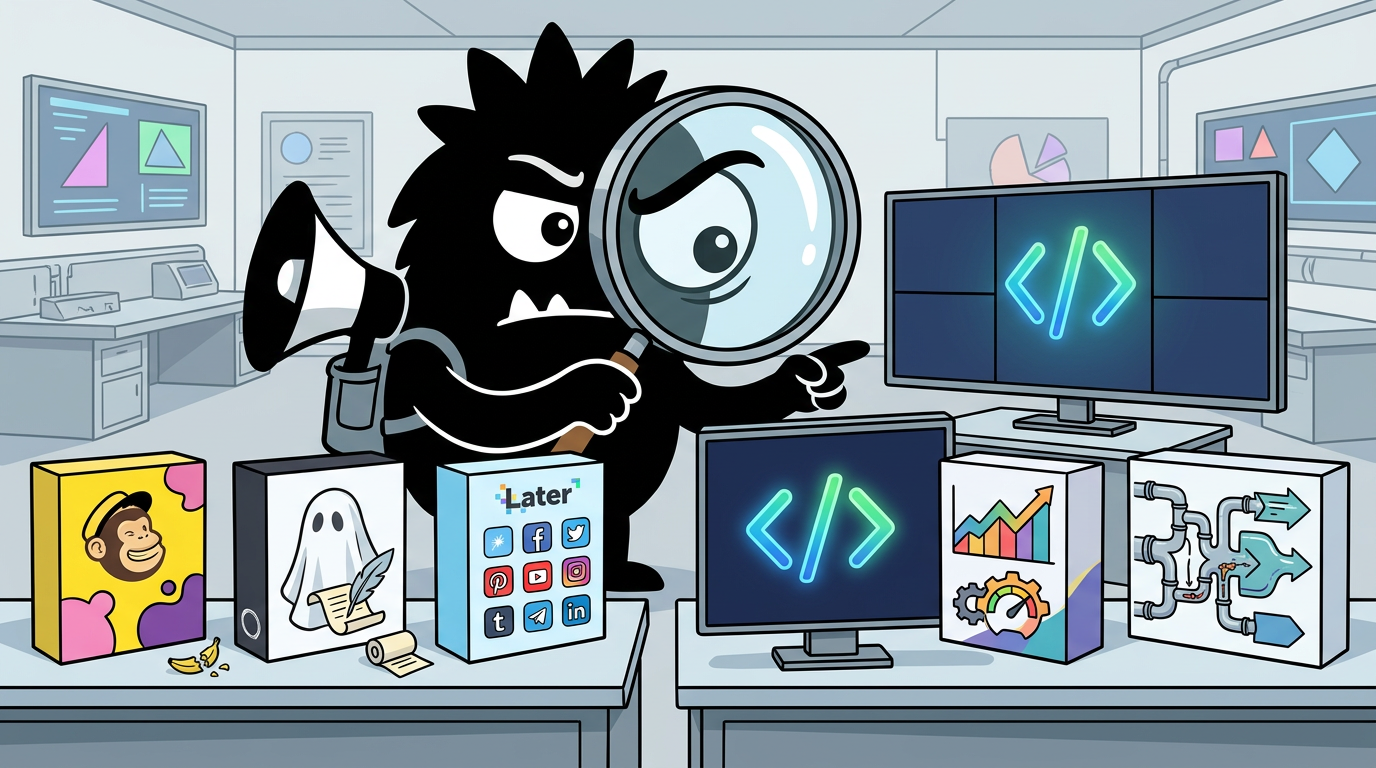
Why This Comparison Is Harder Than It Looks
If you search “best platform for automating business workflows,” Mailchimp, Ghost, and Later can all show up in the same shortlist. That makes the comparison feel straightforward. It isn’t.
These tools all speak the language of automation, but they automate different operating layers of a business.
Mailchimp is fundamentally a marketing automation and customer messaging platform. Its center of gravity is the subscriber record, segmentation, and triggered communications—especially email, with automation features built around customer actions and campaign logic.[1] Mailchimp has also been positioning itself more broadly as an omnichannel marketing platform, not just an email blast tool.[3]
Ghost is fundamentally a publishing platform with newsletters and memberships attached. It is built for websites, posts, members, subscriptions, and editorial distribution. Yes, it automates email sends and audience access. But its native worldview is still: publish content, manage members, send newsletters.[7][8]
Later is fundamentally a social media workflow platform. It helps teams plan, schedule, organize, approve, and distribute content across social channels. Its automation is about social operations: scheduling posts, managing content calendars, and supporting link-in-bio and social publishing workflows—not deep lifecycle email logic.[13][14]
That distinction matters because businesses don’t buy “automation” in the abstract. They buy it to solve a bottleneck:
- “I need to nurture leads from forms and purchases.”
- “I need my blog, newsletter, and paid membership in one place.”
- “I need a team process for planning and publishing social content.”
- “I need all three, without a brittle mess.”
On X, you can see why buyers keep comparing them anyway. The labels are adjacent enough to create confusion:
✔️Canva is a free-to-use online graphic design tool. ✔️ Mailchimp is a marketing automation platform and email marketing service. ✔️ Later is a social media management platform+link in bio tool for every social network. ✔️CapCut offers easy-to-use video editing functions.
View on XThat post is basic, but it captures the market’s mental model exactly: Mailchimp for marketing automation, Later for social workflow, Ghost sitting in the publishing-newsletter lane. The problem is that real teams don’t operate in lanes. They operate across systems.
A newsletter might start in Ghost, capture leads from X, sync to Mailchimp for nurture, and get promoted through Later. Suddenly the buyer’s question is no longer “which tool is best?” but “which tool should be the system of record for the workflow I care about most?”
That’s why the right comparison framework isn’t feature checklisting. It’s this:
- System of record
Where should subscriber, member, content, or campaign data primarily live?
- Trigger depth
Can the platform respond to events like signup, purchase, inactivity, abandoned cart, or content publication?
- Channel coverage
Is this mostly email, publishing, social, or genuinely cross-channel?
- Integration surface
How well does it connect to Shopify, forms, Zapier, Airtable, APIs, and other no-code infrastructure?
- Operational overhead
How much maintenance, deliverability management, syncing, and troubleshooting are you signing up for?
- Cost relative to the workflow
Are you paying for sophistication you actually need—or underbuying and creating expensive workarounds?
The X conversation is also telling people, pretty bluntly, not to overcomplicate the stack before they know what job they need done:
No-code platform-Bubble or Adalo
Database- Airtable or Google Sheets
Automation- Zapier or Make
Hosting- Vercel or Netlify
Payments- Stripe or PayPal
Email/Marketing- Mailchimp or SendGrid
Keep it simple, build first, and scale later
That advice sounds simplistic, but it’s useful. If your actual need is triggered lifecycle email, Later is not your answer. If your actual need is running a publication with memberships, Mailchimp is not your content hub. If your actual need is coordinating social output across channels, Ghost is not your editorial operations dashboard for social.
And if you still feel tempted to compare all three head-to-head, that’s reasonable—because many businesses are trying to decide not just what tool to use, but what kind of operating model they’re building in the first place.
What Should Be Your System of Record: Email List, Content Hub, or Social Calendar?
Before comparing automation depth, you need to answer a more foundational question:
Where should truth live?
Not “where can I send emails?”
Not “where can I schedule posts?”
But: which platform owns the customer or content record that the rest of your workflow depends on?
This is the question practitioners on X keep coming back to, especially when they run Ghost and Mailchimp together.
We’ve been using Ghost at PCP, but I have a zapier automation to sync the mailing list Shopify > Mailchimp <> Ghost and keep Mailchimp as the main database
View on XThat one post is more useful than a dozen generic software reviews because it exposes how these tools are often deployed in the wild:
- Shopify generates commerce events and customer activity
- Mailchimp acts as the main customer database and automation engine
- Ghost handles publishing and potentially newsletter presentation
- Zapier keeps the whole arrangement synchronized
This is a very common architecture because the “best” tool depends on what the business believes is most important to preserve accurately.
When Mailchimp should be the system of record
Mailchimp should usually own the main record if your business depends primarily on:
- lead capture and nurture
- segmentation
- promotional campaigns
- ecommerce-triggered messaging
- lifecycle automation across customer states
In that model, the subscriber profile matters more than the post or page. You care about:
- who signed up
- where they came from
- what they purchased
- what segment they belong to
- which flow they are in
- whether they opened, clicked, converted, or churned
Mailchimp’s automation model is built around this kind of audience logic. Its classic automation tooling and API support event-driven messaging sequences and subscriber-based workflows, which is why it remains the default automation engine for many companies even as newer AI-native competitors try to redefine the category.[1][2]
A practical example:
- A customer buys from Shopify
- Shopify syncs order and customer data into Mailchimp
- Mailchimp triggers:
- a post-purchase welcome
- a usage education sequence
- a review request
- a replenishment reminder
- Ghost may still publish the company’s newsletter or blog
- Later may still distribute social promotion
- But Mailchimp is where campaign state and customer messaging logic live
That makes Mailchimp the right system of record when your business process is customer-state-driven.
When Ghost should be the system of record
Ghost should usually own the main record if your business depends primarily on:
- publishing articles, essays, updates, or resources
- memberships and subscription access
- paid newsletters
- editorial workflow tied to a website
- first-party audience ownership around content
Ghost’s native objects are posts, newsletters, tiers, members, and site content.[7][8] If your business model revolves around content as the product—or at least content as the central growth asset—Ghost is often the more natural center.
That’s especially true for:
- creator businesses
- analyst and research newsletters
- indie media brands
- developer publications
- membership communities with premium editorial content
- SaaS companies that treat their content hub as a serious acquisition and retention channel
In this model, the important relationship is not just “subscriber received message,” but “member belongs to this site, accesses this content, receives this newsletter, and may upgrade to paid.”
Ghost’s newsletter functionality is tightly tied to publishing, which is exactly why it’s attractive. You are not duct-taping a CMS to an email tool; you are working in a unified publishing environment.[8]
And that’s why creators often like setups where email capture flows directly into Ghost:
✨ How to collect emails from your Twitter profile to Ghost/MailChimp:
1) sign up on https://t.co/i7YvorDCvu
2) enable Twitter integration
3) you get this box on your profile
4a) set up this for Ghost https://t.co/Y90oPH7r4M
4b) set up this for MailChimp https://t.co/wVVOfmxUar
For that kind of workflow, Ghost can be the right center because it connects acquisition, publishing, and membership in one model.
Why Later is usually not your system of record
Later can be central to your social team’s daily work, but it usually should not be your primary system of record for customer or subscriber data.
That’s not a criticism. It’s just a category boundary.
Later is strongest as a distribution and planning layer:
- social content calendar
- post scheduling
- approval workflows
- media organization
- link-in-bio support
- social campaign coordination[13][14]
If your workflow starts with “what are we posting this week across Instagram, TikTok, LinkedIn, Pinterest, and X?” Later may be the operational center for the marketing team. But if your workflow starts with “what should happen after a user subscribes, buys, or upgrades?” Later is downstream, not upstream.
Think of it this way:
- Mailchimp stores audience behavior for lifecycle messaging
- Ghost stores content and member relationships
- Later stores publishing plans for social execution
That’s why teams get into trouble when they try to force Later into a role it doesn’t own well.
The system-of-record decision by business type
Here’s the practical version.
If you run ecommerce
Use Mailchimp as the record for customer marketing state.
Ghost can still host editorial content. Later can still handle social.
If you run a creator newsletter or paid publication
Use Ghost as the record for members, posts, and subscriptions.
Mailchimp only enters if you need more advanced lifecycle automation than Ghost comfortably provides.
If you run an agency or social-heavy brand team
Use Later as the operational hub for social publishing.
But keep customer and subscriber truth elsewhere—usually Mailchimp, a CRM, commerce platform, or CMS.
If you run content-led SaaS
This is the trickiest. Often:
- Ghost owns content and newsletter publishing
- Mailchimp owns nurture, onboarding, or marketing automation
- Later owns social amplification
That may feel redundant, but it is often the cleanest architecture because each tool is allowed to stay in its natural lane.
The uncomfortable truth: sometimes you need two systems, not one
The X conversation shows this repeatedly: teams are not replacing one tool with another so much as assigning jobs more clearly.
Ghost offers seamless integrations with a range of third-party tools, allowing creators to connect their workflows with platforms such as Zapier, Mailchimp, and Stripe. These integrations help streamline various aspects of content creation, from marketing automation to payments.
View on XThat post sounds promotional, but it reflects a reality many practitioners have already landed on: Ghost is often most effective when integrated into a larger workflow rather than treated as a self-sufficient marketing stack.
So before asking “Mailchimp vs Ghost vs Later,” ask this instead:
- Is your business workflow primarily customer lifecycle, content publishing, or social distribution?
- Which object matters most: subscriber, member/post, or scheduled social asset?
- If data goes out of sync, what breaks the business fastest?
Answer that, and the comparison gets much easier.
Automation Depth: Which Platform Actually Handles Triggered Workflows Best?
If “automation” means triggered, repeatable workflows that respond to business events, Mailchimp is still the most developed of the three.
That doesn’t automatically make it the best overall product. It does mean that when practitioners argue about whether it still deserves its place, they’re really arguing about whether its workflow depth justifies its cost and complexity.
On X, that tension is obvious:
Email automation is broken SendGrid = API wiring Mailchimp = pricey basics Klaviyo = e-comm focus Dreamlit AI kills all 3 Real-time, workflow-driven, built for anyone shipping products Here’s how it works↓
View on XAnd also:
RIP Mailchimp? I just found out about Dreamlit AI. It is the first AI-native Email Automation stack. Think Lovable, but for branded emails. Here's how to get started in 2 minutes:
View on XThe AI-native challengers are getting attention because many users feel traditional email software is too expensive, too rigid, or too old in its interaction model. But category disruption talk can obscure a more practical question: what can you reliably automate today, in production, with minimal heroics?
For most businesses, Mailchimp still has the strongest answer.
What Mailchimp actually automates well
Mailchimp’s classic automation capabilities are built around event-based and activity-based triggers. According to Mailchimp’s own documentation, automations can be triggered by subscriber actions, ecommerce events, date-based conditions, and API-connected workflows.[1][2]
In plain English, Mailchimp is good at workflows like:
- welcome series after signup
- onboarding sequences
- abandoned cart reminders
- order notifications and follow-ups
- win-back campaigns
- birthday or anniversary sends
- product education drips
- upsell/cross-sell segmentation
- re-engagement based on inactivity
This is important because these are not just “marketing tasks.” They are business workflows with revenue implications.
For example:
Welcome series
A visitor submits a form. Mailchimp can place them into a timed sequence with branching logic, introducing your brand, content, or product offer.[1]
Abandoned cart
An ecommerce store can trigger reminders when a customer starts checkout but doesn’t complete purchase, often one of the highest-ROI automations in the stack.[1][5]
Post-purchase nurture
A buyer can receive a thank-you, usage guidance, FAQ material, a review request, and later a replenishment or upgrade message based on elapsed time or transaction history.[5]
Behavioral segmentation
Users who click certain topics or fail to engage can be moved into different campaigns, suppressions, or re-engagement sequences.
This is what people mean when they call Mailchimp “marketing automation” instead of just “newsletter software.”
What Ghost automates well
Ghost’s automation is real, but it is different in kind.
Ghost is best at:
- publishing a post and sending it as a newsletter
- segmenting sends to different member groups
- handling free vs paid content access
- scheduling newsletter delivery
- operating memberships and subscription-based editorial experiences[7][8]
That makes Ghost strong for workflows like:
Weekly newsletter publishing
Write in the editor, schedule publication, and send to selected newsletter audiences.
Paid member drip
Publish premium posts for paying members, optionally tied to newsletter distribution and membership tiers.
Editorial distribution
Use one system to manage your site, content archive, subscriber access, and outbound newsletters.
Where Ghost is not naturally strongest is deep event-driven customer automation. If you want:
- cart abandonment
- usage-triggered messages from product events
- sophisticated branching nurture
- complex ecommerce logic
you will often end up reaching for Mailchimp, another ESP, or custom workflows.
That’s not because Ghost is weak. It’s because it is optimized for a different workflow abstraction: content and member delivery, not full lifecycle marketing orchestration.
What Later automates well
Later automates social execution.
Its sweet spot includes:
- scheduling posts across social channels
- organizing content calendars
- streamlining publishing workflows
- supporting multi-account or team collaboration
- coordinating asset approval and timing[13][14]
That is useful automation. For many teams, it is essential automation. But it is not equivalent to lifecycle messaging.
Later is good for workflows like:
Scheduled social promotion
A blog post goes live. Social assets are queued for LinkedIn, Instagram, TikTok, X, or Pinterest according to channel-specific schedules.
Campaign rollouts
A launch week gets mapped across channels with pre-approved creative and publishing dates.
Link-in-bio management
Traffic from creator or brand profiles is directed to current offers, campaigns, or content hubs through centralized link surfaces.
Social ops coordination
Agencies and in-house teams use it to maintain publishing cadence without manually posting everything natively.
What Later does not replace:
- email nurture
- subscriber segmentation
- commerce-triggered messaging
- member management
- content-paywall logic
So if your definition of automation starts with “when the customer does X, send Y based on condition Z,” Later is not the primary answer.
Workflow-by-workflow comparison
Here’s the practical breakdown.
1. Welcome series
- Mailchimp: Best. Built for triggered sequences and segmentation.[1][2]
- Ghost: Basic if tied to newsletter signup/member onboarding, but not the same depth.
- Later: Not applicable.
2. Abandoned cart
- Mailchimp: Best. Core ecommerce marketing use case.[1][5]
- Ghost: Weak without external tooling.
- Later: Not applicable.
3. Post-purchase nurture
- Mailchimp: Best. Event-driven, segment-aware.
- Ghost: Possible only if your “purchase” is content membership/subscription and the workflow is simple.
- Later: Not applicable.
4. Weekly newsletter
- Ghost: Best if newsletter and publication are tightly coupled.[7]
- Mailchimp: Good if the newsletter is one campaign among broader marketing operations.
- Later: Only supports promotion, not the newsletter itself.
5. Paid member drip
- Ghost: Best if the paid product is editorial content or membership access.[7]
- Mailchimp: Possible, but awkward if the core product is content entitlement.
- Later: Not applicable.
6. Scheduled social promotion
- Later: Best. This is the product category.[13]
- Mailchimp: Secondary at best.
- Ghost: Requires external scheduling and promotion workflow.
7. Evergreen reposting/social distribution
- Later: Strongest of the three for maintaining repeatable social visibility.
- Mailchimp: Not the job.
- Ghost: Not the job.
The key distinction: trigger depth vs publishing automation
People often conflate these two kinds of automation:
- Publishing automation: scheduling, sending content, organizing distribution
- Lifecycle automation: reacting to user behavior and business events
Ghost and Later both automate publishing/distribution in their domains. Mailchimp automates lifecycle communications more deeply.
That’s why comparisons often become muddy. A team that mostly needs editorial efficiency may think Ghost is “more automated” because publishing is smoother. A team that mostly needs revenue nurture may think Ghost feels incomplete because it doesn’t handle triggered sequences well enough.
So does Mailchimp’s automation depth still justify its role?
Often, yes.
Not because it is sexy. Not because it is the newest. But because many companies still need dependable triggered workflows more than they need a prettier interface or an AI prompt box.
That said, the criticism is not imaginary. Pricing pressure, interface complexity, and newer AI workflow products are giving teams reasons to revisit old assumptions.
Goodbye Mailchimp 😭 Goodbye ugly email templates AI now builds and automates your entire email system... – writes + wires your flows from a single prompt – plugs into your DB + triggers live emails – styled, branded & previewed with real data Here's how it works: 🧵
View on XStill, if you strip away hype and ask which of these three platforms is best at triggered business workflows, the answer is straightforward:
- Mailchimp wins for lifecycle marketing automation
- Ghost wins for publishing-plus-newsletter automation
- Later wins for social scheduling and campaign operations
Everything else is really a question of which workflow matters most to your business.
Ghost’s Sweet Spot—and the Friction That Keeps Coming Up
Ghost has one of the clearest product identities in this comparison, and that’s a strength.
It is not trying to be a giant all-purpose marketing cloud. It is trying to help people publish, build audience, run memberships, and send newsletters from a system that feels native to content businesses.[7][8]
That proposition remains compelling, especially for developers, creators, and lean media teams.
#开源推荐 Ghost 是在 GitHub 上排名第一的开源 CMS 项目,其核心团队来自于 WordPress。
你可以利用它轻松创建一个博客平台,也可以在未来快速的转化成收费文章或者 newsletter。
如果有打算经营付费 newsletter 的开发者,可以看看这个项目。
https://ghost.org/
That post captures why Ghost keeps getting recommended: it’s open source, credible with technical users, and allows a blog to evolve into a paid newsletter or membership business without forcing a total platform migration. For a lot of modern creator-led businesses, that is exactly the right shape.
Where Ghost is genuinely excellent
Ghost is especially strong when your business looks like one of these:
- a creator-led publication
- a research or analysis newsletter
- an indie media property
- a SaaS company with serious content and newsletter ambitions
- a membership-based editorial business
- a technical blog that wants direct audience ownership
The main advantages are structural.
1. Publishing and newslettering are unified
In many stacks, your CMS, member database, and email tool are separate systems awkwardly connected through forms, APIs, and sync rules. Ghost reduces that fragmentation.
You write the post, decide who should access it, choose the newsletter audience, and publish/send from one environment.[7]
For teams that live in editorial cadence, this is not a small convenience. It changes the operating model:
- fewer copy-paste steps
- fewer formatting inconsistencies
- fewer sync failures
- simpler staff workflows
2. Memberships and paid content are first-class concepts
Ghost is designed around members and tiers, not just anonymous pageviews. That means subscriptions, gated content, and paid newsletter operations feel native rather than bolted on.[7]
If your business model is “people pay to receive and access content,” Ghost is often a more natural fit than Mailchimp.
3. It appeals to technical teams without requiring enterprise CMS overhead
For developer-adjacent organizations, Ghost sits in an attractive middle ground:
- more structured and controllable than pure hosted creator tools
- less sprawling than enterprise CMS stacks
- more publishing-native than generic email platforms
That’s why it keeps showing up in technical communities.
But the friction is real
The reason Ghost debates are so lively on X is that people often love the concept and still get frustrated in operation.
We run newsletters on @Substack, @beehiiv and @Ghost. Each one earns its place for a different reason and each one frustrates me in its own way too.
I wrote a full breakdown of what I think about each of these platforms.
https://t.co/CHLTy3pVrP
That sentiment is more important than simple “pro/con” lists because it reflects a mature user experience: Ghost earns its place for many teams, but it also creates pain points that become obvious once the workflow gets more serious.
Friction point 1: email infrastructure and operational constraints
This issue comes up repeatedly, and it matters because newsletters are not just content—they are infrastructure.
@Ghost is an amazing concept, the fact that they lock you in a Mailgun mail system is awful UX, changing tools because of this
View on XWhether the exact pain is Mailgun dependency, configuration friction, deliverability concerns, or the operational burden of email setup, the broader issue is this: email delivery is harder than publishing.
Ghost gives you a strong publishing-centered experience, but when newsletter operations scale, deliverability and mail infrastructure become more consequential. Advanced teams start asking questions like:
- How much control do we have over sending infrastructure?
- How easy is it to change providers or configurations?
- What happens when volume increases?
- How do support, compliance, and debugging compare to mature ESPs?
This is where Mailchimp often regains appeal. You may dislike the pricing, but a lot of operational headache is already abstracted away.
Friction point 2: Ghost is a blogging-first system
This is both its strength and its limitation.
Ghost is excellent when your content model is basically:
- posts
- newsletters
- pages
- members
- tiers
But some businesses eventually need:
- richer structured content types
- granular editorial workflows
- multi-project management
- complex permissioning
- composable content architecture
That’s where criticism like this starts appearing:
Looking to migrate from #Ghost because of a blogging-first CMS that struggles with complex content structures? Here’s tldr where BCMS is better: - Granular permissions - Built-in serverless functions - Multi-project support Full comparison: https://thebcms.com/compare/ghost-alternative
View on XNow, BCMS is obviously making a competitive case, so you should read that kind of post with appropriate caution. But the underlying criticism is legitimate: if you need a highly structured CMS for many content types, Ghost can feel constraining because its center is still publishing-first rather than schema-first.
For example, Ghost is great for:
- essays
- updates
- newsletter posts
- premium articles
It is less naturally ideal for:
- multi-model content catalogs
- heavily localized structured content operations
- content systems with many reusable entities and relational dependencies
- organizations managing multiple content properties with enterprise-like governance
If you are a media business, this may not matter. If you are building a complex content platform, it often does.
Friction point 3: marketing automation depth is limited
Ghost can send newsletters and segment audiences, but it is not trying to compete head-on with mature lifecycle automation engines.
This becomes painful when teams expect it to handle:
- sophisticated nurture logic
- ecommerce event campaigns
- customer journey branching
- post-purchase orchestration
- CRM-like marketing flows
At that point, Ghost often needs help from:
- Mailchimp
- Zapier
- Make
- n8n
- Airtable
- custom scripts
That is not necessarily bad architecture. But it changes the promise. Ghost stops being “the all-in-one answer” and becomes “the best publishing core in a composable stack.”
Friction point 4: once you outgrow the simple case, operational complexity returns
The irony of Ghost is that it feels delightfully simple right until your business becomes meaningfully cross-functional.
A founder can launch quickly.
A writer can publish beautifully.
A membership business can start monetizing.
But then reality arrives:
- ecommerce syncs
- lead magnets
- automation branches
- multiple newsletters
- CRM handoffs
- social distribution
- AI-assisted editorial pipelines
- attribution questions
At that stage, Ghost is still useful—but no longer sufficient alone.
That’s exactly why users begin asking whether to move off it:
@brandtrackers needs a new newsletter platform, our current (Ghost) is becoming problematic Looking for recommendations: - ConvertKit (Visual Automation seems nice) - Mailchimp (Full Design Customization + Flows, but $$) - Beehive (Easy but not customizable enough?) Help
View on XNotice the comparison set in that post:
- ConvertKit for visual automation
- Mailchimp for customization and flows
- Beehiiv for simplicity
That is the real market pressure on Ghost. Not that it fails at publishing, but that once teams want more advanced workflow behavior, they start evaluating other tools that optimize for adjacent jobs.
The right way to think about Ghost
Ghost is not “worse Mailchimp,” and it is not “poor man’s CMS.”
It is best understood as:
- a strong publishing system
- with native newsletters
- with memberships
- with solid integration potential
- but with a clear ceiling for complex lifecycle marketing and structured-content operations
If your business is fundamentally a publication, that ceiling may never matter. If your business is more like a commerce or SaaS lifecycle machine, it probably will.
So the honest verdict is:
Ghost is excellent when content is the product or the main growth engine. It becomes frustrating when teams expect it to be a fully general automation platform or a deeply structured enterprise CMS.
That’s not a flaw in positioning. It’s a reminder to buy the tool for the business model you actually have.
The Integration Reality: Forms, Shopify, Airtable, Zapier, and No-Code Glue
If you listen to how practitioners actually automate workflows, a pattern becomes obvious: very few are relying on one platform to do everything.
They are composing systems.
That means the real contest is not just about native features. It’s about:
- how easily each tool plugs into the rest of the stack
- how much no-code glue you need
- how much maintenance burden that glue creates over time
Ghost officially supports a range of integrations and points users toward tools and services across growth, payments, automation, analytics, and publishing workflows.[7][9] Mailchimp has long been a downstream endpoint for forms, ecommerce systems, and marketing pipelines. And Ghost publishing automation increasingly shows up in Airtable, AI, and n8n workflows.[10][11][12]
Mailchimp as downstream automation engine
This is one of Mailchimp’s most durable roles.
A form builder, checkout flow, lead capture widget, or CRM collects data. Mailchimp receives it and decides what happens next:
- add to audience
- tag or segment
- trigger welcome flow
- suppress from another campaign
- branch into a nurture sequence
That’s why form-level integrations still matter so much.
A good form does more than look good. It defines how data is structured. With Breakdance, you can connect Mailchimp directly to the form flow, controlling audiences, fields, and confirmations from the builder. 👉 Explore the Mailchimp integration in Breakdance:
View on XThat post is promotional, but the underlying point is dead on: forms are not just frontend UI. They define how data enters your automation stack. If the form maps fields, consent, audience, and confirmation logic cleanly into Mailchimp, you have a much better chance of building reliable automation later.
This matters for small businesses especially. They often don’t need a giant customer data platform. They need:
- a form
- a mailing list
- a few good triggered flows
Mailchimp fits that pattern well.
Shopify to Mailchimp is still a real architecture
Despite all the attention on newer tools, commerce-triggered email still pushes many businesses toward Mailchimp-like systems because order events and customer metadata are easier to operationalize there than in publishing-first products.
A common architecture looks like:
- Shopify as transaction source
- form or landing page tools for lead capture
- Mailchimp for segmentation and triggered emails
- Ghost for editorial or brand publishing
- Later for social promotion
That may sound “old school,” but old school often wins because it maps well to how businesses actually operate.
Ghost as a composable publishing node
Ghost’s biggest integration advantage is that it plays well in a composable architecture.
Its official integration ecosystem includes tools for automation, payments, email capture, analytics, and more.[7] In practice, teams often use Ghost as:
- the final publishing destination
- the member-facing site
- the newsletter source
- one node inside a larger content operation
This is where no-code and scriptable workflows show up.
my content publishing workflow completed. 1. Generate contents using Claude and Gemini(image) 2. Save it on Airtable 3. Start publishing regularly by Airtable automation script to my Ghost CMS.
View on XThat workflow is revealing because it reflects what a lot of modern teams are doing:
- AI generates drafts or assets
- Airtable stores workflow state
- automation scripts move content along
- Ghost becomes the publishing endpoint
That’s a very different automation model from Mailchimp. The value is not event-triggered customer nurture. The value is content pipeline automation.
And it’s increasingly common.
Ghost also shows up in AI and workflow tool documentation and templates for automated drafting and publishing flows.[10][11][12] For lean teams producing high content volume, that can be more strategically important than having the world’s best email branching logic.
Later as orchestration for social distribution
Later’s role in integrations is more operational than data-foundational.
It helps teams coordinate:
- asset scheduling
- social calendar planning
- distribution timing
- content reuse across networks
- link-in-bio destination management[13][15]
If you are running an agency, creator team, or brand marketing operation, this can be the difference between “we publish consistently” and “we post when someone remembers.”
But it usually sits downstream of content creation and upstream of channel execution. It is not typically the database you design your lifecycle around.
The tradeoff of composable workflows
The upside of using multiple specialized tools is clear:
- better fit for each business function
- less forcing one tool beyond its natural lane
- more flexibility to swap parts over time
- stronger best-of-breed workflows
But the downside is just as real:
- sync failures
- duplicate records
- broken tags or fields
- race conditions between tools
- harder troubleshooting
- more compliance complexity
- staff dependency on whoever built the automations
This is the dirty secret of “modern no-code automation.” It often works beautifully—until it doesn’t.
A simple example:
- lead captured on a social landing page
- synced to Ghost for newsletter signup
- mirrored into Mailchimp for nurture
- tagged in Airtable for campaign attribution
- promoted via Later
That’s a perfectly plausible stack. It’s also four opportunities for data drift.
How to keep the stack sane
If you are combining these tools, the following rules matter more than the vendor marketing:
1. Define one owner for each critical object
- Subscriber lifecycle state: maybe Mailchimp
- Member access and newsletter delivery: maybe Ghost
- Social asset calendar: Later
2. Avoid bi-directional syncing unless necessary
Two-way syncs sound elegant and often become messy fast.
3. Normalize fields early
Consent status, source attribution, tags, customer IDs, and subscription states need consistent naming.
4. Use automation tools to move records, not to invent business logic everywhere
The more logic you scatter into Zapier, Airtable formulas, scripts, and platform rules, the harder the system becomes to reason about.
5. Document failure modes
What happens if the Ghost publish step succeeds but Mailchimp tagging fails?
What happens if Shopify sync lags?
What happens if a form passes an invalid field?
These are boring questions. They are also the difference between “automation” and “operations debt.”
The practical takeaway
In 2026, many businesses will get the best result not by picking a single winner, but by embracing a specialized stack:
- Mailchimp for lifecycle email logic
- Ghost for content and member publishing
- Later for social distribution operations
That is often the right architecture.
But if you go down that route, your success depends less on any single feature page and more on whether you can keep the system coherent over time.
Pricing, Learning Curve, and the Hidden Operations Overhead
Software comparisons often reduce cost to the monthly plan price. That’s a mistake here.
The real cost of Mailchimp, Ghost, or Later includes:
- setup time
- deliverability risk
- integration maintenance
- staff training
- debugging workflows
- migration friction
- compliance and data handling
- the opportunity cost of building around the wrong center
This is where the X conversation gets unusually honest.
Go build a SaaS that manages an important of your business. Like go do it. Build a mailchimp. Then slowly watch all your time shift from working to managing your mailchimp clone and having to spend hours learning how to keep email delivery up, debugging bugs, staying compliant etc etc and the staff you have to have to manage it. Then ask yourself ...why would I not just pay mailchimp $250 to do this and forget about it. Most businesses can't even be bothered to swap out a SaaS product they bought 10 years ago because of the friction it causes. How many dentist office for example are running on a website made in the early 2010s with a similar call system. They are not about to start making their own apps and managing them.
View on XThat post is crude but important. It captures something practitioners forget when they complain about SaaS pricing: mature workflow software is often expensive because it absorbs ugly operational problems that many teams absolutely do not want to own.
Mailchimp: expensive relative to simplicity, cheap relative to reinvention
Mailchimp is frequently criticized as overpriced, especially by startups and technically sophisticated users who feel they are paying too much for “basic” email automation.
That complaint is not baseless. It’s one reason newer AI-native products are getting attention. But the counterpoint is strong: if your business depends on deliverability, compliance, segmentation, and trigger reliability, then Mailchimp’s price has to be compared against the cost of:
- self-assembling an alternative
- maintaining it
- training staff on it
- fixing it when it breaks
Mailchimp also continues to broaden its positioning around AI and omnichannel marketing, suggesting it sees its value as more than campaign sending alone.[3] Whether buyers believe that framing is another matter, but the product is clearly trying to justify being more than a legacy email tool.
The learning curve is moderate:
- beginners can get campaigns and simple automations running reasonably fast
- advanced teams can do meaningful segmentation and lifecycle work
- but as complexity rises, the interface and logic can feel increasingly cumbersome
Ghost: lower software abstraction, higher workflow responsibility
Ghost can feel elegantly cost-effective because it combines:
- website/CMS
- newslettering
- memberships
- paid content potential
For creator and publishing businesses, that can be a very strong value proposition. Instead of paying separately for a CMS, newsletter platform, and paid membership system, you get a unified stack.
But that doesn’t mean Ghost is low-overhead.
The hidden costs show up in:
- email infrastructure decisions
- integration work
- custom automation layers
- content model limitations if your needs evolve
- migration pain if you later need deeper marketing automation
In other words, Ghost may be cheaper as software while becoming more expensive as operations design if you use it outside its sweet spot.
For beginners, Ghost is attractive because the mental model is intuitive: publish, manage members, send newsletters.
For advanced teams, the ceiling appears when they need more structured workflows or more sophisticated event-driven automation.
Later: clear category, narrower ROI math
Later is easier to reason about because it does not pretend to be your full growth engine.
You pay for:
- social scheduling
- workflow coordination
- content planning
- team execution support[13]
That makes the pricing conversation simpler. If social distribution is strategically important and your team loses time to manual posting and coordination chaos, Later’s value is straightforward.
If social is secondary, the spend can feel harder to justify, especially for very small teams that can post manually or rely on lighter-weight tools.
The learning curve is generally lower than a full marketing automation platform because the problem domain is narrower. Teams usually understand social calendars faster than they understand subscriber segmentation logic.
Hidden cost category 1: deliverability
This is where Mailchimp often beats “roll your own” solutions and where Ghost-based newsletter operations can create more anxiety for some teams.
Email is not just copy and HTML. It is:
- reputation management
- authentication
- compliance
- bounce handling
- spam avoidance
- list hygiene
That’s why “Mailchimp is expensive” and “just pay Mailchimp” can both be true.
Hidden cost category 2: integration maintenance
Every bridge between systems adds long-term cost:
- API changes
- rate limits
- changed field mappings
- new consent rules
- staff turnover
- automations no one documented
Ghost plus Zapier plus Airtable plus Shopify can be a fantastic setup. It can also become fragile if no one owns it.
Hidden cost category 3: migration friction
The older and more central a tool becomes, the harder it is to replace.
That’s partly why Mailchimp remains entrenched. Its feature set matters, but so does inertia. List history, templates, automations, compliance setup, staff familiarity, and reporting conventions are all sticky.
In 2001, Mailchimp ( @Mailchimp ) launched as a side project.
20 years later, it became the $700 million marketing automation tool.
How they did it? Open this:
A long incumbency can look like market laziness. Often it is just the accumulated weight of operational embedding.
Hidden cost category 4: beginner friendliness vs expert ceiling
A useful way to compare them:
- Mailchimp
- beginner: decent start, though terminology can overwhelm
- expert: high practical utility, but can feel limiting or pricey
- Ghost
- beginner: excellent if your workflow is content-first
- expert: strong in its lane, but you may hit limits in structured content or marketing automation
- Later
- beginner: approachable if you understand social publishing
- expert: valuable for process discipline, but intentionally narrower in scope
The honest pricing verdict
If you only look at subscription price:
- Mailchimp often feels expensive
- Ghost often feels efficient
- Later often feels specialized
If you look at full operating cost:
- Mailchimp can be a bargain for lifecycle email-heavy businesses
- Ghost can be the best value for content/membership-led businesses
- Later is worth it when social execution is a real operational bottleneck
There is no universal cheapest option. There is only the cheapest tool for the workflow you actually run.
Use-Case-by-Use-Case Verdict: Which Tool Wins for Which Business Workflow?
At this point, the answer should be clear: there is no single winner because these products are solving different jobs.
The more useful question is: which tool wins for your operating model?
That’s also where the X discussion is most grounded. People are not really asking for the “best tool.” They are asking which pain they should optimize for—and which new pain they are willing to accept.
1. Creator newsletters and paid publishing
Winner: Ghost
If your business is a publication, a paid newsletter, or a membership-driven content brand, Ghost is the best natural fit of the three.
Why:
- website, publishing, newsletters, and memberships are unified[7]
- direct audience ownership is central
- paid content is first-class
- editorial workflows are smoother than stitching together separate CMS and newsletter tools
Why not Mailchimp:
- stronger automation, yes
- weaker as a publishing-native member/content environment
Why not Later:
- supports promotion, not the core product
The caveat: if your newsletter business starts needing deep lifecycle marketing, you may end up adding Mailchimp anyway.
2. Content-led SaaS
Winner: usually Ghost + Mailchimp
This is where single-tool thinking fails.
A content-led SaaS often needs:
- a serious blog/resource center
- newsletter publishing
- lead nurture
- onboarding/promotional campaigns
- product or customer segmentation
Ghost handles the content and newsletter hub well. Mailchimp handles the lifecycle logic better.
This is exactly why people keep combining them rather than replacing one with the other.
@brandtrackers needs a new newsletter platform, our current (Ghost) is becoming problematic Looking for recommendations: - ConvertKit (Visual Automation seems nice) - Mailchimp (Full Design Customization + Flows, but $$) - Beehive (Easy but not customizable enough?) Help
View on XThat post sounds like a migration question, but it actually illustrates the core issue: once a business wants both strong content publishing and advanced flows, tradeoffs become unavoidable.
3. Ecommerce lifecycle email
Winner: Mailchimp
If your workflow depends on:
- abandoned cart
- post-purchase nurture
- customer segmentation
- transactional-adjacent messaging
- repeat purchase campaigns
Mailchimp is the clear fit among these three.[1][2][5]
Ghost can support brand publishing and newsletter content around the store. Later can support campaign promotion. But the automation core should generally be Mailchimp.
4. Agency social operations
Winner: Later
If you manage multiple channels, clients, or cross-platform campaigns, Later wins because it is designed around social planning and scheduling.[13]
This matters for:
- agencies managing many accounts
- brand teams with approval workflows
- creators with heavy content calendars
- social-first businesses where consistency is the biggest operational challenge
Mailchimp and Ghost can each support adjacent functions, but neither is a proper substitute for a social workflow tool.
5. Small business wanting simple automation
Winner: depends on the bottleneck
Pick Mailchimp if:
- your biggest need is lead capture + email follow-up
- you sell products or services and need nurture sequences
- forms and subscriber segmentation matter most
Pick Ghost if:
- your website and newsletter are the core of your business
- you want blog + email + memberships in one place
- content is the main engine
Pick Later if:
- your growth engine is social posting consistency
- your team struggles with scheduling and distribution operations more than email
6. Teams that need the least regret over time
This is the most important buyer question and the one software reviews often dodge.
Choose Mailchimp if your biggest future risk is weak lifecycle automation
You may overpay, but you are unlikely to regret having a mature automation engine.
Choose Ghost if your biggest future risk is fragmented content and audience ownership
You may eventually add other tools, but your publishing foundation will be stronger.
Choose Later if your biggest future risk is inconsistent social execution
You may still need email and CMS layers elsewhere, but your channel operations will improve faster.
Buyer matrix
| Workflow | Best Tool | Why It Wins | Main Limitation | Migration Risk | Time to Value |
|---|---|---|---|---|---|
| Creator newsletter | Ghost | Publishing, newsletters, memberships in one system | Limited advanced lifecycle automation | Moderate if you later outgrow newsletter ops | Fast |
| Paid publication | Ghost | Native member and content gating model | Email infrastructure and CMS limits may surface later | Moderate | Fast |
| Ecommerce email | Mailchimp | Strong triggered customer workflows | Cost, complexity, and incumbency feel | High once deeply embedded | Medium |
| SaaS content + nurture | Ghost + Mailchimp | Best-of-breed split between content and lifecycle | More sync complexity | Moderate to high | Medium |
| Social campaign ops | Later | Social planning and scheduling focus | Not a customer data system | Low to moderate | Fast |
| Small business basic lead nurture | Mailchimp | Forms-to-email automation is mature | Can feel pricey for basic use | Moderate | Fast |
| Social-first creator brand | Later + Ghost | Distribution + owned content hub | Requires stack coordination | Moderate | Medium |
The most common mistake: forcing one tool outside its lane
This is where frustration starts.
We run newsletters on @Substack, @beehiiv and @Ghost. Each one earns its place for a different reason and each one frustrates me in its own way too.
I wrote a full breakdown of what I think about each of these platforms.
https://t.co/CHLTy3pVrP
That post applies perfectly here. Different platforms earn their place for different reasons—and frustrate in different ways. Usually the frustration begins when a team asks one product to be:
- a CMS
- a marketing automation engine
- a social scheduler
- a membership system
- a data warehouse
- and a growth operating system
None of these three tools should be asked to do all of that.
The concise verdict
If you want the short answer:
- Mailchimp wins business workflow automation when the workflow is customer-lifecycle-driven
- Ghost wins when the workflow is content-and-membership-driven
- Later wins when the workflow is social-distribution-driven
And if your business genuinely depends on all three layers, the right answer is often not choosing one winner—but combining two, or even all three, with clear ownership boundaries.
Final Recommendations: Who Should Use Mailchimp, Ghost, or Later?
Here is the direct answer.
Choose Mailchimp if:
Your business runs on triggered customer communication.
That means:
- lead nurture
- ecommerce flows
- segmentation
- re-engagement
- behavior-driven campaigns
Strongest reason to choose it: it is still the most capable of these three for repeatable lifecycle automation.[1][2]
Biggest tradeoff: cost and the feeling that you are paying for maturity rather than novelty.
Choose Ghost if:
Your business runs on content, newsletters, memberships, or paid publishing.
That means:
- editorial websites
- creator publications
- premium content businesses
- newsletter-first brands
- content-led companies that care about owning audience directly
Strongest reason to choose it: it unifies publishing, newsletters, and members better than the others.[7][8]
Biggest tradeoff: once you need complex lifecycle automation or richer structured content models, you may need more tooling.
Choose Later if:
Your business runs on social execution discipline.
That means:
- scheduled content pipelines
- agency workflows
- multi-channel posting calendars
- link-in-bio and social distribution operations
Strongest reason to choose it: it is purpose-built for social workflow, not pretending to be your whole marketing stack.[13]
Biggest tradeoff: it should rarely be your primary customer or content database.
A simple decision tree
Ask these in order:
1. What channel drives the most important repeatable business outcome?
- Email/lifecycle messaging → Mailchimp
- Publishing/newsletter/membership → Ghost
- Social distribution → Later
2. What object must remain authoritative?
- Subscriber/customer profile → Mailchimp
- Member/post/content relationship → Ghost
- Social asset calendar → Later
3. What kind of automation do you actually need?
- Behavioral/event-driven flows → Mailchimp
- Scheduled editorial sends and paid content delivery → Ghost
- Content scheduling and social approvals → Later
4. Are you trying to avoid a multi-tool stack?
If yes, be careful:
- Ghost is the best all-in-one for content businesses
- Mailchimp is the best all-in-one for email-centric marketing operations
- Later is not an all-in-one and shouldn’t be judged as one
Migration and implementation advice
If you are moving from a single-tool mindset to a workflow-based stack:
Start with ownership, not integrations
Decide which platform owns:
- subscriber truth
- membership truth
- publishing truth
- social calendar truth
Add one secondary tool only when the pain is real
Don’t connect Ghost to Mailchimp because you might someday need it. Connect them when the publishing-vs-lifecycle split is already slowing you down.
Keep the handoffs simple
Use:
- one-way syncs where possible
- explicit field mappings
- minimal duplicated logic
- documented failure handling
Expect operations debt if you chase “best of breed” everywhere
Specialization is powerful. It is not free.
Bottom line
Mailchimp, Ghost, and Later are not really substitutes. They are adjacent control centers for different parts of the business:
- Mailchimp controls lifecycle messaging
- Ghost controls owned content and membership publishing
- Later controls social distribution workflow
So the best choice in 2026 is not the one with the longest feature list. It is the one that becomes the right system of record for the workflow your business cannot afford to get wrong.
Sources
[1] About Classic Automations | Mailchimp — https://mailchimp.com/help/about-classic-automations
[2] Classic Automations | Mailchimp Marketing API Reference — https://mailchimp.com/developer/marketing/api/automation
[3] Mailchimp leverages AI to transform into an omnichannel marketing powerhouse — https://venturebeat.com/ai/mailchimp-leverages-ai-to-transform-into-an-omnichannel-marketing-powerhouse
[4] 5 Ways to Make the Most out of Mailchimp's Automation Features — https://cospark.com/blog/5-ways-to-make-the-most-out-of-mailchimps-automation-features
[5] Mailchimp Email Automation: Practical Workflows to Try Today — https://www.activepieces.com/blog/mailchimp-email-automation
[6] zeeshu4/mailchimp-marketing-template-automation — https://github.com/zeeshu4/mailchimp-marketing-template-automation
[7] Ghost integrations – official apps, plugins & tools — https://ghost.org/integrations
[8] Email Newsletters - Ghost Developer Docs — https://docs.ghost.org/newsletters
[9] 7 Ghost integrations to help you grow your publishing business — https://ghost.org/resources/ghost-integrations
[10] How To Start A Newsletter Using Ghost And Automate It With AI Tools — https://siit.co/blog/how-to-start-a-newsletter-using-ghost-and-automate-it-with-ai-tools/46208
[11] christancho/Blogging-with-N8N: AI-Powered Blog Automation Suite — https://github.com/christancho/Blogging-with-N8N
[12] Automated blog post generation with GPT-4 and publishing to Ghost CMS — https://n8n.io/workflows/5934-automated-blog-post-generation-with-gpt-4-and-publishing-to-ghost-cms
[13] Social Media Scheduler by Later | Plan, schedule, and manage your social media content — https://later.com/social-media-scheduler
[14] Getting Started With Later Social - Later Help Center — https://help.later.com/hc/en-us/articles/360043246993-Getting-Started-With-Later-Social
[15] Later's Collect Features - Later Help Center — https://help.later.com/hc/en-us/articles/360042772654-Later-s-Collect-Features
Further Reading
- [What Is OpenClaw? A Complete Guide for 2026](/buyers-guide/what-is-openclaw-a-complete-guide-for-2026) — OpenClaw setup with Docker made safer for beginners: learn secure installation, secrets handling, network isolation, and daily-use guardrails. Learn
- [PlanetScale vs Webflow: Which Is Best for SEO and Content Strategy in 2026?](/buyers-guide/planetscale-vs-webflow-which-is-best-for-seo-and-content-strategy-in-2026) — PlanetScale vs Webflow for SEO and content strategy: compare performance, CMS workflows, AI search readiness, pricing, and best-fit use cases. Learn
- [Adobe Express vs Ahrefs: Which Is Best for Customer Support Automation in 2026?](/buyers-guide/adobe-express-vs-ahrefs-which-is-best-for-customer-support-automation-in-2026) — Adobe Express vs Ahrefs for customer support automation: compare fit, integrations, pricing, and limits to choose the right stack. Learn
- [Asana vs ClickUp: Which Is Best for Code Review and Debugging in 2026?](/buyers-guide/asana-vs-clickup-which-is-best-for-code-review-and-debugging-in-2026) — Asana vs ClickUp for code review and debugging: compare workflows, integrations, pricing, and fit for engineering teams. Find out
- [Salesforce vs Buffer: Which Is Best for Building Full-Stack Web Apps in 2026?](/buyers-guide/salesforce-vs-buffer-which-is-best-for-building-full-stack-web-apps-in-2026) — Salesforce vs Buffer for full-stack web apps: compare architecture, speed, pricing, learning curve, and team fit to choose wisely. Learn
References (15 sources)
- About Classic Automations | Mailchimp - mailchimp.com
- Classic Automations | Mailchimp Marketing API Reference - mailchimp.com
- Mailchimp leverages AI to transform into an omnichannel marketing powerhouse - venturebeat.com
- 5 Ways to Make the Most out of Mailchimp's Automation Features - cospark.com
- Mailchimp Email Automation: Practical Workflows to Try Today - activepieces.com
- zeeshu4/mailchimp-marketing-template-automation - github.com
- Ghost integrations – official apps, plugins & tools - ghost.org
- Email Newsletters - Ghost Developer Docs - docs.ghost.org
- 7 Ghost integrations to help you grow your publishing business - ghost.org
- How To Start A Newsletter Using Ghost And Automate It With AI Tools - siit.co
- christancho/Blogging-with-N8N: AI-Powered Blog Automation Suite - github.com
- Automated blog post generation with GPT-4 and publishing to Ghost CMS - n8n.io
- Social Media Scheduler by Later | Plan, schedule, and manage your social media content - later.com
- Getting Started With Later Social - Later Help Center - help.later.com
- Later's Collect Features - Later Help Center - help.later.com
Related Guides

The Best AI Agents in 2026: What Polymarket's 98% Anthropic Bet Reveals About Where SaaS Is Heading
24 min read
Framer vs Railway vs Figma: Which Is Best for Code Review and Debugging in 2026?
15 min read
The Best AI Model in 2026: What Polymarket's $4M Bet Reveals About Where AI Is Heading
17 min read
Aider vs Cline: Which Is Best for AI Pair Programming in 2026?
15 min read