Monday.com vs Notion: Which Is Better for Code Review and Debugging in 2026?
Monday.com vs Notion for code review and debugging: compare AI agents, workflow automation, dev integrations, and pricing to find out which fits your team.
Monday.com vs Notion for Code Review and Debugging: The Short Answer
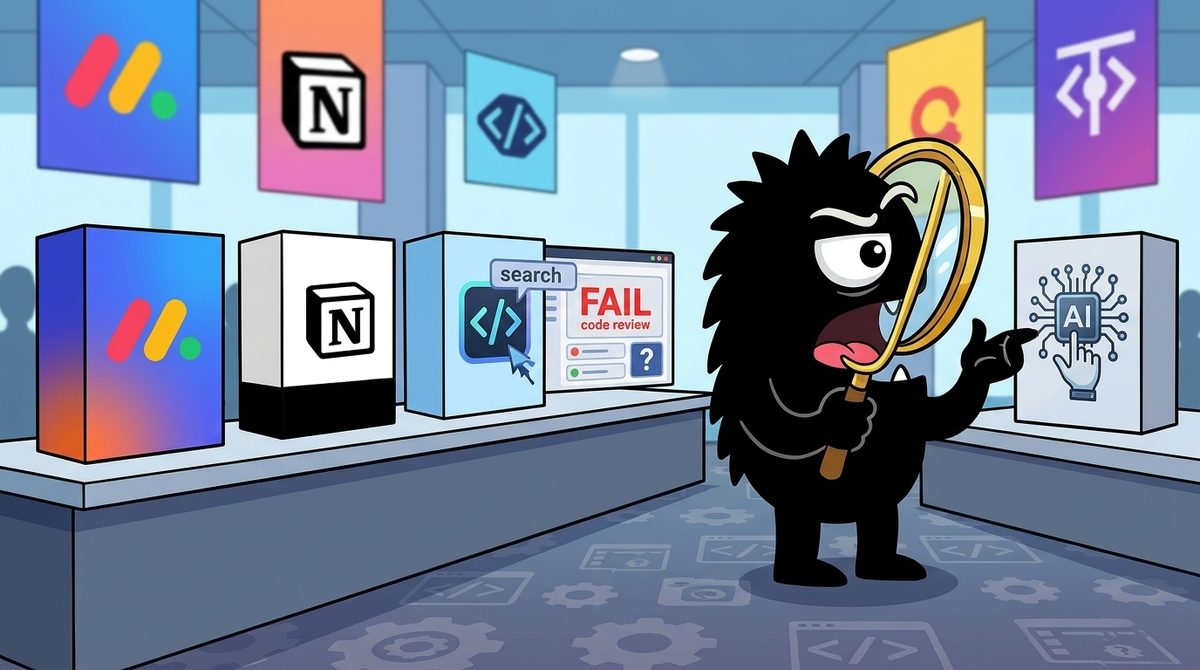
If you're comparing Monday.com and Notion for code review and debugging, neither one actually reviews code. Your pull requests, diffs, and CI checks still live in GitHub or GitLab. The real decision is which tool holds the context reviewers need, and which tool makes sure findings and bugs turn into finished work.
Read that way, the answer is fairly clear as of mid-2026. Notion is better as the context and agent layer. That covers specs, decision records, and debugging notes, and Notion now lets coding agents like Claude Code, Cursor, and Codex work directly inside the workspace. Monday.com, through monday dev, is better as the execution layer. It handles bug boards, sprints, owners, due dates, and automations that push work forward. Teams that review mostly on intent ("should this exist at all?") lean toward Notion. Teams whose pain is bugs slipping through triage lean toward Monday.com.
Bottom line (2026):
- Pick Notion if your review process is spec-driven, AI-agent-heavy, and depends on reconstructing why code was written.
- Pick Monday.com (monday dev) if your bottleneck is bug triage, sprint discipline, and making sure review findings get an owner and a deadline.
- Pair them if you're a mid-size engineering org: Notion for specs and context, Monday.com for delivery, and GitHub for the actual diffs.
- Neither replaces a Git-native review tool.
The Real Question: Code Review Isn't About the Tool You Think
The code review conversation has shifted. Line-by-line nitpicking (naming, formatting, missing null checks) is increasingly handled by linters and AI reviewers. What's left for humans and higher-order agents is harder: Does this change solve the real problem? Do we already have this somewhere? Should it exist at all?
Greg Wilk put this sharply in a recent post:
DELETE.
The most valuable review comment is “we don’t need this.”
Our code review workflow starts with a context-pack agent that reconstructs intent from Slack, Notion and tickets.
Specialist agents ask: does this solve the actual problem? Do we already have it? Can we fix this once, in the deepest shared library? Independent verifiers challenge the findings. Temporal handles retries and human handoffs--including asking for clarifications.
I’d rather spend compute questioning a requirement than ten years maintaining vestigial code.
His pipeline doesn't start with the diff. It starts with a "context-pack agent" that pulls intent from Slack, Notion, and tickets. That's the clearest framing of why this comparison matters. If review now begins by reconstructing intent, the most important question is where your intent is written down, and whether an agent can read it.
Notion's own engineering team describes a similar philosophy. In Lenny's Newsletter, Ryan Nystrom explains spec-driven development at Notion, where written specs become the anchor for AI-assisted engineering work[11]. Generic 2026 comparisons describe Notion as a flexible knowledge-and-docs workspace and Monday.com as a structured work-management platform[1]. That split maps directly onto the two halves of modern review:
- Intent and context: what was supposed to be built, and why.
- Workflow orchestration: who fixes what, by when, and whether it actually got done.
Where the Context Lives: Notion's Spec-First Advantage
Under the spec-driven model Nystrom describes, the spec is the source of truth that both humans and AI agents work from[11]. That changes what a reviewer does. Instead of asking "is this code clean?", they ask "does this code match the spec, and is the spec still right?" A reviewer, or a context-pack agent like Greg's, needs the spec to be findable, structured, and current. A docs-first tool does that job well.
Notion also handles the low-level pieces debugging needs. Its native code blocks support syntax highlighting across many languages[7]. That makes Notion a reasonable home for:
- Postmortems and debugging logs with real stack traces and reproduction snippets
- Architecture decision records that show code alongside the reasoning behind it
- Review checklists with example patterns ("do this, not this")
This doesn't replace inline PR comments. But debugging knowledge that would otherwise disappear into a closed PR thread becomes searchable and reusable.
The bigger shift is connecting that context to AI reviewers. Notion's integrations directory lists a connection with Qodo, an AI code review and code quality tool[10]. The pattern here is important: tools like Qodo are only as good as the context they get. A reviewer that can read the spec behind a PR can flag "this implements something the spec explicitly descoped." That is exactly the "we don't need this" comment Greg calls the most valuable one.
The tradeoff: Notion only gives you this advantage if your team actually writes specs and keeps them current. A Notion workspace full of stale pages is worse than none, because agents will confidently reconstruct the wrong intent. Teams that don't already write things down won't get this benefit just by buying Notion.
AI Agents and MCP: Who Actually Does the Review?
The second big theme in the 2026 conversation is that review and debugging are increasingly agentic. Developers wire coding agents into their tools through MCP (Model Context Protocol), an open standard that lets AI agents read from and act on external systems. Then they let those agents carry context across the stack.
Max Mason's build log is a good example of what this looks like for a solo builder or small team:
2) backend + agent MCP integration
finally connected everything in cursor: vercel, supabase (with actual security policies), and tested the agent links end-to-end. did proper code review. the waitlist page and workflow are now live — every signup lands in my notion database automatically.
Cursor, Vercel, and Supabase are connected through MCP, the agent links were tested end-to-end, the code was properly reviewed, and the output lands in a Notion database. Notion isn't doing the code review here. It's the system of record the agentic loop writes into.
Notion has leaned hard into this role. In May 2026, Tech Times reported that Notion opened its workspace to Claude Code, Cursor, and Codex as native AI agents through an External Agents API[12]. Practically, the coding agent you already use for debugging can read your specs, update a bug page, or log its findings without someone copying and pasting between windows.
Notion has also rebuilt its own agents. Its announcement describes agents redesigned to "do more for less," including a "Review for me" mode that adds a check on agent output before it's committed[8]. For review workflows this matters a lot. The main risk with agent-generated debugging notes or task updates is confident nonsense, and a built-in review step is a guardrail at the knowledge layer.
For teams building custom flows, Notion provides Developer Mode, which exposes developer tools inside the workspace[9]. This is where you'd prototype a Greg-style context-pack integration.
Monday.com's position is different. Its strength is automations and integrations rather than hosting coding agents. Monday.com's developer docs show example integrations built on its apps framework[15]. Its AI features in 2026 comparisons are framed mostly around work management: summarizing, categorizing, and automating board activity[4]. None of the provided sources describe Monday.com as a native host for coding agents the way Notion now positions itself. If your plan is "let Claude Code or Cursor work directly in our knowledge base," Notion is the more natural fit today.
From Captured Decisions to Executed Fixes: The Execution Gap
This is where Notion's story gets weaker, and where many debugging workflows actually break down.
Ben Schreiber named the problem precisely:
If your company uses ClickUp, Notion, or https://monday.com/ and records every call with AI, there is a broken step in your workflow.
The decisions are captured
The owners are named.
The deadlines are said out loud.
Yet someone still has to open the transcript, interpret the conversation, create every task, assign it, add the due date, and hope nothing gets lost.
That is insane.
AI meeting notes without automatic task creation are just better archives. They do not fix execution.
I’ve been trying to connect our team’s Granola notes to ClickUp so explicit commitments automatically become assigned tasks, while ambiguous items are flagged for review.
I assumed this problem had already been solved. Apparently, it hasn’t.
Everything I’ve found either forces us to replace Granola, creates weak generic tasks, or still requires a complicated custom automation.
What am I missing?
Has anyone built a reliable Granola-to-ClickUp workflow that actually works without someone cleaning it up after every call?
His post is about meeting notes, but the same thing happens in code review and debugging. A review thread concludes "we need to refactor the auth retry logic before the next release." A debugging session ends with "Priya owns the race condition, Dev handles the flaky test, both by Friday." The decision was captured. The owners were named. Then someone has to turn it into tracked work by hand, and that's where bugs quietly disappear.
Ben's point that "AI meeting notes without automatic task creation are just better archives" applies to review comments too. A beautifully written Notion postmortem that never becomes an assigned ticket is an archive, not a fix.
This is Monday.com's home turf. 2026 comparisons consistently describe it as stronger at structured execution: owners, statuses, due dates, and automations that move items forward or notify people when something stalls[3][4]. One comparison frames the choice as Monday.com for teams that need operational clarity and Notion for teams that value flexibility and documentation[4]. Another puts it more bluntly: Notion is stronger as a knowledge base and weaker at enforced project execution[3].
The nuance practitioners should notice: Ben's post names Notion and Monday.com and ClickUp. Monday.com doesn't automatically close the gap either. Its automations are good at moving work once it exists as an item. Extracting commitments from unstructured text (a call transcript, a long PR thread) still takes either a dedicated integration or custom work. Ben's own search suggests most current solutions create "weak generic tasks" or need complicated custom automation.
So the honest framing is:
- Notion is better at capturing the decision with full context.
- Monday.com is better at enforcing the decision once it's a task.
- The step between them (structured extraction with confidence-flagging for ambiguous items) is still largely unsolved off the shelf as of 2026. Budget engineering time for it.
Sprints, Bug Tracking, and GitHub: monday dev vs Notion Projects
For the operational side of debugging (bug intake, triage, sprints, and linking fixes to commits), the gap between the two tools is clearer.
What monday dev gives engineering teams
Monday.com's developer-focused product, monday dev, is built around sprints, bug tracking, and roadmaps. Comparisons from 2026 point to its structured views, including Gantt charts and timelines, as well suited to teams that run defined cycles[2][6]. For debugging, a structured cycle means bugs move through clear stages (reported → triaged → in progress → in review → verified) with visible owners at each one.
The GitHub connection is concrete. Monday.com's GitHub integration can link repository activity like issues and pull requests to board items[13]. A separate Git UI app surfaces Git activity directly inside Monday.com[14]. For a debugging workflow, an engineering manager can see whether the PR fixing a P1 bug is open, merged, or stalled without leaving the board where the bug is tracked.
What Notion Projects can (and can't) do
Notion's databases are flexible enough to model a bug tracker: status properties, assignee fields, relations to spec pages, and filtered views by severity. Comparisons note that this flexibility is Notion's core strength for lighter project tracking[2][5]. The catch is that you build it yourself. Sprint rigor, velocity tracking, and enforced workflow states aren't native in the way they are in a purpose-built dev tool, and they tend to wear down as the team grows and conventions slip.
The practical read
| Need | Better fit (2026) |
|---|---|
| Structured bug lifecycle with enforced stages | Monday.com (monday dev) |
| Sprint planning and timeline visibility | Monday.com |
| PR/issue status visible next to bug items | Monday.com (GitHub integration, Git UI app) |
| Bug pages linked to specs, ADRs, and postmortems | Notion |
| Lightweight tracker for a small team or solo dev | Notion |
| Coding agents reading/writing the tracker | Notion (External Agents API) |
Learning Curve and Pricing: What You Pay to Get There
Tooling overhead is a real cost in review workflows. Every hour spent configuring a tracker is an hour not spent shipping or reviewing.
Notion has the gentler starting curve. A doc is a doc, and most engineers can write a spec or postmortem on day one. Complexity rises once you get into relational databases, automations, and now agents. Toolradar's 2026 comparison describes Notion as approachable for documentation but more demanding as workspaces grow sophisticated[1]. If you want custom review integrations, Developer Mode and API work push setup from "anyone can do it" to "someone on the team owns this"[9].
Monday.com is generally faster to put into operation for structured teams. Templates and board conventions give you a working bug tracker quickly, at the cost of the free-form flexibility Notion offers[4]. Teams that already think in statuses and owners tend to adopt it with little friction. Teams that think in documents tend to push back.
On pricing, both use tiered, per-seat models, and the 2026 comparisons note that the more advanced automation and AI capabilities sit on higher tiers[1][4]. Pricing in this category changes often, and Notion's agent model was explicitly reworked in 2026 around "doing more for less"[8]. Check current pricing pages rather than relying on figures from comparison articles. When you compare, model it this way:
- Seats: Who actually needs write access? Reviewers, managers, and agents may count differently.
- AI usage: Is agent work metered, bundled, or tier-gated?
- Integration cost: GitHub sync, MCP plumbing, and custom capture-to-task automation often cost more in engineering time than in subscription fees.
Who Should Use What: A Practical Recommendation
The three X conversations (Greg's context-first review, Max's agent-integrated loop, and Ben's execution gap) point to one conclusion. Code review in 2026 is a pipeline, not a tool. Context feeds review, review produces decisions, and decisions have to become executed work. Notion and Monday.com each own a different stretch of that pipeline.
Choose Notion if…
- Your review culture centers on intent and specs, and you want reviewers and agents asking "do we need this?" before "is this clean?"
- You already use, or plan to use, Claude Code, Cursor, or Codex and want them reading and writing your workspace directly[12].
- You're a solo developer, startup, or small team where a flexible database tracker is enough and documentation is the bigger gap.
- You want debugging knowledge (postmortems, repro steps, ADRs) to be searchable context for future reviews.
Choose Monday.com (monday dev) if…
- Your pain is bugs falling through the cracks between triage and fix.
- You run formal sprints and need timeline visibility for managers and stakeholders[2].
- You want PR status tied to bug items through native GitHub integration[13].
- Your team is larger, more cross-functional, or needs enforced accountability more than flexible docs[5].
Pair them if…
You're a growing engineering org where both halves hurt. This is a common pattern in the comparisons[3][^5]: Notion holds specs, decisions, and agent-readable context, and Monday.com holds the delivery board. The integration between them, especially automatically turning review and debugging decisions into assigned tasks, is the part you'll likely have to build or buy separately. Ben's post is a fair warning that this is still the weakest link in 2026.
The verdict for code review and debugging specifically
For code review, Notion has the edge in 2026. Its spec-first workflow, code blocks, Qodo connection, and newly native coding-agent access make it the better context layer for the intent-driven review that practitioners like Greg Wilk are moving toward. For debugging, the answer depends on where you lose time. If you lose it understanding bugs, Notion wins. If you lose it tracking and closing bugs, Monday.com wins.
Sources
[1] Toolradar, "Notion vs monday.com: Which is Better in 2026?" — https://toolradar.com/compare/notion-vs-monday
[2] FAUN, "monday.com vs Notion: Project Tracking Tools Comparison (2026)" — https://faun.dev/toolbox/mondaycom-vs-notion/
[3] Lifestack, "Notion vs Monday.com: Which Wins in 2026?" — https://lifestack.ai/blog/notion-vs-monday
[4] LaunchNotes, "Monday.com vs Notion: Features, Pricing, and Best Fit [2026]" — https://launchnotes.com/blog/monday-com-vs-notion-which-productivity-tool-is-right-for-you
[5] Rework, "monday.com vs Notion: Which Fits How Your Team Actually Works in 2026?" — https://resources.rework.com/tools/project-management/monday-com-vs-notion
[6] Released, "monday.com vs Notion" — https://released.so/compare/monday-vs-notion/
[7] Notion Help, "Code blocks in Notion" — https://www.notion.com/help/code-blocks
[8] Notion Blog, "Agents, rebuilt to do more for less" — https://www.notion.com/blog/notion-ai-more-for-less
[9] Notion Help, "Turn on Developer Mode to use developer tools in Notion" — https://www.notion.com/help/turn-on-developer-mode-to-use-developer-tools-in-notion
[10] Notion Connections, "Qodo" — https://www.notion.com/connections/36ad872b594c8109a4140037aabac0b3
[11] Lenny's Newsletter, "Spec-driven development: The AI engineering workflow at Notion | Ryan Nystrom" — https://www.lennysnewsletter.com/p/spec-driven-development-the-ai-engineering
[12] Tech Times, "Notion Opens Workspace to Claude Code, Cursor, and Codex as Native AI Agents" — https://www.techtimes.com/articles/317092/20260525/notion-opens-workspace-claude-code-cursor-codex-native-ai-agents.htm
[13] monday.com Support, "The GitHub Integration" — https://support.monday.com/hc/en-us/articles/4413247738770-The-GitHub-Integration
[14] monday.com Support, "Git UI app" — https://support.monday.com/hc/en-us/articles/6235770475282-Git-UI-app
[15] monday.com Developer Docs, "Example integrations" — https://developer.monday.com/apps/docs/example-integrations
References (15 sources)
- Notion vs monday.com: Which is Better in 2026? - toolradar.com
- monday.com vs Notion: Project Tracking Tools Comparison (2026) - faun.dev
- Notion vs Monday.com: Which Wins in 2026? - lifestack.ai
- Monday.com vs Notion: Features, Pricing, and Best Fit [2026] - launchnotes.com
- monday.com vs Notion: Which Fits How Your Team Actually Works in 2026? - resources.rework.com
- monday.com vs Notion - released.so
- Code blocks in Notion | Notion Help - notion.com
- Agents, rebuilt to do more for less - notion.com
- Turn on Developer Mode to use developer tools in Notion - notion.com
- Qodo - notion.com
- Spec-driven development: The AI engineering workflow at Notion | Ryan Nystrom - lennysnewsletter.com
- Notion Opens Workspace to Claude Code, Cursor, and Codex as Native AI Agents - techtimes.com
- The GitHub Integration – Support - support.monday.com
- Git UI app – Support - support.monday.com
- Example integrations - developer.monday.com
Related Guides

The Best Signals in the AI Bubble Debate for 2026: What Polymarket's Odds Reveal
18 min read
Perplexity AI vs Hugging Face: Which Is Best for Marketing Automation in 2026?
15 min read
The Best AI Model Prediction Market in 2026: An Expert Analysis of What Polymarket's Odds Reveal
20 min read
CrewAI vs Copilot Studio vs Dify: Which Is Best for Marketing Automation in 2026?
14 min read