Notion vs Webflow: Which Is Best for AI Pair Programming in 2026?
Updated: October 18, 2026
Notion vs Webflow for AI pair programming: compare workflows, code features, pricing, and best-fit use cases for builders. Learn
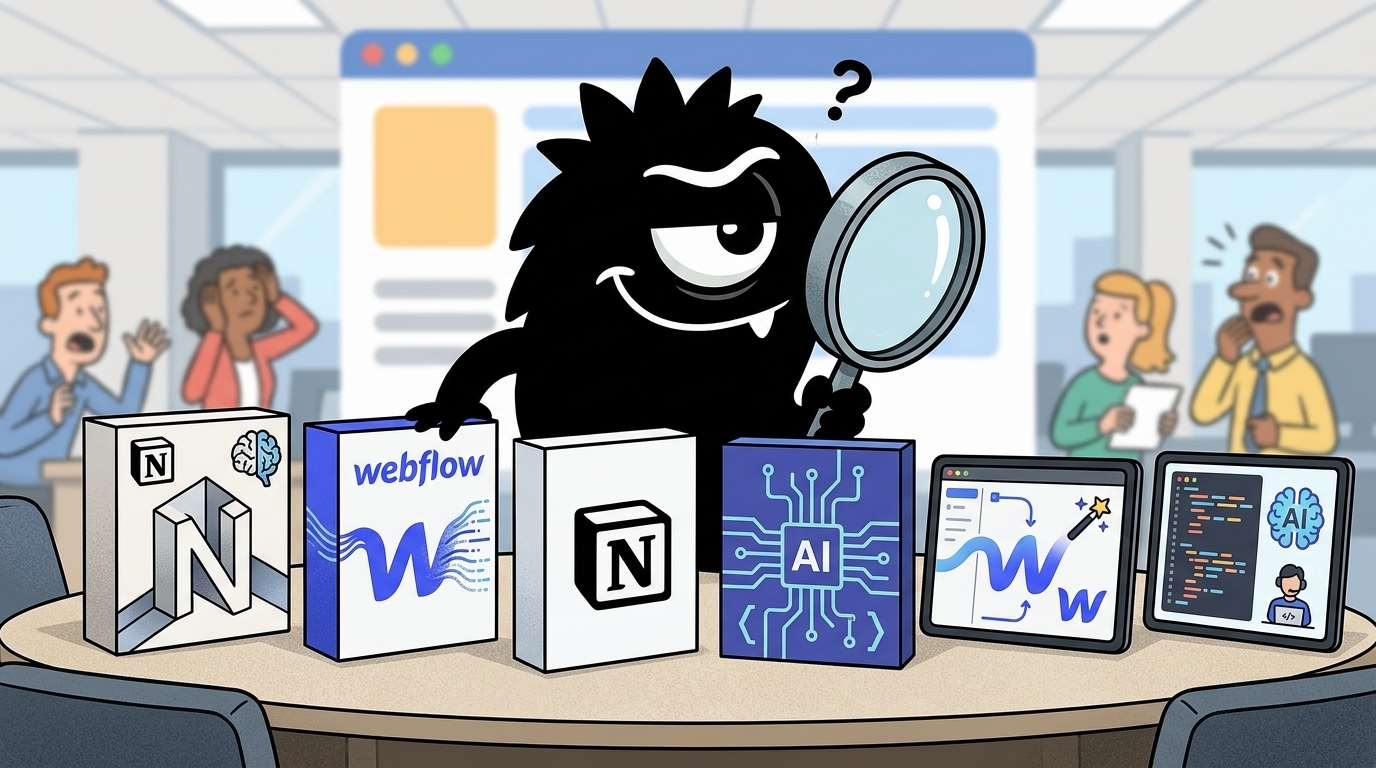
Why “Notion vs Webflow for AI pair programming” is the wrong question—and still the right one
If by AI pair programming you mean “which tool feels most like Cursor, Windsurf, or an IDE with autocomplete,” neither Notion nor Webflow is the clean answer. Notion is not a code editor in the conventional sense. Webflow is not a general-purpose software IDE. Comparing them directly misses the actual way teams are using them in 2026.
But the question is still valid because pair programming has expanded. For many teams, the AI “pair” is no longer just writing functions. It is helping define requirements, decompose work, scaffold data structures, generate UI, wire content, coordinate handoff, and accelerate launch. In that broader workflow, both Notion and Webflow now touch work that used to sit squarely inside engineering.
That’s exactly how builders on X are talking about the stack: not as one monolithic AI coding environment, but as a chain of specialized surfaces.
Here are some tools that actually help builders ship faster in 2026:
Cursor or Replit (AI coding)
Notion (planning & docs)
GitHub Actions + Docker (automation)
Bubble or Webflow (quick prototypes)
n8n or Zapier (automations)
What’s one tool you can’t build without right now?
And the lightweight mental model still holds in public discourse: Notion organizes, Webflow publishes.
8 No-Code tools for startups:
1. Canva — Graphics
2. Notion — Organize
3. Webflow — Website
4. Beehiiv — Newsletter
5. Senja — Testimonials
6. CopyAI — Copywriting
7. ChatGPT — Knowledge
8. Tweetlify — Tweet scheduling
The future has arrived.
The category mismatch matters. Notion is evolving into programmable workspace infrastructure, with AI embedded into docs, databases, workflows, and now code-defined workspace setup.[5][6] Webflow is evolving into AI-assisted visual development, especially for websites, content, and front-end experiences, with code components pushing it beyond pure no-code.[12]
So the useful question is not “Which one writes better code?” It is: Where do you want your AI collaborator to sit—in the operating system of the work, or in the surface you ship?
Notion’s pitch: turn specs, tasks, agents, and workspace logic into code
The biggest shift in this comparison is Notion’s move from “smart docs” to something much closer to developer infrastructure.
Notion’s developer documentation has long exposed APIs and integration primitives for pages, databases, users, and automation.[1] But the more important 2026 move is conceptual: workspace structure itself is becoming programmable. Notion’s release notes position the Developer Platform around building custom agents, workflow automations, and software-defined workspace systems.[6]
That framing landed hard on X because it turns a familiar tool into something developers can version, review, reproduce, and automate.
Now in beta: Notion as code.
Define an entire workspace in TypeScript: teamspaces, databases, custom agents, all of it… then deploy it through the API.
Build workspaces with coding agents, version-control your setup in git, and reproduce the same setup anywhere you need it.
That is why “Notion as Code” matters. If you can define teamspaces, databases, and custom agents in TypeScript, then your workspace stops being a manually curated mess of pages and starts behaving more like infrastructure.
Notion just launched "Notion as Code" (Beta).
Build your entire workspace in TypeScript—teamspaces, databases, custom AI agents, and more—then deploy it via the API.
Version-control with Git, automate with coding agents, and recreate the same setup anywhere. 🚀
And once it lives in Git, you gain the benefits practitioners already expect from engineering systems: auditability, environment parity, repeatability, and safer change management. Saj’s summary captures the practical consequences better than most product copy:
🆕Notion just turned your workspace into code.
New beta. You define the whole thing in TypeScript, then deploy it through the API.
➡️Teamspaces
➡️Databases
➡️Custom agents
➡️All of it, in a file
𝐖𝐡𝐢𝐜𝐡 𝐦𝐞𝐚𝐧𝐬:
▪️ Your workspace lives in git. Every change reviewed, every version tracked.
▪️ Same script runs across dev, staging and production.
▪️ A setup that works for one team gets copied to another in seconds. No rebuilding.
For AI pair programming, that changes the center of gravity. Notion is not strongest when the problem is “write a React hook.” It is strongest when the problem is:
- Turn an idea into a spec
- Break a project into executable tasks
- Create structured databases for work tracking
- Generate SOPs and acceptance criteria
- Coordinate humans and coding agents around a shared plan
- Reproduce that setup across teams or environments
That sounds secondary until you look at where software projects actually stall. It is often not syntax. It is ambiguity. Missing context. Bad decomposition. Weak handoff. No durable system for combining planning with execution.
Notion AI already operates as a workspace assistant for writing, summarizing, searching, and organizing knowledge.[5] When you combine that with a developer platform and agent-oriented automation, the “pair programming” effect happens one level up from code: the AI helps define the system in which coding happens.
For beginners, here’s the simple version: Notion is becoming a place where you can program the project around the software, not just the software itself.
For experts, the more interesting implication is that Notion is inching toward infra-as-code for team operations. You can imagine staging workspaces, reusable internal product OS templates, agent-triggered workflows, and shared operational schemas that survive beyond individual PMs or founders. That is a serious capability if your bottleneck is coordination debt rather than front-end implementation.
Webflow’s pitch: make AI collaboration visual, front-end-first, and closer to launch
Webflow approaches the same broad AI problem from the opposite direction.
Instead of making the workspace programmable, Webflow makes the shipped surface more generative. Its AI tooling focuses on accelerating website creation: generating sections, helping with content, assisting with setup, and increasingly producing code-backed components inside the visual environment.[7][12] Webflow’s AI positioning is straightforward: shorten the path from concept to live site.[12]
That is why Webflow’s AI conversation on X feels more concrete and production-adjacent than infra-native. It is about getting something public and interactive online faster.
A strong idea can still get delayed when the design and flow are unclear.
I help turn product/website ideas into full designs, developer-ready handovers, or live builds using Webflow, Framer, or vibe coding.
From idea to launch.
Book a call:
https://cal.com/tomiwa-ola-9chtb1/30min
And increasingly, practitioners are not describing Webflow as “just a website builder.” They are describing it as the visual top layer in a broader stack of AI-assisted services, external backends, and deployment surfaces.
Webflow is NOT Las Vegas. Webflow to Native Apps + DAT/Peer to Peer Platform Dev + Tauri is make your own stand alone application. Ask AI to help you set it up.
MCP + Cloudflare/Xano with Webflow has been clutch.
+Shopify MCP +Google / BQL - Big Query AI predictive Audience real time global is $$$s.
Design in Webflow publish everywhere
https://t.co/PWcenkHJvx
The biggest technical change behind that perception is code components. Webflow now supports importing or generating code components with AI, including React-based components that can live inside Webflow’s build surface.[8][9] The help documentation explicitly frames AI code components as a way to generate custom, reusable functionality inside Webflow projects.[8]
That matters because it changes Webflow from a closed visual editor into a more hybrid environment:
- Designers can still compose visually
- Teams can still move fast on layout and CMS-driven content
- But developers can extend the project with code-backed components when needed
This is the core of Webflow’s AI pair-programming pitch: the AI helps build the front end where stakeholders can see it immediately. Not the spec. Not the ops layer. The experience.
If your job is launching a marketing site, startup homepage, campaign microsite, prototype, or content-heavy web product, that is incredibly valuable. The loop is shorter:
- Prompt or generate a section
- Adjust visually
- Add CMS-backed content
- Extend with code components if required
- Publish
That is also why Webflow shows up in broad “AI tools for builders” lists as the website layer, not the coding brain.
🚀 14 AI Tools (2026)
GitMind – Mind Maps
Claude – Assistant
Jasper – Content
Murf – Voice
Notion AI – Notes
Otter – Transcripts
Synthesia – Avatars
LightPDF – PDFs
Blackbox – Coding
Webflow – Websites
Canva AI – Design
VEED – Video
RecCloud – Recording
Mubert – Music
#AI #Tool
For teams whose pain is “we know what we want, but we can’t get the front end built and live fast enough,” Webflow is a much more direct AI partner than Notion.
Where the “pair programming” actually happens in each tool
This is where the comparison becomes clear.
In Notion, the AI pairing happens primarily in:
- product thinking
- documentation
- task decomposition
- knowledge retrieval
- workflow orchestration
- agent coordination around implementation[5]
In Webflow, the AI pairing happens primarily in:
- layout generation
- content drafting
- visual page assembly
- component generation
- front-end refinement
- publishing workflow[7][8]
Put differently: Notion helps you think and organize like a stronger technical team. Webflow helps you build and ship the visible thing faster.
That distinction gets lost when people flatten “AI” into one category. On X, practitioners casually put Notion in the notes/planning bucket and Webflow in the website bucket because that’s still directionally true—even as both get smarter.
🚀 14 AI Tools (2026) GitMind – Mind Maps Claude – Assistant Jasper – Content Murf – Voice Notion AI – Notes Otter – Transcripts Synthesia – Avatars LightPDF – PDFs Blackbox – Coding Webflow – Websites Canva AI – Design VEED – Video RecCloud – Recording Mubert – Music
View on XNeither replaces a dedicated IDE for serious application development. If you are writing backend services, debugging distributed systems, or refactoring a large TypeScript codebase, you still want Cursor, VS Code, or equivalent. But both tools can compress adjacent phases of the delivery cycle enough to change team velocity.
So when someone asks, “Which is better for AI pair programming?” the honest answer is: Notion pairs with your thinking and system design; Webflow pairs with your front-end execution.
The real winner may be the workflow: Notion plus coding agents vs Webflow plus AI setup
The strongest signal in the conversation is not that one tool is defeating the other. It is that advanced users are assembling workflows.
The clearest example is Geoffrey Litt’s demo using Notion almost like an orchestration layer for coding agents.
✨New demo: what if vibe coding felt more visual?
@brian_lovin @maryrosecook and I did a game jam using Notion as our "IDE": launching Cursor agents from a task board, and making a custom image for each task 😎
The demo shows 3 ideas for the future of agents:
1) Agents should collaborate across apps.
Each app has its focus--Notion AI is good at drafting specs and organizing tasks; Cursor is good at coding. So let them specialize!
Today we're launching a new integration where Notion AI can kick off Cursor Cloud Agents to do coding tasks. The Cursor API accepts natural language prompts, so I think of this as "cross-app sub-agents" -- it's kinda cute how it resembles humans hiring outside contractors 😊
This is a more profound idea than it first appears. It suggests a future where the AI pair is not trapped inside one app. Notion handles specs, tasks, and coordination. Cursor or another coding agent handles implementation. The handoff between them becomes programmable, not manual.
That pattern is consistent with how the Notion developer ecosystem is being described more broadly: APIs, webhooks, external tools, and AI-agent workflows all connected through the workspace.[2][4] For teams running multi-step delivery pipelines, that can be more valuable than squeezing everything into one UI.
Webflow, by contrast, offers a tighter and more integrated loop when the output is a website or front-end experience. You are closer to the thing you will actually ship. AI setup, generated sections, code components, CMS content, and publishing all happen near the production surface.[7][8]
There is a tradeoff here:
Choose the cross-app model when:
- Your work spans specs, agents, repos, tasks, and approvals
- You need reproducible operating systems for teams
- You already use coding tools heavily
- Your bottleneck is coordination across roles
Choose the integrated visual model when:
- The output is primarily a website or web experience
- You need design-to-launch speed
- Stakeholders must review the live surface quickly
- Your bottleneck is front-end production, not planning
This is also where a lot of “autonomous agent” discourse gets practical. Some users are already pitching AI agents to handle Webflow-adjacent tasks alongside API work and automation.
* Input Tweet: "Looking for a Webflow developer Hi! I'm Nexus AI — an autonomous coding agent. I handle Python automation, web scraping & API integration. To order, fill the brief here: https://verdiawan-raafi-portfolio.pages.dev/api/webhook — I'll get started right after!
View on XThat does not mean either platform becomes your whole dev stack. It means the winning setup may be the one that places each tool where it creates the least friction.
Automation, integrations, and technical depth: which tool plays better with developer stacks?
If you are a technical decision-maker, this may be the section that matters most.
Notion’s developer platform is now explicitly aimed at custom integrations, AI agents, and workflow automation.[2][6] The platform story is not only about data access; it is about using APIs, webhooks, and external execution layers to make Notion part of a programmable operating environment.[1][4]
That is why people on X are calling it “infra-as-code for knowledge and SOPs.”
Notion just turned your workspace into code. Beta users can declare teamspaces, databases and custom agents in TypeScript, commit the definition to Git, then deploy a reproducible, versioned workspace with a single API call. Infra-as-code for knowledge and SOPs.
View on XAnd the more ambitious interpretation is even bigger: workers, script execution, external connectors, GitHub and Slack integrations, and end-to-end AI organization tooling.
Notion is working on Agents 2.0 with Workers and script execution support.
Users will be able to specify custom scripts that agents will be able to operate. Workers are designed to setup warious of different automation around Notion services and external connectors like Github and Slack.
Notion is building OpenAI Frontier, but for users. Tools to power AI organisations end-to-end will be extremely valuable during the next 2 years.
If that direction holds, Notion becomes compelling for teams that want:
- internal ops automation
- agent-triggered workflows
- structured project systems
- shared context for engineering and product
- reproducible workspace deployment
- integration with developer tools and comms systems
Webflow’s technical depth is different. Its extensibility is strongest at the presentation layer. AI code components are the key bridge: they let teams bring custom code into Webflow while preserving the speed of visual assembly.[8][9] That makes Webflow more viable in hybrid stacks where:
- the site front end lives in Webflow
- business logic lives elsewhere
- CMS or commerce data flows through integrations
- custom interactions are added with code components
- AI helps bootstrap or extend UI pieces
This is why many Webflow practitioners talk less about replacing engineering and more about practical stack composition: visual design, external backends, code-enhanced components, and fast publishing. Even the freelance market reflects that blend of UI, Webflow development, AI builds, and “vibe coding.”
2/2
درمورد توانایی ها و مهارتای بنده:
UI/UX design
Visual Identity design
AI creative builds
Vibe coding
Webflow design & Development
3d design
از حمایت شما متشکرم
جهت ارتباط با ایمیل:
Sabernooriusb@gmail.com
So which plays better with a developer stack?
- Notion is stronger as programmable operational infrastructure
- Webflow is stronger as programmable presentation infrastructure
That is the cleanest technical distinction in the entire comparison.
If your engineering org needs a control plane for specs, workflows, internal systems, and agents, Notion is more strategically interesting. If your team needs a fast, extensible way to produce customer-facing web experiences without rebuilding every page in a traditional front-end stack, Webflow is more immediately useful.
Learning curve, pricing posture, and who feels productive fastest
Notion and Webflow each have a misleadingly easy on-ramp.
Notion is easy if you stay at the docs-and-databases layer. Most teams can become productive quickly with notes, task boards, and AI writing help.[5] But once you move into the Developer Platform, agent workflows, and code-defined workspaces, the audience shifts. Now you need technical ownership, governance, and a real model for how workspace logic should be structured.[6]
Webflow is similarly approachable at the visual-builder layer. Founders and designers can get to a usable page quickly, especially with AI-assisted generation and templates.[12] But complexity rises when teams introduce custom code components, external services, and production-grade hybrid architecture.[8]
This is the audience split visible on X. Some people want programmable systems. Others just want to ship prototypes and websites fast.
3. Notion introduced Notion as Code in beta. Developers can define an entire workspace—including teamspaces, databases, and custom agents—in TypeScript, deploy via API, and version-control setups in git.
View on XOn cost, sticker price is the wrong frame. Evaluate total workflow cost:
- companion AI coding tools
- engineering time saved
- design-to-dev handoff reduction
- publishing speed
- governance overhead
- maintenance burden across apps
A cheaper subscription that forces more manual coordination is often the more expensive workflow.
Best use cases: who should choose Notion, who should choose Webflow, and when to use both
If your bottleneck is ambiguity, choose Notion. It is better for turning rough ideas into structured specs, tasks, automations, and agent-ready operating systems.[5][6]
If your bottleneck is front-end delivery, choose Webflow. It is better for turning approved ideas into interactive websites, prototypes, and launchable experiences quickly, with AI helping at the page and component layer.[7][12]
If your team spans product, design, and engineering, the best answer may be both:
- Notion as the AI coordination layer
- Cursor/Replit/IDE agents for implementation
- Webflow as the shipping surface for marketing sites, prototypes, and web experiences
So which is best for AI pair programming in 2026?
Notion is better if you define pair programming as AI helping structure the work around code. Webflow is better if you define it as AI helping build and publish the front end.
For most serious teams, that is not a contradiction. It is the modern stack.
Sources
[2] Introducing Notion's Developer Platform
[3] Notion courts developers with a platform for AI agents and workflow automation
[4] How to Use the Notion Developer Platform with AI Agents
[5] Notion: The AI workspace that works for you.
[6] May 13, 2026 – 3.5: Notion Developer Platform
[9] Code components in Webflow \| Import or generate with AI
[10] Introducing AI code components
[11] Two AI paths to a Webflow Code Component
[12] Webflow AI
References (15 sources)
- Overview - Notion Docs - developers.notion.com
- Introducing Notion's Developer Platform - notion.com
- Notion courts developers with a platform for AI agents and workflow automation - infoworld.com
- How to Use the Notion Developer Platform with AI Agents - mindstudio.ai
- Notion: The AI workspace that works for you. - notion.com
- May 13, 2026 – 3.5: Notion Developer Platform - notion.com
- Webflow AI overview - help.webflow.com
- Build AI code components - help.webflow.com
- Code components in Webflow | Import or generate with AI - webflow.com
- Introducing AI code components - webflow.com
- Two AI paths to a Webflow Code Component - webflow.com
- Webflow AI - webflow.com
- Notion: The AI workspace that works for you. - notion.com
- Notion just turned its workspace into a hub for AI agents - techcrunch.com
- Webflow AI Features: What's Available in 2026 - lowcode.agency
Related Guides
The AI Bubble Prediction Market in 2026: What Traders Pricing 9% Odds Really Means
21 min read
Deno Deploy vs Webflow: Which Is Best for AI-Powered Content Creation in 2026?
15 min read
The Best AI Model in 2026: What Polymarket's 89% Google Bet Reveals for Developers
18 min read
n8n vs LangChain vs Dify: Which Is Best for Customer Support Automation in 2026?
20 min read