Moz vs. Canva vs. Clearscope: Which Is Best for Developer Productivity in 2026?
Moz vs Canva vs Clearscope compared for developer workflows: pricing, APIs, automation, and whether AI replaces these tools in 2026. Compare and find out.
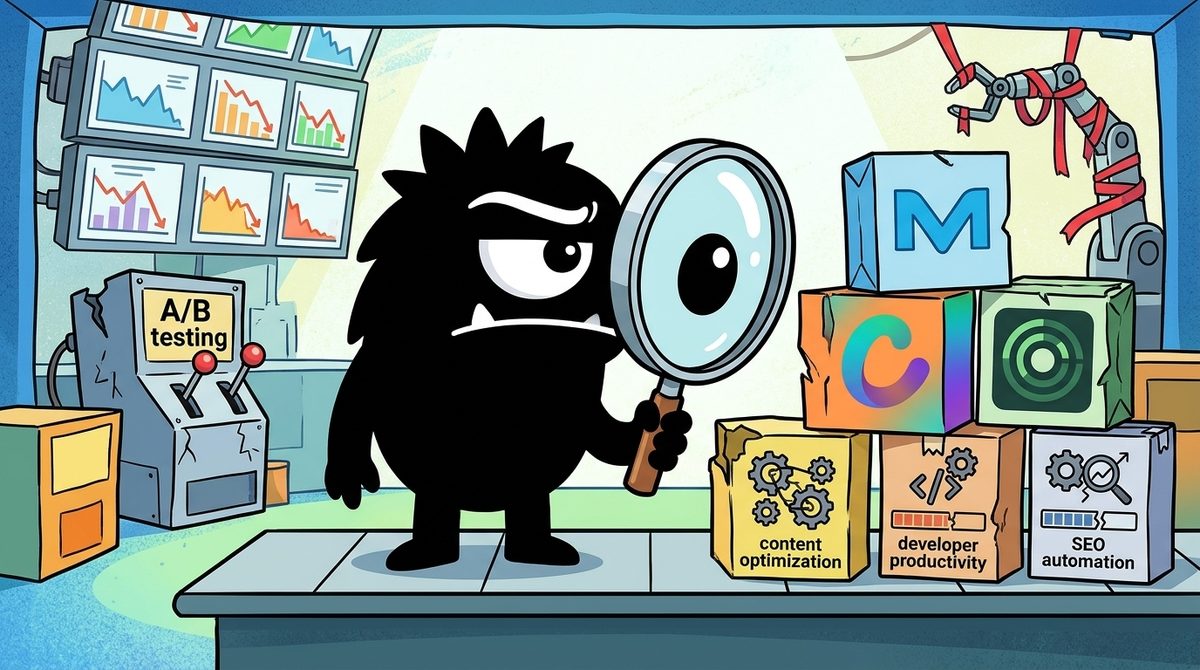
Short answer: Moz, Canva, and Clearscope are not competitors. Each automates a different part of the content and marketing work that developers increasingly get asked to ship.
- Moz is an SEO data layer: rankings, links, and keywords.
- Clearscope is an editorial grading tool for content teams.
- Canva is the only one of the three with a developer platform you can script against, including APIs, SDKs, and an MCP server for coding agents.
If "developer productivity" means fewer browser tabs and more pipeline steps, Canva has the strongest programmatic story. Moz is a useful data source. Clearscope is the hardest to justify for a solo developer and the easiest to justify for a team of writers.
Bottom line (as of 2026):
- Solo dev or indie hacker: Build a lean LLM content-scoring pipeline. Add Canva's developer platform for visual assets. Skip Clearscope.
- Editorial team publishing weekly: Clearscope (from $129/mo, unlimited users) is worth paying for.
- SEO monitoring at scale: Moz (from roughly $39/mo) as your rank and link data source.
- Agent-first teams: Canva's Dev MCP Server is the clearest sign of where these tools are heading.
The Real Question: What Are You Actually Trying to Automate?
Most "Moz vs. Canva vs. Clearscope" comparisons treat three different products as one category. Comparison sites that pair Moz and Clearscope put them side by side because both touch SEO, but they do different jobs[1]. Moz tells you where you rank and why. Clearscope tells you whether a draft covers a topic well enough to compete. Canva doesn't do SEO at all. It handles the visual layer of content, and it does so through a real developer platform with APIs and SDKs[11].
The only lens that makes these three comparable is this one: content and marketing operations that a developer has been asked to automate. That might mean a startup engineer who owns the blog, or a growth engineer wiring a CMS to an analytics stack. It might be a founder who wants a weekly pipeline that drafts, scores, illustrates, and publishes posts without anyone opening a dashboard.
Through that lens, productivity isn't about which UI is nicest. It's about:
- Scriptability: can this be an API call or an agent step?
- Irreducible value: what does the tool provide that you can't rebuild cheaply?
- Maintenance cost: what breaks, and who fixes it?
That framing matters because the loudest part of the X conversation right now argues that you may not need some of these tools at all.
The Build-vs-Buy Debate: Can Claude Replace a $189/mo Tool?
The thread driving this debate comes from Cody Schneider. He lays out a seven-step pipeline that he says replaces paid content optimizers:
you don't need surfer or clearscope to optimize a blog post
that's $99 to $189 a month for something claude code does with 2 api calls
1. pull the top 10 results for your keyword from serper
2. scrape every page and have claude pull the headings, entities and questions each one covers
3. build a checklist. terms that show up in 7 of 10 pages, the h2s everyone has, the questions nobody answers well
4. score your draft against it. missing terms, missing sections, word count vs the median
5. have claude rewrite only the gaps, not the whole post
6. publish to your cms through the api and log the score in postgres
7. check search console in 30 days and refresh again
the part surfer can't do is read your own search console. the queries you already rank 11-20 for are the sections you add first
each run costs cents
get started for free -
The pipeline he describes works like this:
- SERP pull. Serper returns the top 10 results for a keyword.
- Scrape and extract. Claude pulls headings, entities, and questions from each page.
- Consensus checklist. It lists terms that appear in 7 of 10 pages, plus shared H2s.
- Scoring. It flags missing terms and sections and compares word count against the median.
- Targeted rewrite. Claude rewrites only the gaps, not the whole post.
- Logging. Scores go to Postgres, and the loop repeats after 30 days of Search Console data.
What the DIY pipeline actually replicates
It does well on the core mechanic. Term frequency across top results, heading gap analysis, and word-count benchmarking are the visible outputs of tools like Clearscope. Clearscope's Content Grade is built on analysis of top-ranking pages for a target query, according to guides describing the product[3].
Schneider's strongest point is not cost. It's this: "the part surfer can't do is read your own search console." Prioritizing the queries you already rank 11–20 for is a first-party data advantage. Most SaaS graders don't build that into their core loop.
What it misses
Independent reviewers describe Clearscope as more than a term counter. Its grading is calibrated so a letter grade means something consistent across topics. Its term recommendations are curated rather than raw frequency dumps. Content Inventory tracks published pages over time to flag decay[3][8].
A homemade "7 of 10 pages" threshold is a reasonable heuristic. It is not calibrated, though, and it will over-weight boilerplate that every page shares, such as navigation text, cookie notices, and affiliate disclaimers, unless you clean that out carefully. WordAgents' hands-on comparison of seven optimization tools found that results varied a lot between tools on the same content[8]. That is a reminder that scoring methods matter, and that "a score" from different systems doesn't mean the same thing.
The hidden costs of building your own
"Each run costs cents" is true for API spend. It leaves out three other costs:
- Scraping fragility. Bot protection, JavaScript-rendered pages, and rate limits all break scrapers. Someone has to maintain them.
- Engineering hours. A senior engineer's afternoon spent debugging a parser costs more than a month of Clearscope.
- Drift. Your heuristics never get recalibrated unless you do it yourself.
Alternatives-focused reviews make the same point: switching away from Clearscope makes sense when you value control and cost over editorial polish, not as a free upgrade[9].
When DIY genuinely wins
Building your own makes sense if three things are true:
- You publish at low-to-moderate volume.
- You already run code-based publishing, such as a headless CMS with an API.
- You want Search Console data inside the loop.
In that situation, Schneider's pipeline is the better product for you, not just the cheaper one.
Moz: The SEO Data Layer for Automated Pipelines
Moz belongs in a different part of the stack. It is not a content grader. It is an SEO intelligence suite: rank tracking, backlink data, keyword research, and site audits. Head-to-head comparisons consistently describe Moz as the broader SEO platform and Clearscope as the narrower content specialist[1][9].
For developers, the relevant question is whether Moz is a good data source. A DIY content pipeline still needs signals it can't easily generate itself:
- keyword difficulty
- domain-level link metrics
- historical rank movement
Moz can feed a dashboard, a monitoring job, or the "which keyword do we target next" step that comes before any optimization loop. That makes it a complement to the Schneider-style pipeline rather than a target of it. You can scrape SERPs cheaply. You can't cheaply rebuild a backlink index.
Pricing starts around $39/month on comparison sites[1]. That is well below Clearscope's entry tier, and it reflects broad SEO utility rather than editorial depth.
User sentiment is solid but not glowing. On G2, Moz Pro holds roughly a 4.3/5 rating, compared with Clearscope's higher score[2]. Reviewers tend to praise its approachable interface and established metrics. The common criticism is that it is a generalist: you get breadth across SEO tasks rather than best-in-class depth in any one of them[2][9].
Best fit: teams that need recurring, structured SEO data such as rank checks, link monitoring, and keyword research, and who want to feed it into their own tooling instead of building it.
Clearscope: Content Grading That's Hard to DIY Well
Clearscope is the tool the X conversation targets most directly, so here is the strongest fair case for it.
What you actually get
- Content Grade. A letter grade scoring a draft's topical coverage against top-ranking content for a query[3].
- Topic Exploration. Research into related topics and questions before writing[3].
- Drafts and editor. A writing environment with live grading.
- Content Inventory. Monitoring of published pages to catch performance decay and prioritize refreshes[3][10].
- Google Docs integration. Writers see grades and term suggestions without leaving the editor they already use[4][6].
The Google Docs integration explains why editorial teams adopt Clearscope and why developers often underrate it. A DIY pipeline outputs a checklist to a terminal or a database row. Clearscope puts guidance inside the writer's draft as they write. For a team of non-technical writers, that change in workflow is the product.
Pricing reality in 2026
Current reviews put Clearscope's plans between $129/month (Essentials) and $399/month (Business), with custom enterprise pricing above that[4][6]. The unlimited users model, noted across several reviews, changes the math for teams[4][6]. A ten-writer team pays the same subscription as a two-writer team. That works out very differently from per-seat SaaS.
Is it just term matching?
Partly, but the polish counts. Clearscope earns roughly a 4.9/5 on G2, the highest of the tools compared here, and reviewers consistently cite ease of use[2]. Independent testers report measurable grade improvements when writers follow its recommendations[8]. Agency-focused reviews tie its value to client reporting, where a consistent grade is easy for clients to read[4].
The honest summary: Clearscope's core signal can be approximated with LLMs and a scraper. Its calibration, inventory tracking, and editor-native workflow cannot be replicated in an afternoon. Those things matter most when the people using the output aren't engineers.
Where it falls short for developers: Clearscope is built around its web app and Docs integration, not around programmatic access. Reviews focus on its editorial workflow rather than any API-first story[10]. If your goal is "everything is a pipeline step," Clearscope is the least scriptable of the three.
Canva: The Dark Horse With a Real Developer Story
Most readers expect Canva to be the odd one out here. For developer productivity, it may be the strongest of the three.
Canva runs a full Canva Developers platform with APIs and SDKs for building apps inside Canva and integrating Canva into external products and workflows[11]. Its documentation includes feature examples for apps that interact with designs, assets, and content programmatically[14]. This is a platform you can build on, not a marketing tool with a token API.
The MCP and coding-agent angle
The most important 2026 development is the Canva Dev MCP Server. MCP (Model Context Protocol) is a standard that lets AI assistants and coding agents connect to external tools and documentation. Canva's MCP server is built for AI-assisted development. It lets coding agents draw on Canva's developer resources while helping you build Canva apps and integrations[12].
Canva has also published guidance on using Canva with coding-agent platforms[13]. It maintains an open-source Canva Developer Agent Kit on GitHub to support agent-driven development workflows[15].
Compare that with the build-vs-buy thread. Schneider's argument is that agents now do the work SaaS tools used to charge for. Canva is responding by making itself easy for those agents to use rather than trying to compete with them.
Why design is the most programmable workflow here
Visual assets are where content pipelines usually stall. Text can be generated, scored, and pushed to a CMS through APIs, as the DIY thread shows. Then someone still has to make the header image, the social card, and the diagram.
Canva's developer platform makes on-brand asset production a scriptable step that fits beside the CMS publish call[11]. Of the three workflows, SEO data, content grading, and design, design is the one where a mature vendor platform now beats a DIY approach, because consistent brand templates are hard to fake with raw image generation.
Best fit: developers building content pipelines, internal tools, or products that need generated visual assets, and teams already using AI coding agents.
Integration & Automation: How Each Tool Fits a Dev Workflow
On scriptability, the three tools sort clearly:
| Dimension | Canva | Moz | Clearscope |
|---|---|---|---|
| Primary job | Design/asset automation | SEO data & monitoring | Content grading |
| Developer surface | APIs, SDKs, app platform[^11] | Data access for SEO metrics | Primarily UI + Google Docs |
| Agent-native tooling | Dev MCP Server, agent kit[^12][^15] | Not a focus in sources reviewed | Not a focus in sources reviewed |
| DIY-replaceable? | Hard (templates, brand systems) | Hard (link index, rank history) | Partially (core grading heuristic) |
| Where an LLM agent fits | Calls Canva to generate assets | Consumes Moz data to pick targets | Can replace or approximate it |
This table shows something you won't get from any single source. The tool most exposed to the "Claude can do it" argument is the one with the least programmatic surface.
Moz holds proprietary data that agents need. Canva holds brand systems and a platform that agents can call. Clearscope's moat is workflow and calibration, which matter most to humans in a UI. In an agent-first stack, the value of a UI-centered moat declines.
Comparison reviews point the same way. They describe Moz and Clearscope as complements, a data platform and a writing tool, rather than substitutes[7]. In 2026, the question for a developer isn't which one to choose. It's which layers to buy, which to build, and which to hand to an agent.
Maintenance cost is the tiebreaker. Managed integrations shift breakage to the vendor. DIY scrapers shift it to you. If your team has no spare engineering capacity, every "free" pipeline step is a hidden on-call burden.
Pricing and Learning Curve: What You Pay and How Fast You're Productive
| Tool | Entry price (2026) | Team model | Learning curve | Time-to-value |
|---|---|---|---|---|
| Moz | ~$39/mo[^1] | Tiered plans | Moderate; many SEO concepts | Days to weeks |
| Clearscope | $129/mo Essentials, up to $399/mo Business[^4][^6] | Unlimited users[^4][^6] | Low for writers | Hours |
| Canva | Free tier, paid plans, plus developer platform[^11] | Varies by plan | Low (UI); moderate (dev platform) | Hours (UI); days (integrations) |
| DIY LLM pipeline | API cents per run (per @codyschneider) | N/A | High; you build it | Days to weeks, plus ongoing maintenance |
Content-optimization roundups have long placed Clearscope at the premium end of the category[5]. That premium is the target of the "$99 to $189 a month" complaint.
The unlimited-user model complicates the argument. For a solo developer, $129/month for one person is hard to justify against a DIY pipeline. For a 15-person content team, it works out to under $10 per writer per month. That's less than the engineering time needed to fix one broken scraper.
Total cost of ownership rule of thumb:
- DIY wins when the person building it is also the main user and enjoys maintaining it.
- Managed tools win when the users are non-engineers or when engineering time is your scarcest resource.
The Verdict: Who Should Use What in 2026
Here is the build-vs-buy question resolved by persona.
Solo developer or indie hacker → build lean, buy design.
Run a Schneider-style pipeline: a SERP API, LLM extraction, a consensus checklist, and Search Console feedback. Add Canva's developer platform for on-brand visuals. You get first-party data in the loop, near-zero marginal cost, and no stalls on header images. Skip Clearscope. Skip Moz until keyword targeting becomes the bottleneck.
Content-heavy team shipping editorial weekly → Clearscope earns its price.
When writers rather than engineers are doing the optimizing, Clearscope's Docs integration, calibrated grades, and unlimited seats pay off[2][7]. Use the DIY approach as a supplement: feed Search Console "positions 11–20" queries into your refresh queue, the gap Schneider correctly identifies.
SEO ops and monitoring at scale → Moz as the data layer.
If you're tracking rankings and links across many pages or domains, Moz provides data you can't rebuild cheaply[2][9]. Pipe it into your own dashboards and let agents make decisions from it.
Agent-first engineering teams → design around callable tools.
Choose tools your agents can call directly. Canva's MCP server is the clearest example among these three. Buy proprietary data such as Moz's. Treat UI-centric graders as optional, valuable only if humans in the loop need them.
When to combine vs. replace:
- Combine tools when each fills a distinct layer: data (Moz), writing guidance (Clearscope), visuals (Canva).
- Replace a tool with an agent pipeline when the tool's main value is a heuristic you can reproduce and your team will maintain it.
The X debate is right that the grading heuristic is no longer scarce. It is wrong if it suggests the rest of the content stack is equally easy to replace.
Sources
[1] Toolradar — Moz vs Clearscope: Which is Better in 2026? https://toolradar.com/compare/moz-vs-clearscope
[2] G2 — Compare Clearscope vs. Moz Pro. https://www.g2.com/compare/clearscope-vs-moz-pro
[3] Digital Treed — Clearscope Guide: Content Grade, Inventory and Pricing. https://digitaltreed.com/guides/clearscope
[4] Arvow — Clearscope Review 2026: Worth It for Agencies? https://arvow.com/blog/clearscope-review
[5] Positional — 8 of the Best Content Optimization Tools in 2024. https://www.positional.com/blog/content-optimization-tools
[6] SlateHQ — Clearscope Review: Pricing, Features & Verdict. https://slatehq.com/blog/clearscope-review
[7] Keevee — Clearscope vs Moz (2026 Comparison). https://www.keevee.com/clearscope-vs-moz
[8] WordAgents — We Tested 7 Content Optimization Tools. Here's What Worked. https://www.wordagents.com/content-optimization-tools/
[9] nqzai Blog — Best Clearscope Alternative for 2026. https://nqz.ai/blog/alternative-clearscope-day2-31
[10] Reviews.vc — Clearscope Review: Coverage, Workflow & Alternatives. https://reviews.vc/review/clearscope/
[11] Canva Developers. https://www.canva.dev/
[12] Canva — Introducing the Canva Dev MCP Server. https://www.canva.dev/blog/developers/canva-dev-mcp-server
[13] Canva — Using Canva with your coding agent. https://www.canva.dev/blog/developers/canva-and-coding-agents-platforms/
[14] Canva — Feature examples. https://www.canva.dev/docs/apps/feature-examples/
[15] GitHub — canva-sdks/canva-developer-agent-kit. https://github.com/canva-sdks/canva-developer-agent-kit
References (15 sources)
- Moz vs Clearscope: Which is Better in 2026? | Toolradar - toolradar.com
- Compare Clearscope vs. Moz Pro | G2 - g2.com
- Clearscope Guide: Content Grade, Inventory and Pricing - digitaltreed.com
- Clearscope Review 2026: Worth It for Agencies? | Arvow - arvow.com
- 8 of the Best Content Optimization Tools in 2024 - positional.com
- Clearscope Review: Pricing, Features & Verdict - slatehq.com
- Clearscope vs Moz (2026 Comparison) - keevee.com
- We Tested 7 Content Optimization Tools. Here’s What Worked - wordagents.com
- Best Clearscope Alternative for 2026 | nqzai Blog - nqz.ai
- Clearscope Review: Coverage, Workflow & Alternatives - reviews.vc
- Canva Developers - canva.dev
- Introducing the Canva Dev MCP Server - canva.dev
- Using Canva with your coding agent - canva.dev
- Feature examples - canva.dev
- GitHub - canva-sdks/canva-developer-agent-kit - github.com
Related Guides

The Best AI Bubble Signals in 2026: What Polymarket's Odds Reveal About Where AI and SaaS Are Headed
19 min read
Monday.com vs Notion: Which Is Better for Code Review and Debugging in 2026?
13 min read
The Best Signals in the AI Bubble Debate for 2026: What Polymarket's Odds Reveal
18 min read
Perplexity AI vs Hugging Face: Which Is Best for Marketing Automation in 2026?
15 min read