ClickUp vs Asana vs Notion: Which Is Best for Automating Business Workflows in 2026?Updated: October 18, 2026
ClickUp vs Asana vs Notion for workflow automation: compare AI, rules, integrations, pricing, and best-fit use cases for teams. Learn
Why teams are rethinking workflow automation stacks
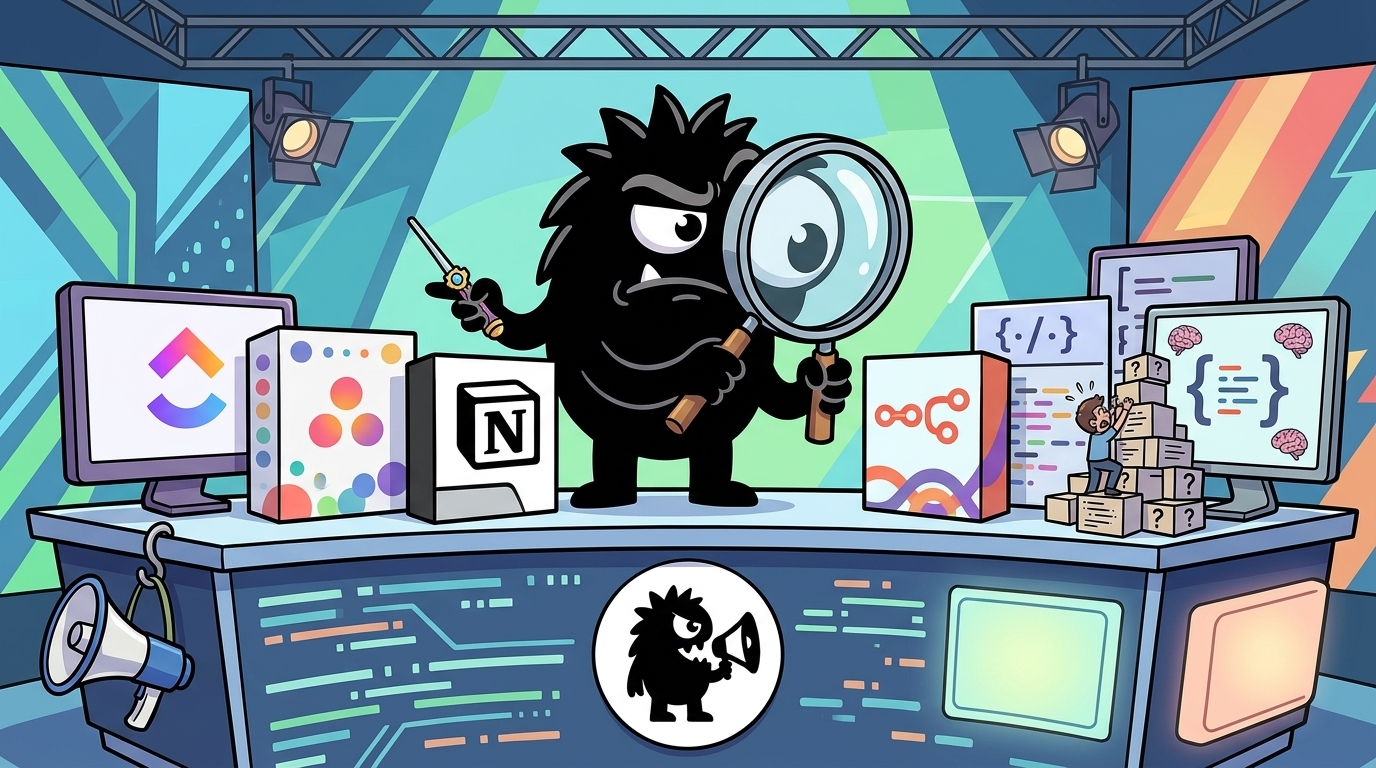
Most teams looking at ClickUp, Asana, and Notion are not really shopping for “project management software.” They’re trying to fix a more expensive problem: work is fragmented across tasks, docs, approvals, requests, and reporting, and the handoffs between those pieces are where momentum dies.
📋 Productivity doesn't fall apart because teams lack talent.
It falls apart because work is scattered across too many tools.
Tasks in one app.
Documents in another.
Team chats somewhere else.
When information is everywhere, execution becomes harder than it should be.
That's why all-in-one work management platforms have become the go-to choice for growing teams.
At SaaSTrac, we took a deep dive into @clickup its project management features, pricing, automations, pros, cons, and how it compares with Asana, Trello, https://t.co/PsoFdSVk1x, and Jira.
📖 Read the full review here:
That complaint is real, but it leads to a bad buying habit: assuming an all-in-one platform automatically creates operational clarity. It doesn’t. A messy process inside one tool is still a messy process. What matters is whether the platform can connect the full workflow: intake, ownership, status changes, approvals, dependencies, knowledge, and visibility.[3][5]
That’s why this comparison is better framed around workflow goals than feature lists.
These three tools represent different automation philosophies:
- ClickUp aims to be an operations hub: tasks, docs, dashboards, forms, and automations in one environment.[3]
- Asana is execution-first: structured work coordination, predictable handoffs, and workflow routing across teams.[10]
- Notion is a flexible workspace/database layer: strong for docs, custom systems, and internal operating models, but less opinionated about execution.[3]
And the smartest teams on X are already pointing to the deeper truth:
Automation isn’t the goal. A business that runs more efficiently is.
Before you add another trigger, ask: Is this actually making work easier?
We breaks down 5 ClickUp™ automations that help service businesses reduce manual work and bottlenecks. Read here https://silviapencak.com/clickup-automations-for-service-businesses/?utm_campaign=meetedgar&utm_medium=social&utm_source=meetedgar.com
That is the right lens for 2026. The best automation platform is not the one with the most triggers. It’s the one that reduces bottlenecks without forcing your team into a tool-shaped version of its work.
How ClickUp, Asana, and Notion automate work differently
The biggest mistake in this category is treating “has automations” as a binary. All three products have them. The practical question is: what kind of work can they automate natively before you need outside tooling?
ClickUp: strongest native ops automation of the three
ClickUp’s automation model is the most explicitly operational. It uses trigger-condition-action logic with both prebuilt recipes and custom automations.[8] Typical triggers include task creation, status changes, due dates, priorities, tags, and assignee updates, with actions like reassigning work, posting comments, updating fields, or moving tasks.[8][9]
That makes ClickUp especially good at workflows like:
- moving a client request into delivery
- triggering subtasks when a project enters a new stage
- assigning reviewers when status changes
- escalating overdue tasks
- enforcing process steps through checklists and field updates
Your team shouldn’t have to remember every follow-up, deadline, approval, and recurring task.
The right ClickUp™ automations can keep work moving without adding more complexity.
Discover 5 automations that actually make a difference.
Read the new blog: https://silviapencak.com/clickup-automations-for-service-businesses/?utm_campaign=meetedgar&utm_medium=social&utm_source=meetedgar.com
ClickUp feels powerful because its automations live close to where operational work already happens. If your process is task-state driven, it can replace a lot of manual project coordination.
Asana: excellent for structured execution and routing
Asana’s automation engine centers on Rules, which are designed to automate routine coordination work like assigning tasks, setting due dates, updating fields, routing requests, and moving work between stages.[10][12] It is less “build anything” than ClickUp in feel, but often more legible for teams that want dependable execution over deep customization.
Asana shines when the workflow is already understood:
- intake requests should route to the right team
- launch tasks should populate from standardized templates
- cross-functional dependencies need clean handoffs
- approvals need to move predictably through a sequence
Its automation model is opinionated in a good way: fewer knobs, fewer ways to create a mess. For operations leaders, that often matters more than raw flexibility.[4]
Notion: improving fast, but still not a full native ops engine
Notion’s database automations are meaningfully better than they were two years ago. You can trigger actions from database changes and automate updates, notifications, and some workflow steps inside the workspace.[7] But they are still best understood as workspace-native database automations, not a comprehensive business process engine.[7][11]
That distinction matters. Notion is strong when:
- a status change in a database should notify someone
- a record update should create or modify another database entry
- internal knowledge workflows need lightweight automation
- AI summaries and structured notes need to live with the underlying data
It is weaker when you need robust multi-step operational logic across systems.
The tool you really want for productivity sits between Notion and Linear
Linear isn't flexible enough (no custom priorities, fields, etc)
Notion isn't structured enough (Weak automations e.g change status on GH open/close)
That post nails the market gap. Notion can be too loose for hard execution workflows; Asana can feel too rigid for teams building custom systems; ClickUp often lands in the middle by offering more structure than Notion and more breadth than Asana.
The biggest tradeoff: structure, flexibility, and process control
This is the actual decision, not “which tool has more features.”
Choose Asana if your process is already known
Asana is usually the safest choice for teams that already understand how work should move. Marketing launches, product campaigns, recruiting pipelines, PMO-style coordination, and cross-functional execution all benefit from Asana’s structured model.[4][12]
You get less room to invent weird systems, which is often a feature, not a flaw.
Choose Notion if your workflow starts with context
Notion is best when the work is inseparable from documentation, notes, research, SOPs, briefs, and custom data models.[6][13] Founders and smaller operators love it because they can shape the workspace around how they think. But flexibility has a cost: you must define the process yourself.
Notion ou ClickUp ?
J'ai fait la comparaison complète avec des exemples concrets et une recommandation claire selon ton profil.
→ https://lesmakers.fr/notion-vs-clickup/
That comparison trend keeps surfacing because teams are really choosing between control through structure and control through adaptability.
Choose ClickUp if you want one environment for ops control
ClickUp appeals to teams that want docs, tasks, dashboards, and automation in one place.[2][3] In practice, it can cover more of the workflow natively than Asana or Notion alone. The tradeoff is governance. Without naming conventions, field standards, and admin discipline, ClickUp workspaces can become overbuilt fast.
they switched because clickup stopped supporting their new workflows, not because they wanted something shiny. that's the build vs buy decision most people skip thinking about.
View on XThat’s an important corrective to the “all-in-one wins” narrative. Platforms do not fail only because they’re missing features. They fail when a team’s workflows evolve beyond what the platform can support cleanly — or beyond what the team can manage inside it.
When built-in automation breaks down and external workflow tools take over
For advanced teams, the question is not whether to use native automation. It’s where native automation should stop.
As soon as your workflow spans project management, CRM, billing, internal docs, support systems, and reporting, built-in rules start to show their limits.[11][12] The common breaking points are:
- bi-directional sync between systems
- webhook ingestion and payload handling
- branching logic with multiple exception paths
- enrichment from outside data sources
- invoice or CRM updates triggered by project changes
- resilient error handling and retries
I spent 127 hours building an AI Ops system in n8n that eliminates project management chaos for agencies & SaaS founders
It automates Notion-to-Asana project management + eliminates 50+ hours/month of manual processes
- Auto task creation + eliminates double data entry completely
- Auto-detects & resolves workflow bottlenecks
- Notion ↔ Asana bi-directional sync
- Auto-generates weekly client reports
- Smart blocker alerts & optimization
- Saves 50+ hours/month per team
- Eliminates 90% of status meetings
- Scales team productivity 3x without hiring
- Real-time project health tracking across Notion, Asana & Slack
- Summarizes Slack + meeting notes into tagged actionables
This system is easily worth $20K, but today grab it FREE
👉 RT + Like & Comment "AI OPS" and I’ll DM the JSON file
No opt-in, no BS
(Must follow)
Need all 3 done or else my AI agent won't find your handle
This is exactly why n8n, Make, and Zapier now sit in so many serious ops stacks. Not because ClickUp, Asana, or Notion are weak products — but because native automations are designed for platform-centric workflows, while real businesses run across systems.
Asana and Notion often need an orchestration layer together
A common pattern is using Notion as the system of context and Asana as the system of execution. That sounds elegant until you need both to stay in sync. Native features usually won’t get you to reliable two-way coordination, especially if records, statuses, owners, and notes all need to stay aligned.[11]
That’s where external tools earn their keep.
Webhooks are where “simple automation” becomes engineering
The moment you say “when an external event happens, process the payload, filter it, update records, and handle failure states,” you’re outside the comfort zone of most built-in automation UIs.
handling webhook payloads, filters events, completes the webhook handshake, and creates a reliable workflow for your projects
#Makecom #Asana #Automation #Webhooks #WorkflowAutomation #MakeAutomation #ProjectManagement #APIs #BusinessAutomation #NoCode
https://www.youtube.com/watch?v=J5aP7R5xq_A&feature=youtu.be
Webhook-based workflows are not glamorous, but they are the backbone of serious automation. They let you treat ClickUp, Asana, or Notion as one node in a broader business process rather than the whole system.
ClickUp can cover more natively, but edge cases still escape
ClickUp reduces the need for outside tooling more than Notion does, and often more than Asana for ops-heavy teams. But once you need revenue workflows, CRM lookups, or contract-aware decisions, external orchestration takes over.
Expanded my n8n automation ecosystem today to bridge the gap between team tasks and CRM data!
1. Triggering instantly from an incoming Webhook
2. Appending new entries to Google Sheets and routing based on custom IF conditions
3. Creating automated tasks directly inside Notion
4. Seamlessly generating corresponding CRM records in Airtable on the fly
Centralizing data across platforms makes life so much easier. #buildinpublic #automation #n8n
what do you think about Notion and Airtable?
"Just one quick change" is costing your agency $10k+ every month in silent scope creep.
I just built an n8n system that uses AI to analyze ClickUp tasks, detect scope creep, and auto-bill for extra work.
The pipeline:
⚡ The Flow:
1️⃣ Dev moves a task to "In Progress" in ClickUp
2️⃣ System pulls original SOW details from HubSpot 3️⃣ GPT-5 compares task to contract
4️⃣ Out of scope? Pauses ClickUp card + alerts PM 5️⃣ Generates a custom change order email for client 6️⃣ Client approves ➡️ Auto-adds fee to Stripe invoice
📊 The ROI:
💵 Recovered revenue: $135,000/year in billed overages
⏱️ Admin time: 5 hours ➡️ 3 minutes per change order
🛡️ Failsafe: Built-in, published error handler ensures 100% uptime
Stop working for free. DM me "SCOPE" to protect your project margins.
#AIAutomation #n8n #Agency #Productivity #NoCode
That ClickUp example is worth paying attention to. Native automation can move tasks around. It usually cannot:
- pull the original scope from a CRM,
- compare task intent to contract terms with AI,
- pause work,
- notify a PM,
- draft a client change order,
- and update billing downstream.
That is no longer “project management automation.” It is business process orchestration. And for that, your core platform matters less than your event model, data cleanliness, and integration layer.
AI is reshaping the comparison, but not always in the way buyers expect
AI is now part of the buying decision, but most comparisons still handle it badly. “Has AI” tells you almost nothing.
Monday AI vs ClickUp Brain vs Asana AI — they're not even the same product anymore. 📊🤖 Mandatory credits vs bolt-on AI vs strategic tiers. Here's what changed: https://www.youtube.com/watch?v=bKyO-CcJg-0&feature=youtu.be
#AIBuzz #MondayCom #ClickUp #Asana #ProjectManagement
The important distinctions are:
- where AI appears in the product
- what it can actually do inside workflows
- how it is billed — included, add-on, usage-based, or credit-based[1]
ClickUp: broad workspace AI plus workflow assistance
ClickUp has pushed AI across writing, summarization, task support, and automation-adjacent use cases, with positioning that emphasizes broad workspace help as well as workflow acceleration.[1][9] For teams living fully inside ClickUp, that breadth is attractive.
Asana: AI tied more directly to work orchestration
Asana’s AI story is increasingly about workflow execution: summarizing work, helping teams identify blockers, and supporting coordinated action inside the operating flow.[10] That tends to be more valuable for scaled teams than generic text generation because it stays close to active work.
https://monday.com/ AI vs Asana AI vs ClickUp AI — best AI project management tool in 2026. 📊🤖 Pricing, credits, AI agents, and the billing model gap most reviews ignore. https://aibuzz.blog/monday-com-ai-vs-asana-ai-vs-clickup-ai/
#AIBuzz #MondayCom #Asana #ClickUp #ProjectManagement
That pricing point is not trivial. If AI usage is gated by credits or hidden tier requirements, the “included AI” headline can be misleading.[1]
Notion: strongest AI-context fit for knowledge-heavy workflows
Notion often shines most where AI can work against a rich internal context layer: notes, docs, meeting records, team pages, and databases. That makes it especially good for briefings, summaries, memory systems, and internal agents.
Meet Jessica, she leads the GTM data science team at Notion!
Jessica used to manually spend 30-60 minutes every morning sorting notifications between Slack, email, and calendar.
So she built an AI Chief of Staff to do it for her, functioning across 3 automations:
1. Daily Brief: An agent hands her day on a silver platter every morning at 8 a.m, before even opening her laptop. It breaks down the day’s schedule, top priorities, and exact meetings that need her to follow through.
2. Weekly Living Context: Updates a personal page every Monday that serves as a running memory of what’s happening across her team and organization - so nothing slips through the cracks.
3. Weekly Org Wrap: Every Friday, it takes a birds-eye look into her meeting notes, public Slack channels, and docs to flag where she needs to follow up before the week wraps up.
What initially took 30 minutes to set up is now helping her to “start the day calm, prepared, and on top of what matters.”
The workflow gets more powerful as time passes: all daily briefs and weekly reports get stored in a Notion database, which can be reviewed historically.
Jessica created a step-by-step guide for anyone to create their own AI Chief of Staff - simply by copy-pasting the instruction, connecting integrations, and setting up a trigger.
Try it out yourself:
That example shows Notion at its best. Notion AI is less about automating a handoff between task states and more about automating sense-making: preparing a person for the day, maintaining organizational context, and surfacing follow-up work from distributed information.
For many teams, that’s useful. It’s just a different category of value than operational workflow automation.
Best tool by use case: service businesses, agencies, and cross-functional operations
This market gets clearer when you stop asking “which is best?” and ask “best for what workflow?”
Service businesses and agencies: ClickUp often wins natively
If delivery work runs on statuses, owners, deadlines, recurring steps, and approvals, ClickUp is usually the strongest out-of-the-box fit.[4][6] It handles operational choreography well: one status change can trigger the next owner, checklist, or review gate.
That matters for agencies because margin leaks usually come from forgotten follow-ups, invisible blockers, and inconsistent process enforcement.
Cross-functional execution: Asana is the cleanest fit
If your main problem is coordinating work across departments — say marketing, product, operations, and leadership — Asana is often easier to implement cleanly.[4][12] Request intake, launch management, and recurring planning all benefit from its more structured execution model.
The upside is less admin burden. The downside is less freedom to invent a custom operating system.
Internal operating systems and context-rich workflows: Notion is hard to beat
If the workflow is built around briefs, SOPs, request databases, team memory, meeting notes, and custom views of work, Notion is often the best canvas.[3][7] It is especially effective for founders, strategy teams, and operations groups that want one place to model how the business works.
I've put together 9+ mega n8n automations that’ll save you 200+ hours every month
These are enterprise-grade AI systems that run entire business operations
Here's what's inside:
AI Client Onboarding Agent
→ Processes new clients in 60 seconds
→ Creates accounts, sends welcome sequences
→ Saves 15+ hours weekly
Email + AI Response Bot
→ Handles 500+ emails with context
→ Routes, responds, and escalates intelligently
→ 95% accuracy rate
Automated Client Reporting
→ Pulls Google Ads + Meta data automatically
→ Generates branded reports with AI insights
→ Eliminates 20+ hours of manual reporting
Task Allocation AI Agent
→ Distributes work based on team capacity
→ Tracks progress and sends updates
→ Zero manual project management
24/7 Chat Response Agent
→ Handles customer support around the clock
→ Escalates complex issues to humans
→ Never misses a lead
AI Ops Project Management
→ Syncs Notion to Asana automatically
→ Creates tasks, assigns team members
→ Tracks deadlines and deliverables
Plus 4 more insane automations worth $42K
Want all for FREE?
👉 Follow + Like & Comment "Mega" and I'll DM you the complete JSON package
No opt-in, no BS
That style of automation — onboarding agents, reporting, AI coordination — often starts in Notion because Notion is where the business context already lives. But many teams then pair it with Asana or ClickUp for execution once accountability and handoffs need more rigor.
Pricing, learning curve, and total cost of automation
Subscription price is the least interesting part of this decision.
The real cost includes:
- implementation time
- admin governance
- training burden
- integration tooling
- AI add-ons or credits
- maintenance of automations over time[1][2][5]
Zapier vs Notion Automations 2026: Which Automation Tool Should You Choose... https://equinoxen.com/zapier-vs-notion-automations-which-tool-to-choose/ #SaaS #BusinessTools
View on XA few practical truths:
- ClickUp often delivers the most feature density per dollar, but only if you can keep the workspace disciplined.[2]
- Asana tends to have the gentlest operating model for broader teams, which lowers training and coordination cost even if list pricing is not the cheapest.[5]
- Notion can appear inexpensive at first, but advanced workflow design and external integrations can shift cost from software spend to systems-design effort.[3][7]
In other words: the cheapest plan is often not the cheapest system.
Who should use ClickUp, Asana, or Notion for workflow automation?
There is no universal winner here. There are only better fits for specific operating models.
Choose ClickUp if:
- you want the broadest native automation coverage in one platform
- your workflows are heavily task-state driven
- you run service delivery, agency ops, or internal operations
- you are willing to invest in workspace standards and governance[3][8]
Choose Asana if:
- you need reliable cross-functional execution
- your process is fairly well defined already
- you want strong automation without excessive customization overhead
- adoption and clarity matter more than building a bespoke system[4][10]
Choose Notion if:
- your workflows are documentation-heavy and context-rich
- you want to build a custom internal operating system
- AI summaries, memory, and workspace intelligence matter a lot
- you are comfortable using external automation for advanced ops[7][11]
Choose a hybrid stack if:
- Notion is where your knowledge and process context live
- Asana or ClickUp is where accountable execution should happen
- you need n8n, Make, or Zapier to bridge systems cleanly
Claude and Cursor can now build n8n workflows directly in your instance.
No JSON. No copy-paste. No 3-hour debugging sessions.
And it's about to make $15K consultants absolutely obsolete.
Most AI tools generate broken templates and say "good luck figuring it out."
Synta's MCP works completely different:
1. IT INTERVIEWS YOU BEFORE BUILDING
"What's your preferred database—Airtable, Google Sheets, Notion?"
"Where's your data coming from—Apollo, your CRM, web scraping?"
"How should errors be handled?"
It beefs up your prompt before writing a single node.
While consultants charge $200/hour for "discovery calls"...
This does it in 30 seconds. For free.
2. IT KNOWS N8N BETTER THAN YOUR CONSULTANT
Scrapes the latest documentation in real time.
Knows what nodes exist TODAY.
Not what existed when Claude was trained in 2023.
Your $12K "expert" is still googling deprecated node parameters.
This thing has the entire n8n docs embedded. Updated. Current.
3. IT BUILDS DIRECTLY IN YOUR INSTANCE
No exporting.
No importing.
No praying the nodes connect.
No "let me check if this JSON is valid."
Describe what you want → watch it appear in your n8n → ready to run.
I told it: "Build a competitor monitoring system that scrapes pricing, analyzes with AI, and alerts me when I'm being undercut"
47 seconds later: 3 workflows. Sitting in my n8n. Connected. Running.
The consultant quote for this exact system? $14,000.
My cost? $0.
This is what my agency runs on daily.
10 people operating like 50.
Same-day delivery on projects that used to take weeks.
While other agencies are posting job listings for "Senior n8n Developer - $120K"...
We're shipping faster with half the team.
Comment "MCP" and I'll send you:
→ How to connect Synta MCP to Claude or Cursor
→ The prompting structure that gets clean builds every time
→ Link to check if you got early access (~50 accounts only)
The automation consulting industry just lost their biggest advantage.
And I'm handing it to you for free.
That post is intentionally provocative, but the underlying point is right: external orchestration is getting easier and cheaper. So the 2026 decision is less about finding one magical platform and more about deciding:
- what should stay native,
- what should be orchestrated externally,
- and which tool should own execution versus context.
If you want the shortest recommendation:
- Best all-in-one automation platform: ClickUp
- Best structured execution platform: Asana
- Best flexible context and knowledge workflow platform: Notion
For most growing teams, the real answer is even simpler: use one tool as the system of execution, one as the system of context if needed, and keep advanced logic outside both.
Sources
[1] ClickUp vs Notion vs Asana vs Monday.com: AI Features 2026
[2] [Notion vs ClickUp 2026: 30% Price Gap and 10x Template Divide \[Tested\]](https://tech-insider.org/notion-vs-clickup-2026/)
[3] Asana vs Notion vs ClickUp: Which Tool Wins in 2026
[4] ClickUp vs Asana in 2026: We Tested Both in Real Workflows
[5] Asana vs Monday vs ClickUp 2026: How to Choose the Right Project Management Tool
[6] ClickUp vs Notion: Which Should You Choose?
[7] Database automations – Notion Help Center
[8] Intro to Automations – ClickUp Help
[10] AI Workflow Automation Software
References (15 sources)
- ClickUp vs Notion vs Asana vs Monday.com: AI Features 2026 - taskrhino.ca
- Notion vs ClickUp 2026: 30% Price Gap and 10x Template Divide [Tested] - tech-insider.org
- Asana vs Notion vs ClickUp: Which Tool Wins in 2026 - tindlo.com
- ClickUp vs Asana in 2026: We Tested Both in Real Workflows - bit-integrations.com
- Asana vs Monday vs ClickUp 2026: How to Choose the Right Project Management Tool - trackingtime.co
- ClickUp vs Notion: Which Should You Choose? - efficient.app
- Database automations – Notion Help Center - notion.com
- Intro to Automations – ClickUp Help - help.clickup.com
- ClickUp Automations - clickup.com
- AI Workflow Automation Software - asana.com
- How To Set up Notion Database Automations (2 Methods) - unito.io
- How to automate work with rules in Asana - help.asana.com
- Asana Vs. ClickUp (Comparison) - forbes.com
- Notion Vs. Asana Comparison - forbes.com
- Motion vs Asana vs ClickUp vs Monday vs Notion - efficient.app
Related Guides

The Best AI Model of 2026: What Prediction Markets Reveal About the Frontier Race
19 min read
Anthropic vs Hugging Face vs Perplexity AI: Which Is Best for SEO and Content Strategy in 2026?
17 min read
The Best AI Bubble Signals in 2026: What Polymarket's 7% Odds Reveal About AI and SaaS
25 min read
What Is Cursor AI? A Complete Guide for 2026
24 min read