Deno Deploy vs PlanetScale: Which Is Best for Code Review and Debugging in 2026?Updated: September 27, 2026
Deno Deploy vs PlanetScale for code review and debugging: compare observability, DB workflows, pricing, and fit by team size. Learn
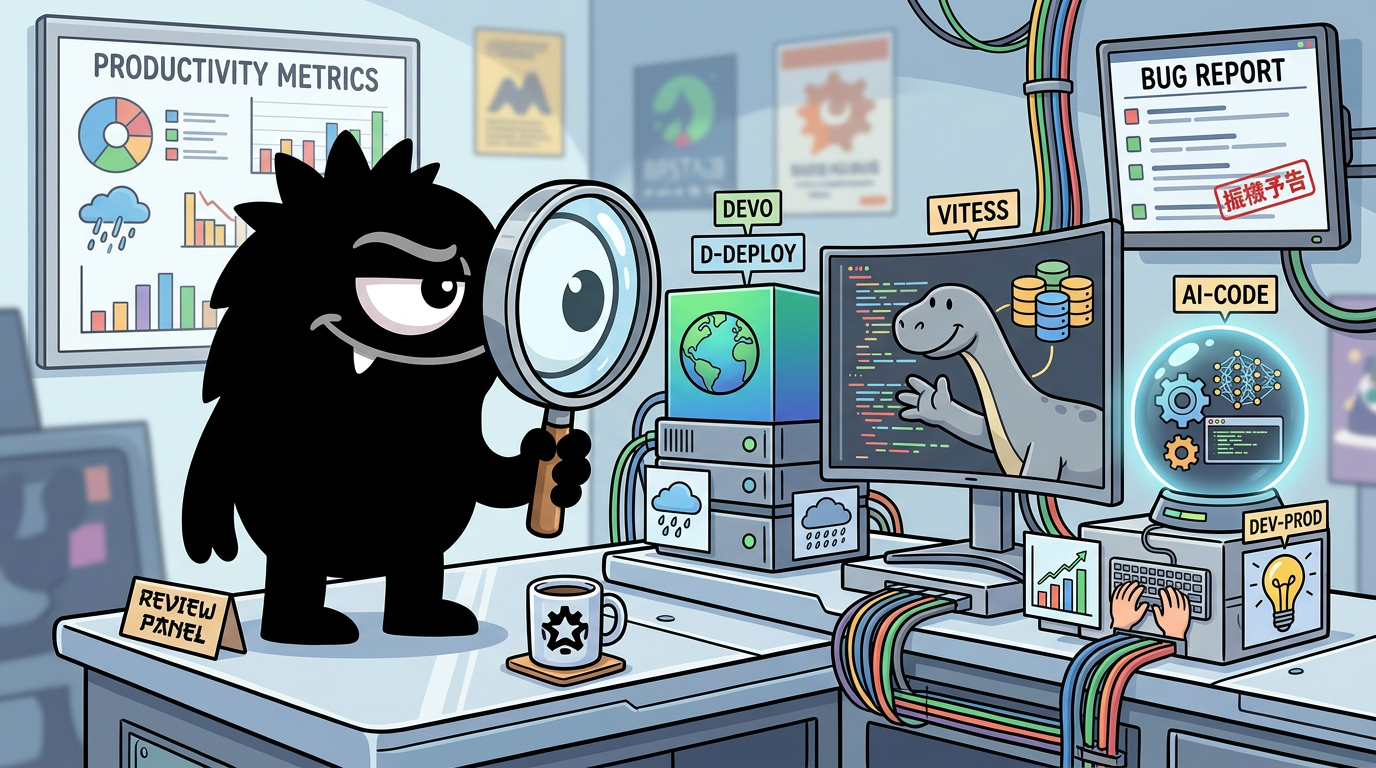
Why Deno Deploy vs PlanetScale Is a Tricky Comparison
A lot of developers are asking the wrong first question.
“Deno Deploy vs PlanetScale” sounds like a head-to-head product comparison, but these tools sit on different layers of the stack. Deno Deploy is an application hosting platform and edge runtime for running your code close to users, with built-in observability and operational tooling.[3] PlanetScale is a managed database platform focused on relational data, schema lifecycle, and database operations.[10]
That distinction matters because code review and debugging mean very different things depending on which layer is hurting you:
- At the application/runtime layer, debugging means logs, traces, memory behavior, request timing, and failed deployments.
- At the database layer, debugging means query bottlenecks, active connections, lock contention, schema rollout safety, and operational visibility into production data access patterns.
The reason people still compare them is practical, not conceptual: small teams often want the fewest possible services, and they want confidence when something breaks. In that context, developers naturally ask whether one product can absorb enough of the other’s job.
I made a little website for people who accidentally visit https://t.co/hXAv9UDg7T
Used Deno, Deno Deploy (Edge), and the Planet Scale Serverless Lib.
It hits the for a read+write and re-renders every visit.
Let's see how well it holds up 😅
That post captures the reality better than most product pages do. Deno Deploy and PlanetScale are often paired, not swapped. The same is true here:
I've been playing around with Deno, Deno Deploy, Fresh and PlanetScale Serverless Driver for JavaScript. Same principle. Game changers.
View on XSo the useful question is not “which is better overall?” It’s this: Which tool gives you the better native workflow for the kind of review and debugging work you actually do? For app behavior, Deno Deploy is stronger. For schema review and database operations, PlanetScale is much clearer and more purpose-built.[3][10]
For Code Review, PlanetScale Has the Clearer Native Workflow
If your concern is reviewing changes safely before they hit production, PlanetScale has the more explicit built-in story.
Its core advantage is that it treats database changes as reviewable units. PlanetScale branches let teams create isolated environments for schema work, much like Git branches isolate code changes.[7] That’s not just a nice metaphor. It solves a real operational problem: database changes are often harder to undo than application code, and careless migrations can break production in ways a normal code review won’t catch.
PlanetScale’s answer is the deploy request workflow. Teams can propose schema changes, review them, and merge them with a system designed around zero-downtime intent.[8] In other words, PlanetScale doesn’t just store your data; it gives your database changes a native approval path.
That matters more than the recent X chatter around “AI code review” might suggest. There’s nothing wrong with AI-assisted PR review, but for PlanetScale the bigger story is still workflow control around schema evolution, not generic code commenting.
PlanetScale saves 2 engineers worth of review effort using Cursor Bugbot. 80% of flagged bugs fixed before merge across 2,000+ monthly PRs. AI code review is no longer optional at scale. #AdwaitX #CursorAI #CodeReview https://www.adwaitx.com/cursor-bugbot-planetscale-ai-code/
View on XIf you want to wire this workflow into CI/CD, PlanetScale also provides a GitHub Action for creating deploy requests, which makes the database review process much more automation-friendly than old-school migration scripts passed around informally.[12]
By contrast, Deno Deploy does not have a first-class native code review system. You can absolutely use Deno Deploy in a disciplined code review pipeline—typically with GitHub, GitLab, or another SCM platform—but the review itself happens outside Deno Deploy. Deno Deploy is where the code runs and is observed, not where change approval is fundamentally modeled.[3]
That doesn’t make Deno Deploy weak. It just means its strength is elsewhere. If your team asks, “How do we safely review application code?” the answer is probably your Git platform. If it asks, “How do we safely review schema changes with operational guardrails?” PlanetScale has an opinionated answer built in.[7][8]
Interestingly, some of the strongest praise for Deno’s broader ecosystem comes from developer productivity rather than review workflow:
A few of you noticed that this module was fully written, tested, built, and published using @deno_land.. this was my first time fully leaning into the ecosystem and I wanted to share my experience. 🧵
> TLDR; it's new (to me) and so required a small transition but the Deno "toolkit" is robust, well-thought-out, and truly is a productive all-in-one.
That “productive all-in-one” feeling is real. But it should not be confused with a native review primitive. PlanetScale owns the database review workflow more directly than Deno Deploy owns code review.
For Runtime Debugging, Deno Deploy Is Stronger Out of the Box
When the problem is not schema safety but understanding live application behavior, Deno Deploy has the stronger default experience.
Deno Deploy’s observability tooling includes logs, traces, and metrics out of the box, with support for correlating logs to HTTP requests.[1] That matters because debugging production systems usually starts with a simple but painful question: what happened on this specific request? If your platform can immediately connect logs, runtime events, and request context, you start from evidence instead of guesswork.
Debugging in production just got easier with Deno Deploy:
✳️ immediate logs, traces, and metrics
✳️ associate logs with HTTP request
✳️ support for console.log, fetch, Deno.serve, and more
For the full 25min demo, check out our YouTube 👇
https://www.youtube.com/watch?v=PwDU8yTZmUM
Deno has also pushed a “zero-config debugging” story through OpenTelemetry support, reducing the amount of manual instrumentation teams need before getting useful visibility.[2] For small teams, that’s significant. Instrumentation debt is real, and many apps go into production with far less observability than their developers intended.
Where Deno Deploy gets especially interesting is its exposure of V8 engine-level metrics. That is not database debugging. It is runtime introspection: memory growth, isolate behavior, and clues that help track down leaks or pathological request patterns.[1]
Need better debugging? Deno Deploy offers V8 engine level metrics to help you identify memory leaks and more, without any additional config.
View on XFor beginners, the simplest framing is this:
- If your app is timing out because of a bad SQL query, V8 metrics won’t save you.
- If your app is behaving strangely because of memory pressure, hot paths in code, or runtime-level regressions, PlanetScale won’t help much either.
For experts, the more important point is that Deno Deploy is unusually well-positioned for debugging JavaScript/TypeScript execution in production without requiring a lot of add-on tooling. The platform’s native support for telemetry and request-linked diagnostics lowers the time-to-first-insight in a way many hosting environments still don’t.[1][2][3]
This is where the X conversation has been a bit muddy. Some developers hear “debugging” and think of app traces; others think of blocked DB connections. Those are both valid, but they are not the same category. Deno Deploy is stronger when the incident lives in the service runtime.
For Database Debugging, PlanetScale Has More Actionable Operational UX
PlanetScale’s best debugging story is not about full-stack observability. It’s about making database incidents less blind.
The standout example is connection-level visibility. PlanetScale’s tooling is designed to show active sessions, identify blockers, and surface problematic patterns fast—especially the kind you otherwise discover by manually looping over system views and trying to interpret snapshots under pressure.[10][9]
PlanetScale just shipped the database debugging tool that should have existed years ago
the old way: run pg_stat_activity in a loop. squint at the rows. try to remember what the output looked like 2 seconds ago. do this while your app is timing out
the new way:
pscale branch connections top <db> <branch>
what you get:
- live TUI, refreshes every second
- sessions sorted by blocking impact automatically
- color-coded: active, idle, idle-in-transaction (the dangerous one that holds locks)
- full blocker tree you can walk all the way to the root cause
- `[` and `]` to step back through recent history so the incident moment doesn't disappear
- press `C` mid-session and it captures the last 5 minutes of history already in memory, not just from when you pressed it
- three levels of action from the keyboard: cancel a query, kill a transaction, or force terminate a connection
the part that matters most: it runs on a reserved admin connection. when your db has hit max connections and nothing can get in, this still works. you can still see everything and act
Postgres and Vitess both supported. update pscale and run it
That post resonated because it describes a real operational pain point: during a production incident, developers don’t want abstract health scores. They want to know:
- Which sessions are active right now?
- Which transaction is blocking others?
- Is there an idle-in-transaction client holding locks?
- Can I safely kill the query, the transaction, or the connection?
PlanetScale’s newer CLI/database debugging UX is compelling precisely because it turns those questions into immediate actions rather than a forensic exercise.
Migrated one of my clients from Supabase to @PlanetScale and amongst many things, their dashboard is way more actionable
Found a pretty complex DB query which was using ~50% CPU time
Added a few indexes and it's dropped off a cliff 📉
p99 from 3s+ to essentially 0s
That kind of feedback is more important than product positioning language. “Found a complex query using ~50% CPU,” then fixed it with indexes and collapsed p99 latency from multiple seconds to near-zero—that’s the database debugging outcome practitioners care about.
PlanetScale’s broader workflow guidance also reinforces this operational mindset: careful schema branching, managed deployment flow, and best practices around production database changes.[9] The point is not just that PlanetScale hosts MySQL/Vitess-style workloads; it’s that it gives teams a database-centric operating model.
This is where PlanetScale clearly outclasses Deno Deploy. Deno can tell you a request is slow. It may even help you correlate logs and traces around that request.[1] But it won’t natively tell you which DB session is holding the lock, which connection pool behavior is causing saturation, or which query just ate half your CPU budget. PlanetScale speaks directly to those problems.
Where Each Tool Still Frustrates Developers
Neither product is magic, and the X conversation is useful precisely because it cuts through marketing symmetry.
Deno Deploy’s promise is attractive: deploy code, get observability, reduce setup burden.[3] In many cases, it delivers. But developers still report moments where the experience becomes opaque—especially around deployment failures and poor error clarity.
𝙳𝚎𝚗𝚘.𝚌𝚛𝚘𝚗("𝚝𝚎𝚜𝚝", "𝟶 𝟶 * * *", () => {
𝚌𝚘𝚗𝚜𝚘𝚕𝚎.𝚕𝚘𝚐("𝚑𝚎𝚕𝚕𝚘 𝚠𝚘𝚛𝚕𝚍!");
});
みたいなのを Deno Deploy にデプロイしようとしたら Deploy フェーズで失敗してエラーの詳細もわからなくて困った 何がダメなんだろう
That complaint matters because debugging starts before production. If a platform fails during deploy and the error surface is thin, “zero-config observability” doesn’t help much. Some independent reviews of Deno Deploy also note tradeoffs around maturity and feature expectations relative to more established deployment stacks.[4]
PlanetScale has the opposite limitation. Its operational UX for database debugging is getting strong praise, but it is still database debugging. It is not a substitute for end-to-end tracing across your application, your edge functions, your external APIs, and your user session path.
Debugging database performance with @PlanetScale is lovely
Haven't experienced such good UX before and it's helping me identify issues and improve performance much faster
That post is glowing—and justified—but note the scope. It’s about database performance. If your bug lives in application code, auth flow, cache invalidation, or a malformed edge response, PlanetScale is adjacent, not central.
So the sharpest way to put it is:
- Deno Deploy’s weakness: it can still feel too opaque when deployment/build/runtime setup goes wrong in certain edge cases.
- PlanetScale’s weakness: it won’t give you a complete application debugging narrative beyond the DB layer.
For complex teams, neither one replaces a full review-and-debug stack alone.[1][10] The friction comes when buyers expect one tool to collapse the other’s problem space.
Pricing, Scope, and the Small-Project Reality Check
A lot of this debate is really about economics.
If you are building a serious application with relational data, schema evolution, and performance-sensitive queries, PlanetScale’s database workflow and operational visibility can be worth the cost and complexity.[10] But if your “database” is effectively a hit counter, session store, or tiny bit of app state, a full managed relational platform may be overkill.
Wes Bos framed that tradeoff bluntly:
PlanetScale is nuking the free DB behind https://wesboss.com/
What should I use to replace the DB on this glorified hit counter?
Leaning towards Deno Deploy or Cloudflare KV
This is where people start treating Deno Deploy as a replacement candidate, even though it’s not a managed relational database. For small projects, what they often mean is: Can I avoid paying for or operating a full SQL system if my storage needs are trivial? Sometimes the honest answer is yes.
Deno Deploy can be a simpler fit when the app is mostly request handling, rendering, lightweight APIs, or modest stateful behavior, especially if the main thing you value is fast deployment and built-in runtime visibility.[3] But that is a scope decision, not proof that Deno Deploy “beats” PlanetScale at database work.
The duplicated post below underscores how widespread this small-project question has become:
PlanetScale is nuking the free DB behind https://wesboss.com/
What should I use to replace the DB on this glorified hit counter?
Leaning towards Deno Deploy or Cloudflare KV
For solo builders and tiny apps, your decision should start with the shape of your state, not the prestige of your tooling:
- Need relational queries, schema evolution, and query tuning? PlanetScale is justified.
- Need lightweight persistence attached to a small edge app? Deno Deploy plus a simpler storage model may be better.
- Need both? Don’t force a false either/or.
Learning Curve: Which Workflow Fits Your Team Better?
Tool choice here is partly about technical need and partly about how your team likes to work.
Deno Deploy appeals to teams that want a TypeScript-first, integrated runtime with fewer moving parts and fast access to observability.[5] If you are already leaning into Deno’s ecosystem, that can feel refreshingly cohesive.
After an intense day and a half of building, learning, and late-night debugging, I’m thrilled to finally launch Dia Skill Share!
This project started as a spark of curiosity and pushing me to dive deep into Deno Fresh, Deno Deploy, and Twitter OAuth.
That kind of developer experience matters. For small teams, reducing context switches between runtime, deployment, and instrumentation can be more valuable than adding another specialized product.
At the same time, Deno does ask for some ecosystem adaptation, especially for developers coming from Node-heavy habits or more conventional hosting stacks. As Luke Edwards put it, the toolkit is productive, but it requires “a small transition.”
PlanetScale, meanwhile, fits teams that already think in terms of database lifecycle management: branches, schema reviews, deploy sequencing, query performance, and operational discipline.[7][9] If your team has ever been burned by unsafe migrations or mystery latency spikes in production SQL, PlanetScale’s workflow will feel immediately rational.
And there’s a practical middle path many teams are clearly taking:
Monitoring database connections sucks. We fixed it.
The PlanetScale CLI now gives you a TUI to observe, log, and kill the active connections on your database.
Available today for Postgres and Vitess.
That’s the complementary model in one sentence. Use Deno Deploy to understand how requests behave in production. Use PlanetScale to understand what your database is doing under that load. The learning curve is higher than adopting just one product, but the operational clarity is also much better.
Best Use Cases: Who Should Choose Deno Deploy, PlanetScale, or Both?
If your primary problem is runtime debugging—request traces, logs, memory behavior, edge execution, and getting visibility with minimal setup—start with Deno Deploy.[1][2]
If your primary problem is safe review of schema changes and database debugging—connection pressure, blockers, slow queries, index wins, and operational DB visibility—start with PlanetScale.[7][8][11]
Choose both when your app is real enough that failures happen at multiple layers and you need confidence across them. That is increasingly the sensible answer, not an indecisive one.
The broader Deno story also helps explain why some teams are comfortable betting on it for the application layer: the project keeps investing deeply in runtime quality and internals, not just marketing polish.
2. Deno merged a major port of console/inspect from JS to Rust, slashing 01_console.js by 83%, shrinking the snapshot, and keeping output identical. https://github.com/denoland/deno/pull/35087
View on XSo, which is best for code review and debugging in 2026?
- Best for code review: PlanetScale, because schema branching and deploy requests are native workflow primitives.
- Best for app/runtime debugging: Deno Deploy, because observability is built in and fast to use.
- Best for database debugging: PlanetScale, clearly.
- Best overall for production teams: often both, because they solve different failure modes better than either solves the other’s.
Sources
[1] Observability — https://docs.deno.com/deploy/reference/observability/
[2] Zero-config Debugging with Deno and OpenTelemetry — https://deno.com/blog/zero-config-debugging-deno-opentelemetry
[3] Deno Deploy — https://deno.com/deploy
[4] What is Deno Deploy: A Review of Deployment Features — https://bejamas.com/hub/hosting/deno-deploy
[5] Deno adoption guide: Overview, examples, and alternatives — https://blog.logrocket.com/deno-adoption-guide/
[6] denoland/docs — https://github.com/denoland/docs
[7] Branching - PlanetScale — https://planetscale.com/docs/vitess/schema-changes/branching
[8] Deploy requests - PlanetScale — https://planetscale.com/docs/vitess/schema-changes/deploy-requests
[9] PlanetScale workflow for Vitess - PlanetScale — https://planetscale.com/docs/vitess/best-practices
[10] What is PlanetScale? - PlanetScale — https://planetscale.com/docs/what-is-planetscale
[11] Database branching: three-way merge for schema changes — https://planetscale.com/blog/database-branching-three-way-merge-schema-changes
[12] planetscale/create-deploy-request-action — https://github.com/planetscale/create-deploy-request-action
References (15 sources)
- Observability - docs.deno.com
- Zero-config Debugging with Deno and OpenTelemetry - deno.com
- Deno Deploy - deno.com
- What is Deno Deploy: A Review of Deployment Features - bejamas.com
- Deno adoption guide: Overview, examples, and alternatives - blog.logrocket.com
- denoland/docs - github.com
- Branching - PlanetScale - planetscale.com
- Deploy requests - PlanetScale - planetscale.com
- PlanetScale workflow for Vitess - PlanetScale - planetscale.com
- What is PlanetScale? - PlanetScale - planetscale.com
- Database branching: three-way merge for schema changes - planetscale.com
- planetscale/create-deploy-request-action - github.com
- How to use Planetscale with Deno - docs.deno.com
- PlanetScale is currently not suitable for serverless edge ... - github.com
- Global database comparison on Deploy - global-db-comparison.deno.dev
Related Guides

Aider vs Cline: Which Is Best for AI Pair Programming in 2026?
15 min read
The Best AI Model Tools in 2026: An Expert Comparison Through a $4M Polymarket Bet
25 min read
What Is Replit? A Complete Guide for 2026
19 min read
Traders Are Betting on Anthropic: What Polymarket's 99% AI Model Odds Reveal for Developers in 2026
20 min read